


Awesome! Thanks for sharing @Michael_Wisniewski.
1 Like
Hey I got the same dilemma to find a super portable yet pro sound set up (buddy vs flx2 vs mixtour vs Z1) how is it your experience going? How’s the test of time?
1 Like
Self deleted because I double posted by mistake - correct post below.
I have a Reloop Buddy (and a DDJ-REV5).
- The good point with the Buddy is that the integration with DJAY is the most complete (as with the Mixtour Pro). For example, the performance mode buttons on the Buddy will summon the corresponding performance screen on DJAY. If I understand correctly, these two controllers are the only ones with this feature (which is a huge bummer as this should be possible with all controllers, imho).
- The weak point with the Buddy is indeed the sound card, and I am not talking about audiophile nerdy ears, I am talking about some background buzzing (and no it is not my cables, nor my power supply). Therefore, I used it in combination with an external DAC. But when using an external DAC or extracting the sound from an iPad line out, you cannot cue via headphones anymore (due to IOS limitation. Only possible with a macbook/computer, or if you go for the dual mono splitter route). The background buzzing issue has become even more important with most recent iPads (having more power). There is also a Power Management issue worsening the background buzz when powering with stronger supply (like a recent iPad), and you may encounter issues with the volume of the Buddy wobbling a bit (you see the sound level moving without touching anything), quite annoying. The Buddy also still has USB A ports only (no USB C).
So, my personal conclusion : The Buddy is a nice small controller. It could be the best is this category if updated. But current hardware version is clearly outdated (sound card and power management issues). It should be discontinued, imho. The Buddy could still have beautiful days if Reloop issued a new version some day (like a Buddy MkII - with better sound card, power management, USB-C). But in the meantime, the current one is outdated, imho. I wouldn’t recommend it (However, I would recommend a “Buddy MkII” if it came to life some day).
PS : In your selection, beware Reloop Mixtour (discontinued) and Reloop Mixtour Pro are two different devices. My comment about Djay integration applies to the Mixtour Pro.
2 Likes
I’m with you - I do wish Reloop would hurry up and bring out a Buddy Pro with upgraded sound card. The Mixtour Pro which I also have is much improved over the Buddy and original Mixtour(both of which I own) although I much prefer the Buddy layout.
On a final point, I thought the Mixtour Pro sounded decent until I decided one day to divert the audio through my SSL Big Six mixing desk - I almost wish I hadn’t done that because it made me realise the Mixtour Pro could still sound a lot better. It’s a slippery slope this chasing optimal sound lark! 
1 Like
Almost every controller sounds significantly better when the signal is routed through an external mixer, because almost every controller does not have such high-quality components built in. And this applies not only to inexpensive entry-level devices, but also to expensive high-end controllers. This is another reason why I have been using and recommending an external mixer for years, regardless of the controller used.
2 Likes
I use external sound card with iPad and Bluetooth djcontrol mix ultra
Also super curious what you guys are doing. I’m thinking of using the apogee duet USB c out of ipad pro and connecting via Bluetooth but what to do about cueing? Will see if I can route it to the soundcards headphones out. Has anyone tried this?
The apogee duet supports headphone cueing. It has a class-compliant 2in x 4out audio interface. If you search online, you should be able to find portable DJ rigs using it that way.
Thank you.. I have routed pre- cueing to apogee channels 3 and 4 but it’s not working I just get the main sound bleeding out. Also when using Bluetooth connection from the iPad half the buttons on the flx4 aren’t working and it doesn’t have visual cues just a couple of orange lights flashing at the top. Play and faders work but that’s about it. Have resolved to use MacBook and sound card. Would be amazing to find a way of getting the iPad and sound card working with it though.
On the budget controller side, I used both DDJ FLX-4 and Reloop Buddy, and I can attest the FLX sounds much better — reloop buddy had high levels of background noise/hum and overall really quite tinny sound compared to the FLX.
Which sound card are you using?
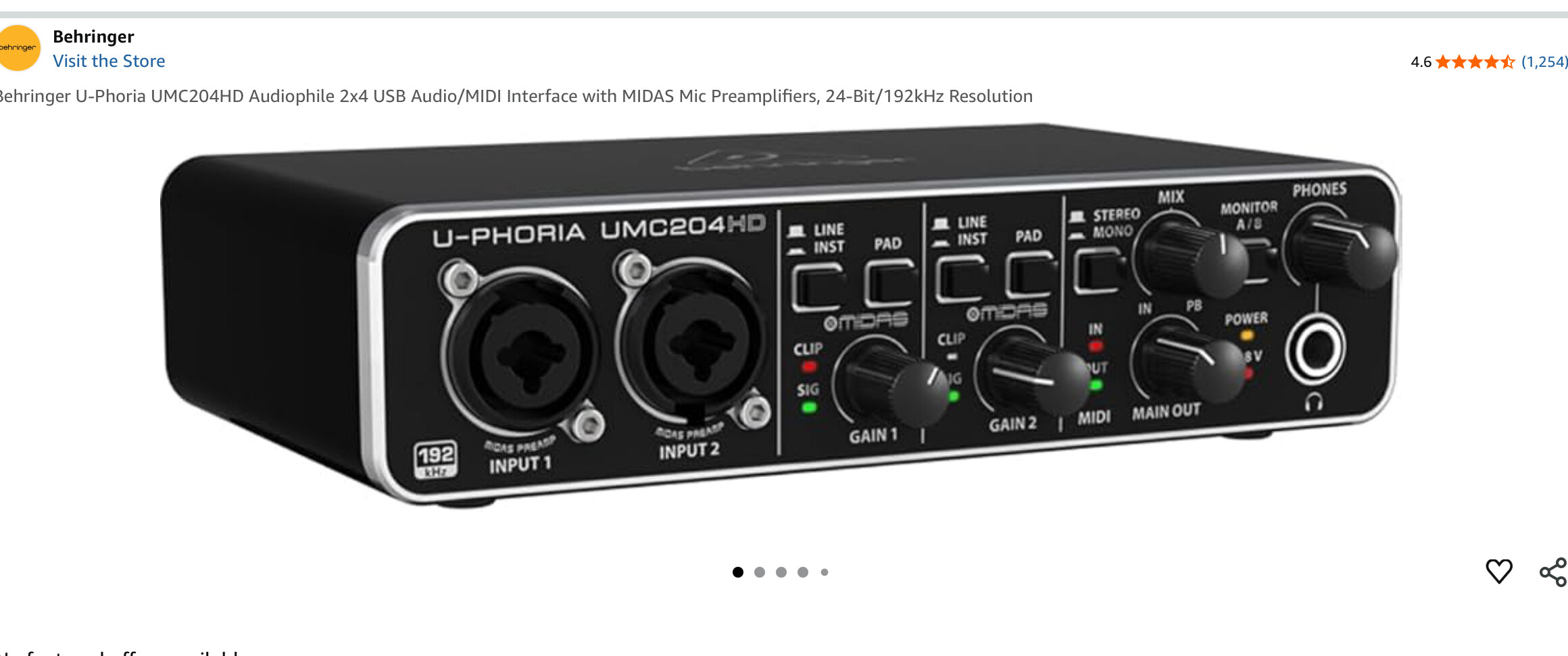
Thanks for sharing @Five-0
1 Like
Read this thread as I’ve been using djay with iPad and flx4 at some big venues for the past few weeks. Plugged into the nexus 900 mixer with RCA’s.
A/B tested against the pioneer cdjs and I think the audio when you really pushed it starts to feel abit hollow with flx 4.
- So I’ve been looking for an audio interface that supports headphone cueing that I can plug from flx 4 which is a fiddly thing to find online.*
I don’t think there’s a portable controller with high quality outputs (xlr) but I like the flx 4 form factor.
Can the staff or any recommend an audio interface/mixer with headphone cueing (that djay will understand ) ?
The remarks on the apogee duet seem hit and miss. Cheers!
I posted one that works well with djay iOS and MacBook Pro. About 3 post up
2 Likes
This is great news! So I already have an MOTU M2, so I can connect one USB from MacBook Pro for audio and another USB for DJ controller? Won’t there be latency issues for mixing? Just starting out mixing for fundraisers and private parties, so a bit green, but audio quality is super important. So I hope I don’t need to spend heaps on a DJ controller just for the good DAC/sound processing.
I connect the usb sound card and the controller to the MacBook choose the soundcard as the audio device. the sound and monitoring will come out the usb sound card and midi control from the controller… real easy and simple
1 Like
Thanks for sharing @Five-0!
I love working on the Buddy but it sounds like shit. It’s like missing sounds completely. Pretty much like it used to be on the original Mixtour. No complains on the quality of the controls on the Buddy - it’s completely usable for playing live.
For the Audio output, I end up using the built-in DAC in a CQ18 mixer that I usually have with me, and it sounds amazing. It’s so much much easier to carry the Buddy + CQ18 than the MC7000 setup that I use for bigger gigs.


