NOTE: Please use the search function above before posting to avoid creating duplicate topics.
Device model Mac Studio M1 Ultra
Version of operating system Golden Gate 27.0
Version of djay 5.6.9
Hardware/controllers used N/A
Hardware firmware version N/A
Please consider sharing a short video or screenshots to help clarify your issue
A) SUMMARY OF ISSUE:
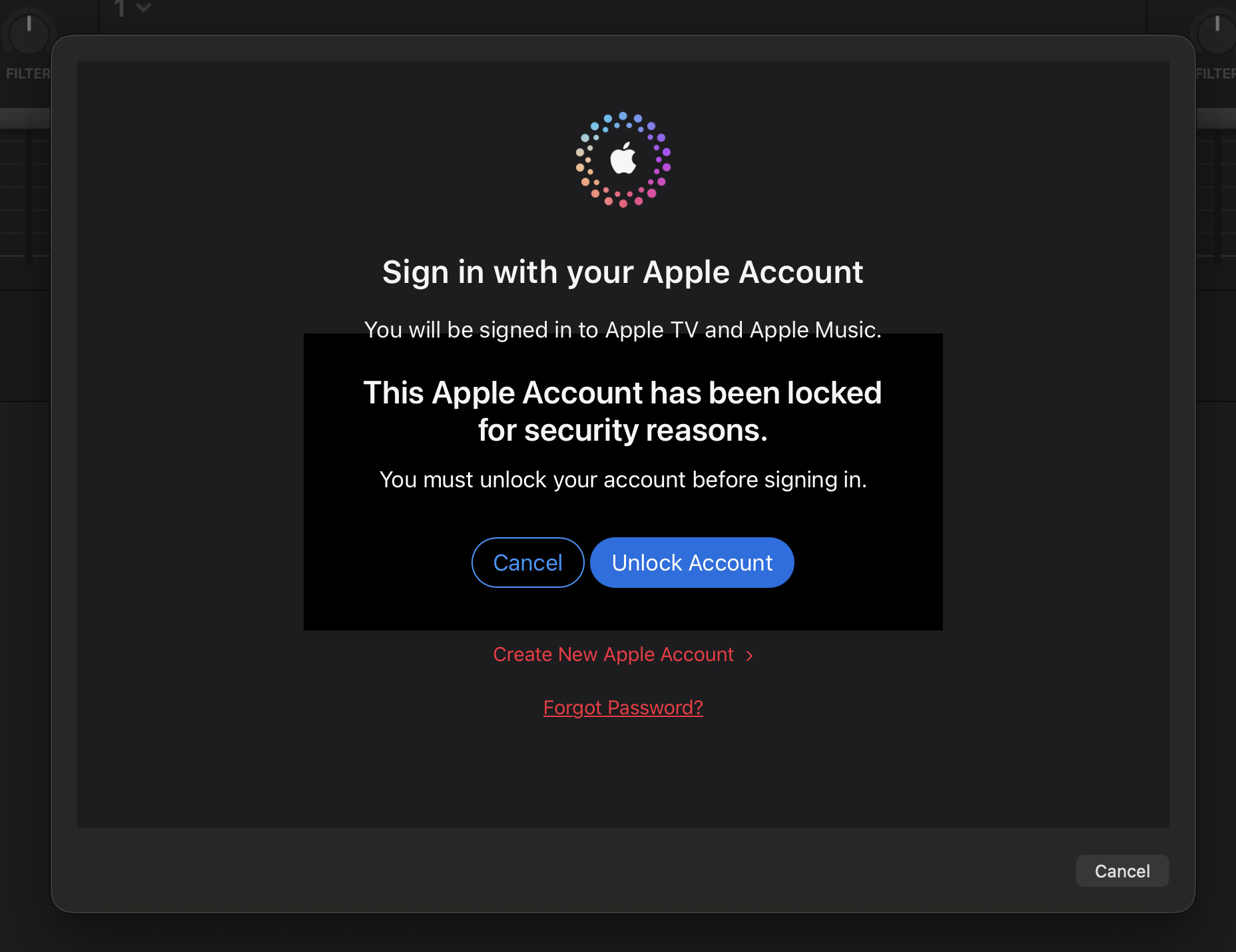
Trying to create a mix using my Apple Music account and DJ is telling me my account has been locked. Press Unlock button in dialog and nothing happens. No other connected Apple apps display this issue.
Hi @tclark, welcome to the Community! Thanks for the details, and for the follow-up. Good to know this has been working for you for a while, which helps narrow things down.
Apple Music is supported in djay on Mac. A “locked” message usually means the login between djay and your Apple account needs a reset, so let’s start there:
From the menu bar, choose Library > Log Out of Apple Music.
Quit djay completely, then reopen it.
Open the Apple Music source in the library and select Log in to Apple Music.
If the locked message comes back after that, could you post a screenshot of the dialog? The exact wording will tell us whether the lock is on your Apple Account itself or only on djay’s connection to it. I hope that helps!
Hi @tclark, thanks for the screenshot and for checking the Log Out item. That message comes from Apple’s own sign-in, not from djay. Apple’s support article says “locked for security reasons” means the account locked itself automatically, and the way back in is a password reset. djay can’t clear this one, but it’s quick to fix in a browser:
Go to iforgot.apple.com/unlock and follow the steps to unlock your account or reset your password.
Back in djay, open the Apple Music source and select Log in to Apple Music with your updated password.
Hello! It’s been a week since my last reply. I’m going to consider this topic completed for now so I can focus on others. However, please feel free to respond and we can definitely revisit this. Thanks!