NOTE: Please use the search function above before posting to avoid creating duplicate topics.
- Device model (e.g. 2020 iPad Air 4th Gen): 2020 Macbook Air
- Version of operating system (e.g. macOS 14.4.1):
- Version of djay (e.g. 5.1.2):
- Hardware/controllers used (e.g. Reloop Mixon 8 Pro): Pioneer DDJ-FLX4 controller
- Hardware firmware version (e.g. 1.0.1):
- Please consider sharing a short video or screenshots to help clarify your question
YOUR QUESTION:
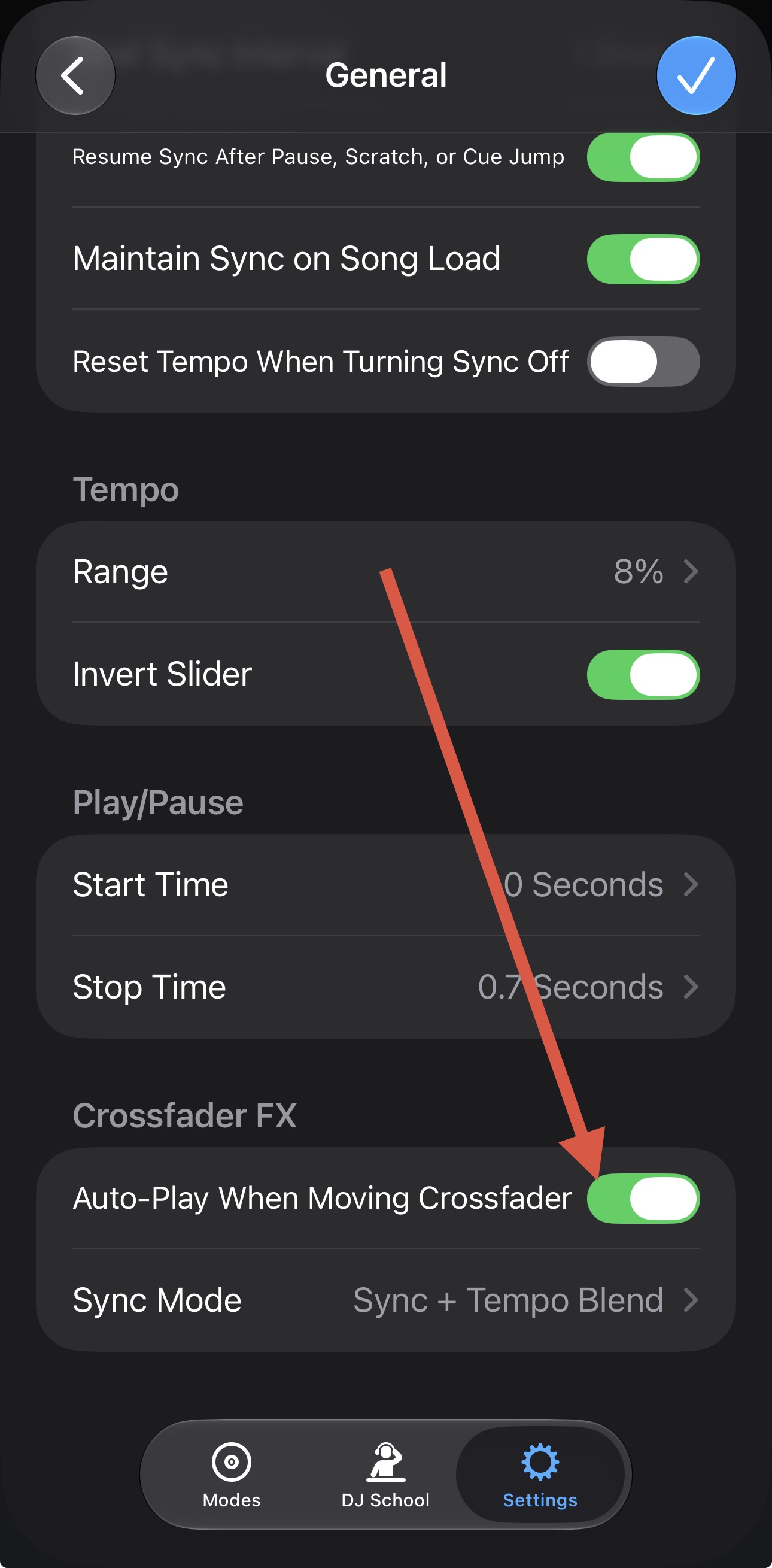
I had an issue where songs kept Syncing and beat matching, despite me turning it off. Caused a lot of issues when I would go from an 80 BPM song to a 200 BPM song lol. I figured out how to fix that through the DJay subreddit. But I think I accidentally turned something else off-
- When I have two songs loaded up on their respective Decks and I fade from Deck 1 to Deck 2, it no longer autoplays the song I’m fading to
I will admit, I’m at work while typing this question and don’t know the OS or DJay version stuff offhand. But I’m 99% sure this was my own user error and would just like to reset it, without also resetting everything else I changed in order to turn off the forced Sync
Thank you!