


A little nudge as it’s been about a year since my last bump, any news?
2 Likes
In hopes this request is not forgotten.
1 Like
This is already possible on macOS
please make it possible on ios. ipados.
Hi @Half, that’s a separate topic. You can go up Vote it via the link below:
1 Like
Sorry, did you say it’s possible now to edit track metadata within DJPro on Mac? If so, how? If not, is there a way to match the track’s cue points back to the file after changing the name in iTunes?
Hi @DJ_BW, welcome to the Community!
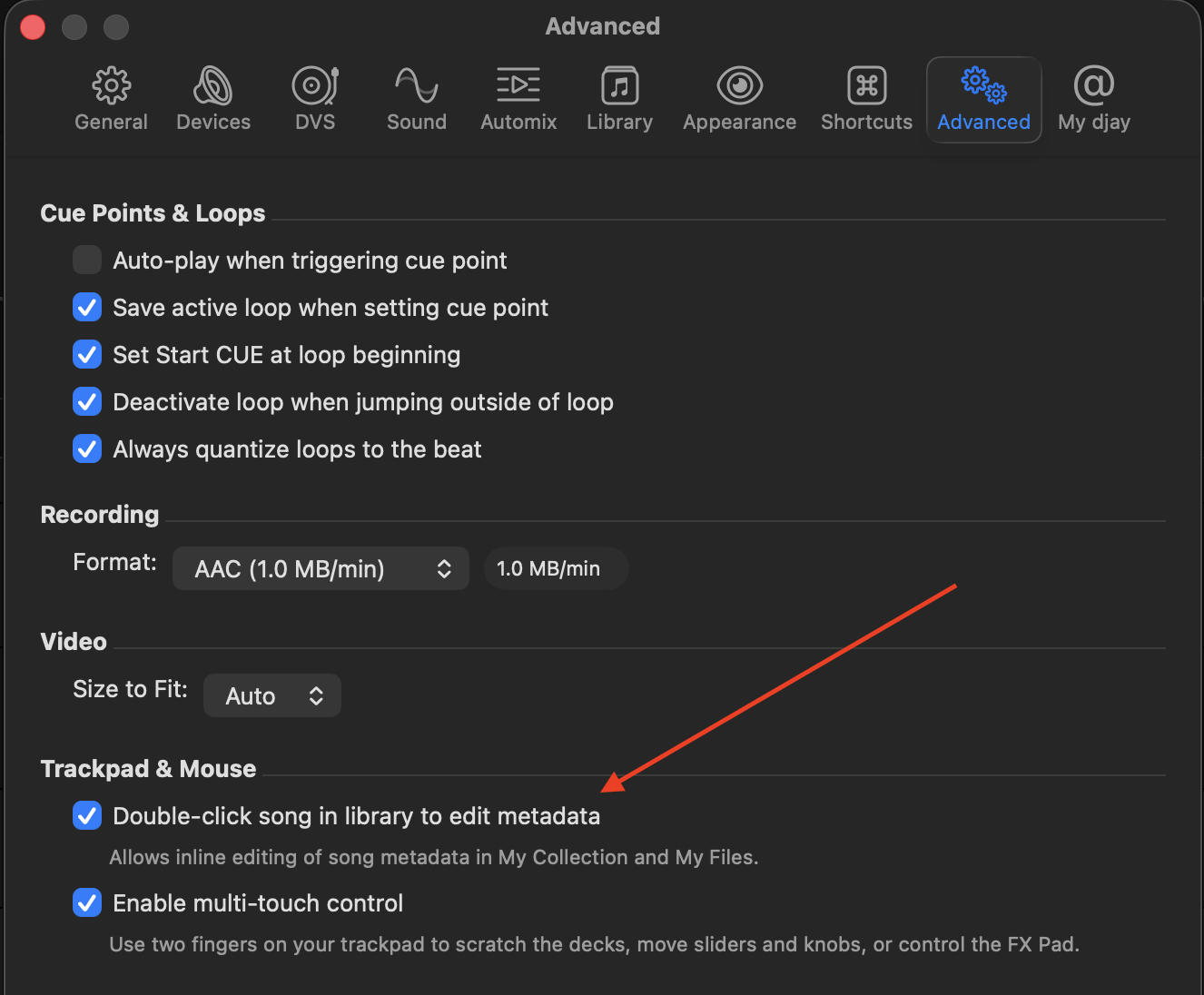
- Yes you can edit metadata within djay on macOS. Navigate to the djay Settings>Advanced>Trackpad & Mouse then enable Double-click song in library to edit metadata.
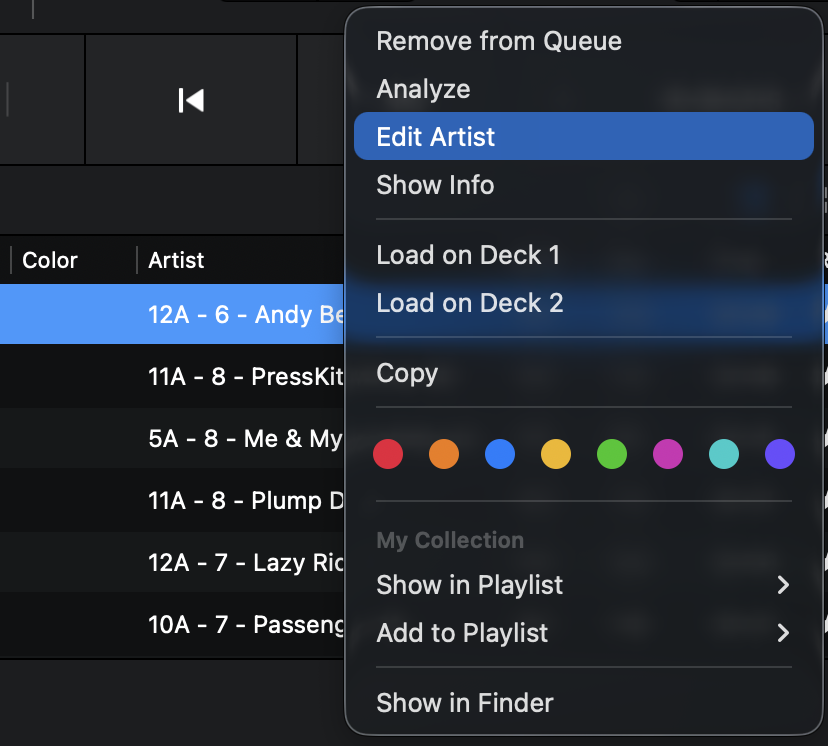
- Alternatively, you can right-click on a metadata field like “Artist” and select “Edit Artist” in the pop-up menu.
- Please note that metadata editing is only supported in the My Collection source and the My Files source. If your songs are in the Local Music source, simply drag and drop them into My Collection.
but it does not actually edit the metadata outside Djay Pro.. that edited data won’t show up in Serato or other orogram


