NOTE: Please use the search function above before posting to avoid creating duplicate topics.
- Device model (e.g. 2020 iPad Air 4th Gen): MacBook Pro m3
- Version of operating system (e.g. macOS 14.4.1): latest
- Version of djay (e.g. 5.1.2): 5.3
- Hardware/controllers used (e.g. Reloop Mixon 8 Pro): Rev 5
Your question: is there hardware mode for Mac? Can’t seem to find it. Manuel seems to suggest it’s in settings. I can’t find it though. Would be nice to have similar to iOS hardware mode. Maybe I’m missing something?
Hi @Dysfunk_DJ, yes Hardware Mode is available on macOS and Windows. When you have hardware connected to your device, a mixer icon will appear next to the waveform icon near the top right of the screen on both macOS and Windows. Please note the button is context
dependent, and will not be available unless you have a MIDI controller, or an external mixer
plugged in.
1 Like
Received. Thanks @Slak_Jaw
1 Like
You’re welcome @Dysfunk_DJ
Hi,
Sorry to open this thread, but since version 5.3 this icon to switch the mixer mode isn’t showing any more when I connect my Mixon 8 pro to my MacBook Pro.
At first I thought it was removed, but now I see this thread, so I was wondering why it won’t show.
Hi again @LJsquare82, I can confirm that this mode is working on my MacBook with my Mixon 8 Pro.
- Can you please confirm that your Mixon 8 Pro is connected to your MacBook Pro and working as expected (audio output through the master output, hardware controls affecting the onscreen controls. etc.) ?
- Once connected and confirmed above, please take a full screenshot of djay on your Mac and share it here.
- Please also share the full details of your setup:
Device Model (ex. 2020 iPad Air 4th Gen):
Version of operating system (ex. iOS 17.3.1):
Version of djay (ex. 5.1.3):
Hardware/controllers used (ex. Reloop Ready):
Hardware Firmware Version (ex. 2.7):
Thanks!
The Mixon works like it should, that’s why I thought it was removed from the version.
But I’ll take the screenshot when I’m back home (I’m on holiday now).
My setup:
MacBook Pro 2021 M1, MacOS 26, djay 5.4, Reloop Mixon 8 pro with the latest firmware.
1 Like
Sounds good @LJsquare82. Enjoy your holiday!
Hi @Slak_Jaw,
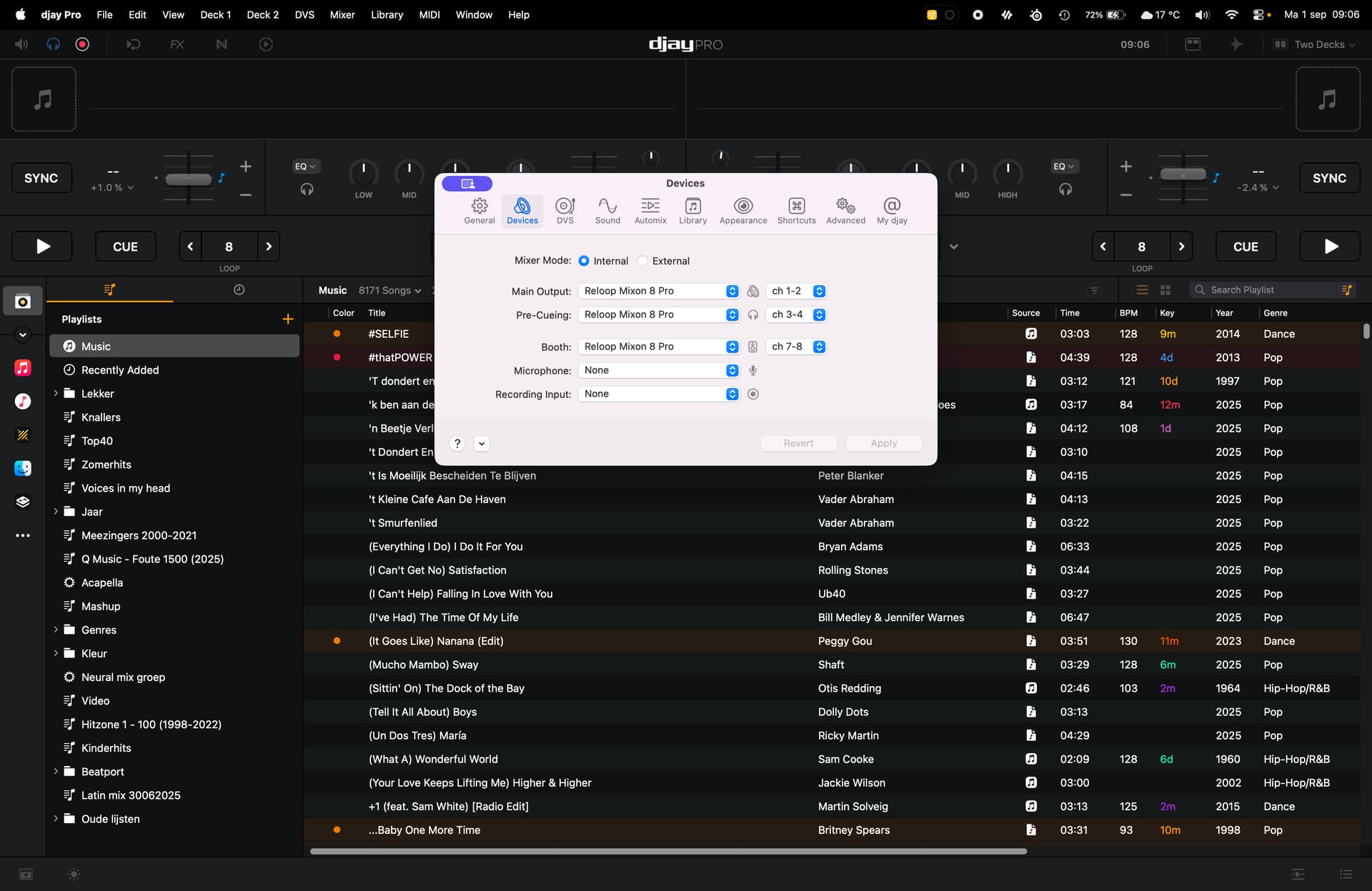
I’ve got a screenshot where you can see that my Reloop Mixon 8 is connected, but I don’t see the icon for hardware mode in the top right.
In an older version (I think 5.2) it was available.
Is this a bug or a removed feature?
edit: I think I found the problem. When I use the default midi I do get the hardware mode icon. When I select the edited midi mapper, it disappears.
1 Like
Thanks for the screenshot and additional info @LJsquare82. Hardware Mode should be available with custom MIDI mappings as well.
- Can you please try creating a new custom mapping based off the (built-in) on to see if the issue persists?
- Also, are you using a beta macOS 26 version?
EDIT: we only show the Hardware Mode if the MIDI Mapping includes a Crossfader. Did you delete the Crossfader in your custom mapping?
Yep, there is the problem. I had removed the crossfader mapping. It is solved now. Thanks.
And yes, I run macOS 26. It works flawlessly.
1 Like
You’re welcome @LJsquare82. Glad we were able to sort it out.