NOTE: Please use the search function above before posting to avoid creating duplicate topics.
- Device model (e.g. 2020 iPad Air 4th Gen):
- Version of operating system (e.g. macOS 14.4.1):
- Version of djay (e.g. 5.1.2):
- Hardware/controllers used (e.g. Reloop Mixon 8 Pro):
- Hardware firmware version (e.g. 1.0.1):
- Please consider sharing a short video or screenshots to help clarify your question
YOUR QUESTION:
- How can I unlink DropBox files that I added via the “Files” option? I can add files by clicking on the “+” but do not see any option or way to remove them or unlink them.
Hi @Bill_Colletti, please answer the questions in the template so I know exactly what system you are on. Thanks!
- Device Model (ex. 2020 iPad Air 4th Gen):
- Version of operating system (ex. iOS 17.3.1):
- Version of djay (ex. 5.1.3):
- Hardware/controllers used (ex. Reloop Ready):
- Hardware Firmware Version:
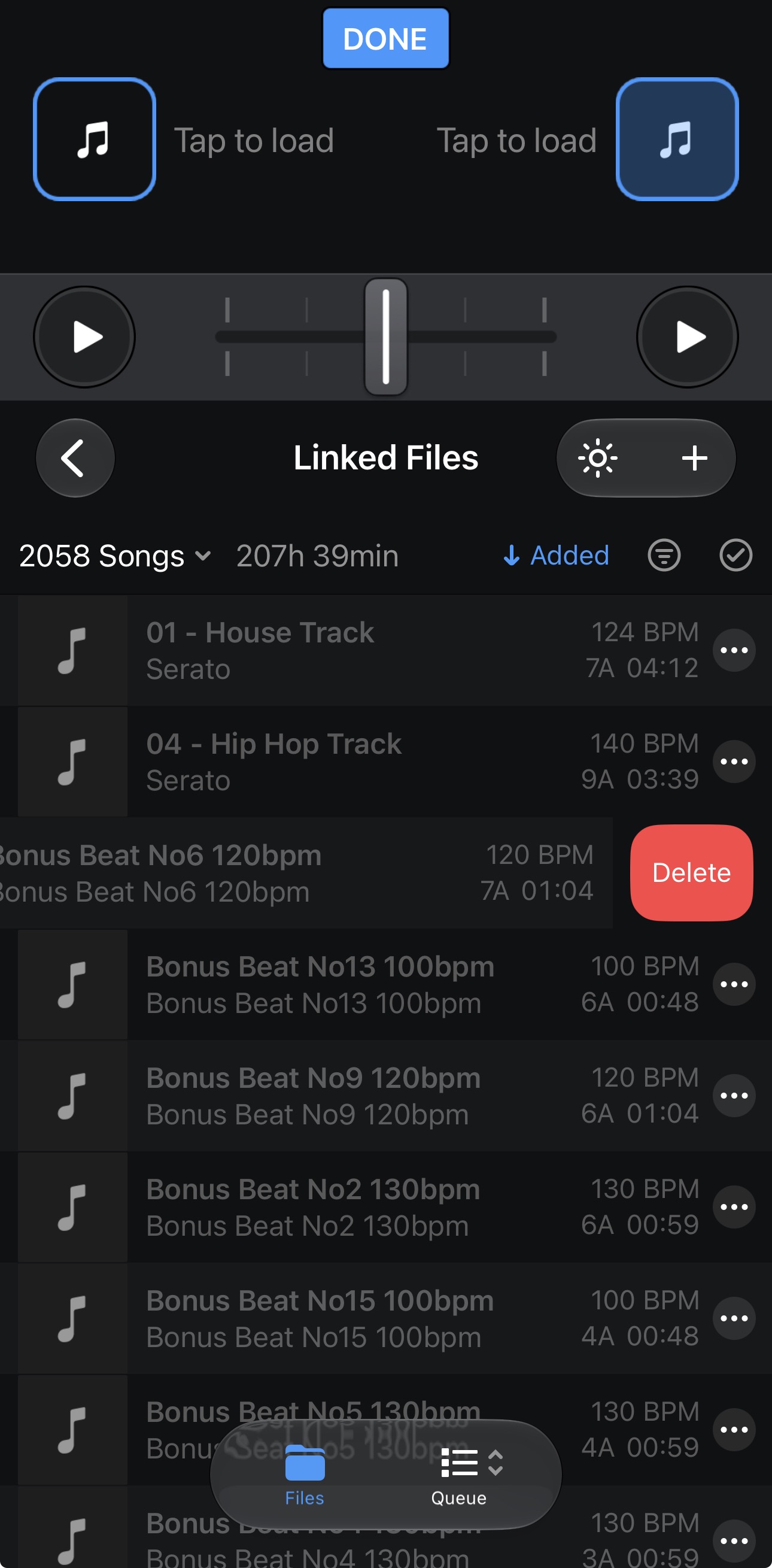
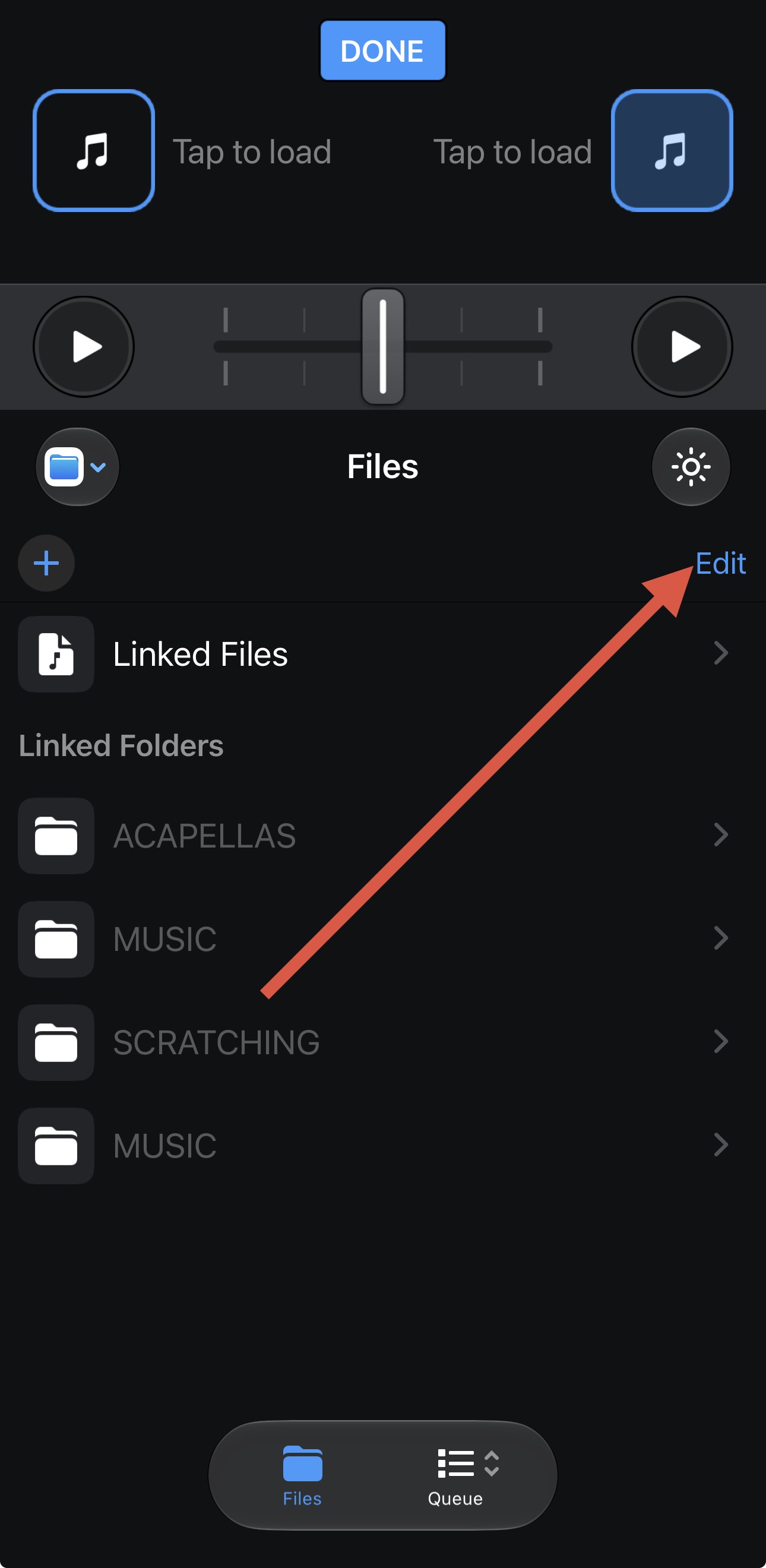
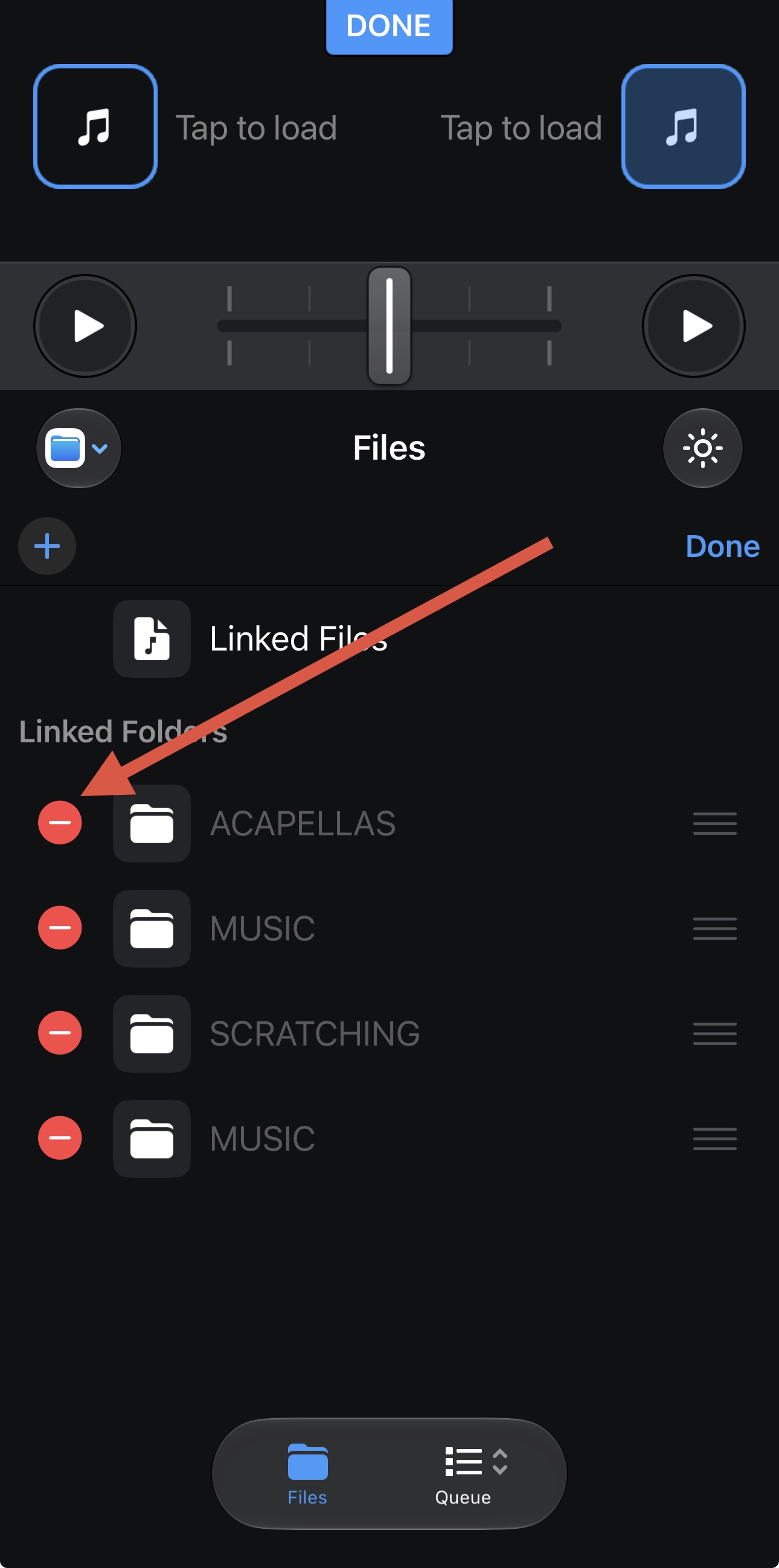
This is what it looks like on iOS.
To remove a single song in the Linked Files folder, simply swipe left and select Delete,
To remove an entire Linked Folder, select the Edit button then the red circle on the left
Thank you! I figured it was something easy.
You’re welcome @Bill_Colletti. Happy to help.