Hey everybody,
I am at the very beginning of my DJ journey, but I am a tinkerer and software dev, so I was wondering what I could do with the iPad I had lying around. I saw the Pioneer DDJ-XP2 and thought it would be a neat addition to the setup (I have a Macbook running the main software). I figured out that the iPad could act as a MIDI controller on it’s own while connected to the MacBook via cable and on I went, tinkering. I am building on the out-of-the-box support for the Pioneer device, but implemented my own interpretation of the functionality into the app.
What it is
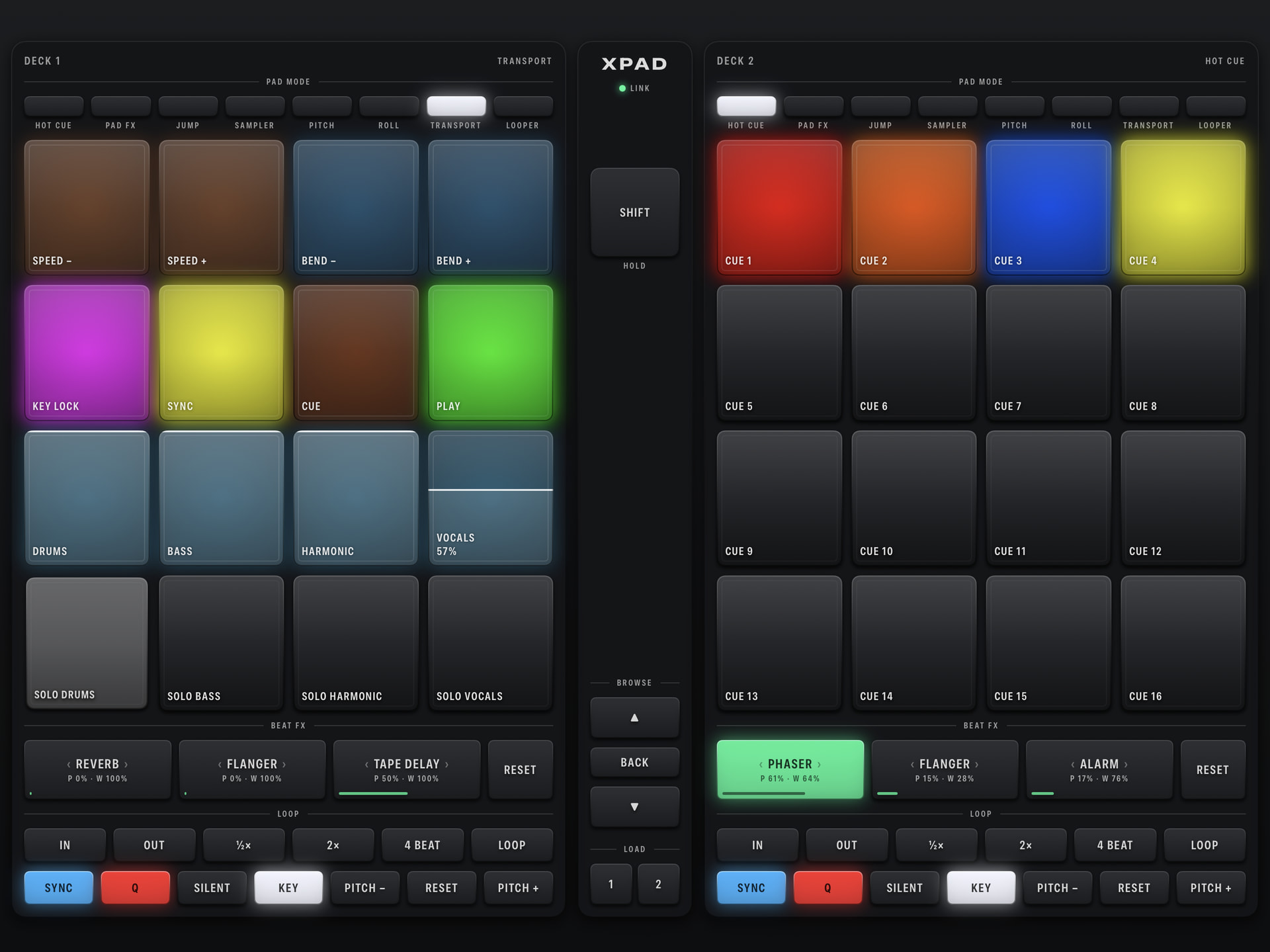
An iPad app that turns the iPad into a 2-deck performance pad controller for djay Pro on the Mac. It connects over the USB cable
(Apple’s built-in iPad MIDI link, no Wi-Fi and no extra hardware). On the djay side it uses the existing DDJ-XP2 support,
retargeted to the iPad. Pad colours, LEDs and pad modes therefore come straight from djay, with no manual MIDI learning.
What works today
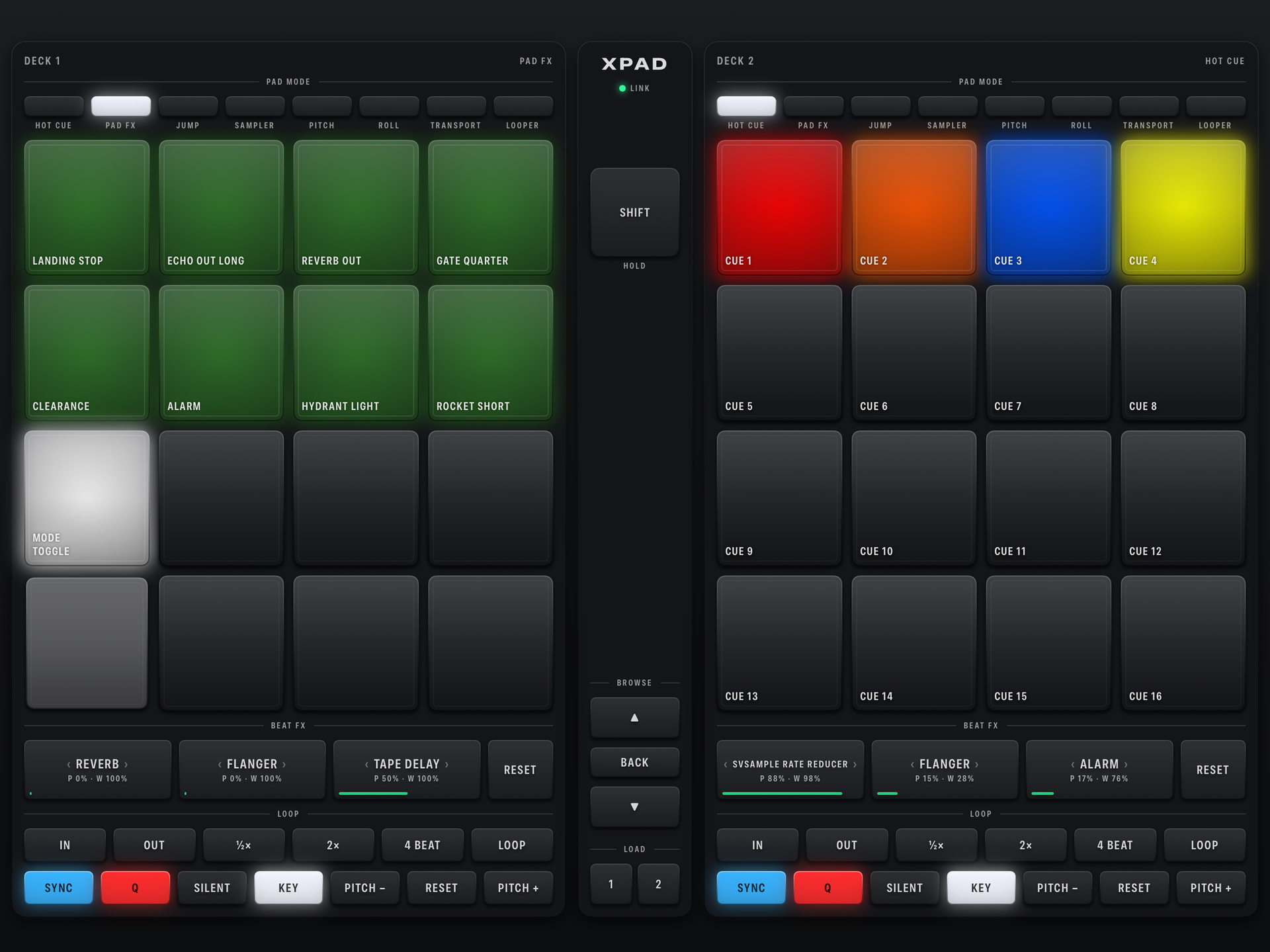
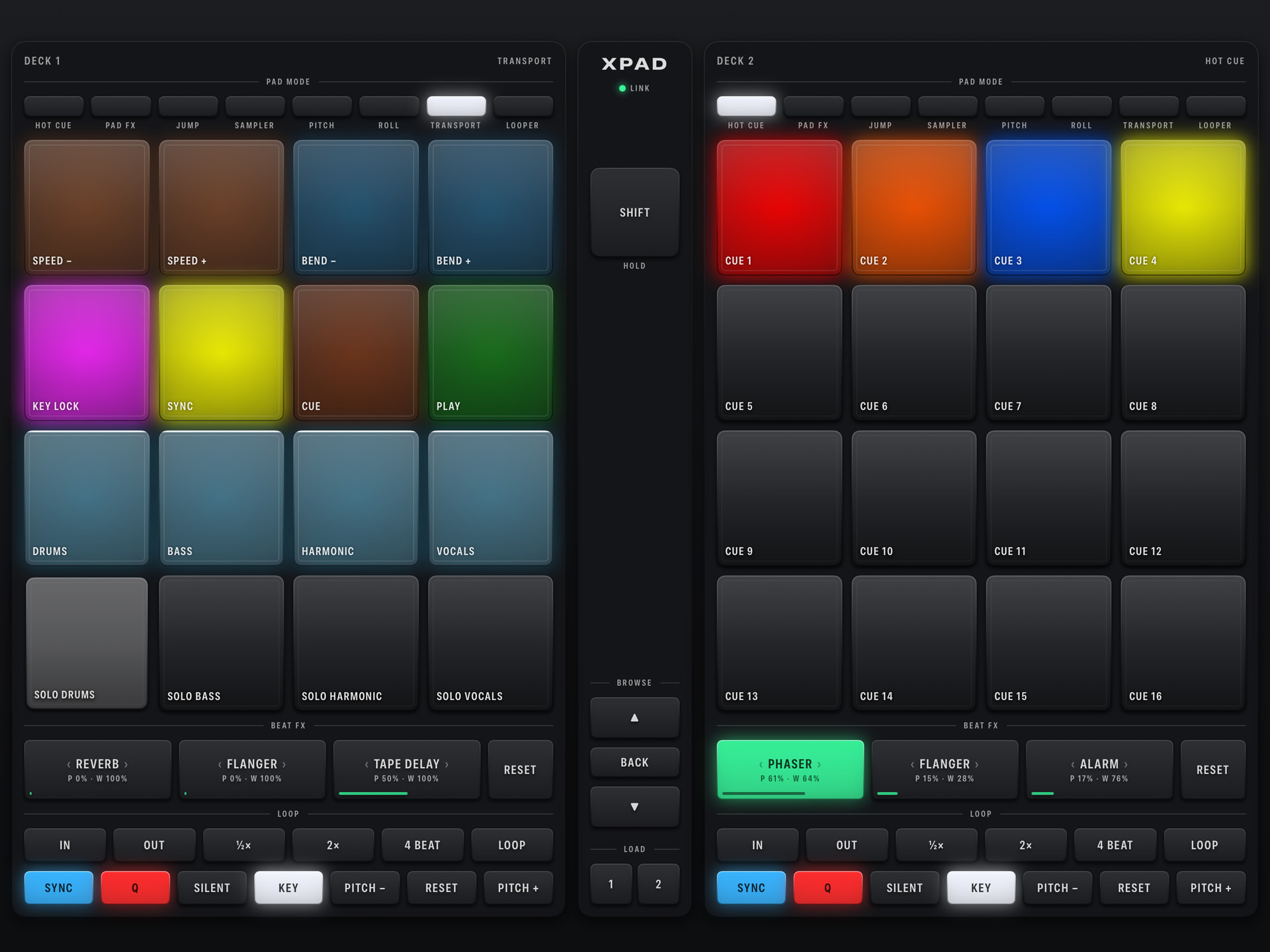
- 8 pad modes per deck: Hot Cue, Pad FX, Beat Jump, Sampler, Pitch Play, Roll, Transport/Stems, Looper
- Real hot cue colours that follow djay. SHIFT + pad deletes a cue.
- Real names on the pads: your Instant FX (“Alarm”, “Echo Out”…), sampler and looper sample names
- Stems: tap to mute/unmute DRUMS / BASS / HARMONIC / VOCALS, drag up/down on the pad to set stem volume, synced both ways
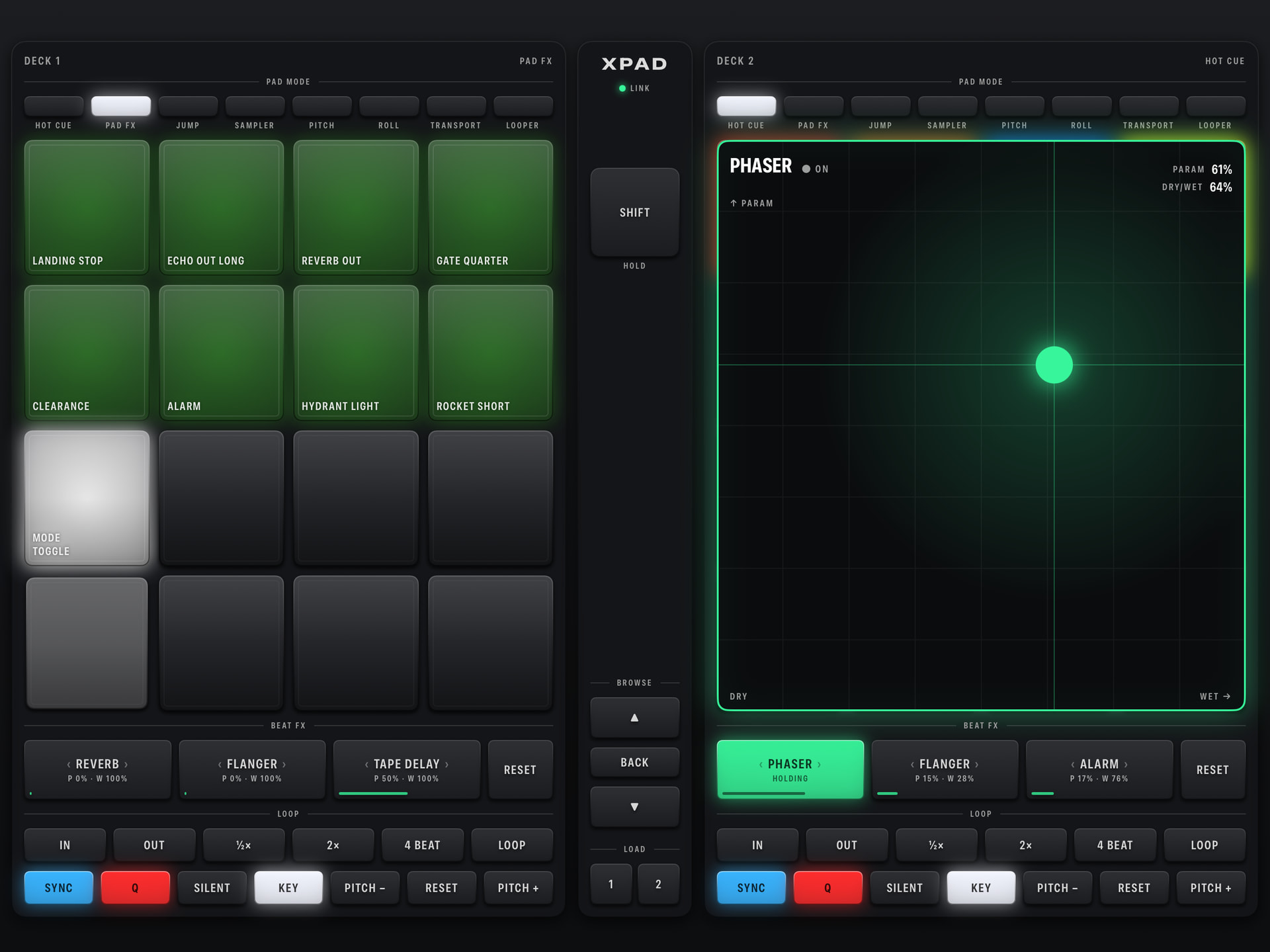
- Beat FX (3 slots per deck):
- tap = on/off
- swipe left/right = previous/next effect, and the effect name updates on the iPad right away
- hold = an XY pad opens over the pads: X = dry/wet, Y = effect parameter. You slide straight from the button into it.
- Loop controls, sync, quantize, silent cue, key lock, pitch, library browse and load
- A dark, hardware-style layout sized for the 12.9" iPad Pro (that is what I got)
How it’s set up
- iPad app
- Small Mac menu bar helper. It installs the mapping into djay with one click, restarts djay when needed, and sends the effect and sample names to the iPad. djay doesn’t expose those names over MIDI.
Limitations (honestly)
- Mac only (djay Pro for macOS) and 2 decks
- After plugging the iPad in, it has to be enabled once in Audio MIDI Setup. That’s a macOS step.
- It relies on how djay handles the XP2 mapping today, so a future djay update could break parts of it.
- macOS asks the helper for permission to read djay’s settings, which it needs for the names.
Questions for you
- Would you use something like this instead of (or next to) a hardware pad controller?
- Which iPad do you have, and which size would matter for you?
- What would you want on top? Ideas I’ve had: Pitch Play / sampler sequencer controls, 4-deck switching, a stems page with all 4 volumes as faders, or a phone-sized layout.
- Free, or would a small one-time price be OK?
Screenshots/video below. Happy to hear any feedback.
Cheers,
Sebastian