**NOTE: Please use the search function above before posting to avoid creating duplicate topics. **
I performed a clean installation of Djay Pro 5.6.10 on a MacBook Pro 15 running macOS Monterey 12.7.6.
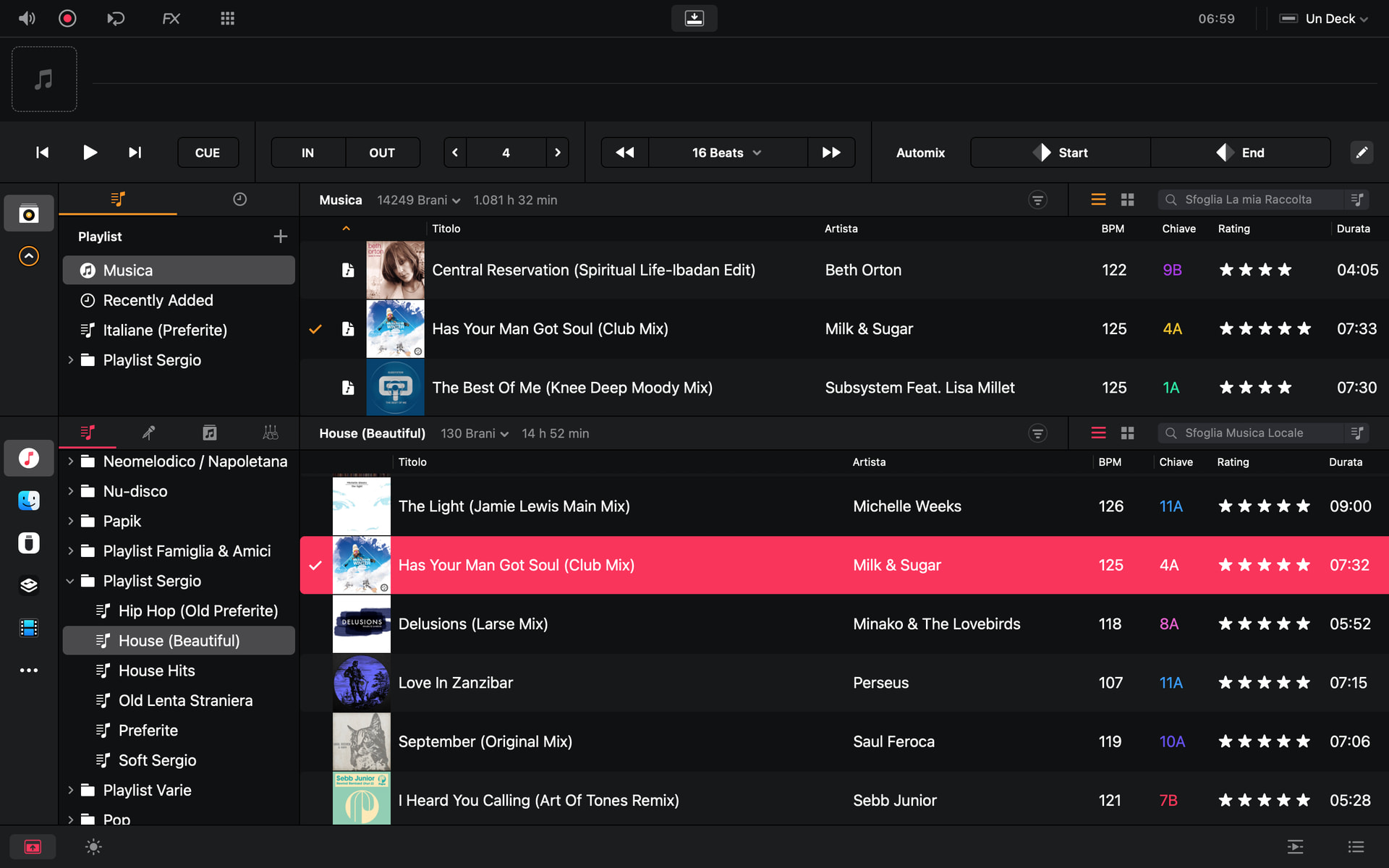
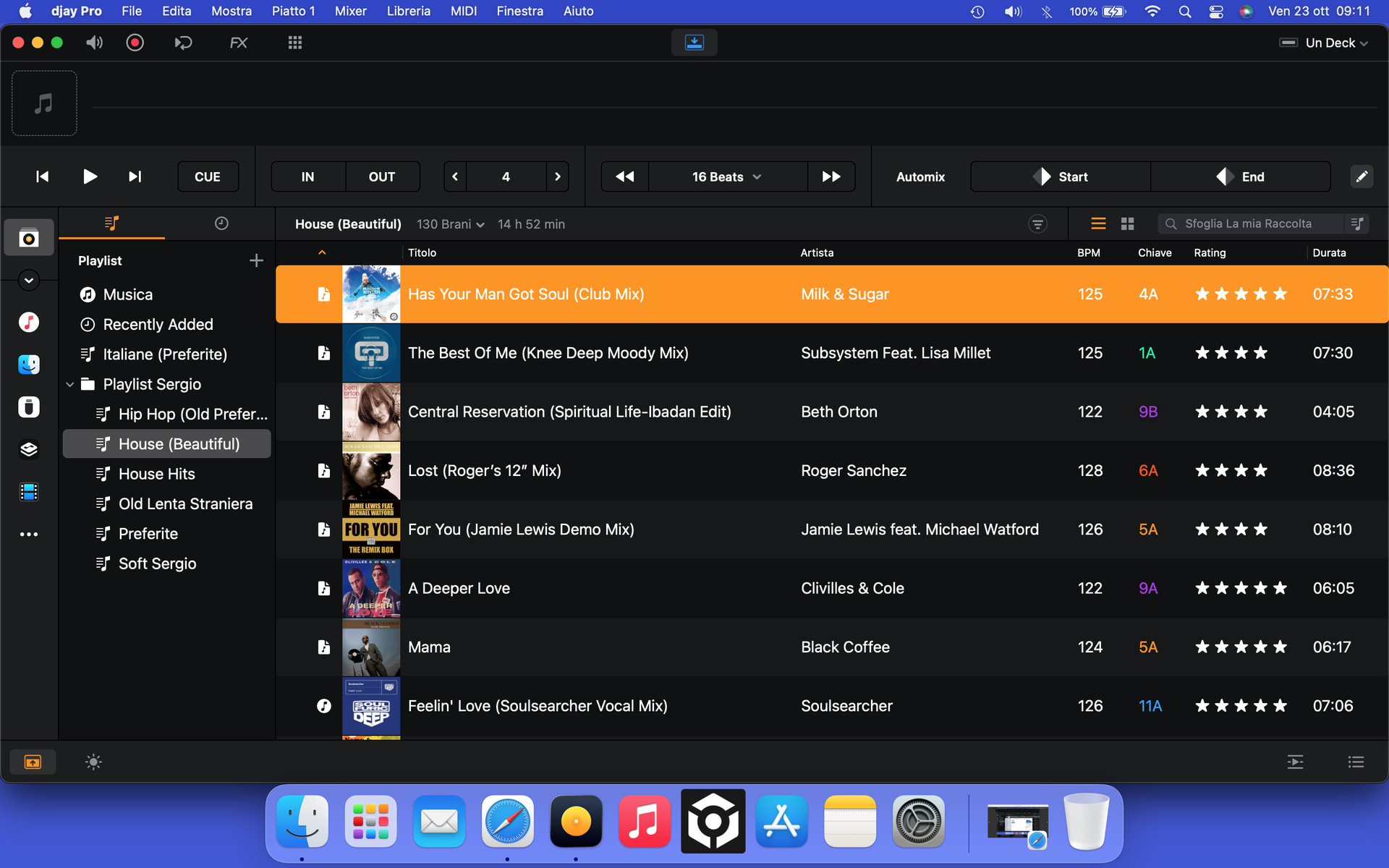
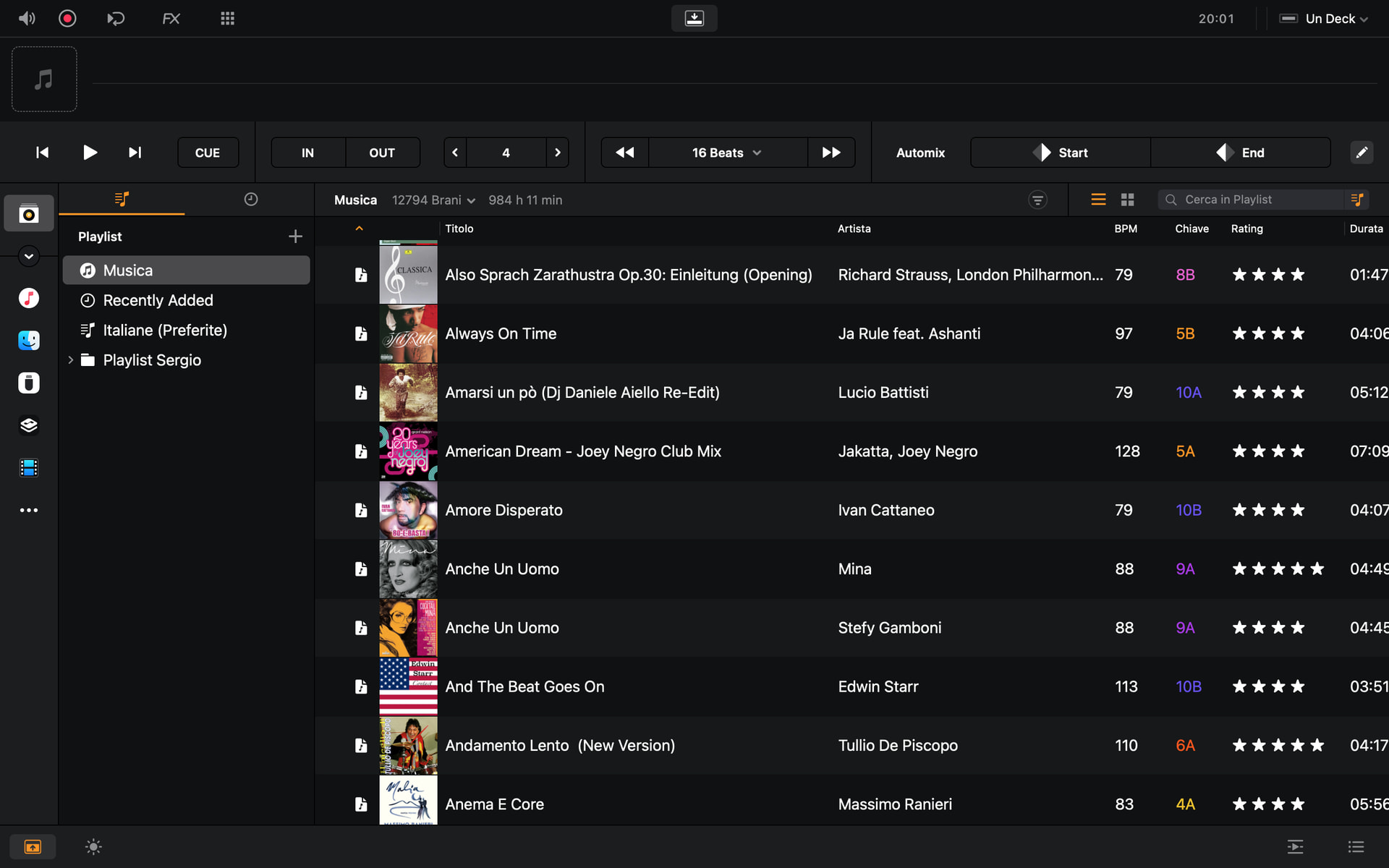
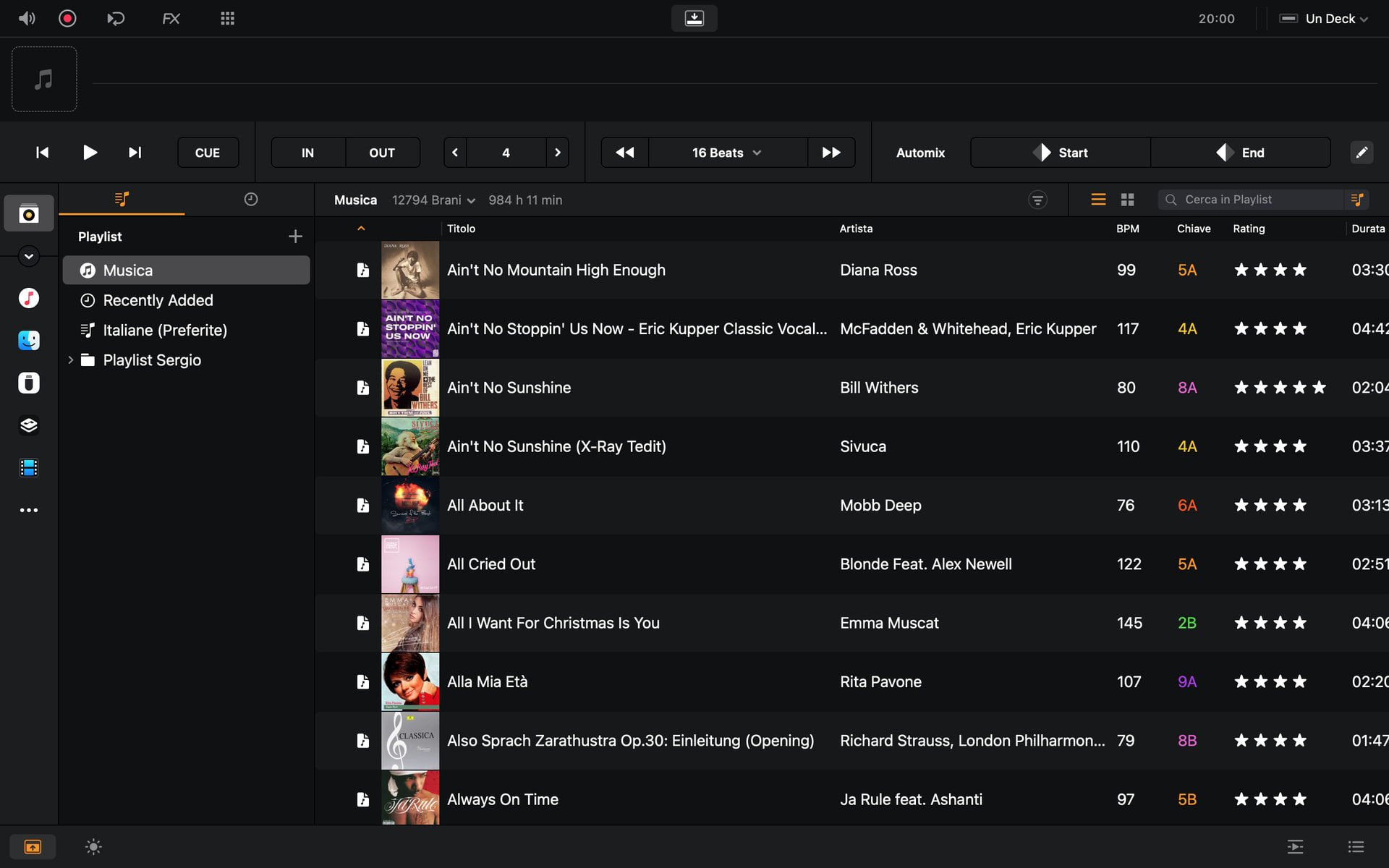
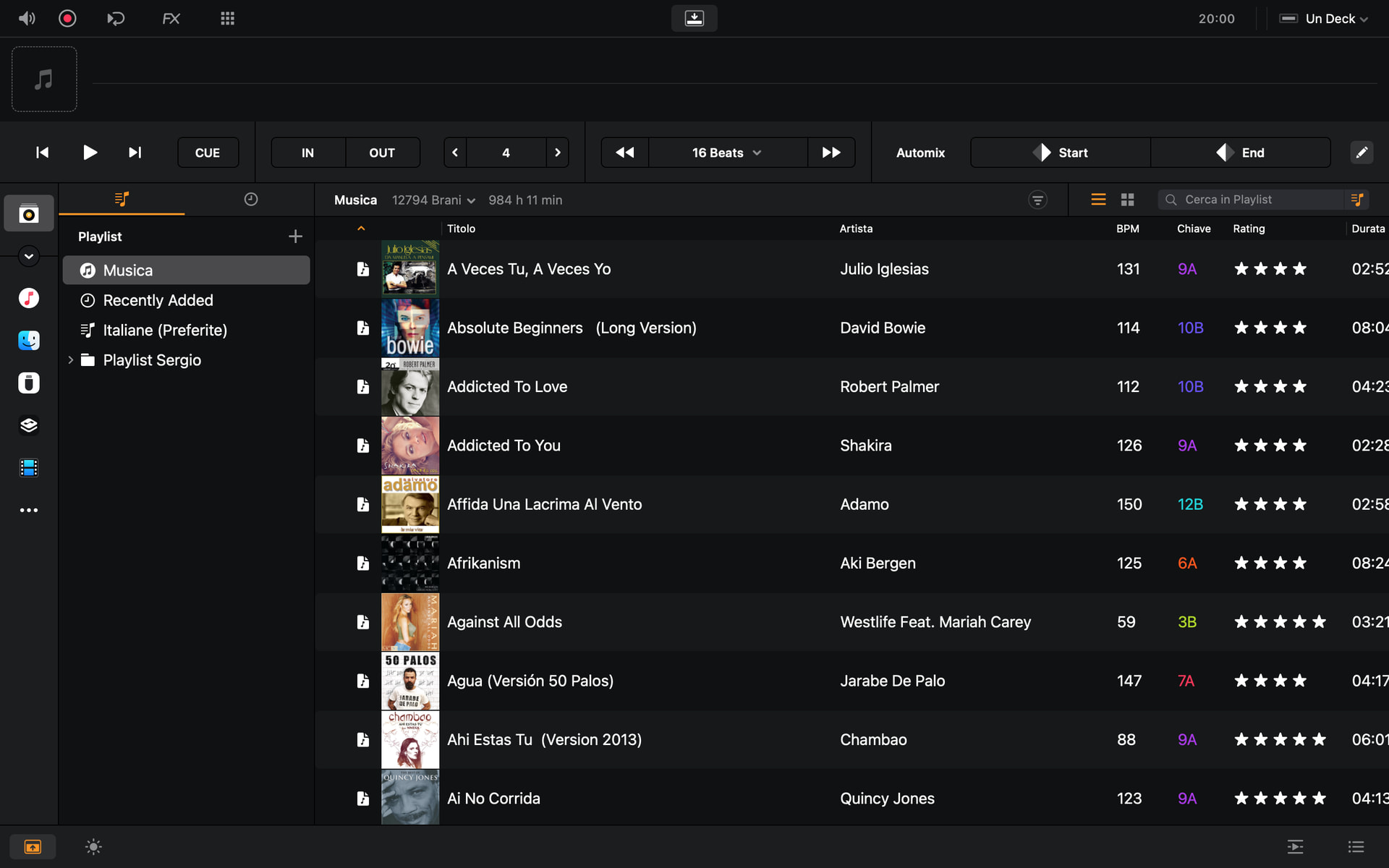
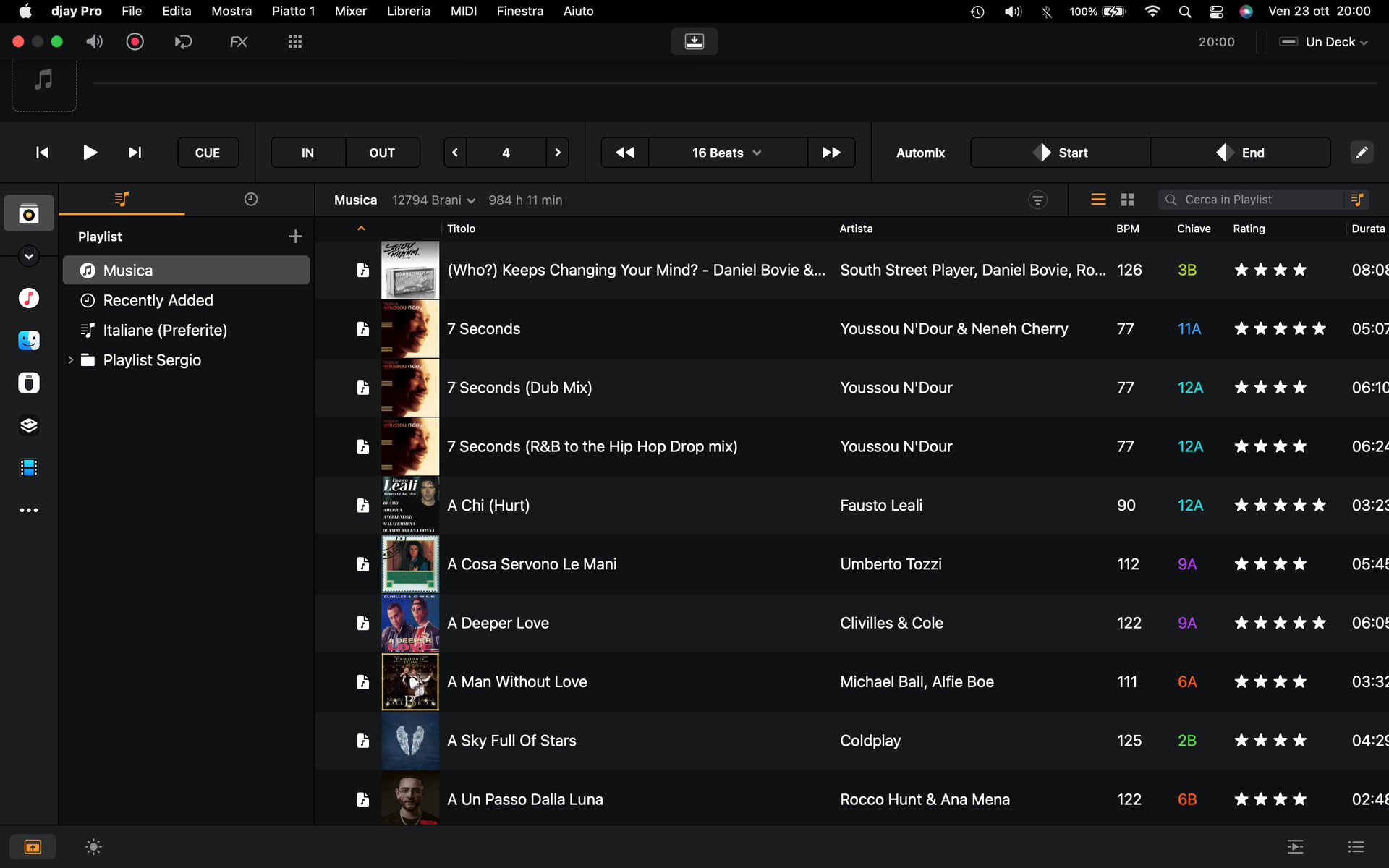
After analyzing a playlist before importing it into my library, I noticed that some tracks display the iTunes icon—which is expected, as they were analyzed prior to being transferred—while others display a “local file” icon. This is inaccurate, as I transferred all the tracks only after they had been analyzed.
I also observed that the tracks displaying the “local file” icon have a duration that is one second longer than the actual track length.
Furthermore, if I set hot cues on a track marked with the “local file” icon, they are not saved to the Cloud.
I should clarify that there are no duplicate copies of the tracks in question.
Could this be a bug?
How can I resolve this issue?
Thank you in advance for any advice you can provide.
Hi @Sergio1, thanks for the detailed write-up, and the screenshots.
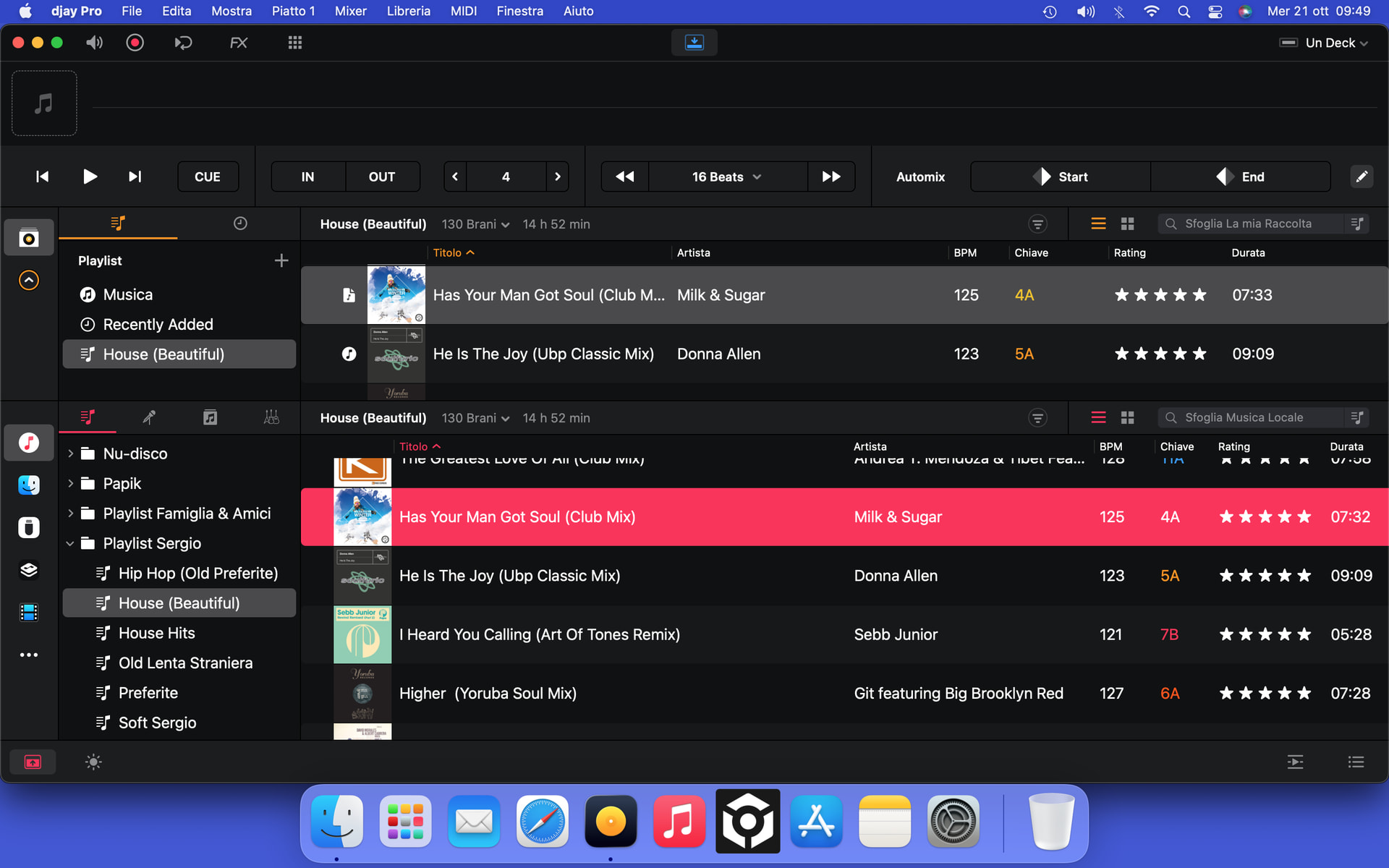
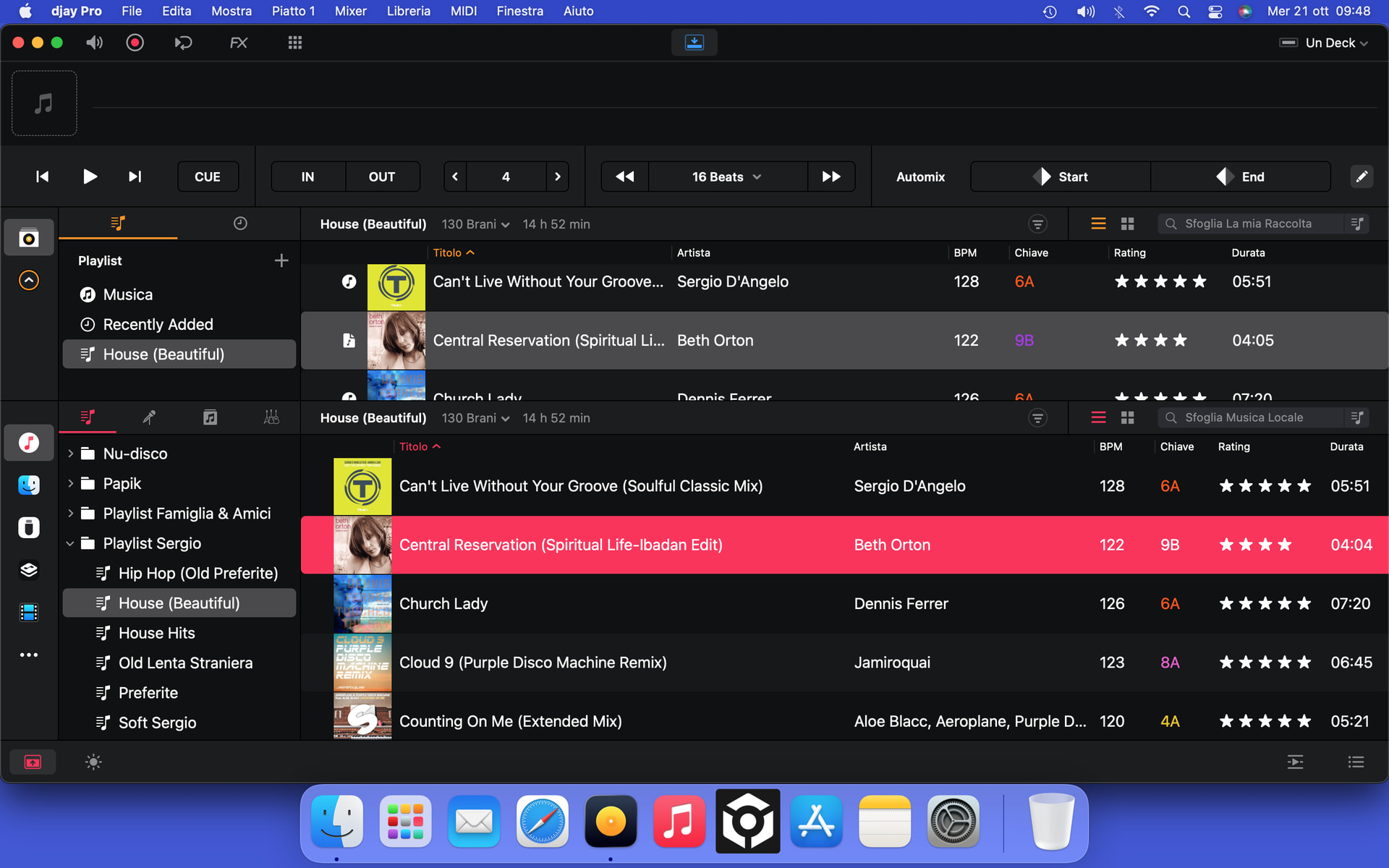
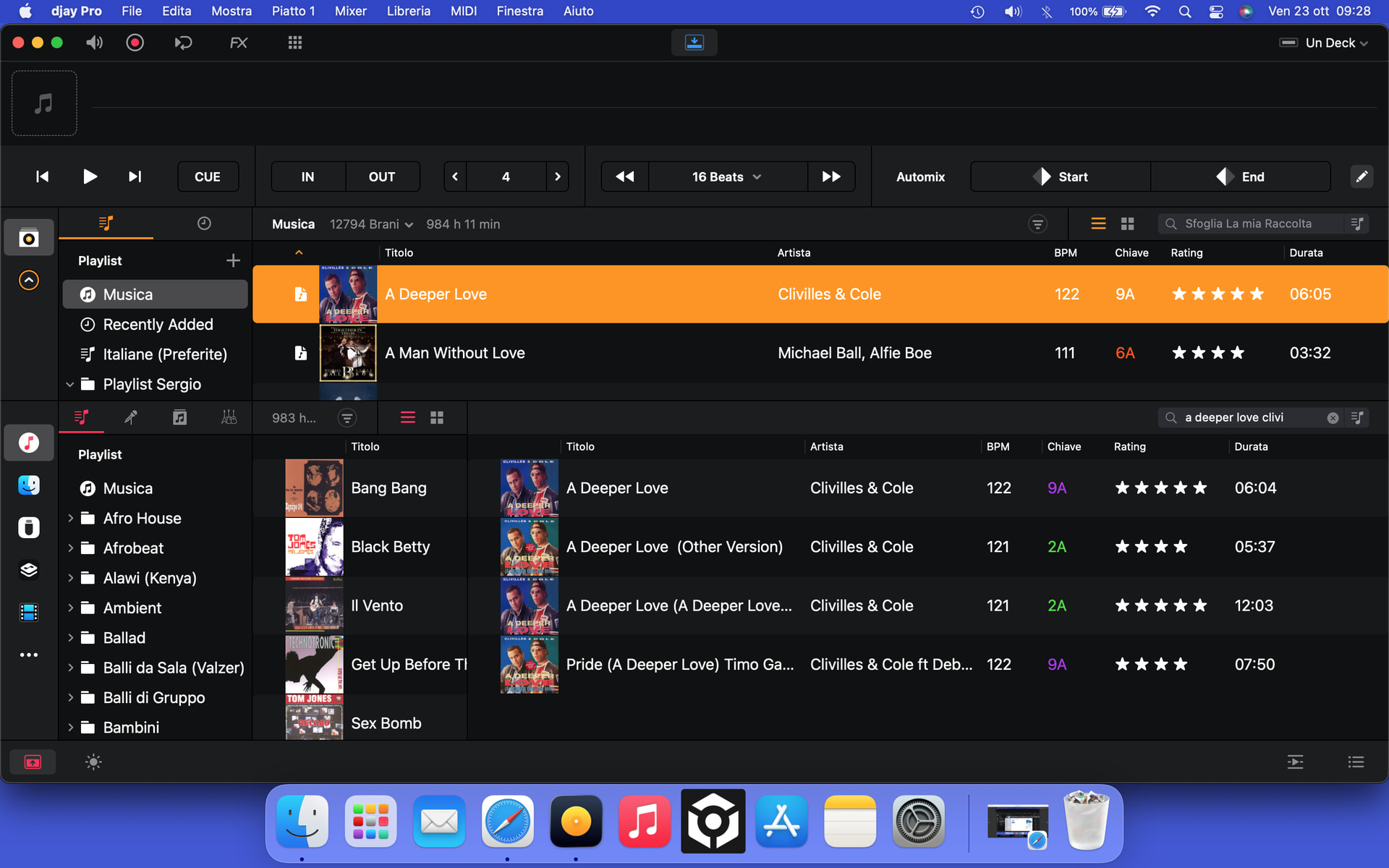
You’ve spotted something real. In your House (Beautiful) playlist, every track with the file icon runs exactly one second longer in My Collection than the same track in the Music source. Has Your Man Got Soul shows 07:33 vs 07:32, and Central Reservation shows 04:05 vs 04:04. The tracks with the Music icon match exactly. So djay has linked those tracks two different ways. Because it sees a different duration, it most likely treats them as separate tracks from the Music-library versions. That would explain why cue points set on them don’t follow to your other devices.
Adding tracks to My Collection only links them and never copies or moves your files, so a quick test is safe:
Quit djay and back up your ~/Music/djay folder.
In My Collection, find a file-icon track that has no cue points yet and remove it.
Drag that same track back in from the Music source using Split library mode.
Let me know whether it comes back with the Music icon. Could you also tell me:
What file format the affected tracks are (MP3, AAC, WAV…), and whether the Music-icon ones are different?
What you mean by cues not being saved to the Cloud. Are they missing on an iPad or iPhone?
@olafmol thanks for chiming in. Could you share your macOS and djay versions, and say whether your file-icon tracks also show that one-second difference?
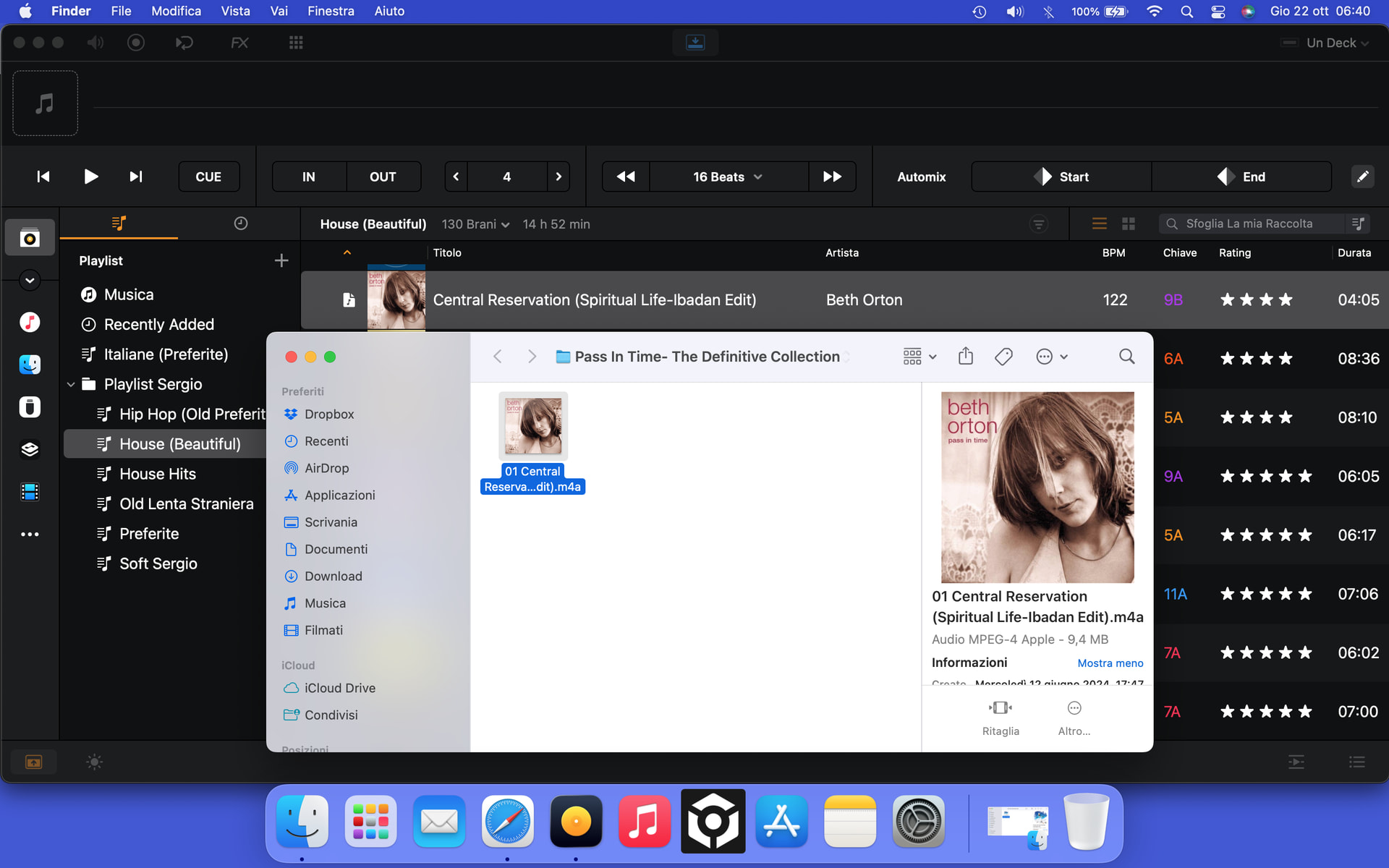
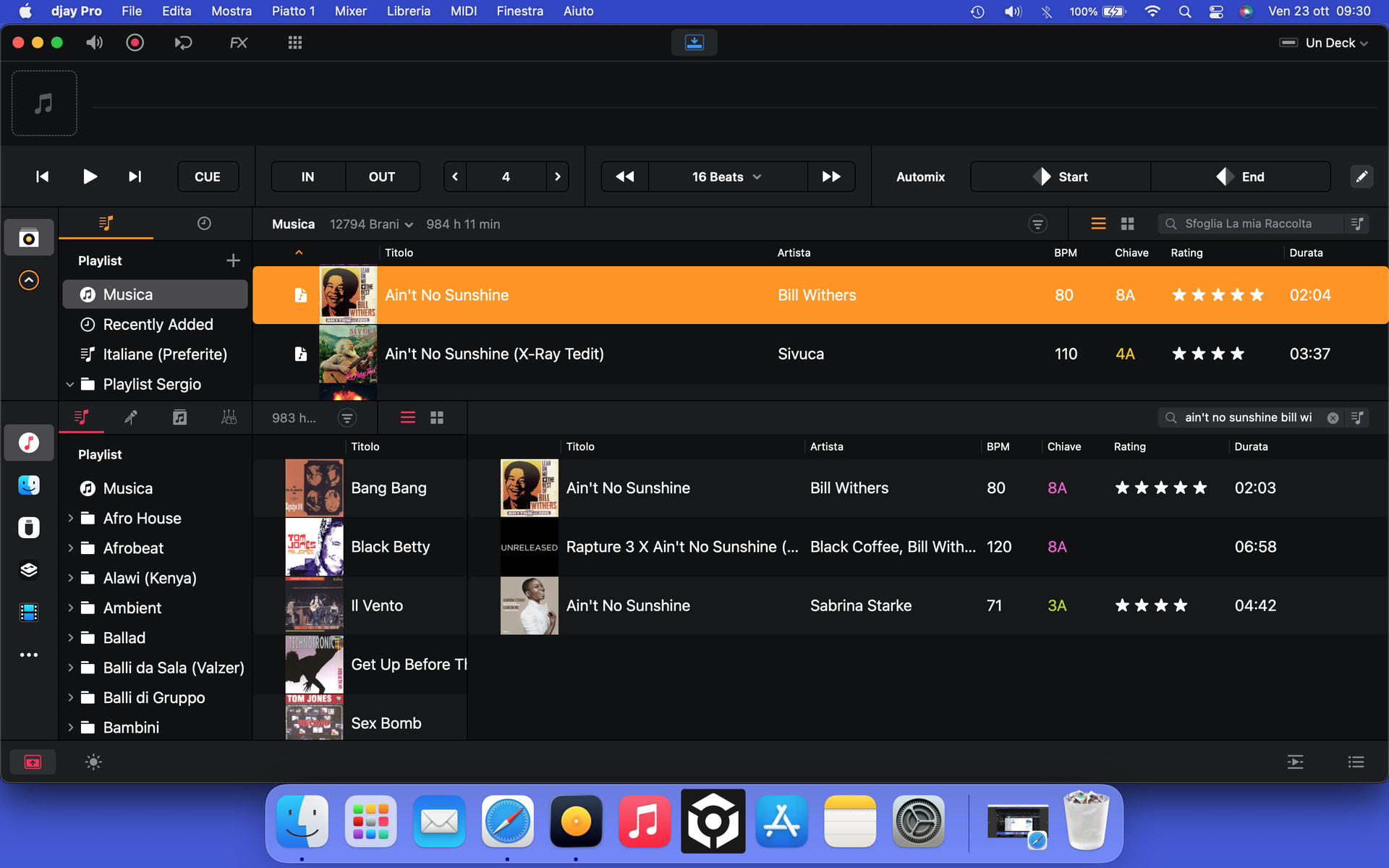
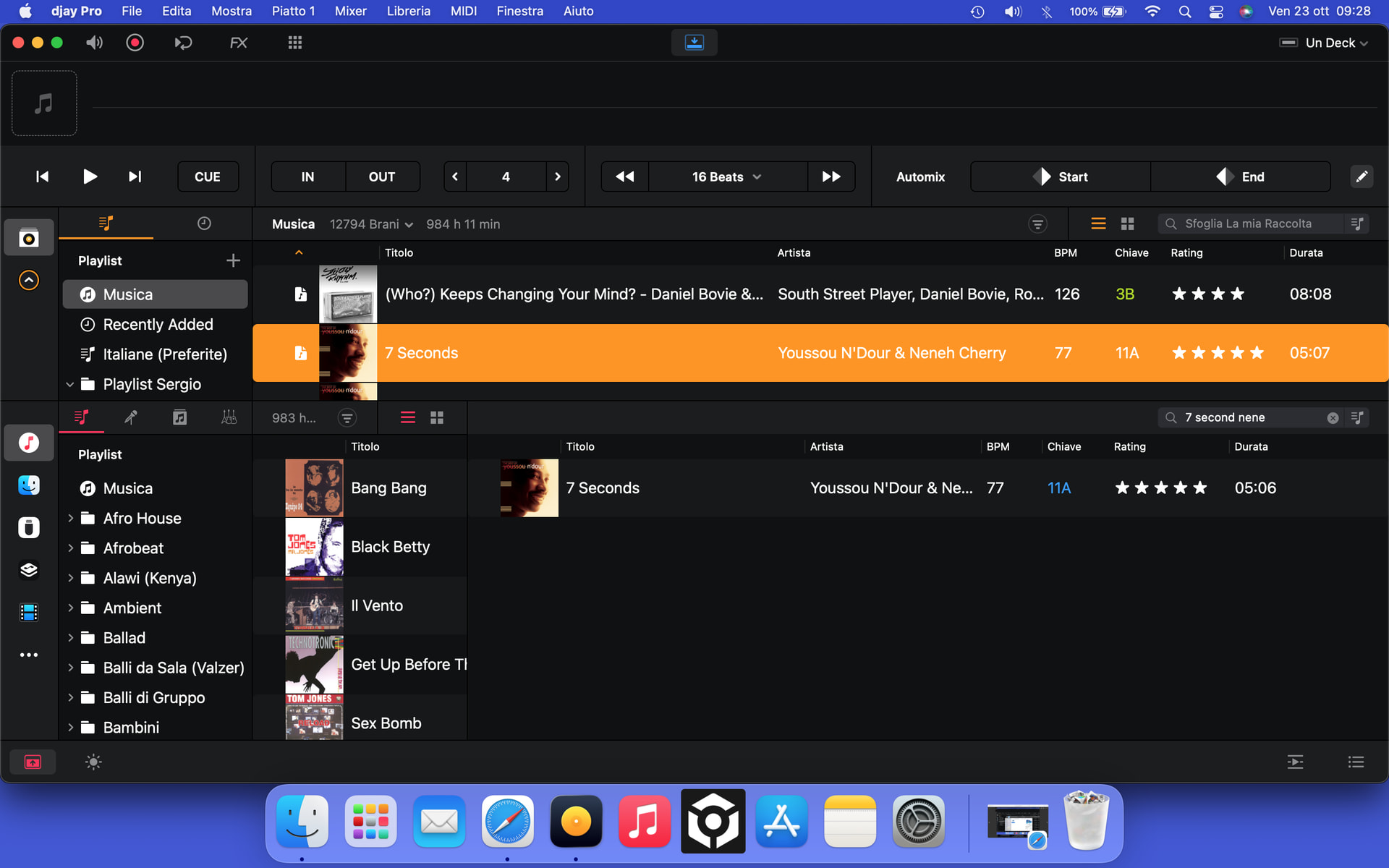
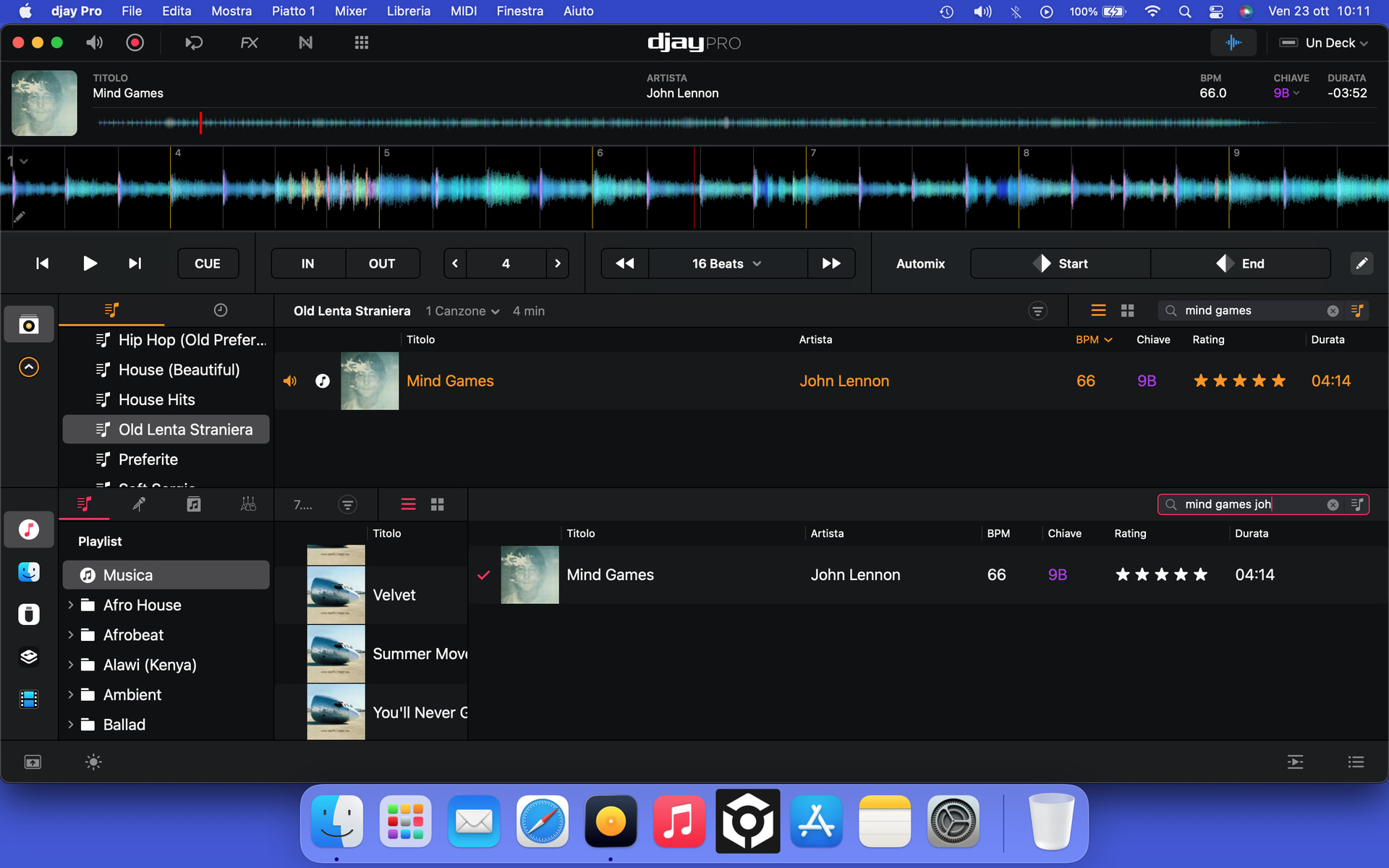
I then dragged the same track over from the music source using the “Split Library” mode, but as you can see from the photo, nothing has changed.
I also noticed another detail.
If I load a track from the music source to listen to it, it’s as if the software re-analyzes it.
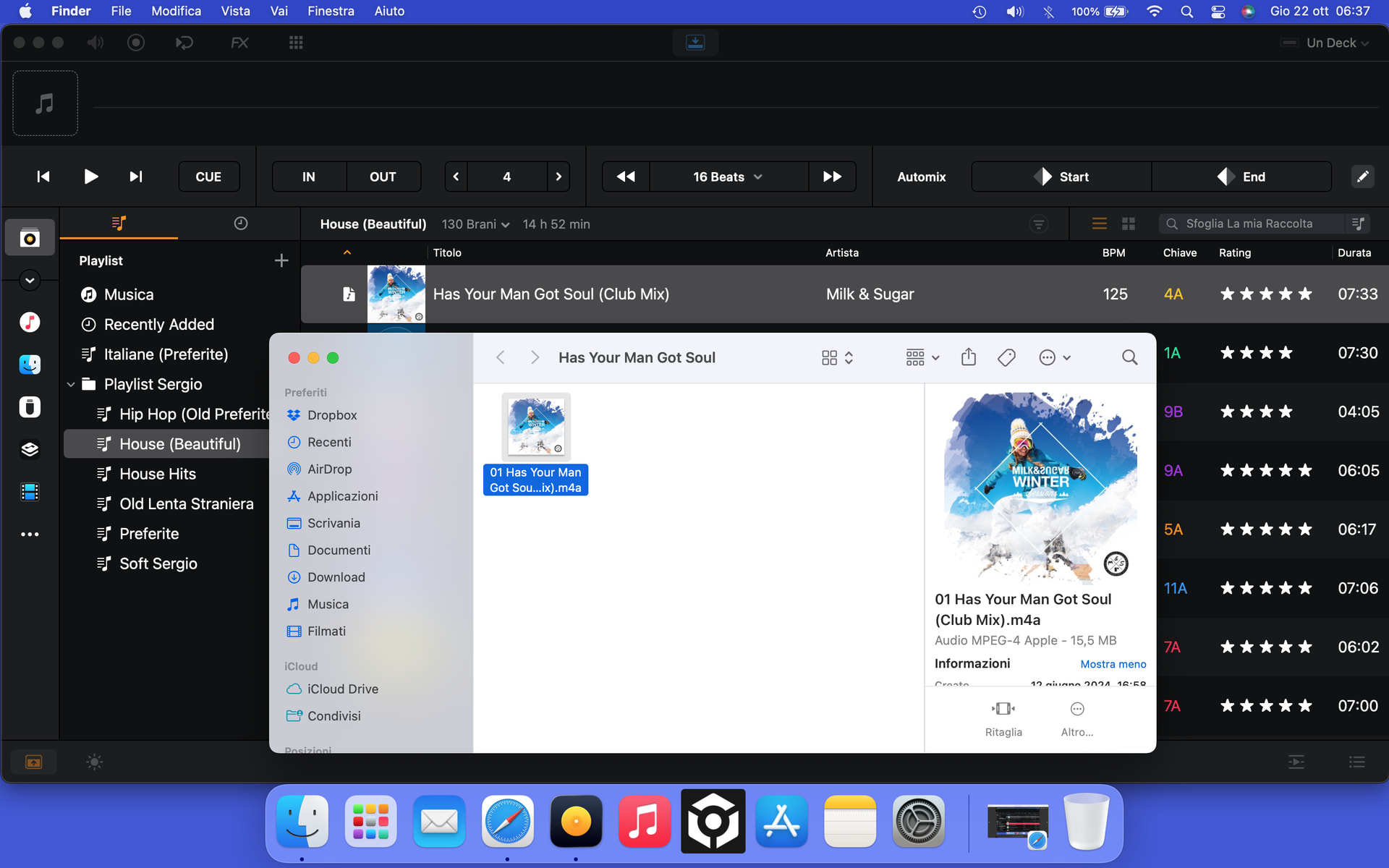
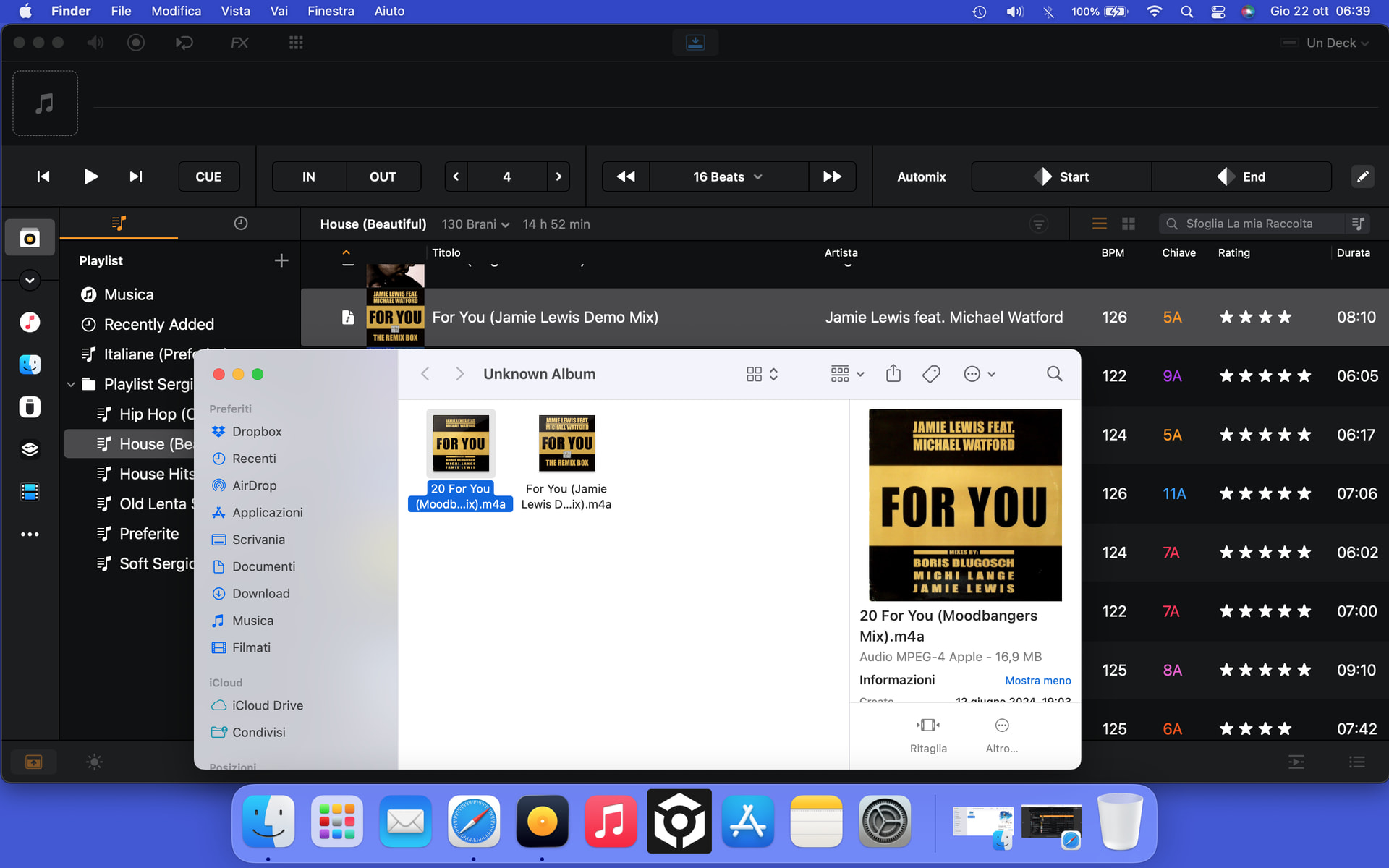
All the tracks are in AAC format, as shown in the photos.
The markers I add to tracks—those marked with the “my files” symbol—are not saved to the Cloud on my iPhone, whereas those marked with the iTunes/Music symbol are saved.
@Sergio1 thanks for the testing and extra screenshots.
The track came straight back with the file icon after you re-added it from Music, so this isn’t something on your end. You followed the right workflow, and those tracks should link to your Music library like the others. The re-analysis you noticed fits too: djay seems to be treating the Music copy and the My Collection entry as two separate tracks. @olafmol says not every affected track is a second off, so the duration looks like it could be a side effect rather than the cause.
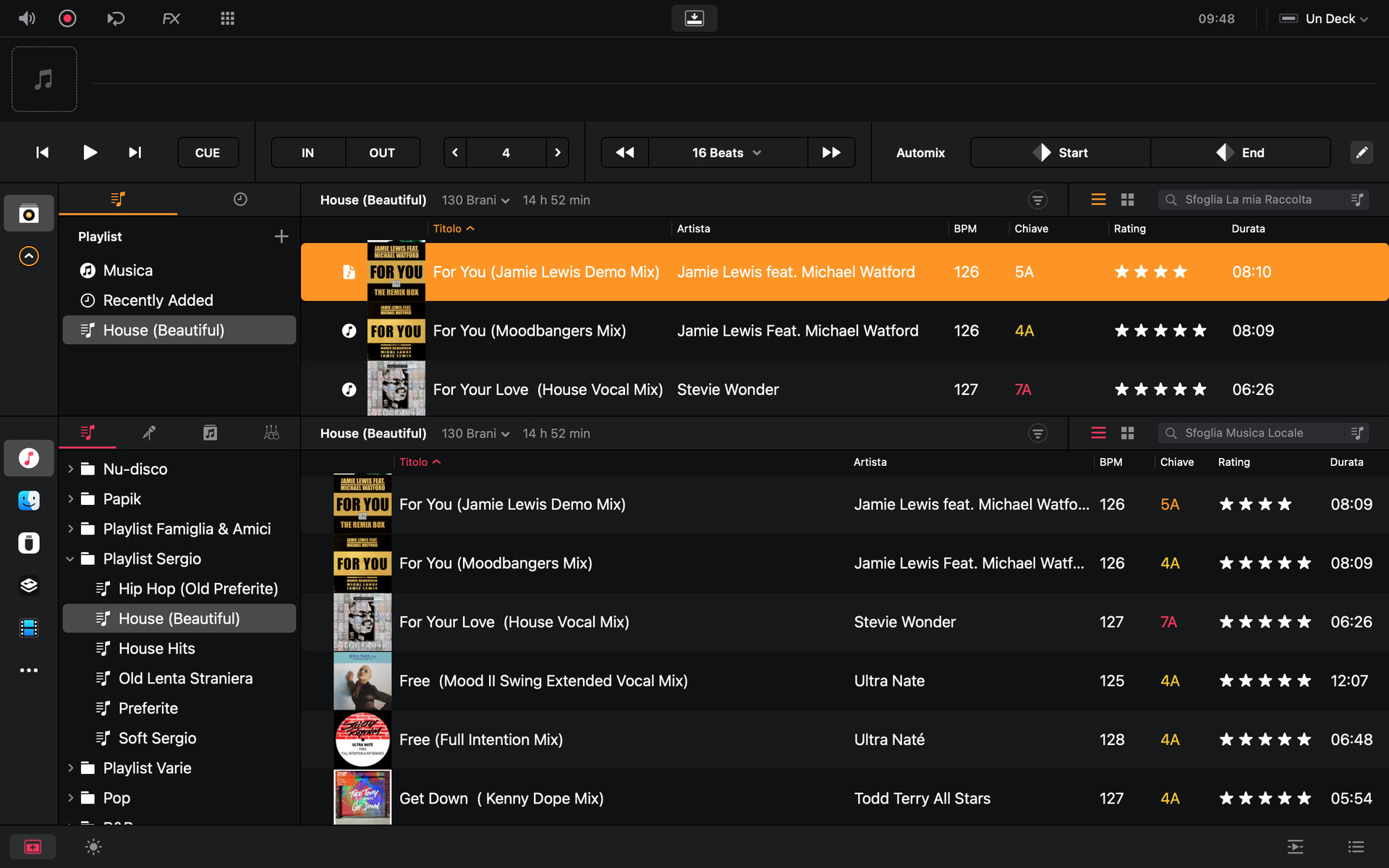
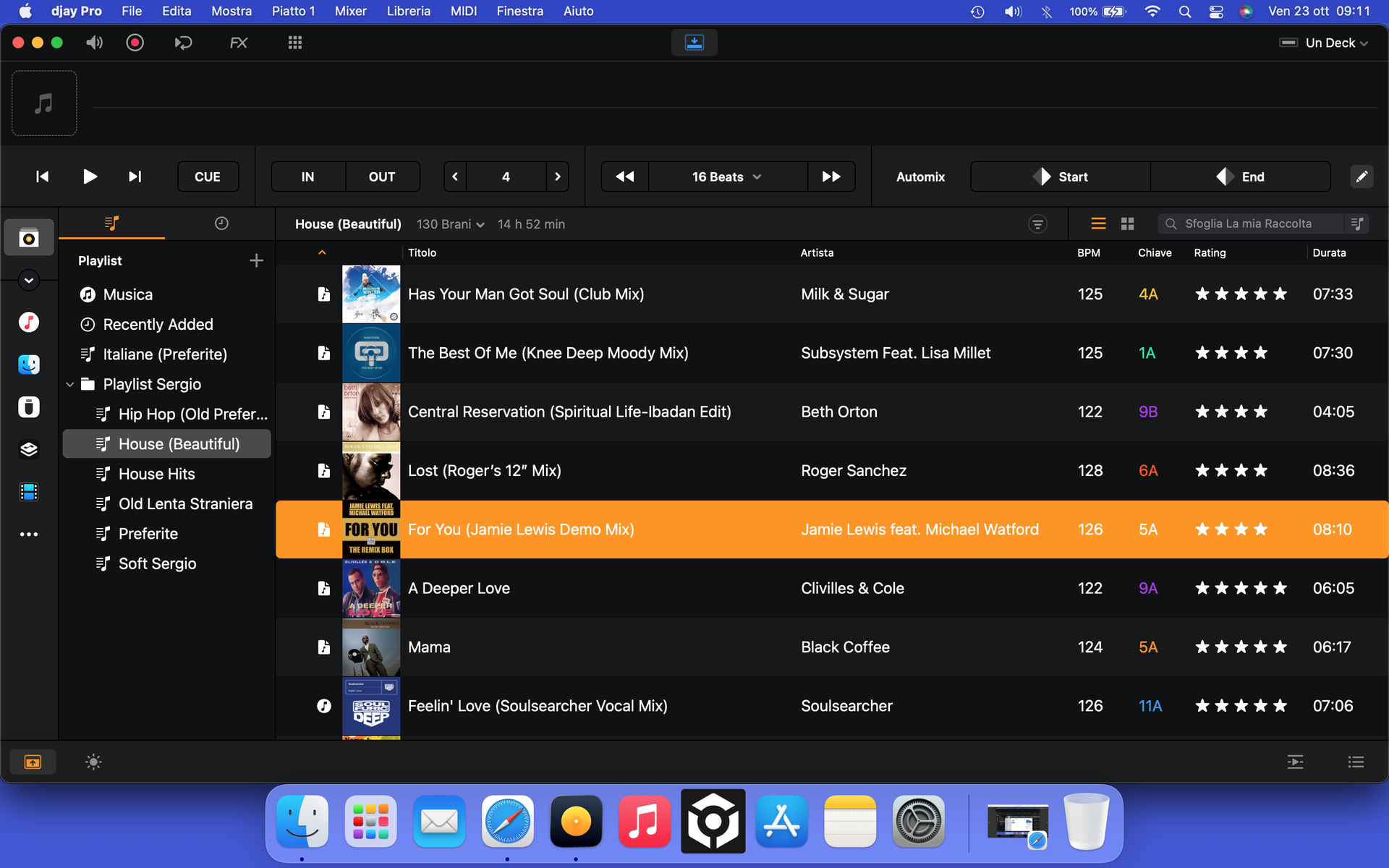
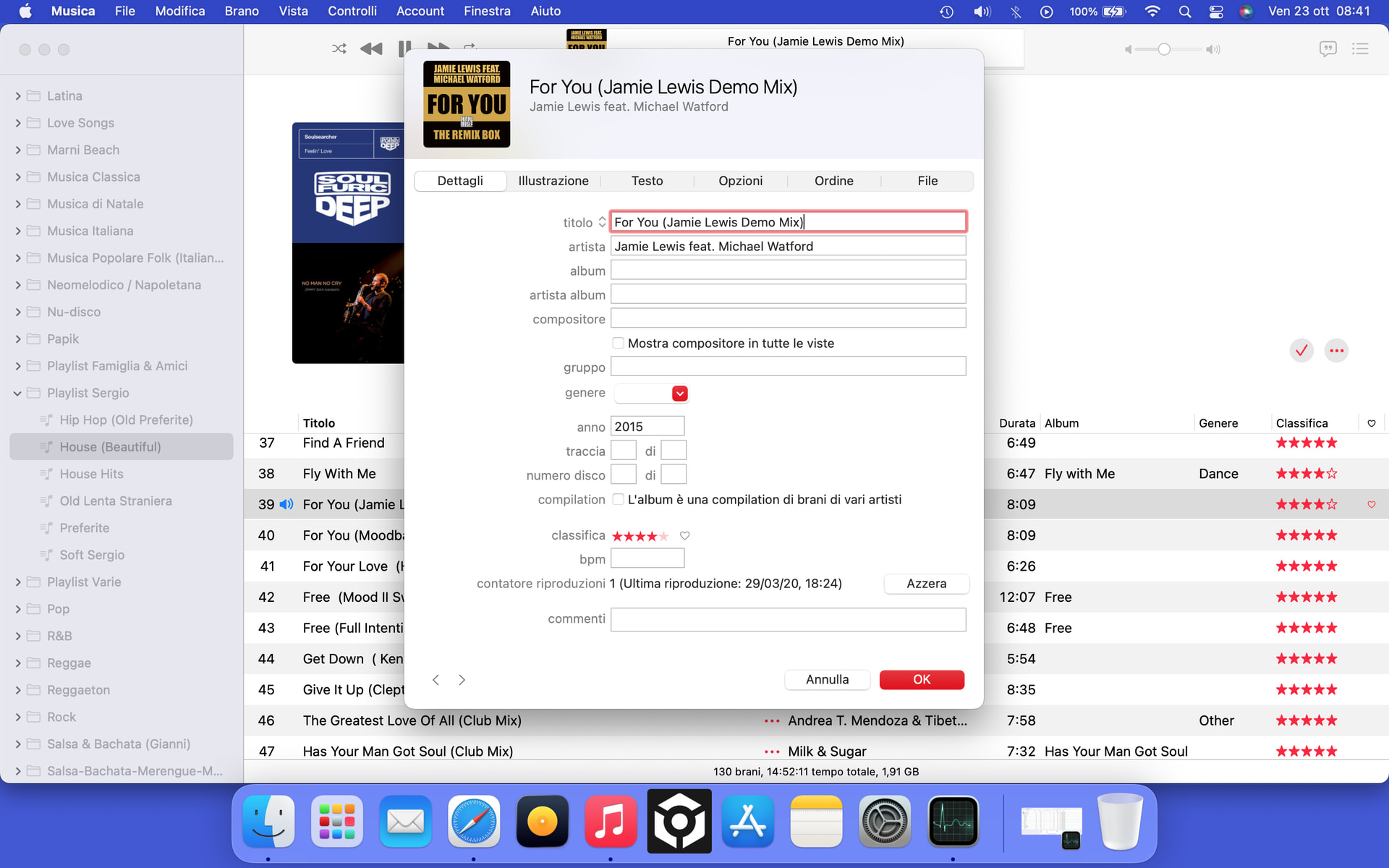
I’ll pass this to our engineering team to investigate. To help them reproduce it, could you send me two files DM? I’d like For You (Jamie Lewis Demo Mix) and For You (Moodbangers Mix). They sit in the same folder and are both AAC, but one links as a file and the other as Music, so they make a perfect test pair.
@olafmol thanks for checking. Could you share your macOS and djay versions? For a file-icon track without the one-second difference, do its cue points sync to your other devices? Can you please also send me some example files via DM?
@Sergio1 thanks for the files. I compared the two side by side, and one thing stands out. The title stored inside For You (Jamie Lewis Demo Mix) ends with an extra space (“…Demo Mix) “). The Moodbangers file doesn’t have one. The space doesn’t show up anywhere in djay or Music, but it may be enough to stop djay from matching the track to your Music library.
The extra second has an explanation too. AAC files carry a few milliseconds of silence padding, about 50 ms on these two. djay’s file-linked version seems to count that padding, while the Music version doesn’t. On most tracks the displayed time doesn’t change. On this one it pushes 8:09.47 over to 8:10.
Could you try this on the Demo Mix only?
Quit djay.
In the Music app, right-click the track, then go to Get Info > Details. Retype the title exactly, with no space at the end, and click OK.
Reopen djay. Remove the track from My Collection, then drag it back in from Music using Split library.
Let me know which icon it comes back with. Also, in your Musica list sorted by source, does every file-icon track run one second longer than its Music version, or only some of them? Thanks!
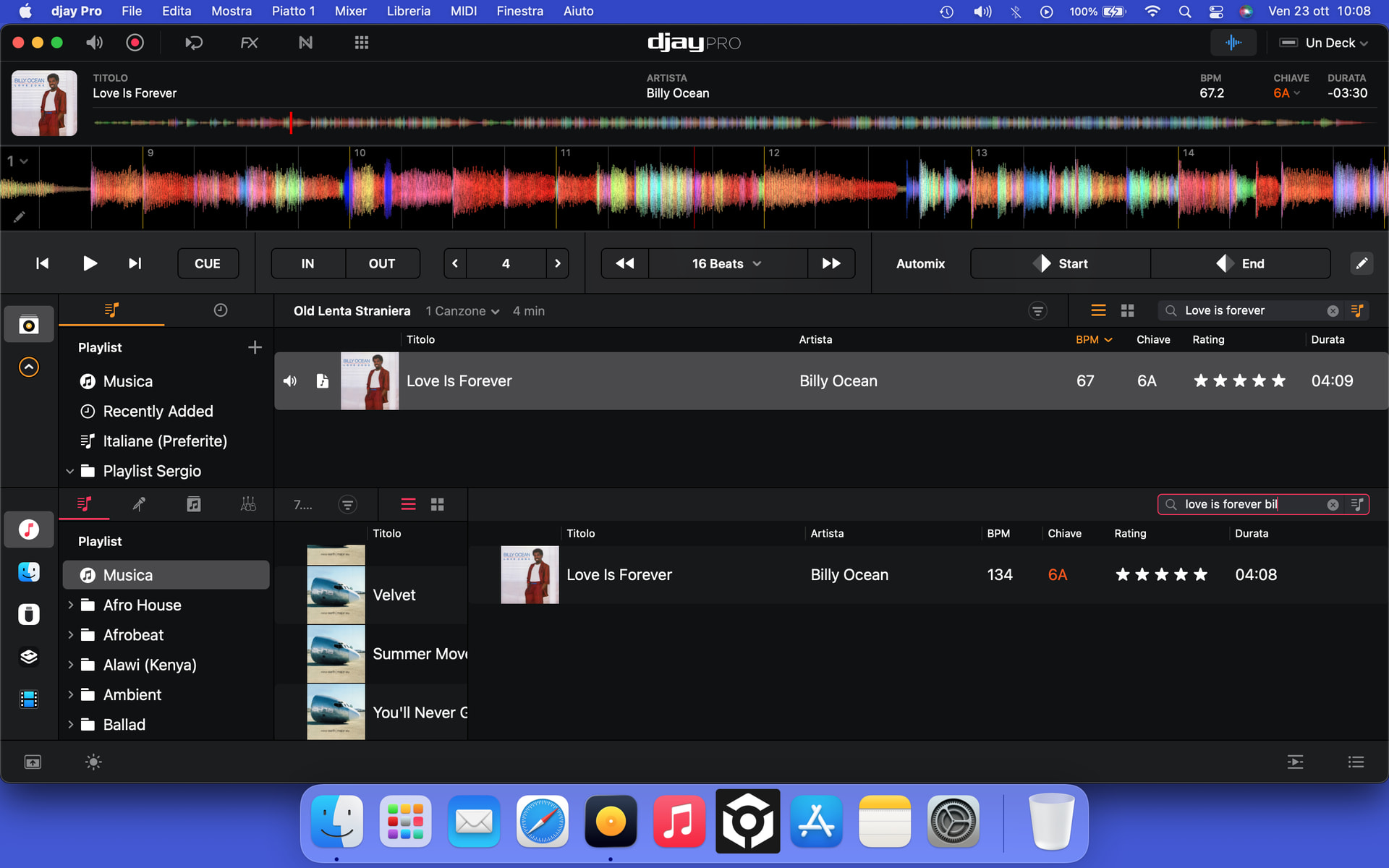
However, as you can see from the photos, even when re-typing the title manually without any spaces, the issue persists. I tested this with two tracks, just to be sure.
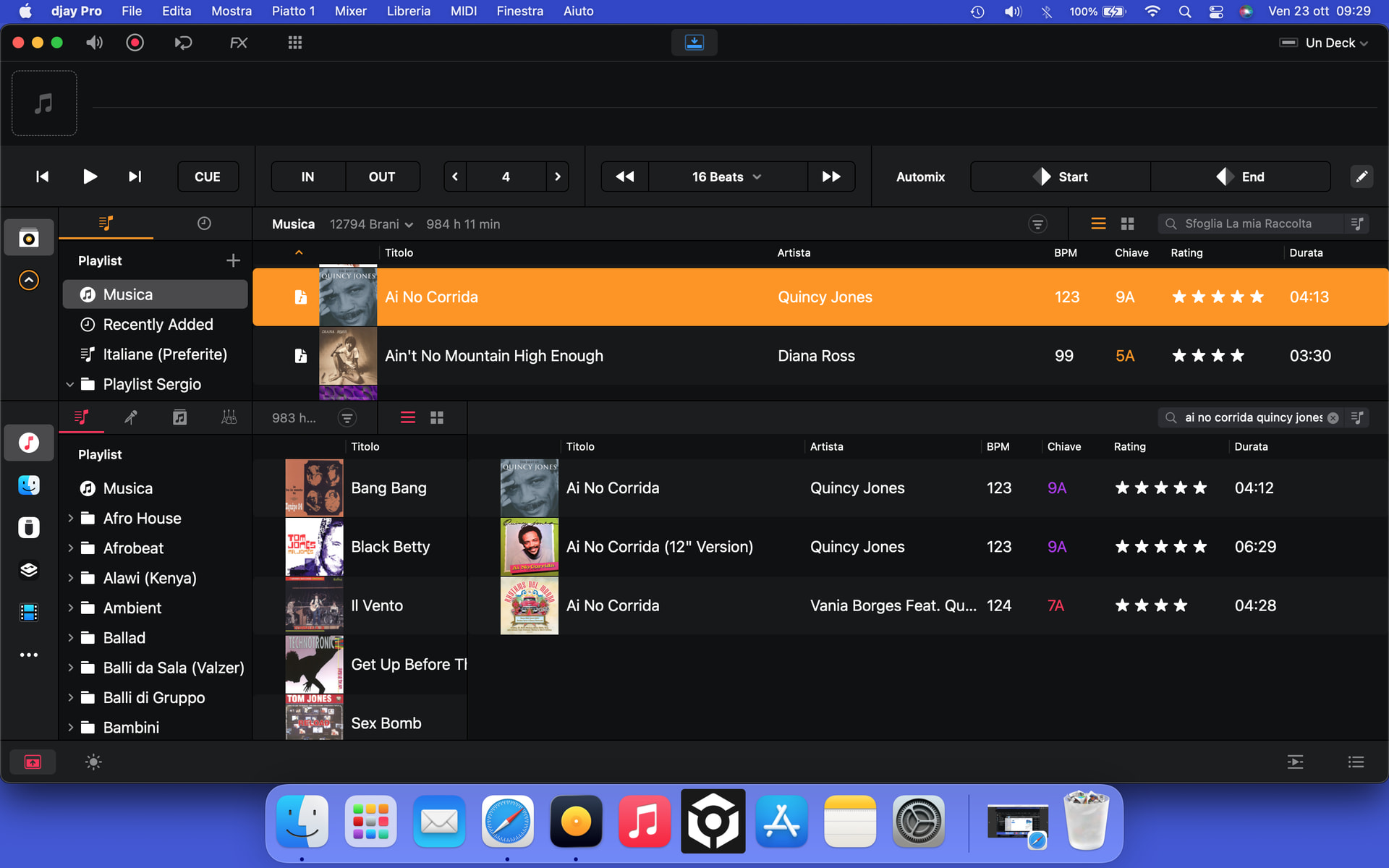
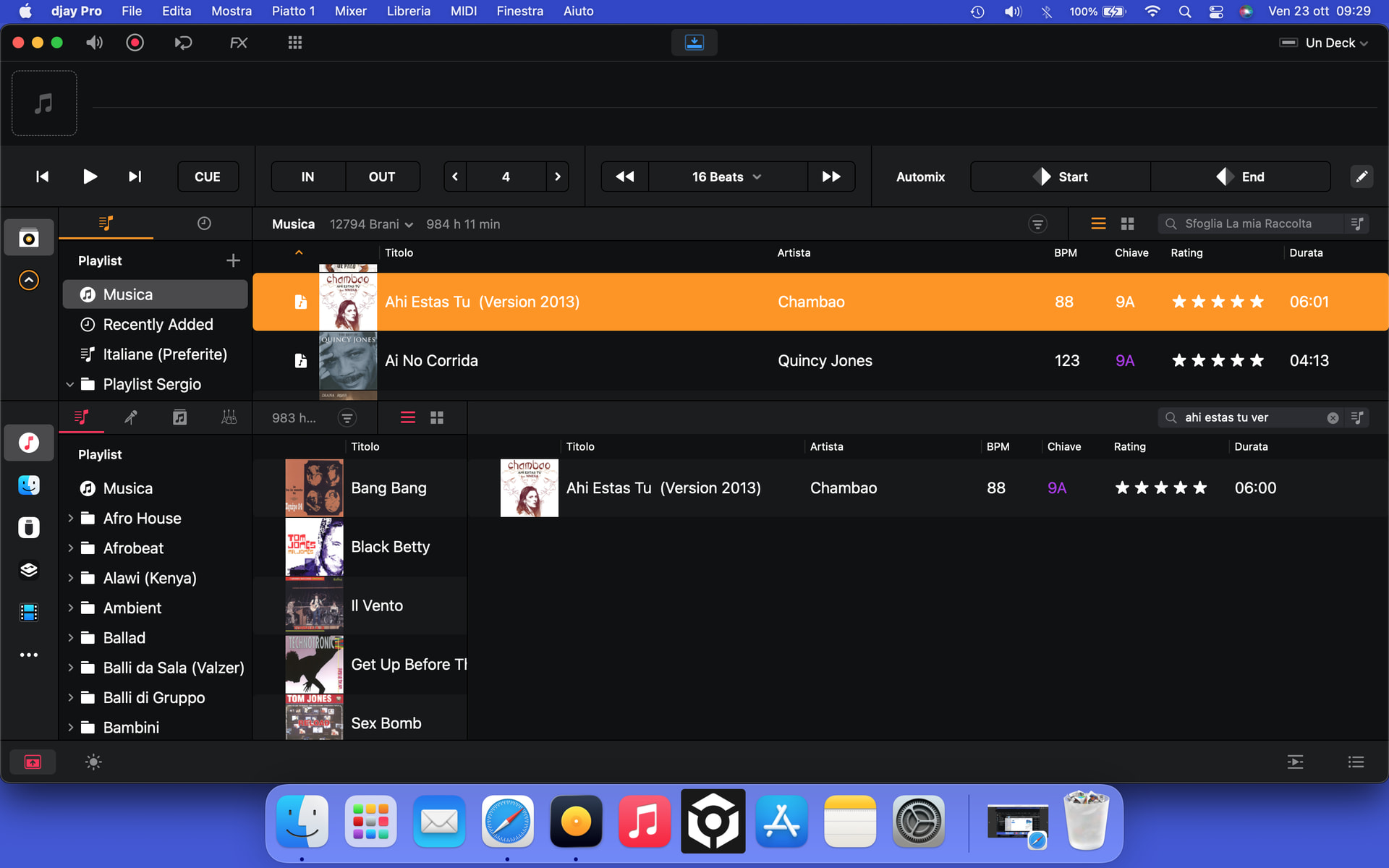
All the tracks with the file icon appear to be 1 second longer, as shown in the photos. They are all in AAC format.
Please let me know if you would like me to carry out any further tests to resolve this issue.
I’m not sure if this observation might also be useful to you.
For instance, if I halve the BPM of a track that has the iTunes symbol, it gets updated in iTunes as well; however, tracks with the “my files” symbol do not get updated.
@Sergio1 thanks for running both tests, and for the BPM detail. It helps more than you’d think.
The trailing space turned out not to matter, so you can leave those titles as they are. The new screenshots point somewhere clearer, though. Every file-icon track you’ve compared is exactly one second longer than its Music version, and every Music-icon track matches. Ten out of ten is too consistent to be chance. It looks like djay measures the AAC file slightly differently from the Music app, and when that tips the length onto a different second, djay treats it as a separate track. Your BPM test shows the same split. Cue points, BPM edits and analysis on a file-icon track stay with that copy, and they never reach your Music library or your iPhone.
This isn’t something you can fix from your end. I’m passing it to our engineering team with your files and screenshots so they can try to reproduce it.
Until then, for any file-icon track that needs cue points on your iPhone, try loading it from the Music source instead of My Collection and set the cues there. Could you test that on one track and tell me whether the cues show up on the iPhone?
Two more quick questions:
Roughly how many file-icon tracks are in your Musica list in My Collection?
Did you see this before 5.6.10, or only since the clean install?
I will try to provide a comprehensive answer to your questions.
The cue points I set in the Music app are visible on my iPhone.
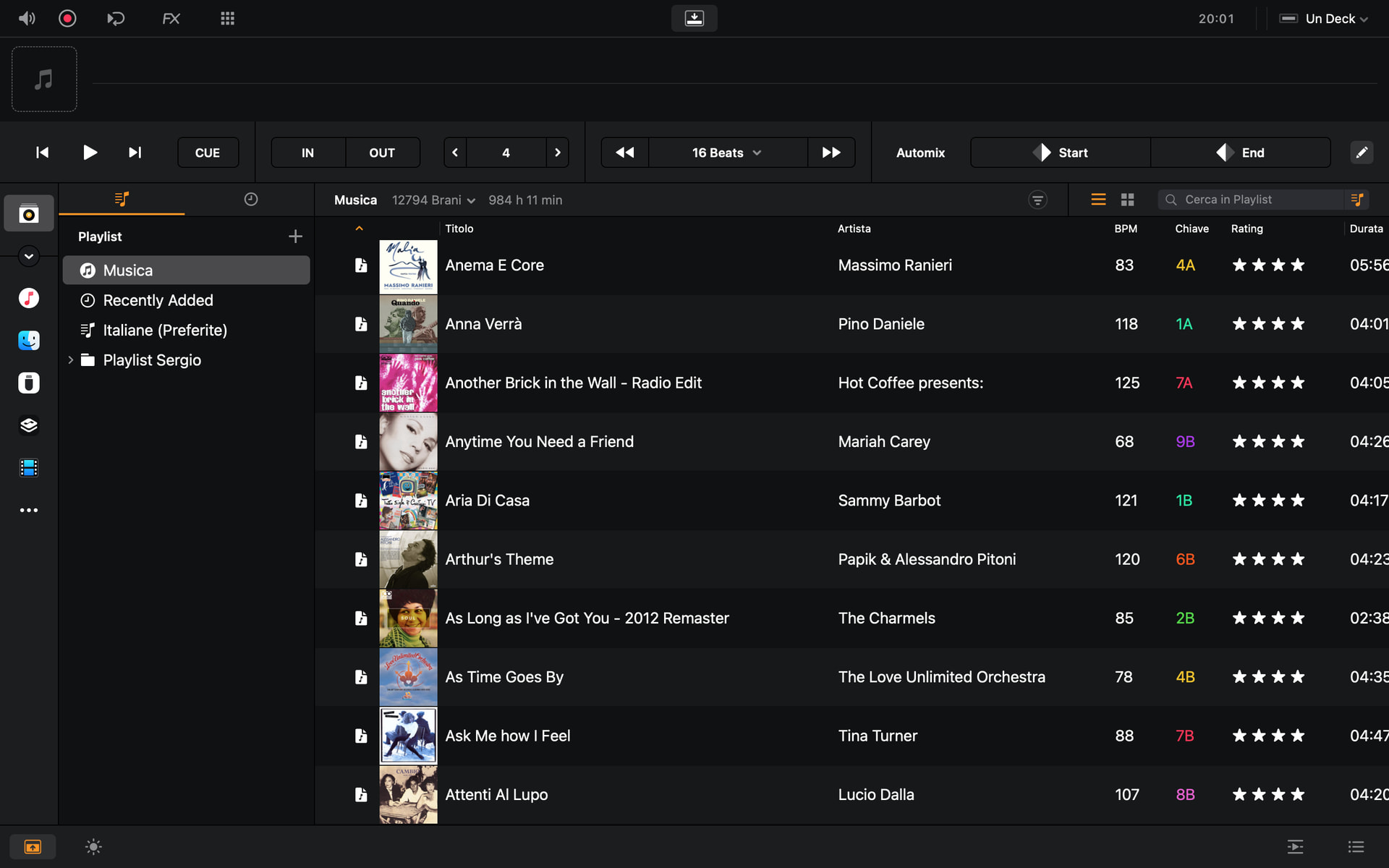
My collection contains hundreds of tracks that display my own file icons, as shown in the photos.
Keep in mind that I have only moved a few playlists so far.
As for whether I noticed this issue previously, I don’t recall clearly.
However, I do remember that the last time I used a previous version, I tried moving tracks without analyzing them first—which resulted in the app failing to display all the album art.
Since that would have meant having to re-add thousands of album covers, I gave up on using it.
If you need any further information, please don’t hesitate to reach out.
Thanks again for all of this @Sergio1. Definitely helpful data.
Good to hear the cue points show up on your iPhone when you set them from the Music source. That’s the way to work for now. Was the track you tested one of the file-icon ones in My Collection? That would confirm the workaround covers the tracks that are actually affected.
“Hundreds” of file-icon tracks is roughly what we’d expect from this issue, so it fits the picture. Since you’ve only moved a few playlists so far, I’d hold off moving the rest into My Collection until we hear back from engineering. Prep your sets from your playlists in the Music source instead. That way your cue points, loops and BPM edits stay with the copy that syncs, and you won’t add more file-linked tracks in the meantime.
I’ve noted the album art problem from the older version. It’s separate from this, so let’s get this one sorted first, and I’m happy to look at it afterwards.
I’ll update the thread as soon as I hear back. Thanks again for your help.
On a sidenote: what is the adviced way to analyse files correctly @Slak_Jaw ? I notice I can analyse files from “outside” djay pro’s collection (f.e. iTunes), what exactly does this do?
Also I notice that, in “My collection” when I analyse files multiple times, it seems to not “remember” that the file was unchanged and already analysed, and does it again. I would expect that it would skip the analysis of already analysed and unchanged files?