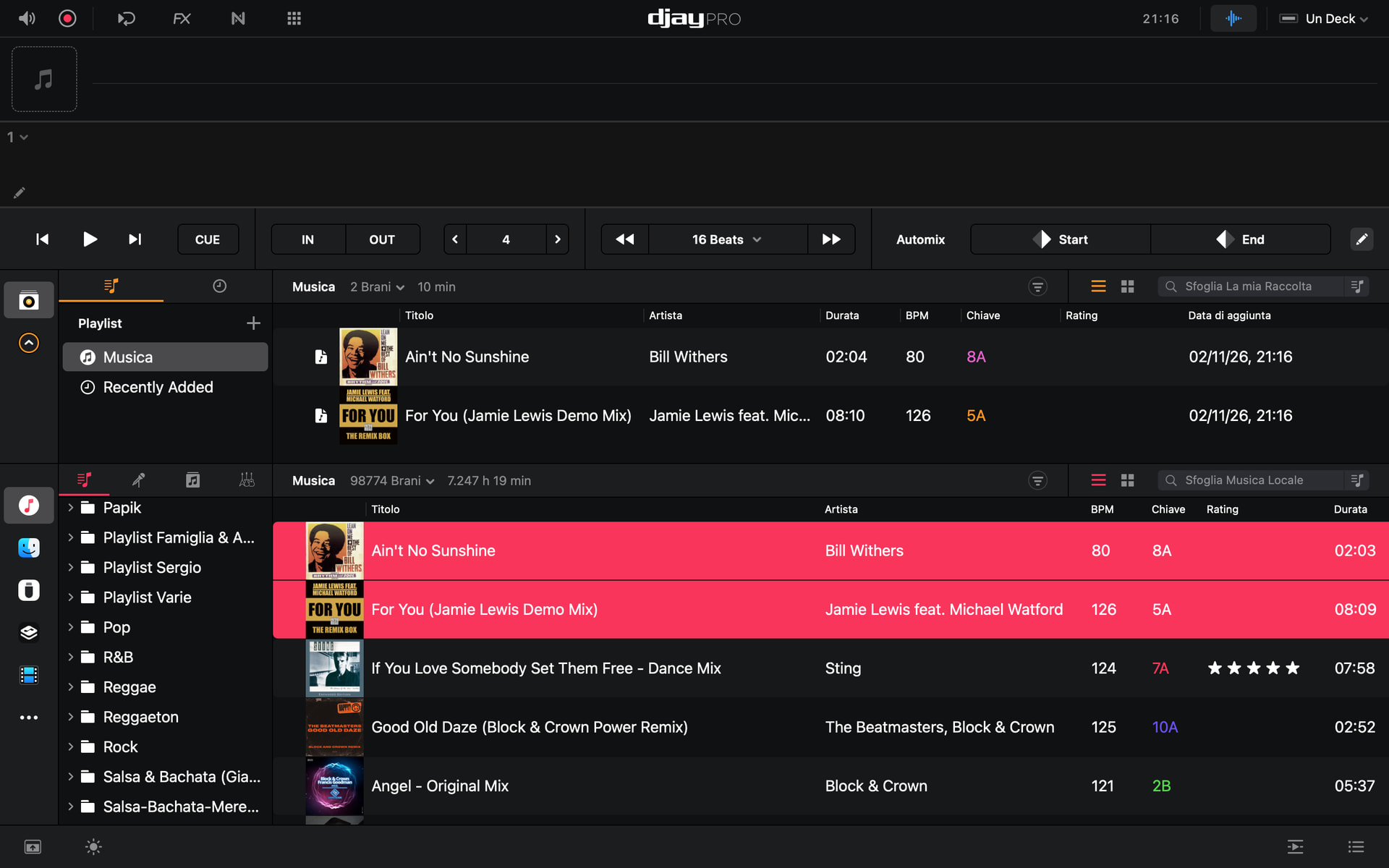
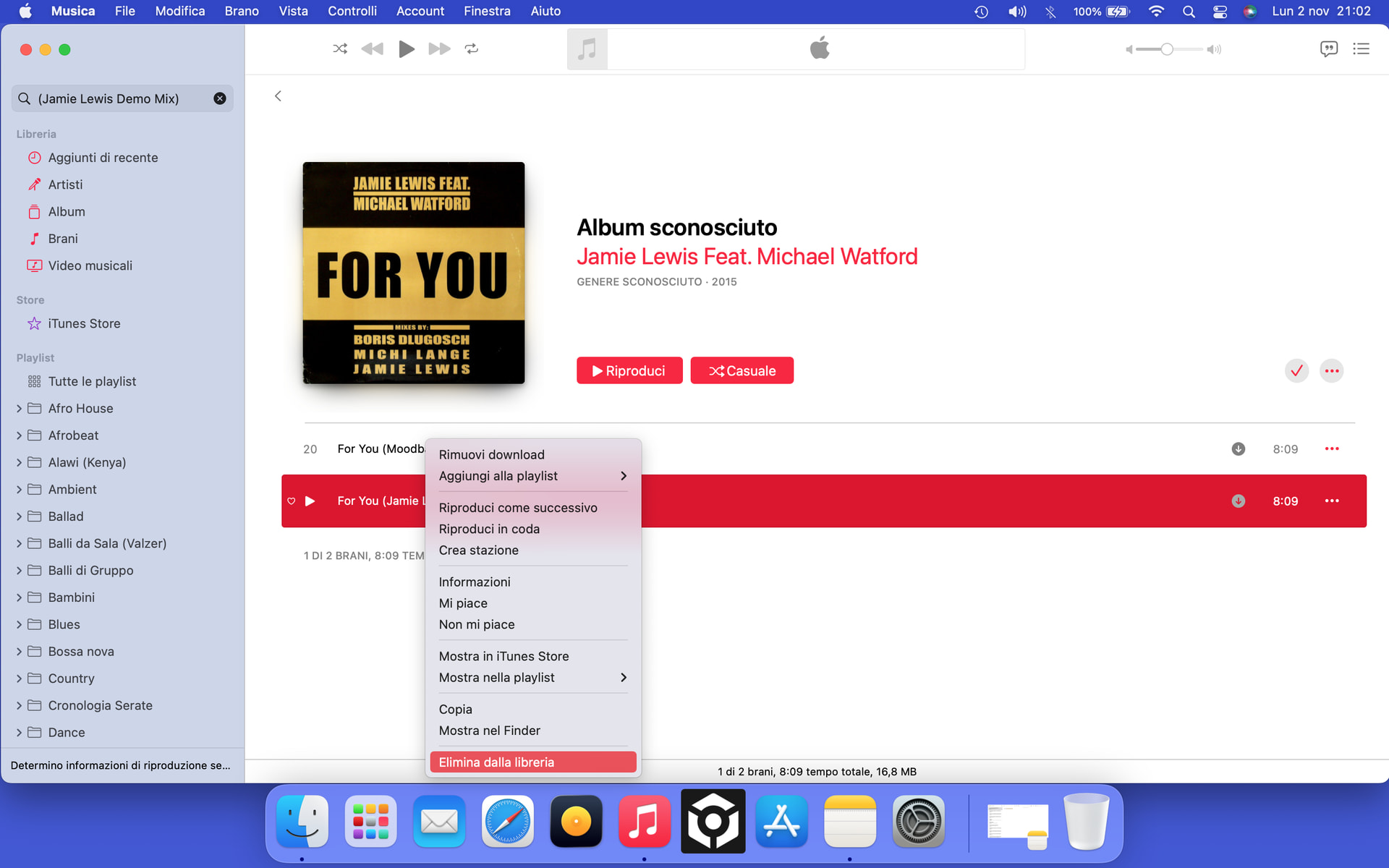
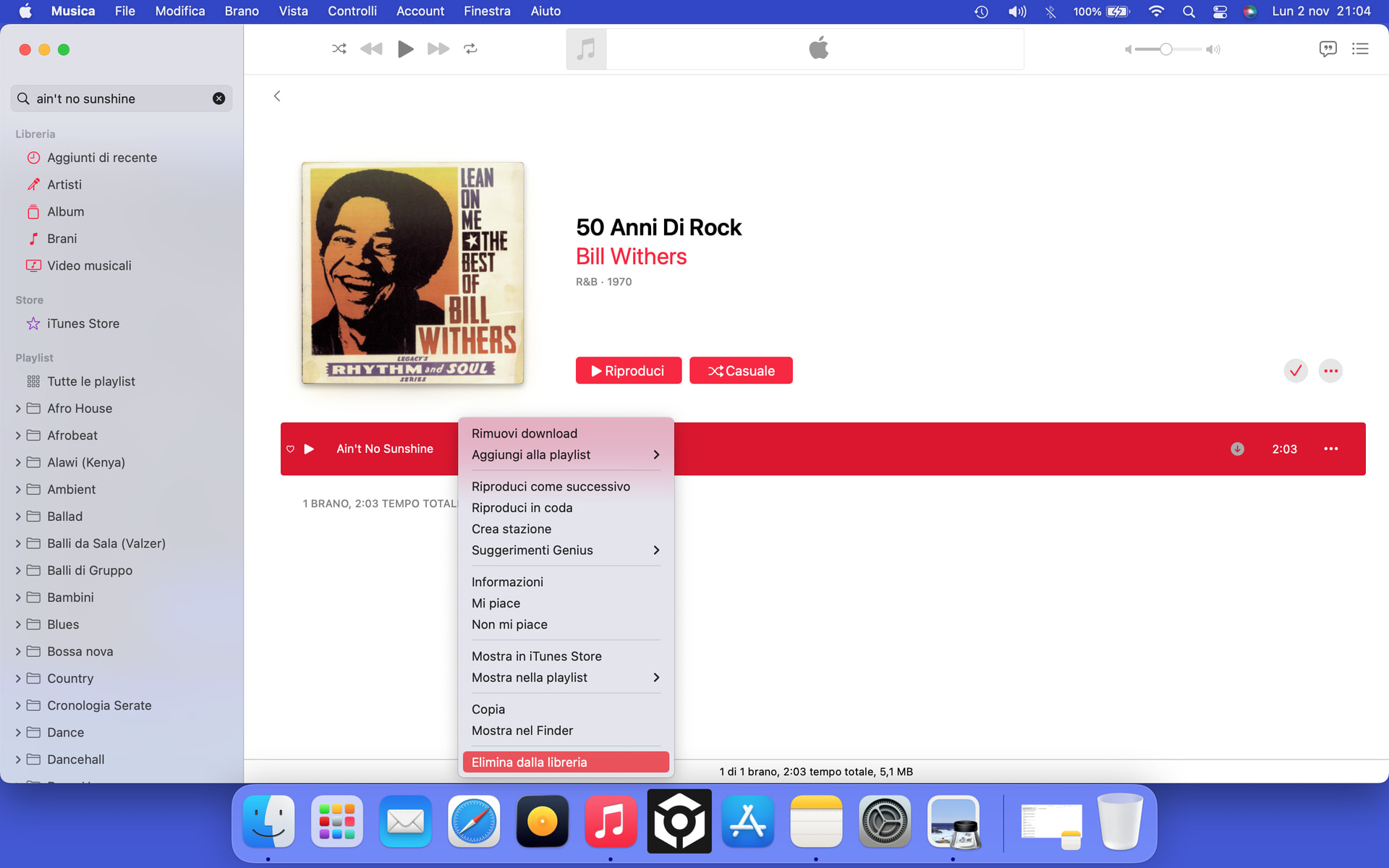
Hi @olafmol, there are three ways to analyze tracks:
Loading them on a deck.
Selecting “Analyze” on a playlist.
Selecting one or multiple tracks and then “Analyze” (using Right/Control-Click on macOS, or track selection mode on iOS) .
For options 1 and 2 the track is not analyzed again if it has been previously analyzed. Option 3 will re-analyze the track and overwrite existing information like Key and BPM. However, we keep most of the user edits made to the Beatgrid and simply reapply them to the new grid; this includes anchors, shifts, and downbeat changes.
Analyzing outside My Collection: you can analyze from the Music source too. djay stores BPM, key, beat grid and waveforms in its own library, not in your files, and a track normally keeps that analysis wherever you load it. The exception right now is the file-icon tracks we’ve been looking at, because djay treats those as separate tracks. While that’s being fixed, analyze in the Music source, since that’s where you’ll be playing from.
Which way were you starting the analysis? And are the tracks that get re-analyzed the file-icon ones?
You’re welcome. @olafmol it depends on which icon the track gets once it’s in My Collection.
Music icon: djay treats it as the same track, so the analysis you did in the Music source comes with it. Analyzing it again by loading it or running Analyze on the playlist skips it. Selecting the track and choosing Analyze runs it again and overwrites Key and BPM, as before.
File icon: djay currently treats it as a separate track, so it gets analyzed from scratch. Any BPM or beat grid edits you made in the Music source won’t carry over. That’s part of the issue we’re investigating.
Either way, nothing is written into your files. Analysis lives in djay’s library.
When you get a chance, could you tell me which way you were starting the analysis earlier, and whether the re-analyzed tracks were the file-icon ones? It’ll help us narrow things down.
I’ll perform a clean install and transfer all my music and playlists from iTunes/Music without analyzing them first.
Let’s see what happens.
I already know it won’t be able to read all the album art—which is an issue in itself—and I’m certain I’ll run into the problem where the Cloud status remains stuck on “updating.”
Hi again @Sergio1, I spoke with engineering. They are asking if you could please try an experiment, and remove one of the affected tracks from iTunes using the “Delete from Library” option and then reimport into iTunes and see if the duration in iTunes changes? It could be that older versions of the iTunes/Apple Music reported different track durations from the system AAC decoder.
Also, those tracks you shared work as expected for the engineers when importing to iTunes and My Collection on macOS 26.
I tried a different approach—just as an experiment to see what would happen.
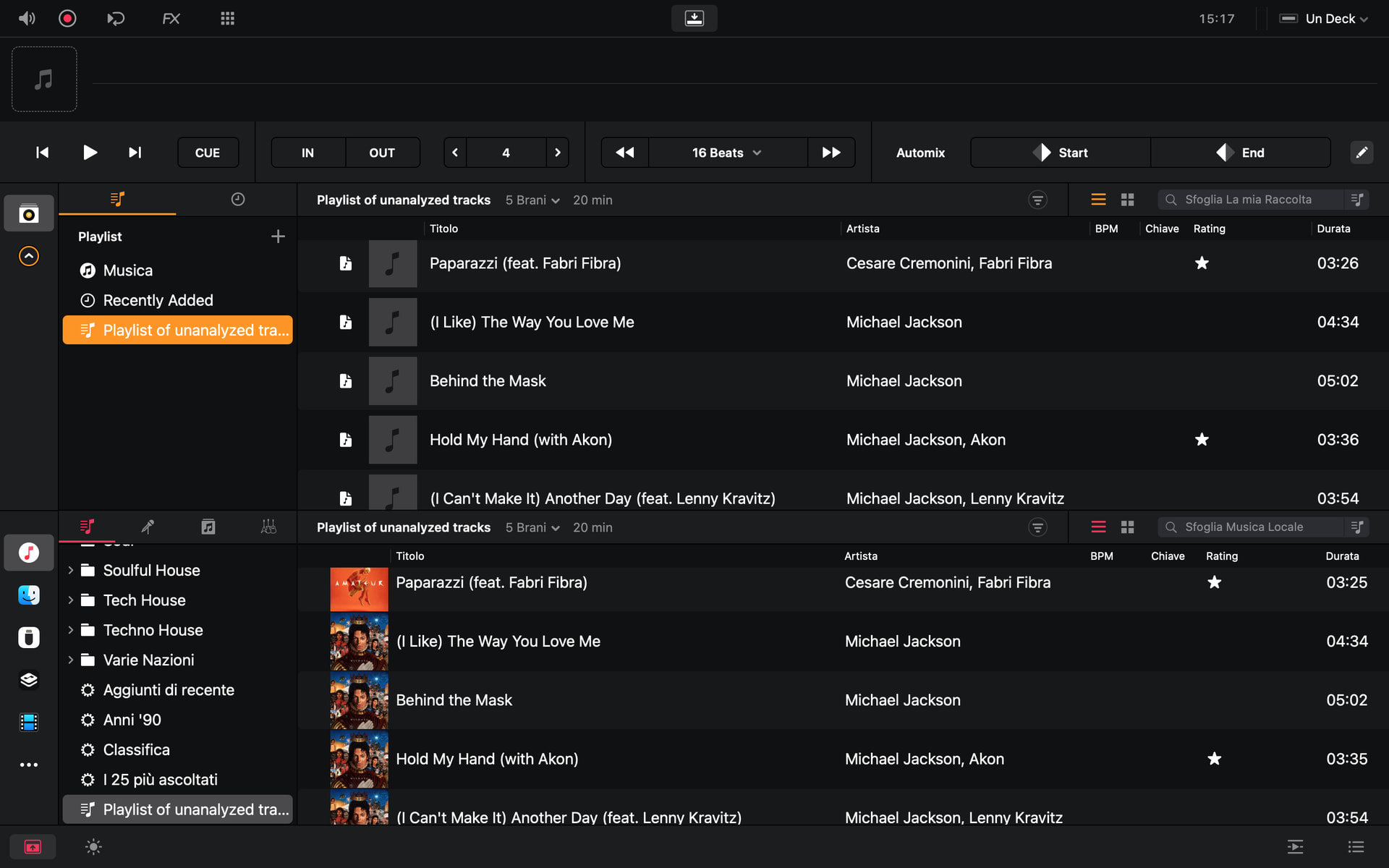
I created a small playlist of random tracks and transferred them to my collection without analyzing them first.
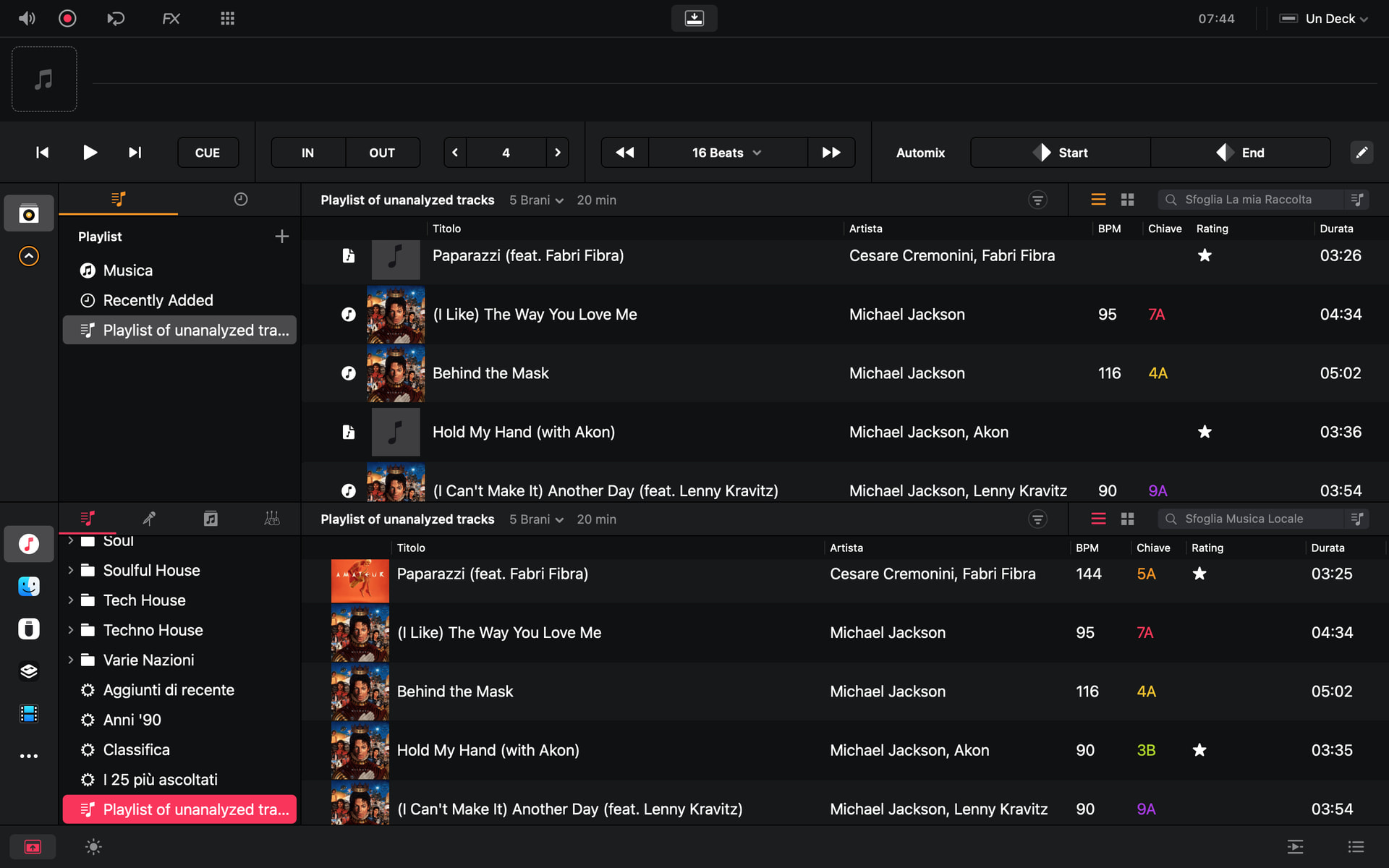
As you can see in the attached photo, 2 out of the 5 tracks have a 1-second difference in duration; also, as we already know, none of them have cover art.
Out of curiosity, I opened my collection again this morning and noticed—as you can see in the attached photo—that Djay has updated 3 out of 5 tracks with all the analysis data, including cover art and icons.
(This excludes the two tracks that show a one-second difference in duration.)
I should point out that I haven’t been using my collection at all, due to the issues we’re already aware of.
I performed the analysis solely using the iTunes source.
Yes, the three that updated are behaving as expected. They show the Music icon, so djay sees them as the same tracks you analyzed in the Music source. Their BPM, key and artwork show up in My Collection without you doing anything there.
The other two are the file-icon tracks we’ve been looking at, and both are a second longer again. djay treats those as separate tracks, so the analysis you ran in the Music source doesn’t reach them. It’s the same issue, seen from a different angle, and it’s still with our team. Nothing to report back from them yet, but I’ll post here as soon as there is.
Quick question about the icons: before this morning, did those three tracks show the file icon in My Collection? Also, how did you create this playlist? Did you drag it from the Music source?
Keep analyzing and prepping in the Music source in the meantime. You’re doing exactly the right thing.
@Sergio1 that’s really helpful, thanks. It tells us djay links those tracks to your Music library after it analyzes them, not when you add them. Your two one-second-longer tracks are the ones that never make that switch, and I’ve passed this on to the team.
It also gives you a better way to work while we wait, instead of holding everything back:
Analyze the playlist in the Music source first.
Then drag it into My Collection.
Any tracks still showing the file icon after that are the affected ones. Keep prepping those from the Music source.
Most of your tracks should come across properly that way, artwork included. I hope that gets you moving again!
Thanks for the advice on how to avoid getting stuck.
I’d prefer to wait until these issues are fixed; if you look at my initial posts, you’ll see that the method you’re suggesting actually makes my workflow more complicated.
When I tried transferring just a few playlists, I ended up with hundreds of tracks showing up as generic file icons—as you can see in those first posts.
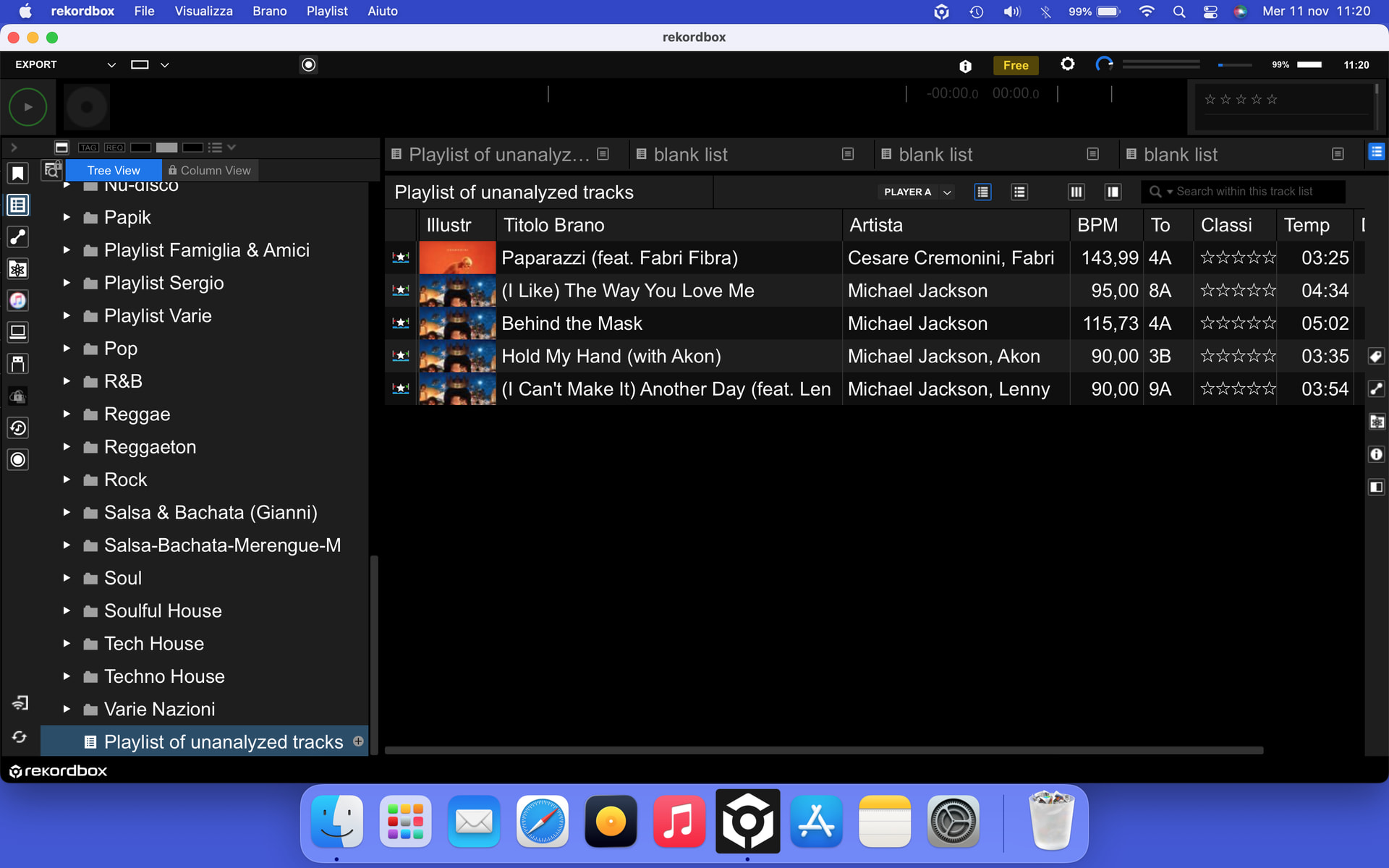
For now, I’ll stick with Rekordbox, which doesn’t suffer from these kinds of problems (as you can see from the screenshot).
@Sergio1 fair enough, and you’re right. With hundreds of tracks affected, that workaround adds more work than it saves. Waiting for a proper fix makes sense.
Thank you for all the testing. Your files, screenshots and patient back-and-forth have given our team a lot to work with, and you found things none of us had spotted. I’ll post here as soon as I have news, so keep an eye on the thread. Thanks!