Latest 5.4.4 pro
MacBook Pro
Px5
2 x k2
Eventide space
Is there going to be any possibility to map my k2s to jog the downbeat/grid ? As none already.
This would be very useful to map these to absolute rotary’s.
I find it works better than jogging the pitch In some cases. But not all the time.
Minute changes makes all the difference when playing in sync.
Minute jogging in the grid can correct major off ‘beat slap’ as I call it , to changing the pitch.
I understand that setting the cue accurately the grid beforehand will solve this but need something to use on the fly when all cues/grids are different.
And need a quick work around when pick n mixing in a 8k library.
The point is. I don’t like touching the mac at all during sets and do it all from the k2s.
Hence midi mapping.
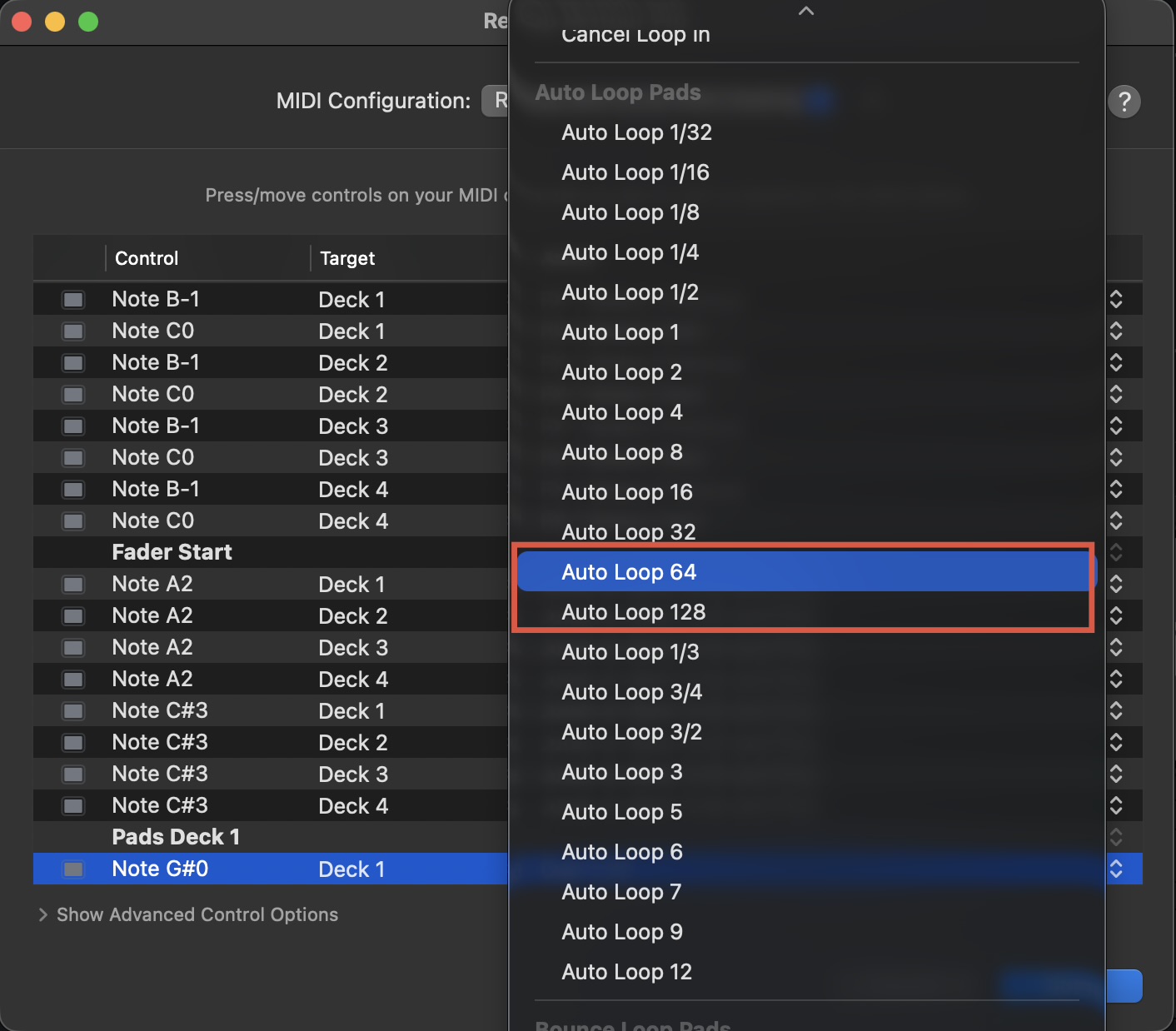
Also I’ve noticed there is no map options for 64 or 124 beat loops. Which can only be set on screen. Any movement on this as well.
Thanks.
Can you please clarify what you mean here @Daveworzel? Are you talking about Pitch Bending? Maybe a screenshot of the onscreen command you want to know the MIDI command for?
We do have MIDI commands for Auto Loop 64 and 128.
Hi Slak.
Sorry for my lack of description and terminology !
What I’m after is to be able to move the beat grid through midi mapping.
As where the section is for creating cues and cue loops there is the section on the end with three little blue lines that enable you to shift the beat grid and downtempo using the arrows on screen.
This is what I’d like to map to the k2.
This is something that I’m having to do manually on the Mac when pre cueing a track whilst playing in SYNC if the beat and grid is off just by a hair !
Jogging the pitch doesn’t work. It only exonerates the problem as it’s the cue/grid placement that needs moving , which is always set you think correctly beforehand for that individual track.
Hope this makes sense.
Thanks.
Hi @Daveworzel, thanks for clarifying. Please see below for the currently available MIDI mappable commands for adjusting the beatgrid. Perhaps the “Set Downbeat” will work for you. I checked with our engineering team and it’s not possible to provide MIDI commands for the fine beatgrid adjustments.
Hi Slak.
Cheers buddy. It’s start.
Thanks.
Worz.
1 Like
You’re welcome @Daveworzel