Dude! Who’s the big name behind the curtain that made this happen? 
Seriously though, nice!
Dude! Who’s the big name behind the curtain that made this happen?
Seriously though, nice!
I’d love this feature as well! I just find it works better with my flow.
Thanks for the input @Austinjacobm94
Has the backloop been implemented?
Hi @Gracen, no this feature has not yet been implemented in djay.
NOTE: Please use the search function above before posting to avoid creating duplicate topics.
Your question:
Can you for example create 32 beat loop backwards, lets say i need a 32 beat loop before the vocal comes, So right before the vocal comes in i count 32 beat loop backwards, if there is an easier way of doing, or a shortcut,
Hi @Reuben_Williams, please use search before creating new topics. I have merged your new topic with this existing one. This is not currently possible in djay, but you can vote above to show your support for adding this. Thanks!
yes i did search for a similar topic before creating a new one
Dear Algoriddim, if Coldcut ask for a feature and it sounds reasonable, you implement it. It’s that simple.
Thanks for the feedback @Adrian_Francisco
Another vote from me for this.
I’ve recently migrated from Traktor and have been trying to recreate a similar workflow/experience. I almost exclusively use backwards looping and find it more intuitive/efficient.
In the interim, I found a workaround:
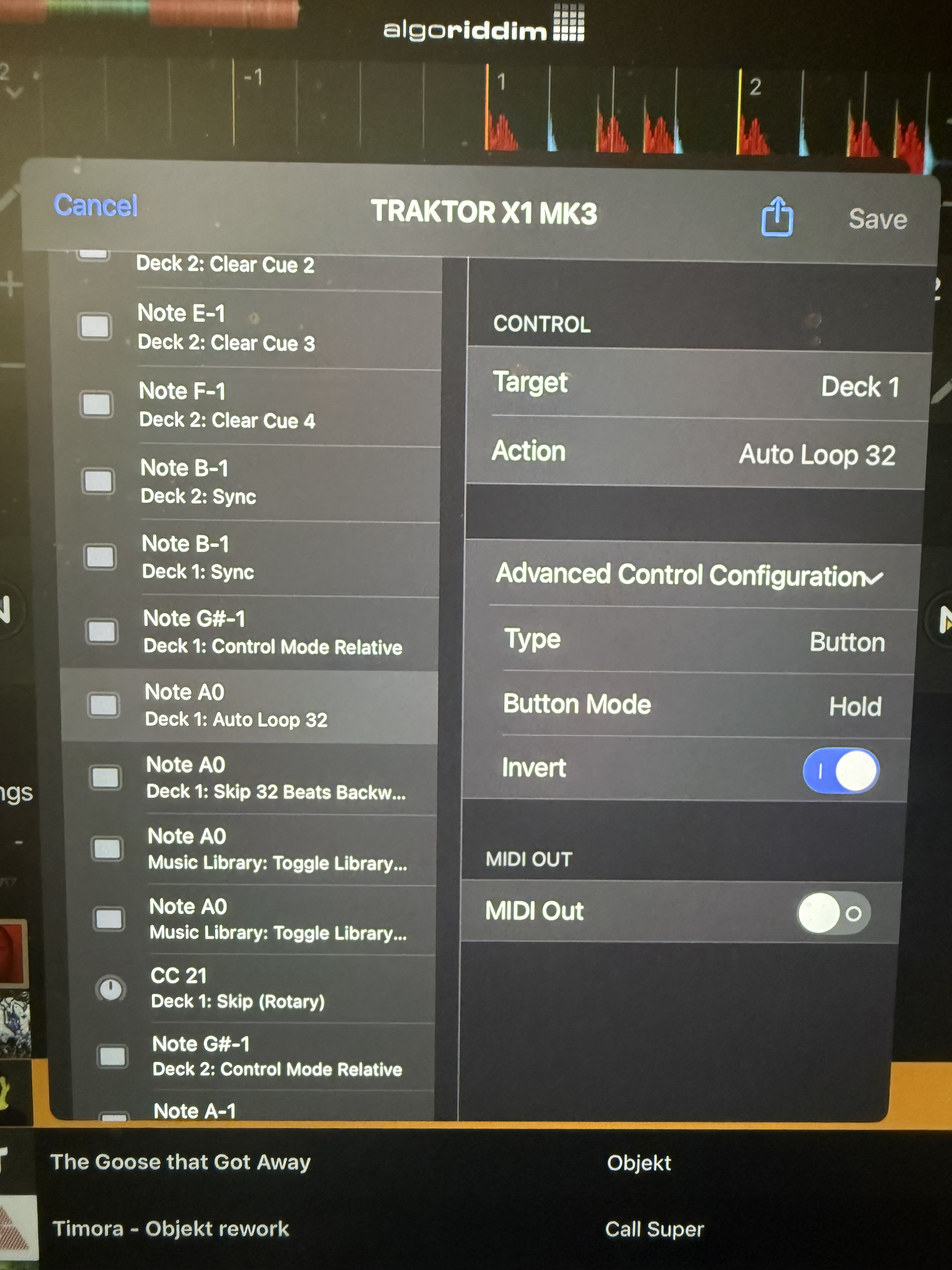
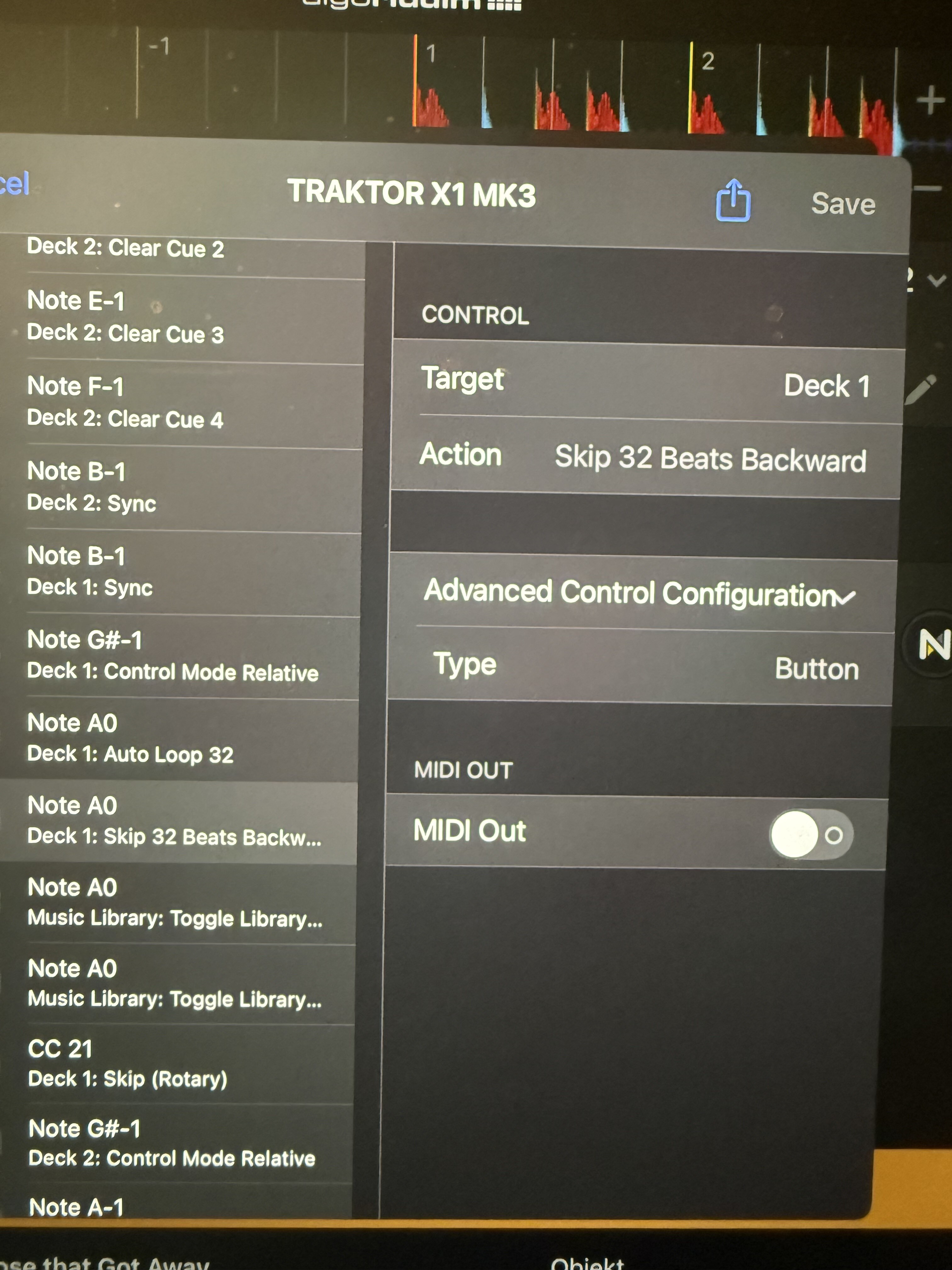
Create a button action with Step Backwards X beats
Create a second button action to Auto Loop X beats and modify the advance configuration as follows:
Type: Button
Button mode: Hold
Invert: On
I’ve added screenshots for clarity.
Effectively, your initial down press of the button jumps backwards and then the loop is dropped on the release.
Although it’s a bit hacky seems to work well with quantizing on and I haven’t seen any issues.
Thanks,
J
Nice! Thanks for sharing @Orge
No worries.
I did a little more testing last night and can confirm the workaround works but it’s not 100%. If you press/release the button too fast then it drops the loop BEFORE the beat jump has happened instead of the place that was intended.
Would be great to get a more robust solution but I’m now thinking I will prob address this with a Bomebox between the X1 and Djay Pro - a little bit of delay would prob do the job. Although this is seems a but much to solve this issue, I can prob do a few more tweaks that would help my setup
You could do it with Bome’s Midi Translator. It has timers and all the fancy stuff.
Good idea. Thanks for sharing @Mister_Tuur
Joining the conversation again to bump this request.