NOTE: Please use the search function above before posting to avoid creating duplicate topics.
Device model (ipone 11:
Version of operating system *(ios 16
Version of djay *(e.g. 5.6.9
Hardware/controllers used (e.g. Reloop Mixon 8 Pro):
Hardware firmware version (e.g. 1.0.1):
Please consider sharing a short video or screenshots to help clarify your question
YOUR QUESTION:
Why do i keep adding my folder in one library everytime i open djay on my iphone check the video below is the behavior a bug or what and also why cant djay jump to my one library crates automatically when opening
1.
@Brown_bkp thanks for the video. However, I’m not sure that I see what the issue is here other than the slow loading of your USB library. If you close djay and relaunch, I’m pretty sure it is expected behavior that you need to Open USB Drive again. Also, there’s no setting that makes djay open on a specific USB playlist when it launches.
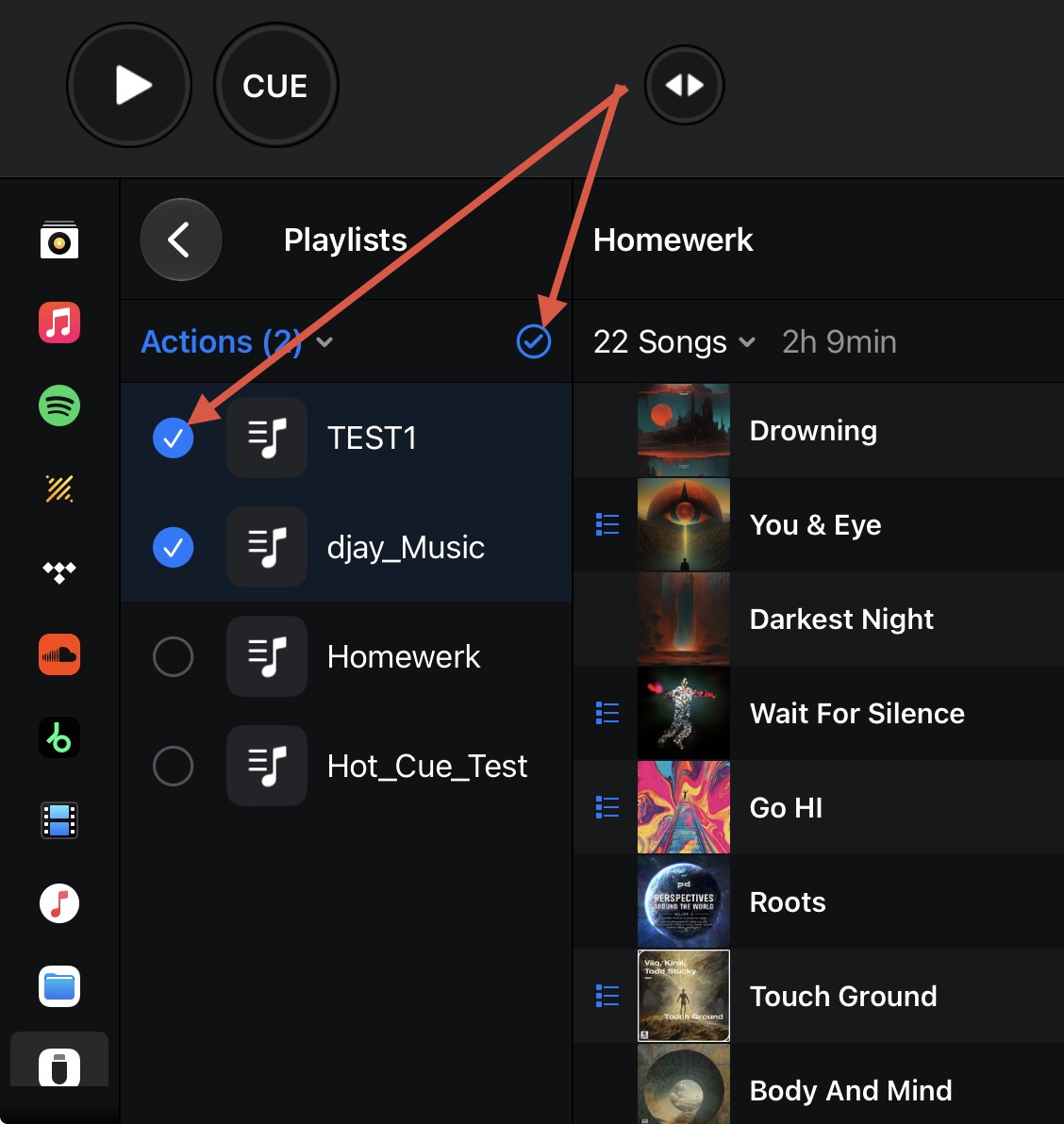
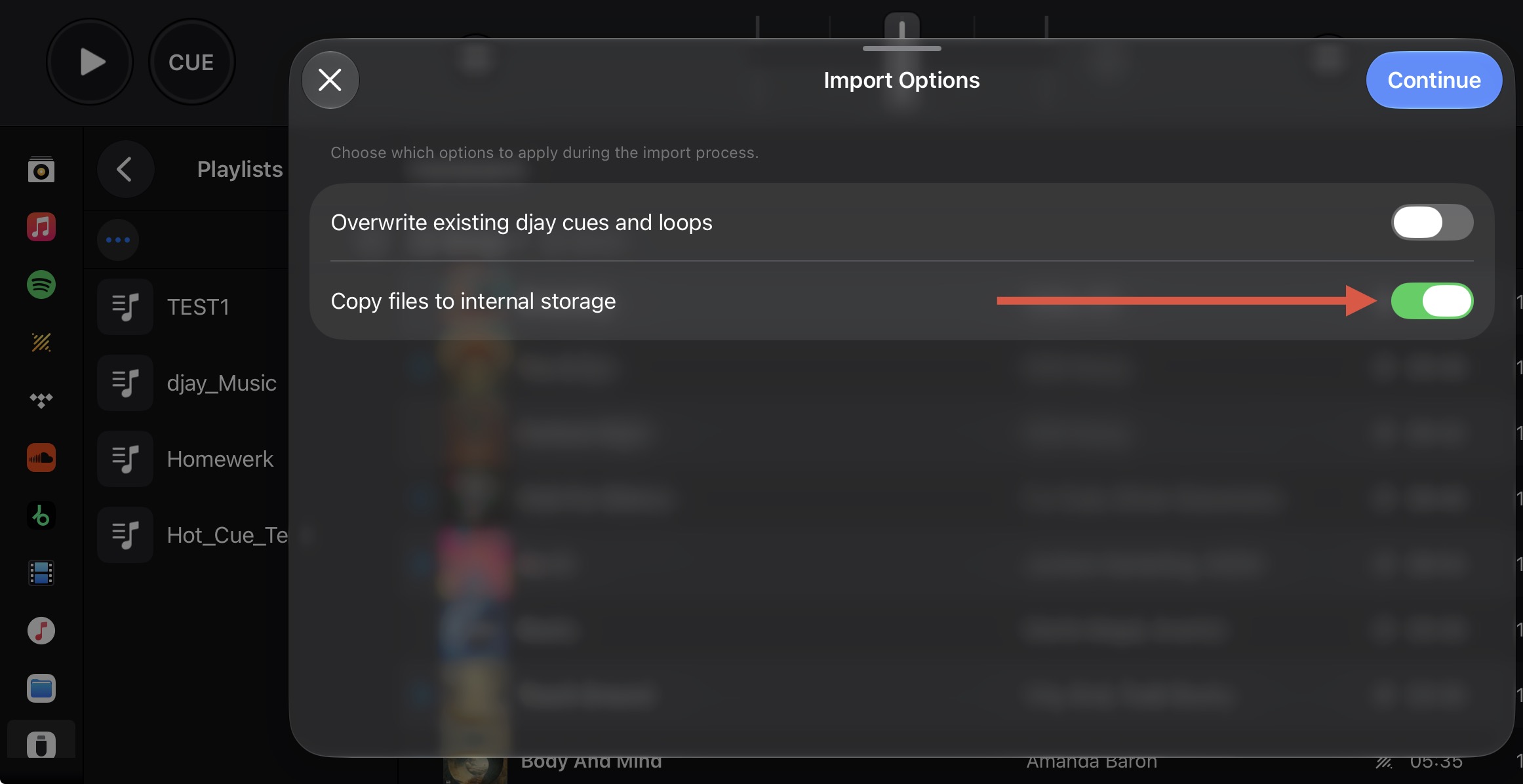
If you prefer, you can copy the playlists you use most onto the phone.
Open the Playlists folder in USB Library
Tap the Check Mark
Select the desired playlists via the circles on the left
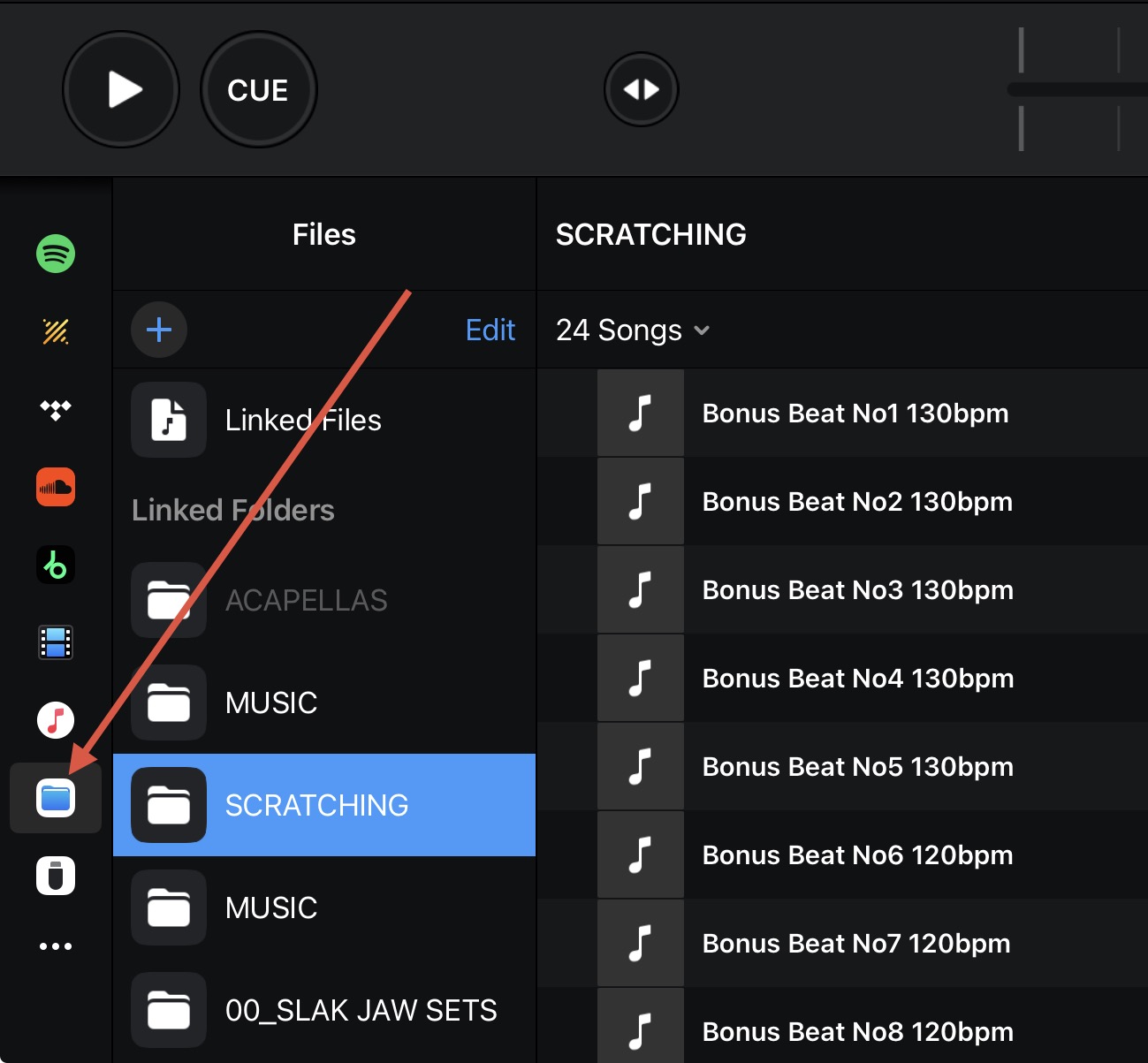
Alternatively, if you prefer to play off the USB Drive directly, you could consider using the Files Source in djay and add your USB playlists here. These Link Folders/Playlist should remain connected when you quit and restart djay while your drive is still connected.
About 1 thoudand songs on the drive
The drive size is 15 gig with over 7 gig used
Im connecting the drive with a Lightning camera adapter
I Dont know how to measure the speed
You are likely being limited by the speed of the adapter or the drive itself. You could try opening one of the playlists instead of the full library. Reducing the number of files on the drive should help. Also I recommend updating to the latest version of djay - currently 5.6.10. I hope that helps!
Hello! It’s been a week since my last reply. I’m going to consider this topic completed for now so I can focus on others. However, please feel free to respond and we can definitely revisit this. Thanks!