Hello, I’m working with the latest version of DJay Pro on 64-bit Windows 11 Pro in Spanish.
My problem is that the Settings → General → Go to Cue Point options don’t work. No matter which one I select, it always jumps to the beginning of the track.
I would like the playhead to automatically position itself at Cue #1 when loading a track, but I can’t seem to make it happen.
Kind regards.
Hi @Chirro_Peres, when creating new topics, please do not forget to answer the questions in our template with specific details about your setup not just “iPad” or “Latest Version”. This helps all of our community moderators to provide the most effective support to users with the utmost efficiency.
Device Model (ex. 2020 iPad Air 4th Gen):
Version of operating system (ex. iOS 17.3.1):
Version of djay (ex. 5.1.3):
Hardware/controllers used (ex. Reloop Ready):
Hardware Firmware Version:
I tested this on my Windows setup with djay 5.3.3112.0 and it works as expected. Can you please share a short screen recording of the issue as well? Thanks!
Hello Slack_Jaw, sorry for the lack of information.
My Windows version is Windows 11 Business 23H2 (build 22631.5549), 64‑bit. At home I have Windows 10 Pro, 64‑bit, and the behaviour is the same. I suspect that it may be a problem only in the Spanish version.
Device: Intel(R) Xeon(R) W3‑2423 @ 2.11 GHz, 32 GB RAM, 1 TB SSD.
The DJay version is 5.3.3112.0.
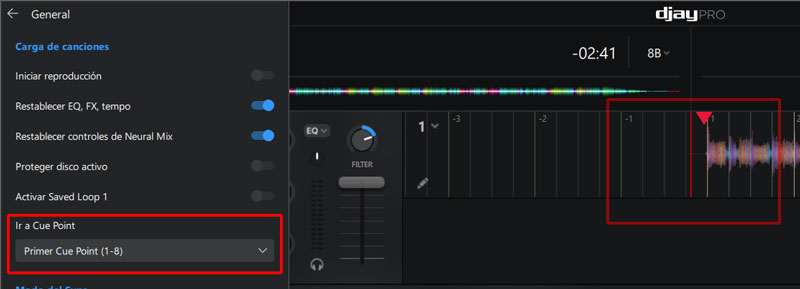
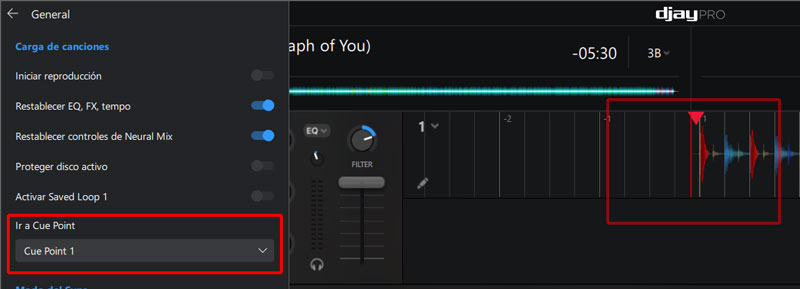
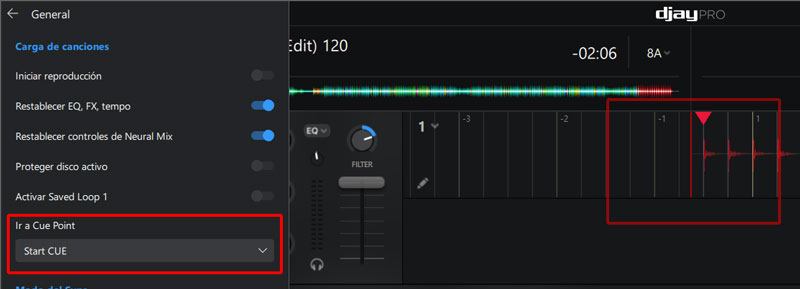
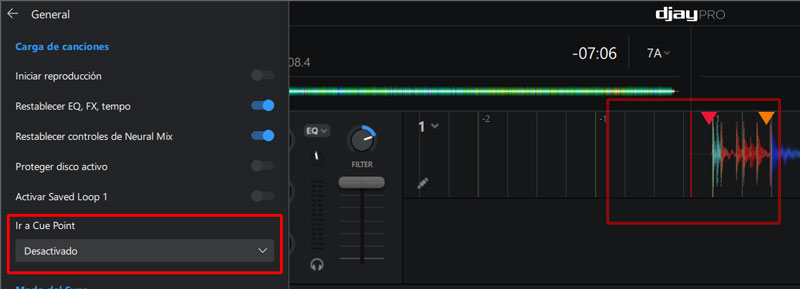
Here are some screenshots:
As you can see, no matter what option I choose under Configuración > General > Ir a Cue Point, the playhead always starts at the beginning of the track.
1 Like
Hi @Chirro_Peres, thanks for the additional details and screenshots. I will pass this onto engineering to see if they can replicate the issue and offer any suggestions.
Hi again @Chirro_Peres, our engineering team tested this on several Windows setups included a Spanish setup. Unfortunately, they were not able to replicate this issue. The only thing we can think to suggest is a fresh djay installation. I suggest that you backup your djay Media Library database and any custom MIDI mappings, then uninstall djay, reboot your device, and reinstall the latest version of djay downloaded directly from the official Microsoft Store. You can find the files above in the following location:
- Windows: https://help.algoriddim.com/hc/en-us/articles/360014912131-Where-does-djay-Pro-store-cue-points-and-other-metadata
- Copy the files to a new location or external drive before uninstalling djay. After reinstallation, you can simply copy these files back to their original locations to maintain your Hot Cues, Saved Loops, My Collection Playlists, History and Queue.
I hope that helps!
Hello! It’s been a week since my last reply. I’m going to consider this topic completed for now so I can focus on others. However, please feel free to respond and we can definitely revisit this. Thanks!