i really really love the new One library integration which saved me from all the hassle transferring serato to rekordbox..
however i would like to ask if there is a button to reload cues and loops for ALL the playlist so when i add a cue on serato i would be able to just press a single button of reload all cues and loops of entire library so i will have the most updated cues that i have set in serato.
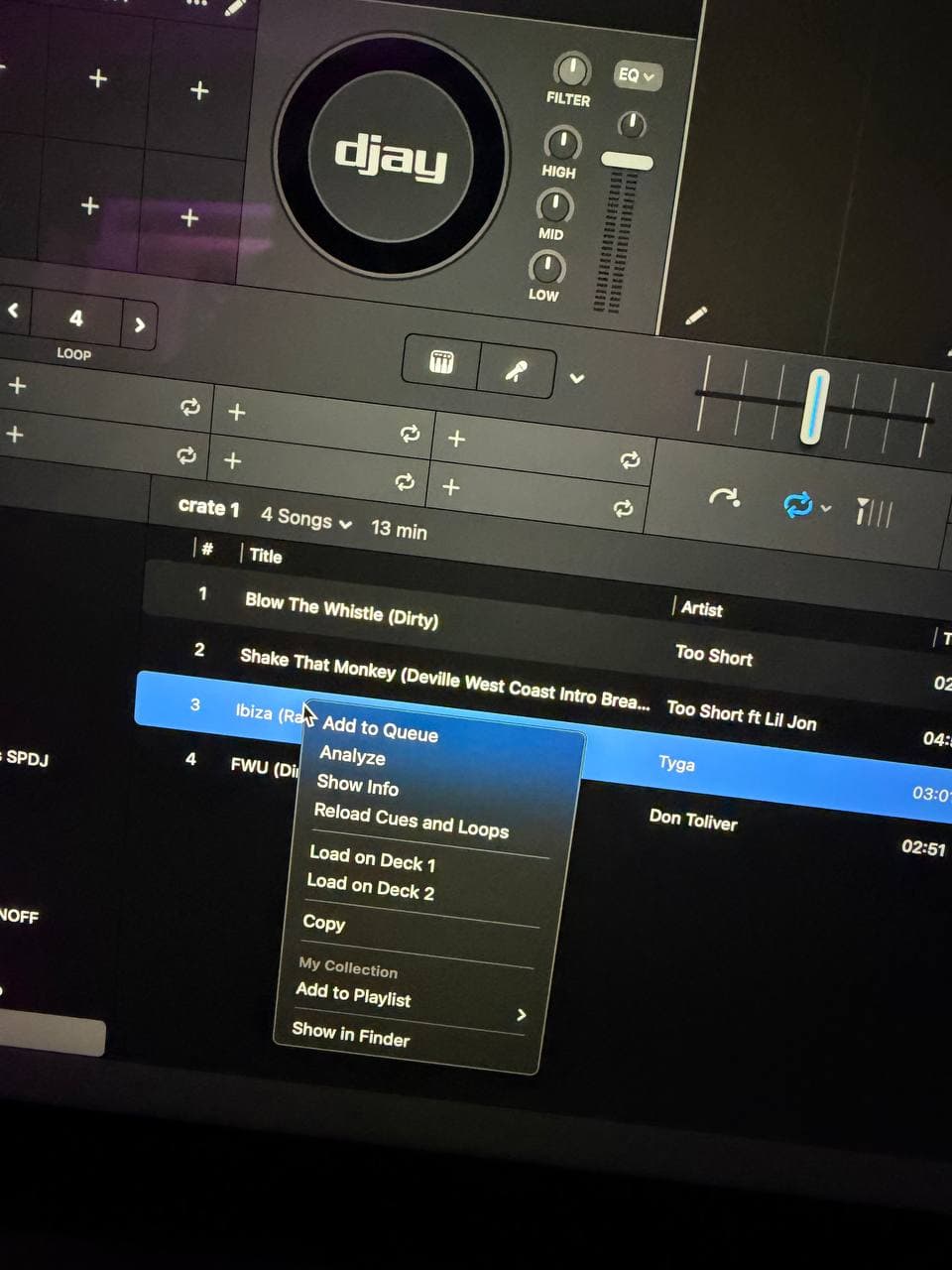
because for now i realised the only way is to go to that particular song and right click and then press reload cues and loops then only the song will have the updated latest cues.
i really hope you will be able to add the feature to reload cues and loops for the ENTIRE library so it will be way more convenient.
You do realise you’re talking rekordbox in djay forum, right?
…As there’s no such “reload cues n loops” menu anywhere in djay.
So, your major use for djay is to transfer from serato to rekordbox?
Anyway, in rekordbox you’d need to first select all, then do the right click.
As for djay:
If a track is completely new to djay but has serato cue points, those serato cue points will be read by djay once you add track onto deck.
If djay has ever inserted its cue point (or cue loop) onto a track, but that track was again used in serato and new cues added by serato, djay will stick to its own cues and disregard the serato cues. This behaviour sticks, even if you delete djay cues off that track in djay first, and then retry.
There is actually a reload cues and loops option… Refer to picture. All I am asking is for that option to be able to be applied to ENTIRE library rather than just through right clicking a single track.
“your major use for djay is to transfer from serato to rekordbox?” and yes, I mean I paid the exact same amount of subscription money to the company as you and with the latest integration it solves my trouble of working between rekordbox and serato so why not?
Thanks for the clarification @Gainzter. I have passed this onto the dev team for consideration. In the meantime, please use the Vote button at the top of the page so we can gauge user demand for this suggestion. Thanks!
Omg that is awesome thank you so much for your help!!
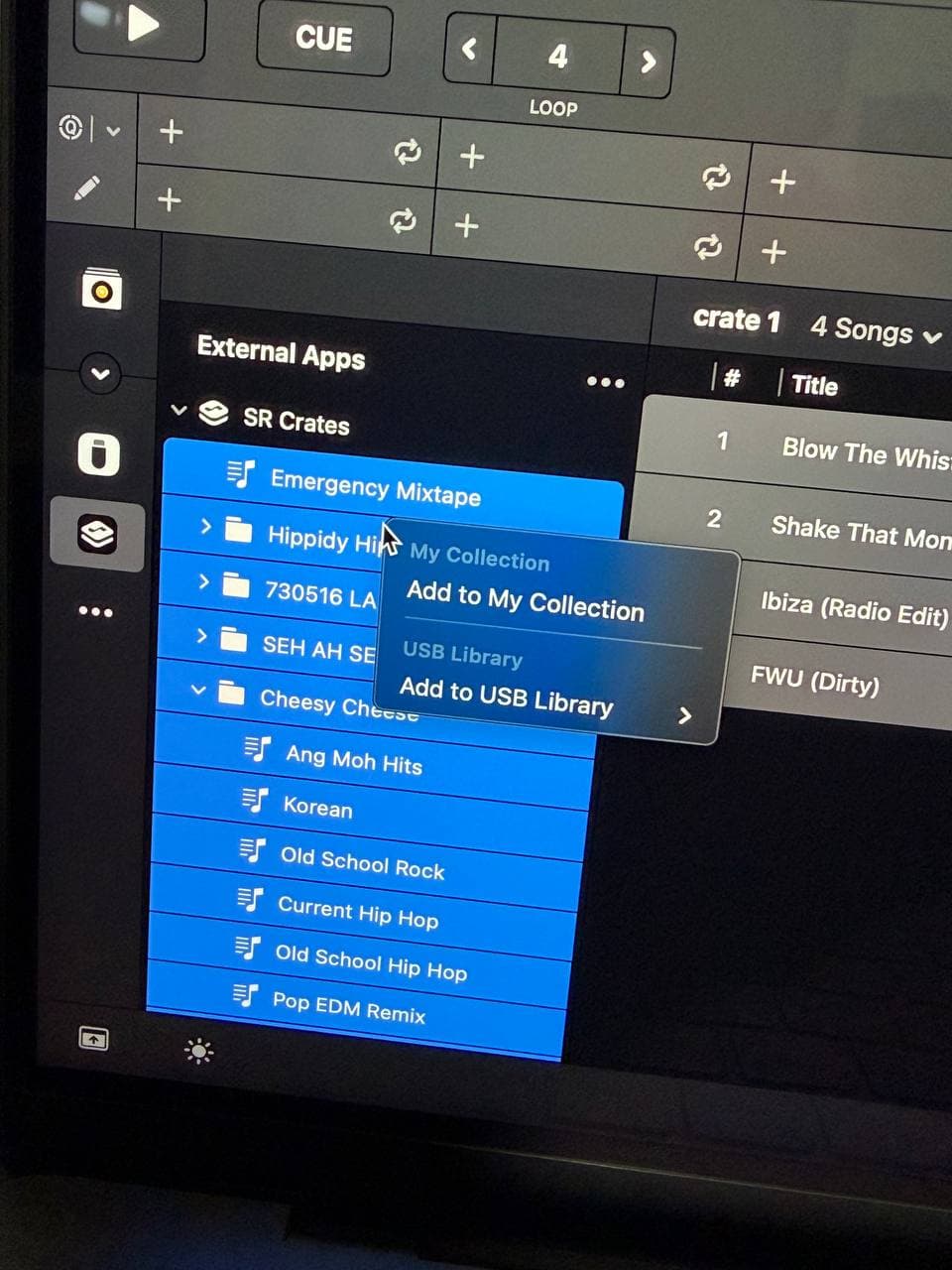
I hope you guys will be able to add that reload cues and loops option to the crates section in the picture below so I can ctrl A and reload all my cues and loops from all crates instead of one crate by one crate now. but THANK YOU