NOTE: Please use the search function above before posting to avoid creating duplicate topics.
MacBook Pro M5
MacOS 27.0.1
Version of djay: 5.6.10
Hardware/controllers used: Traktor S4 MK3 via custom HID-MIDI bridge.
YOUR QUESTION:
I’m working on a project that provides the Traktor S4 MK3 as a standard MIDI controller, which means I’ve been building out a custom MIDI mapping. HID-MIDI bridge for Traktor S4 MK3
One of the things I needed to figure out what to map to is the Record button on the S4. I figured the logical thing to map it to is the Record Sample action to mirror what the button does in Traktor.
So…what does the “Record Sample” action do? I will mention that the fact there is essentially no documentation on MIDI mapping actions/outputs is not a big help.
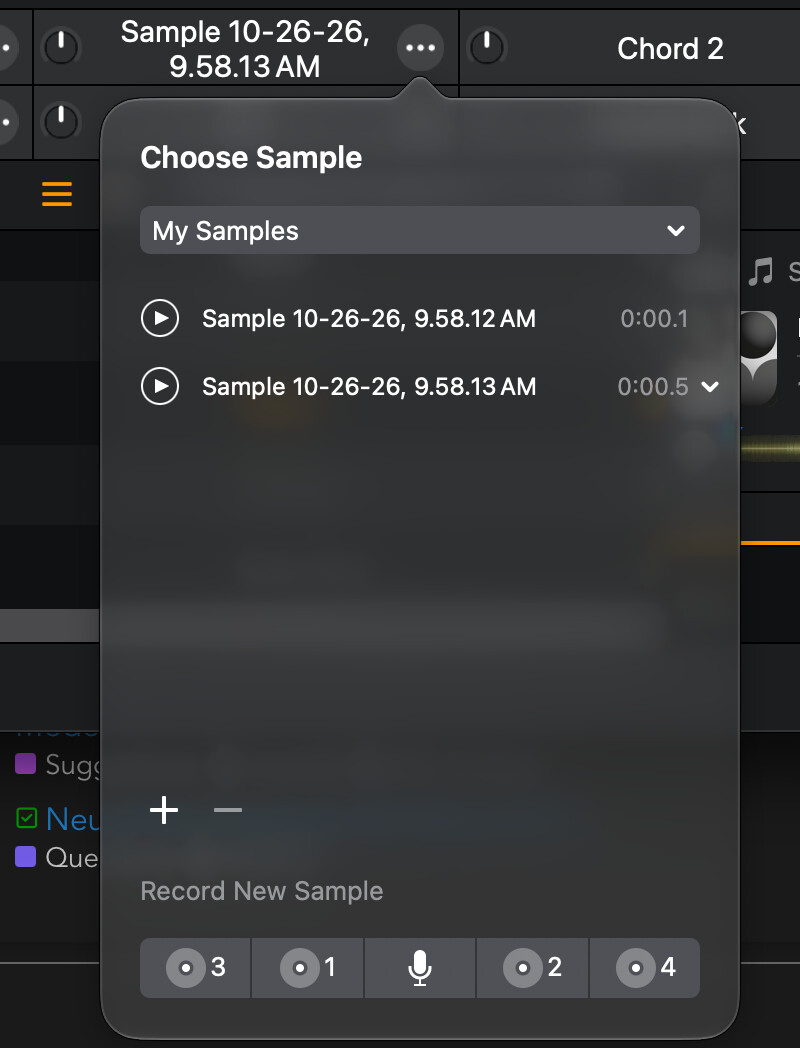
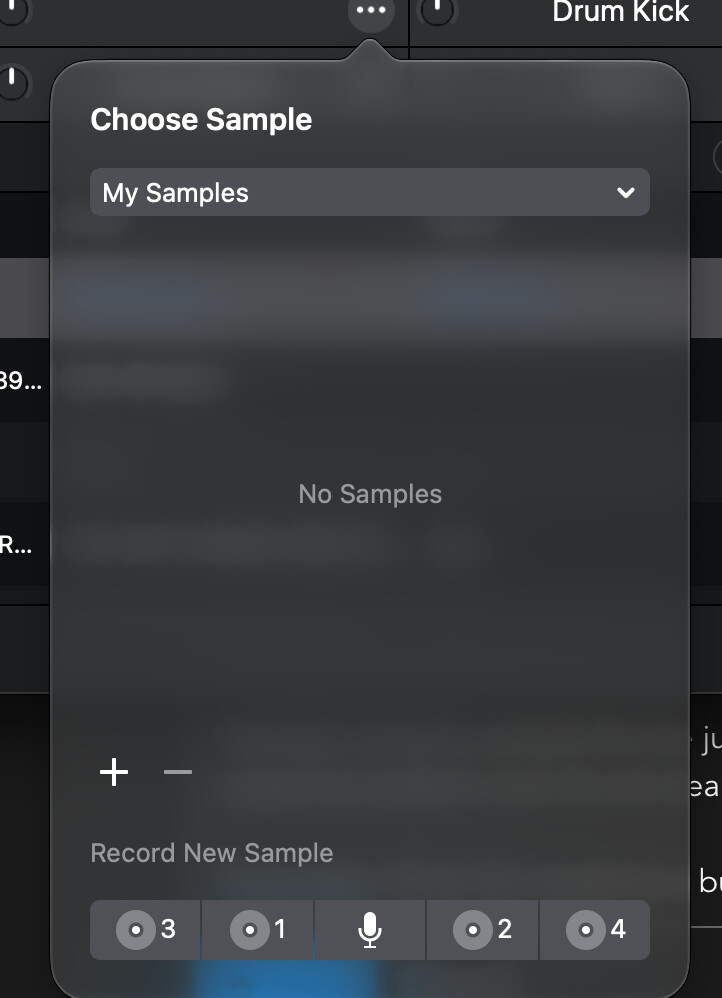
Hi @yyz_dj currently there’s no MIDI action for the Record new sample buttons in the sample editor. Capturing a sample from Deck 1, Deck 2 or the mic only works in the editor itself: Sampler > pencil icon > ••• on a pad > Record new sample, then press and hold the source button.
The Record Sample action in the MIDI editor works the Sampler Sequencer’s Record button instead. That’s the one that records your pad hits into a 4- or 8-beat loop. To see it working:
Open the Sampler and load a pack.
Turn on the metronome.
Press your mapped Record button, then play a few pads.
So I gave this a try and this isn’t what’s happening. When I push the record button the track in the deck starts playing (from paused state) and stops when I release it. If the track in that deck is already playing there nothing happens. Nothing to do with the sampler.
From what I’m understanding it’s supposed to trigger the record button here:
@yyz_dj, thanks for testing that. I had it wrong, so let’s narrow down what’s actually happening.
The deck plays while you hold the button and stops when you let go. That’s very similar to how the deck buttons under Record new sample work: you hold to record and release to stop. Can you try this?
Pause the deck, then hold the mapped button for 2–3 seconds.
Open Sampler > pencil icon > ••• on any pad.
Check My Samples to see if a new recording appeared.
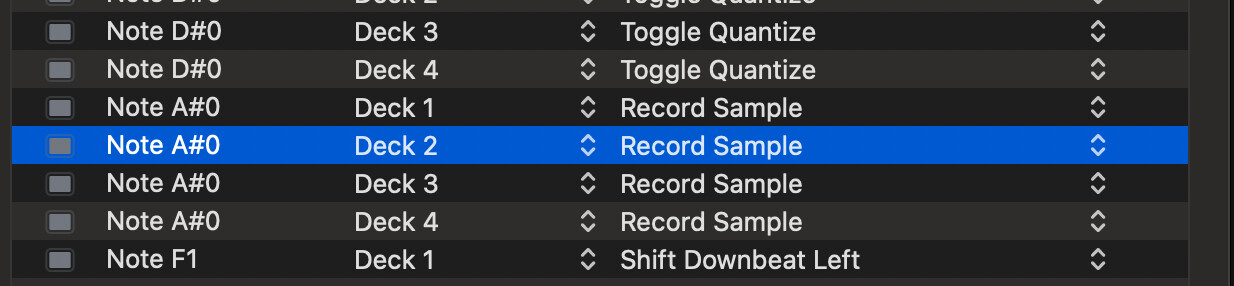
Could you also post a screenshot of that row in the MIDI editor, with the Target column visible?
If you mainly want to record pad hits into the sequencer, check the Sampler target’s Action list for a separate sequence-record action. That should be a different action from Record Sample. Thanks!
What I’m mainly trying to do is have this button in my mapping that I’m publishing functional. A couple of people have already commented that the function doesn’t seem to work and I’m like, yeah you’re right it doesn’t which is why I posted here.
Having it record a sample like we just attempted above to me makes more sense than recording a sequencer pattern, but it’s not clear which it actually does yet despite the name.
Personally, I think this might be a bug.
There is a Toggle Sequencer Recording action under Sampler and that does function for recording a pattern.
@yyz_dj, thanks for running that and for the screenshots. They really help.
I agree this looks like a bug. Holding Record Sample on a Deck target starts playback while held and saves nothing to My Samples, which doesn’t match the name. I’m going to reproduce it on my end and get it over to the team.
For your published mapping, I’d put Sampler > Toggle Sequencer Recording on the S4 Record button for now, since you’ve confirmed that one works. Capturing a sample from a deck is on-screen only at the moment: Sampler > pencil icon > ••• on a pad > Record New Sample.
One quick check: are those four Note A#0 rows on different MIDI channels? If they’re all on the same channel, one press fires Record Sample on all four decks at once, and I’d like to rule that out.
I’ll post back here once I know more. Thanks again for flagging this!
Hi again @yyz_dj, I confirmed with engineering that this is indeed a bug. The recordings are made, but are landing in a tmp folder instead. They are investigating further and I’ll share more news when I have it. Thanks again!