NOTE: Please use the search function above before posting to avoid creating duplicate topics.
- Device model (e.g. 2020 iPad Air 4th Gen): PC
- Version of operating system (e.g. macOS 14.4.1): Windows 11
- Version of djay (e.g. 5.1.2): 5.6.9 (and earlier)
- Hardware/controllers used (e.g. Reloop Mixon 8 Pro): Rane Seventy
- Hardware firmware version (e.g. 1.0.1):
- Please consider sharing a short video or screenshots to help clarify your issue
A) SUMMARY OF ISSUE:
Sometimes the clock is not visible at startup and sometime it is. Completely random behaviour.
Hi again @Scratch-E_Con, I tested this out myself. What I noticed is that for the clock to be shown, djay must be in full screen mode instead of windowed mode. Can you please try testing this out to see if that is what you are also experiencing?
Windowed Mode (no clock):
Full Screen Mode (clock visible):
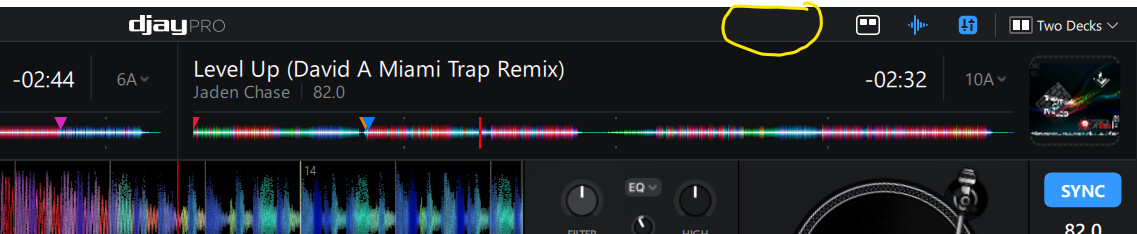
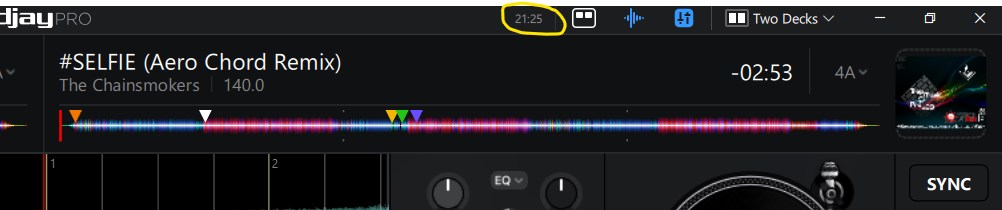
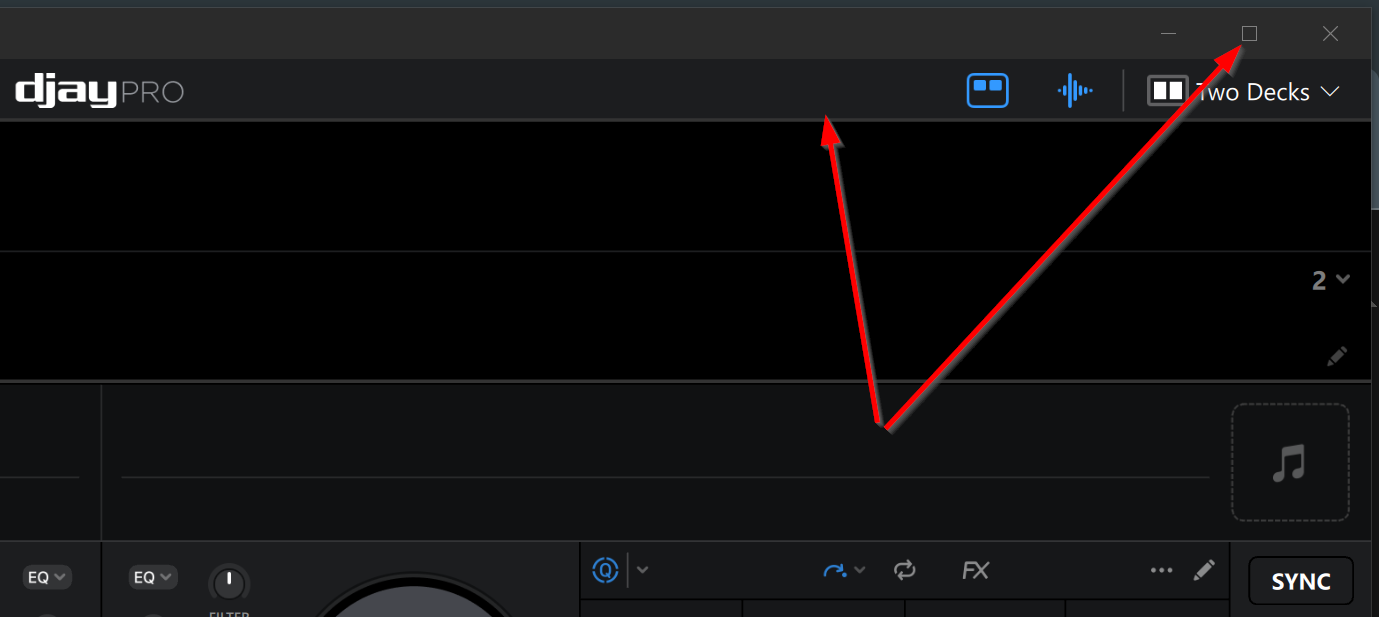
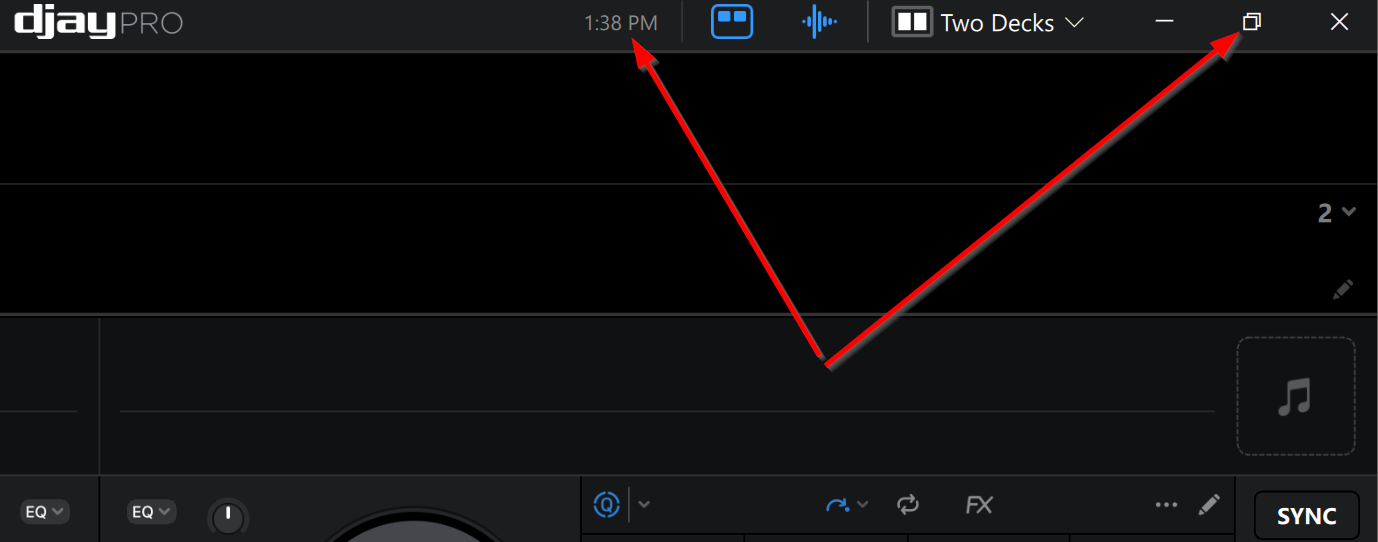
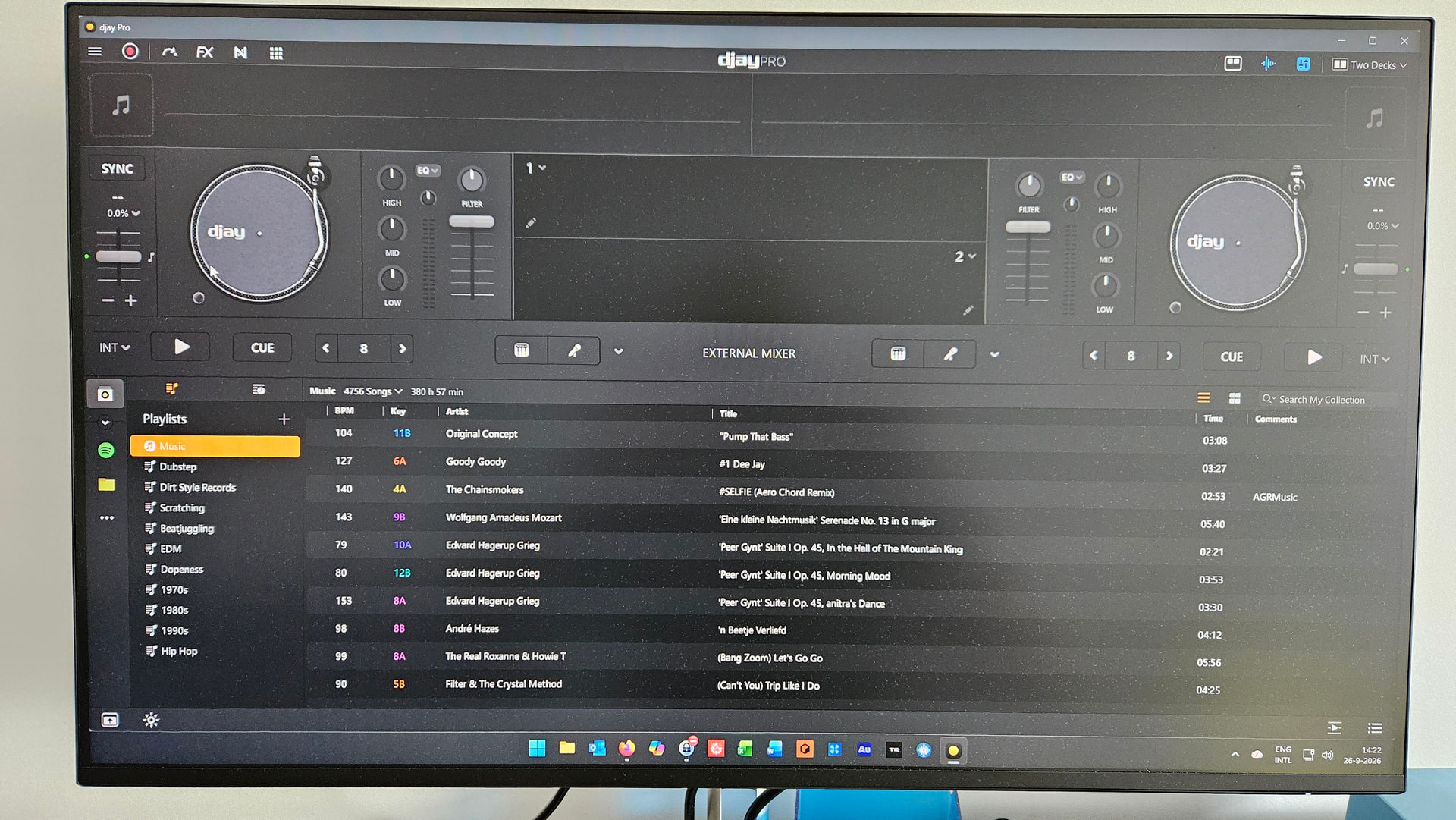
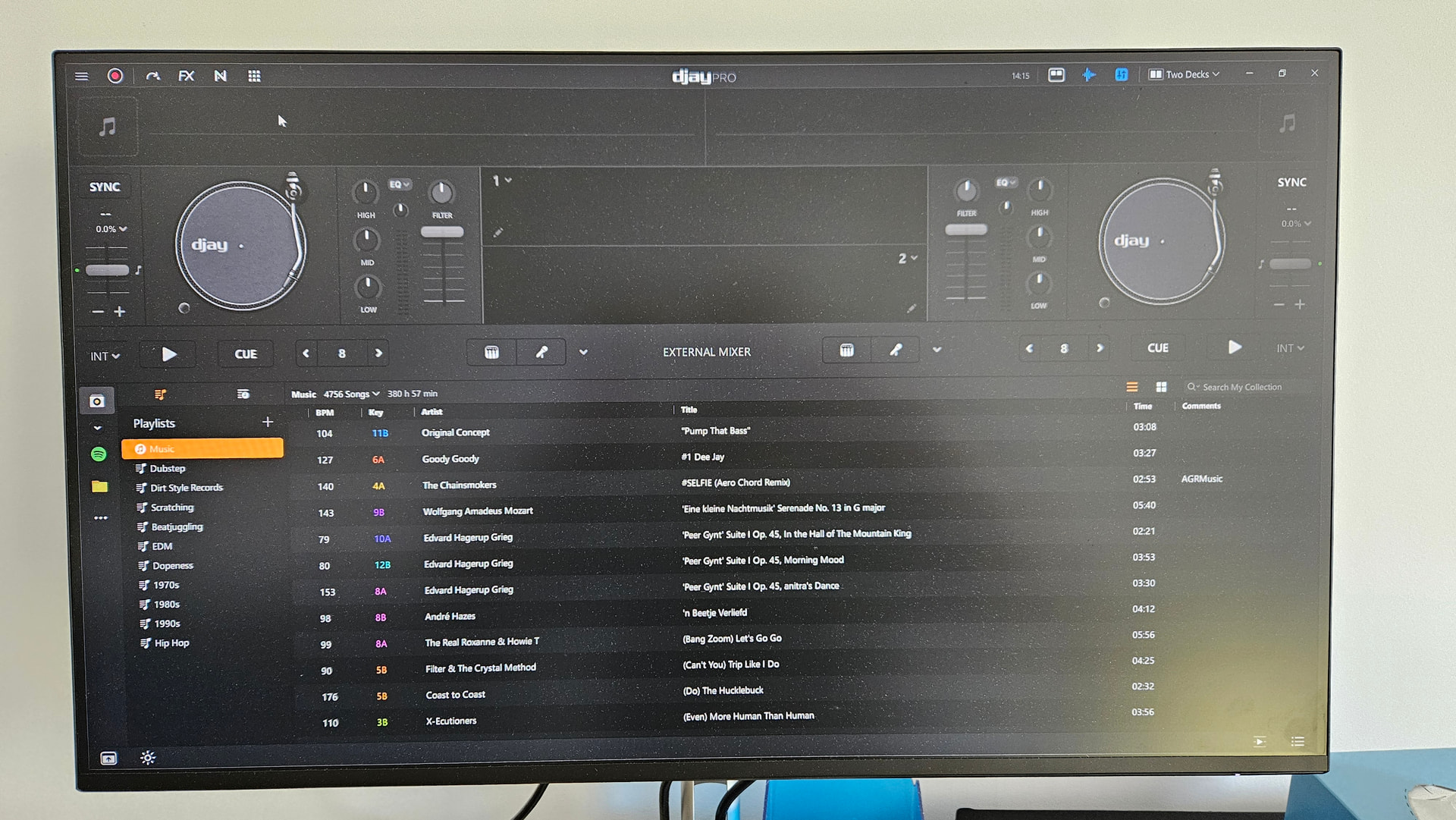
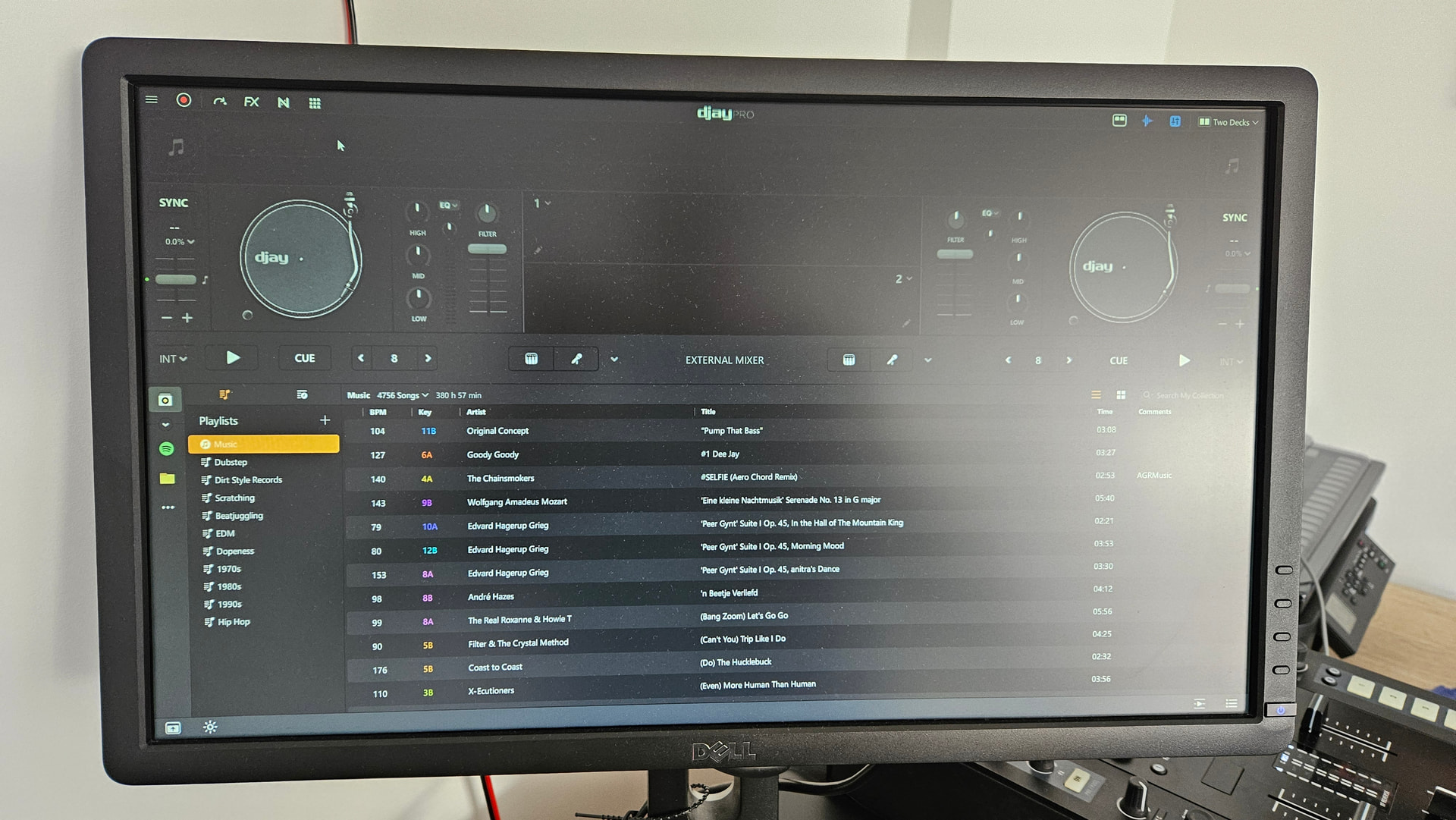
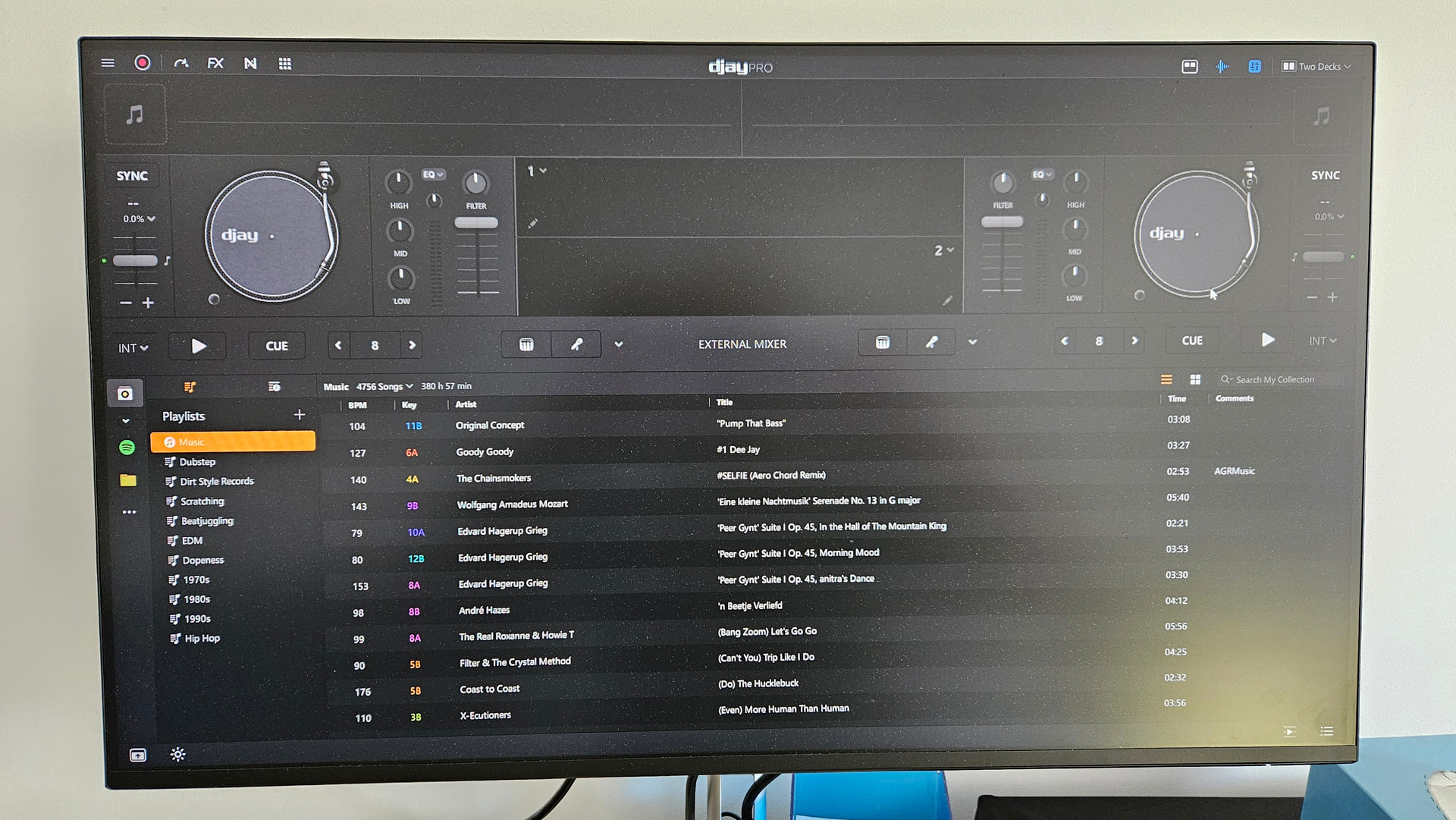
I think I have found a lead: I have a dual monitor set up. Both of them have 1920x1080 resolution. I have attached 4 pictures:
-
DJay Pro opened on monitor 1. It starts minimized. No clock
-
DJay Pro on monitor 1 when I maximize it. Clock
-
switched screen (Windows + P) to monitor 2. Clock has disappeared.
-
switched back (Windows + P) to monitor 1. Clock still missing.
BTW thanks for your quick response for both issues I reported! 
Hi @Scratch-E_Con, no problem at all, and nice detective work. The photos are really helpful.
One thing jumped out at me. In your second photo, where the clock shows, the minimize / restore / close buttons are sitting up in djay’s own top bar. In photos 3 and 4, after the Windows + P switch, those buttons are gone too, not just the clock. So something about the window seems to change when you move between screens.
Could you try a few things for me?
- After you switch back with Windows + P, double-click djay’s top bar (or un-maximize it and then maximize it again). Does the clock come back?
- When you press Windows + P, which option are you choosing? PC screen only, Duplicate, Extend, or Second screen only?
- If you unplug the second monitor and just use one, does the clock still come and go at startup?
It would also help to know what scale each monitor is set to in Windows Display settings (100%, 125%, etc). And if you can grab a quick video of the whole thing from launch through the screen switch and back, even just on your phone, that’d be perfect for passing along to the team. Thanks again!
1.Nothing happens when I doube click the top bar. I don’t know how to ‘un-maximize’ ?
2.I only use PC Screen only and Second screen only
3.No when using one monitor the clock shows in full screen mode
Display settings - scale is 100% for both monitors
Thanks @Scratch-E_Con, that’s really useful. Knowing it behaves normally on one monitor narrows things down a lot. It looks like it’s tied to switching screens with Windows + P rather than being random.
Sorry, “un-maximize” wasn’t very clear on my part. Since the minimize / restore / close buttons disappear after the switch, the easiest way is with the keyboard:
- After you switch back with Windows + P, click on djay once so it’s the active window
- Press Windows key + Down Arrow
- Then press Windows key + Up Arrow
Does the clock (and the minimize / restore / close buttons) come back after that?
If not, try fully quitting djay and opening it again after the switch, and let me know if the clock shows up then.
And if you get a chance, a quick video of the whole thing, from opening djay through switching screens and back, would be great to send to the team. Your phone is totally fine for that. Thanks again!
Hi @Slak_Jaw no matter how I try, I cannot seem to minimize the Djay pro session once it is full screen.
Quitting the program, restarting and going full screen always shows the clock on either monitor. Until you start switching that is…
Thanks @Scratch-E_Con, that’s good news in a way. At least there’s a reliable way to get the clock back (quit and reopen), and we know it’s the screen switching that sets it off, not either monitor in particular. I’ll get this passed along to the team.
On the minimizing part, I just want to make sure I understand it right:
- Does that happen right after you open djay and go full screen, before you’ve switched screens at all? Or only after switching?
- How are you putting djay into full screen? The button in the top right corner, or a keyboard shortcut?
- Did Windows key + Down Arrow do anything at all?
If you can grab a quick video showing the whole thing, from opening djay and going full screen through switching screens and trying to minimize, that’d cover everything in one go. Thanks!
Will check tonight and let you know.
Please check the video. I go full screen by double clicking the top grey bar
Thanks @Scratch-E_Con, that video is exactly what I needed. It shows the whole thing really clearly, from going full screen to the clock and buttons vanishing after the switch. I’ll pass it along to the team with everything you’ve tested so far.
In the meantime, quitting and reopening djay after you switch screens seems to be the most reliable way to get the clock back.
One last thing I’m curious about. Before you switch screens at all, right after you’ve opened djay and gone full screen, does the minimize button at the top right work? Or is it only after switching that you can’t minimize?
Thanks again for taking the time to record this, it really helps!
No problem happy to help!
Yes the minimize button works, as does the ‘smaller window’ button. Additional note: the clock only shows in full screen and not in windowed mode (however that could be per design since the windows clock is visible on the right bottom in windowed mode).