Device model (e.g. 2020 iPad Air 4th Gen): 2024 Mac mini M4 with 24GB RAM
Version of operating system (e.g. macOS 14.4.1): MacOS 27 Golden Gate
Version of djay (e.g. 5.1.2): 5.6.9
Hardware/controllers used (e.g. Reloop Mixon 8 Pro): AlphaTheta DDJ-GRV6
Hardware firmware version (e.g. 1.0.1): 1.02
A) SUMMARY OF ISSUE:
After playing a set for 20 minutes, the currently playing song pauses for a second. The waveform pauses as well, there is no audio output for that second, and then playback automatically continues.
B) DETAILED STEPS TO REPRODUCE:
This is very hard to reproduce because it only happens about once every hour or two. However, when it does happen, it ruins the entire set if I am recording.
I played one song over and over again (without stems) and it paused for a second after playing for some time (I was manually pressing the play button after it finished). The song file is located on an external SSD drive, but it works perfectly fine in rekordbox using the same computer and controller.
I have disabled iCloud for djay Pro and removed the external drive from Spotlight indexing, but the audio still occasionally pauses. This is not caused by an accidental jog wheel touch. Again, this issue does not occur in rekordbox.
C) EXPECTED RESULTS:
There should be no audio pauses during playback.
D) ACTUAL RESULTS:
The audio occasionally pauses for a second while a song is playing.
Hi @h00s, welcome to the Community! Sorry to hear you’re experiencing this problem. Issues like this are typically caused by an intermittent USB connection or intermittent power.
How exactly are you connecting your GRV6 to your Mac Mini? Any USB hubs or USB adapters?
Have you tried a different USB cable? Preferably a high-quality, properly shielded one with dual ferrites on either end.
Have you tried connecting to a different USB port on your Mac Mini?
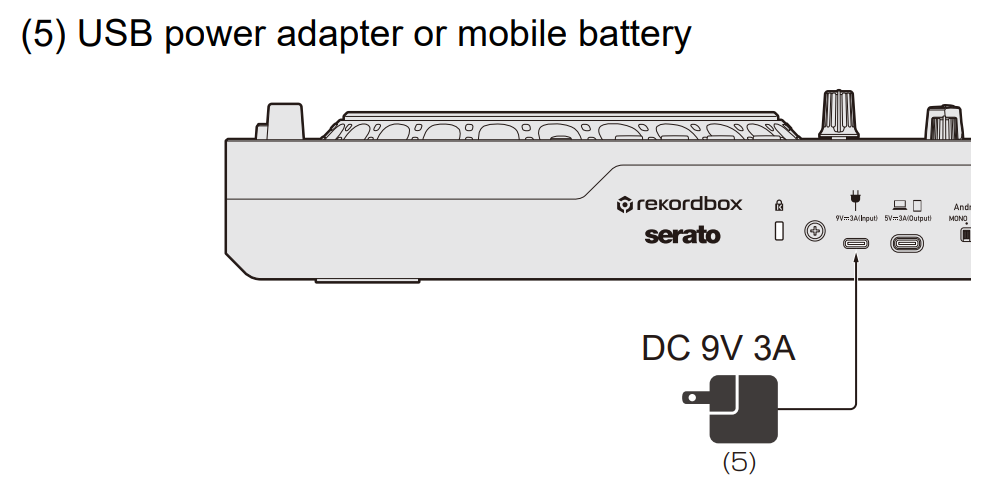
Is your GRV6 also connected to power or are you running it strictly off USB bus power from your Mac?
If connected to power, is you adapter at least DC 9V, 3A?
GRV6 is directly connected to the front port of the Mac mini. There are no USB hubs or USB adapters used.
I am using ugreen shielded high-quality cable. I didn’t try with another cable because this doesn’t happen with another software (rekordbox).
I didn’t tried connecting to a different USB port.
Yes, GRV6 is connected to power (30W Apple charger from my Macbook Air).
Yes, this adapter can handle this.
I haven’t tested playing songs from my internal drive because this was working fine before from the external SSD Samsung drive and currently works with rekordbox.
Thank you for your support and for taking the time for this.
You’re welcome @h00s. Thanks for answering my questions - this is very helpful. That eliminates some things right off the bat. Did you experience this issue on any of the earlier versions of djay before 5.6.9? Let’s try to narrow things down a bit further by doing these one at a time.
Please do some testing with songs stored only on the internal Mac drive.
If the issue persists, please do some testing with a different USB cable.
If you still experience the issue, please try a different USB port on your Mac Mini.
No, I didn’t have any problems whatsoever with eaelier versions of djay pro running on this same computer and same hardware. However, it was running on macOS Sequoia (macOS 15).
This started happening after upgrading to the macOS 27 (it was a clean install a week ago). I have installed djay pro, updated to 5.6.9 couple a days ago and today I wanted to record a set. It paused couple of times while rehearsing the set but I thought I’ve accidently touched the jog wheel. After I started recording, it was obvious it wasn’t accidental jog wheel touch.
I will do more tests with your suggestions, however, I’m not sure they will help because I couldn’t reproduce this with rekordbox.
Thanks for the additional info @h00s. This is also helpful. Looking forward to hearing the results of your additional testing. In the meantime, I will try to reproduce this myself on a similar setup. Thanks again!
I did extensive testing based on your recommendation, and everything is now working as expected. Here is what I tried:
Bought a new USB-C cable for the controller → didn’t help.
Tried another port for the controller → didn’t help.
Moved my song collection to the internal drive → no problems with playback!
It seems that after updating to macOS 27, my external Samsung 1TB SSD started behaving strangely and became extremely slow. I tried to back it up to another drive, but it was so slow that I eventually gave up and reformatted it. It was using HFS+, and I changed it to APFS. Since then, the SSD has been working correctly, but I haven’t had time to test playback from it again, so I’m not sure whether the drive is failing or whether there was a bug with HFS+ and macOS 27.
Sorry for wasting your time, since this was an error on my side. I really appreciate your time and support!