


Hi @Slak_Jaw let them switch off the option ‘Resume sync after pause, scratch or cue jump’ and try again. Then you will notice the same behavior as I mentioned.
Thanks @Scratch-E_Con
Hi again @Scratch-E_Con, with the “resume sync after pause scratch or cue jump” option enabled, our engineer was able to replicate what you’ve observed. Perhaps the confusion lies in the wording of this setting. Maybe a better term would be “ENABLE” rather than “RESUME”. This is because when decks aren’t synced and a new track is loaded it automatically enables SYNC.

Hi @Slak_Jaw happy to hear you were able to reproduce it. I’m looking forward to the fix (hopefully next release?)
Hi again @Scratch-E_Con, can you please share another screenshot that shows the Crossfader FX Settings at bottom of the General Settings? I double-checked your other screenshots and they don’t include these settings. Thanks!
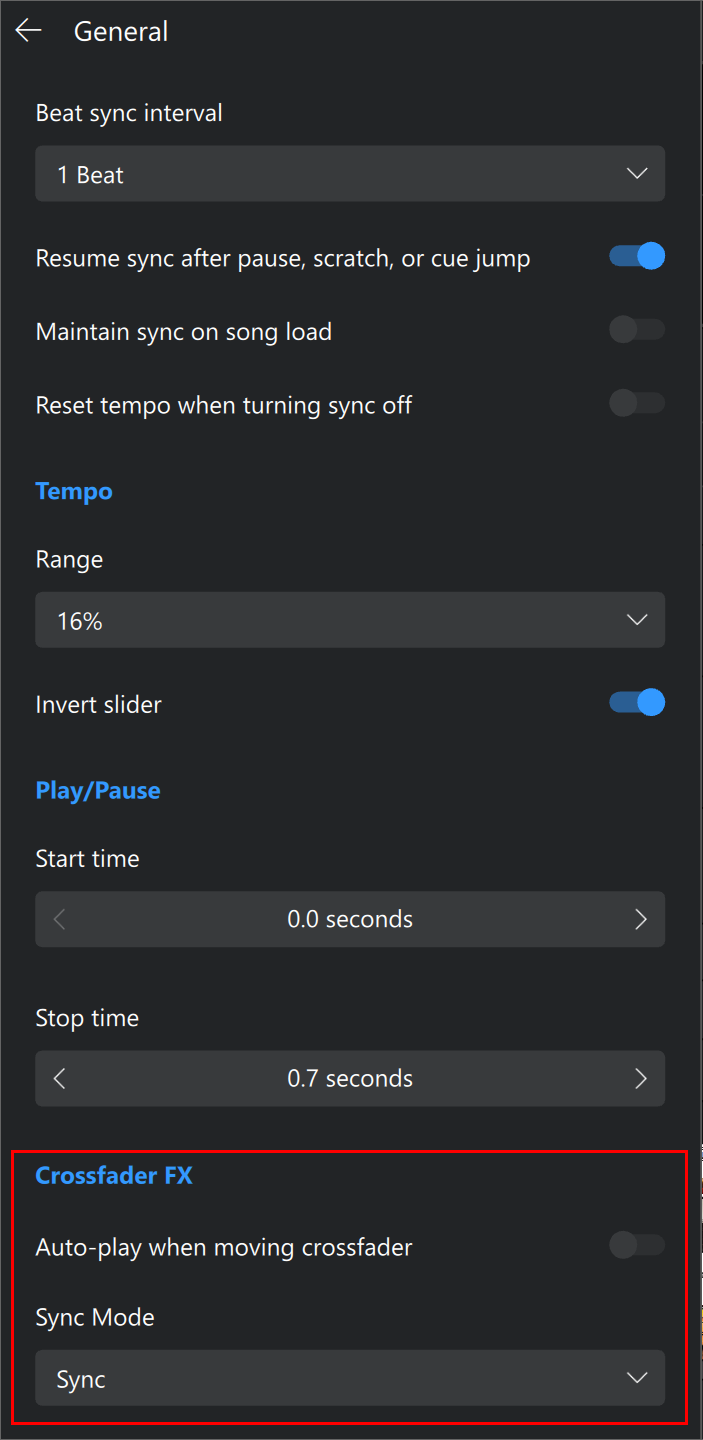
Hi @Slak_Jaw my Crossfader FX settings are identical to the ones you are showing here
Thanks. Please set the Crossfader FX Sync Mode to Off and retest @Scratch-E_Con


