NOTE: Please use the search function above before posting to avoid creating duplicate topics.
- Device model (e.g. 2020 iPad Air 4th Gen): PC
- Version of operating system (e.g. macOS 14.4.1): Windows 11
- Version of djay (e.g. 5.1.2): 5.6.9
- Hardware/controllers used (e.g. Reloop Mixon 8 Pro): Rane Seventy
- Hardware firmware version (e.g. 1.0.1):
- Please consider sharing a short video or screenshots to help clarify your issue
A) SUMMARY OF ISSUE:
In Settings I have activated ‘Maintain Sync on song load’. This works fine once I activate SYNC. However after deactivating SYNC it automatically activates again when a new track is loaded.
B) DETAILED STEPS TO REPRODUCE:
-
Settings: Maintain Sync on song load
-
Load deck 1
-
Load deck 2
-
Activate SYNC
-
Keep deck 2 playing
-
Load new song in deck 1 (=automatically SYNCed as it should)
-
Deactivate SYNC
-
Load new song in deck 2 => SYNC is activated again but should not
C) EXPECTED RESULTS:
- Setting ‘Maintain sync on song load’ should stop working once SYNC is deactivated
D) ACTUAL RESULTS:
- Every song I load in either deck is SYNCed to the other deck
Hi @Scratch-E_Con, thanks for the details about your setup and the issue. I followed your steps exactly on my Windows setup and was not able to reproduce the issue.
- Do you experience the same issue when the RANE Seventy is not connected?
- Do you have Crossfader FX enabled? When enabled, the vertical line on the crossfader will be shown in Blue instead of in White.
- Can you please try to capture this with a screen recording so I can try to determine if there’s something else going on that I’m missing in my repro attempt? Thanks!
Hi, I don’t think it is the the mixer. When playing in INT mode SYNC keeps off after deactivating (however when I load a new song in either deck I need to press the PLAY buttom to start it). But when using DVS or Phase HID/WIR the problem is there. Can you check?
Crossfader FX is turned off.
Hi @Scratch-E_Con, thanks for the additional info. I don’t have a DVS setup to check for myself. Can you please try to capture this with a screen recording?
Hi @Slak_Jaw video attached:
- 2 tracks loaded, not synced
- I pressed SYNC
- After transition I pressed SYNC again, it’s turned off
- I select a new track for Deck 2, as soon as I press load the track loads and SYNC is automatically reactivated
Hope this helps.
Thanks for the video @Scratch-E_Con.
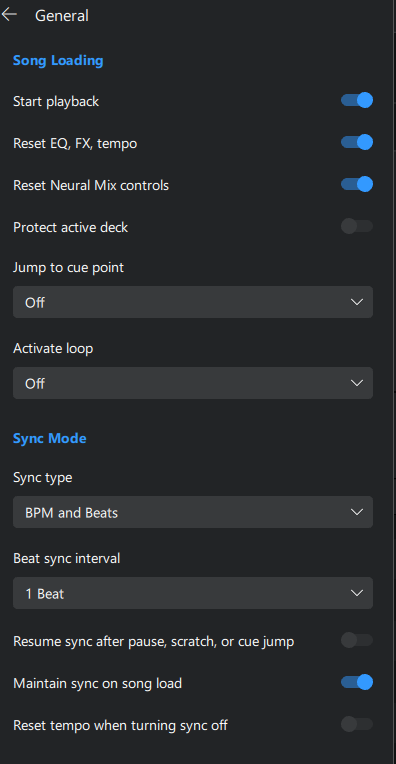
- Can you please share a screenshot of your djay Settings→General→Song Loading and Settings→General→Sync Mode?
- Can you please test with your mixer and DVS system disconnected from your laptop?
Thanks again!
Thanks for the screenshot @Scratch-E_Con. Pretty sure I see the issue. Please disable Maintain sync on song load and test again.
Hi @JeroenDutchy1, welcome to the Community! This sounds unrelated to this topic. Please create a new Bug Report topic for this. Thanks!
Hi @Slak_Jaw yes I have seen that setting but it should only be SYNCing new loaded tracks if SYNC is on and not if SYNC is off. Once I press SYNC there is no way to un-SYNC my next track.
When mixing sometimes I use SYNC and sometimes I don’t. This ‘resume sync’ function should only kick in if SYNC is on already.
I hope it’s clear what I am trying to point out.
Hi @Scratch-E_Con yeah I see what you mean now. Were you seeing this in 5.6.8 too, or did it only start with 5.6.9? I’m going to pass this onto our engineering team for further review. In the meantime, switching off Maintain sync on song load should stop it. I know that also takes away the part you actually want, so it’s only a stopgap for now.
Hi @Slak_Jaw it was also in the previous version (just like the ‘clock issue’) sorry for not mentioning. Will disable the option for now hoping it gets fixed soon. Thanks again for your support!
Thanks for confirming @Scratch-E_Con. You’re welcome.
Hi again @Scratch-E_Con, sorry for the delayed reply. Our engineers have not been able to reproduce this issue. They are asking if you could provide another video of the issue occurring without any hardware connected to you laptop. Thanks!
Hi @Slak_Jaw I disconnected all my hardware and tried again. Same result.
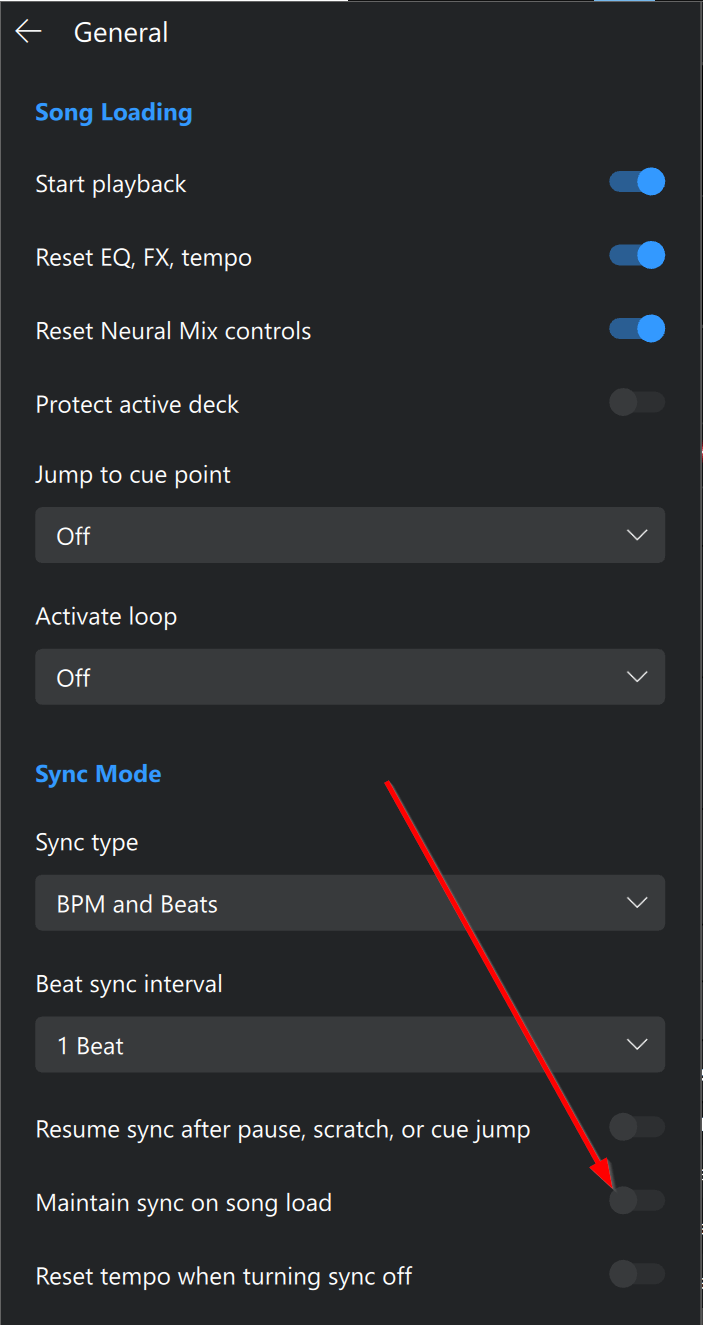
It is quite simple: when the option Maintain sync on song load is turned ON all goes well when loading songs in either deck as long as SYNC is not activated. However when I activate SYNC and then deactivate it, it keeps turning ON whenever a new song is loaded.
Stepwise reproduction:
- turn on Maintain sync on song load in General settings
- make sure SYNC is off in either deck
- Load deck A
- Load deck B
- SYNC deck B to deck A
- deactivate SYNC so it is turned off again
- Load a new track in either deck A or B and you will see SYNC automatically turns back ON
I have added a screenshot of my General settings for reference
Thanks @Scratch-E_Con, I’ll share this with engineering.
Hi again @Scratch-E_Con, our engineers were still not able to reproduce this on their setups. They are recommending that you try removing the App settings and caches file to reset your settings.
I recommend you create a backup of this first by copying it to another location in case you want to revert back.
Hi @Slak_Jaw I backed up the Djay folder and deleted the original. When I started Djay Pro it started from scratch (pun intended) like it was the first time I ran it. I did the same test again with the same result. I know there are numerous setup things that can be different but I was once a computer programmer 30 years ago and I can hardly imagine that the pattern I described is not reproducable. I am running on Windows 11 and have all hardware detached. Are you sure your engineers activated SYNC → loaded some tracks → deactived SYNC and that it stayed deactivated if they load any tracks from then onwards?
Thanks for trying that @Scratch-E_Con. I’ve passed your reply onto the engineers to confirm.
Hi again @Scratch-E_Con, here is a screen recording for our engineering team:
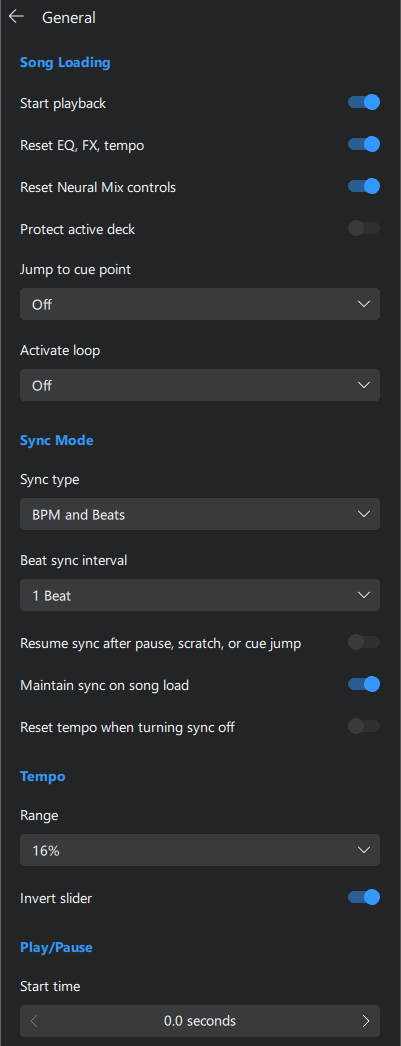
As requested previously, can you please provide another video of the issue occurring without any hardware connected to your laptop. In your video, please start by showing and scrolling through your djay Settings → General menu. This may help to provide additional clues to help further troubleshooting and reproduction. Thanks!