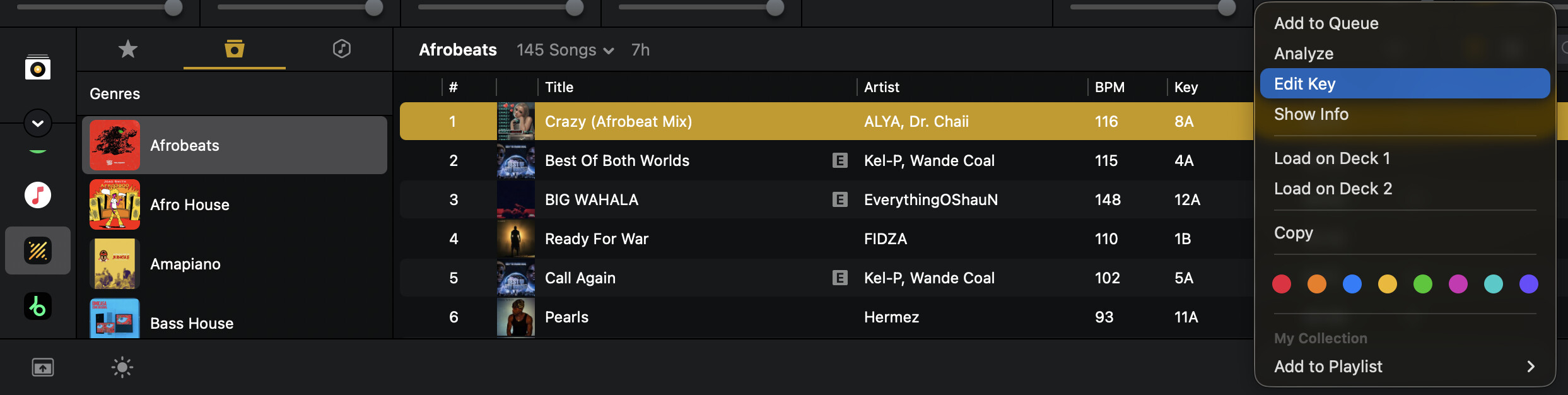
Djay needs to add the ability to change the key in which tracks are listed, the same way you can change the listed BPM.
Quite often I am blending transitions together, which causes dissonance when the keys are not compatible. Just as often, Djay’s technology is wrong about what key the song is in. Being able to correct the listed key will help when I’m searching for a specific key.
I agree that the key search isn’t up to par with the software. Compared to rekordboxdj or traktor, or even mixed in key, djpro detects a lot of incorrect musical keys, and for those who play a lot using the harmonic mix, it’s a problem I’ve never had with other software. I hope they fix it.
Hi @jakehelix, welcome to the Community! On macOS, you can already change the analyzed key. Simply R-Click on the song and select Edit Key in the pop-up menu and select a new key.
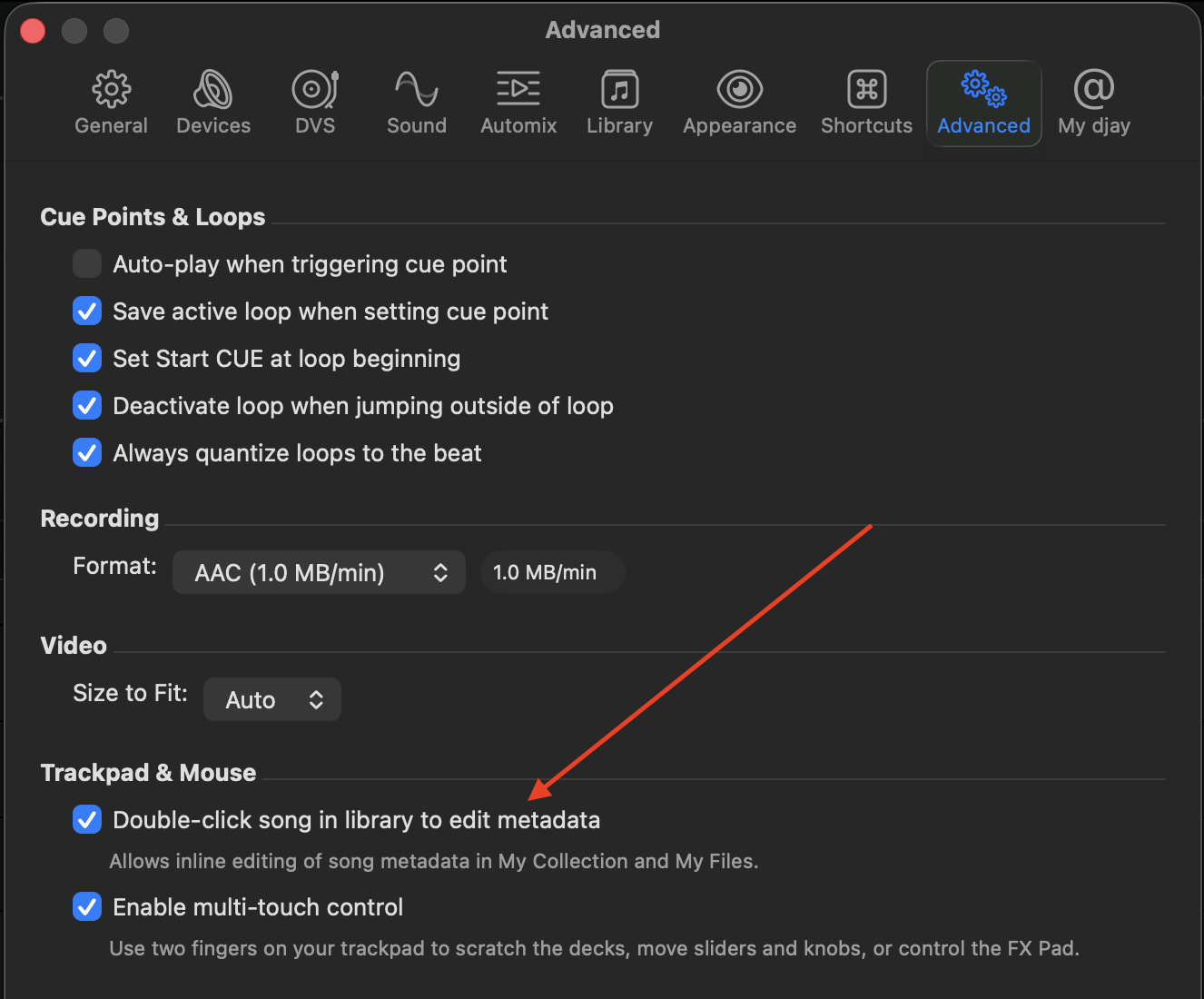
It came up with “Field Not Editable” at first (can only do it with My Collections or My Files). I double-clicked on the key itself within the library, and was able to change it. Didn’t know you could do that - thank you!
I find this discussion really interesting as my view has always been that as long as you are using a single source of truth, for things like key, then the tracks should be compatible.
If the key calculation is “wrong”, which isn’t something that I’ve personally noticed with Djay, then as long as it’s consistently “wrong”, then it should be ok.