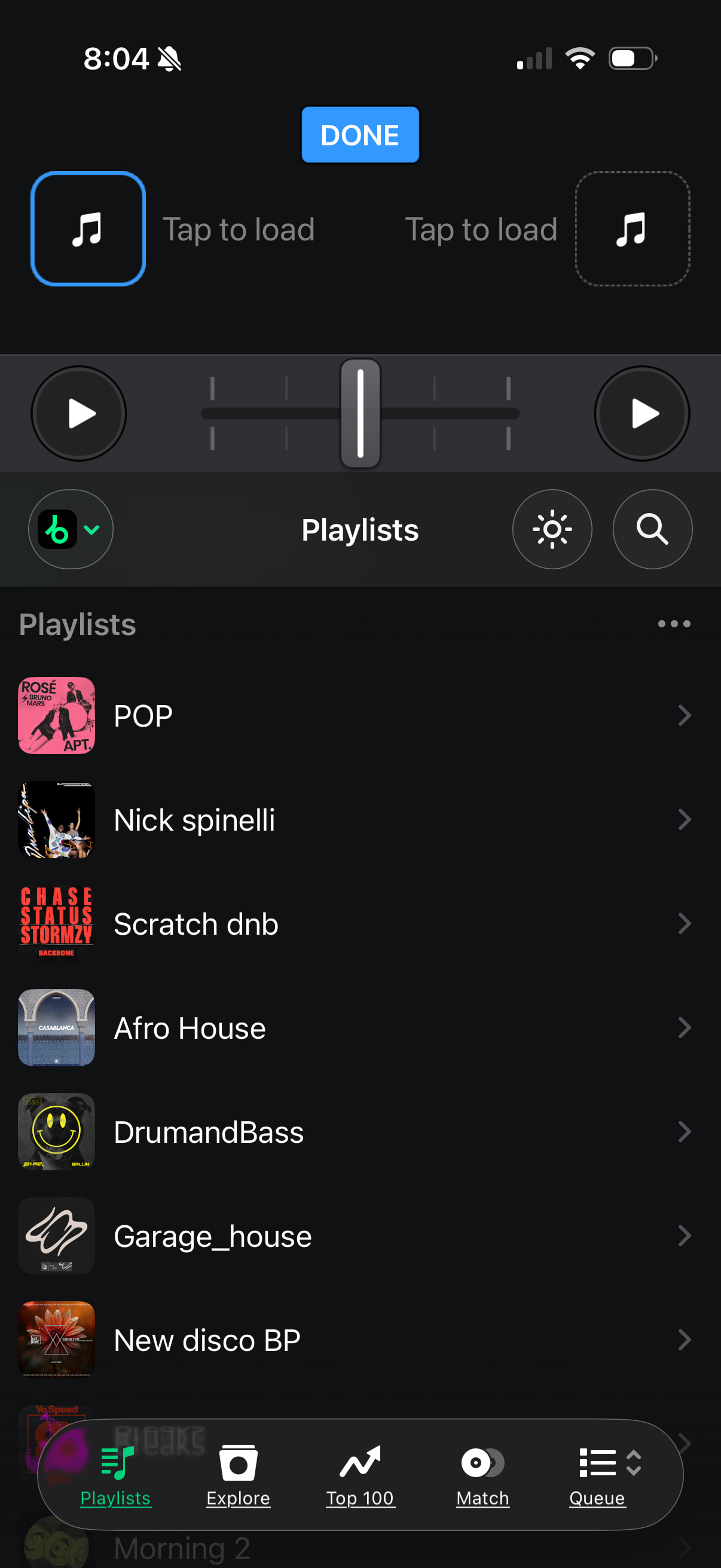
Hi @Polyura, yes, this is usually recoverable. One thing to check first: was it a playlist you built in My Collection, or a Beatport playlist showing under the Beatport source? Beatport playlists live on Beatport’s servers, not in djay, so the backup restore won’t touch them — you’d need to look on beatport.com or in the Beatport DJ app. Please note that iCloud syncing only covers cue points and loop regions, not playlists. And OneLibrary would only help if you’d already exported that playlist to a USB library beforehand.
However, if your playlist was in the My Collection source, djay keeps automatic daily backups of the djayMediaLibrary (My Collection playlists, history, queue, cue points), and you can roll one back yourself. Do this before you open djay again, since only 10 backups are kept and one is created each time you launch.
Force-quit djay.
Open Files > Browse > On My iPhone/iPad > djay > User Data.
Long-press djayMediaLibrary > Rename, and add today’s date to the end.
Open the Backups folder and pick the dated folder from before you deleted the playlist.
Copy that folder’s djayMediaLibrary file into User Data.
Launch djay — your playlist in My Collection should be back.
Heads up:this restores your whole library to that date, so anything added since (cue points, new playlists) reverts too. That’s why you rename rather than delete the current file — you can always swap back.
@Polyura Two things to avoid while you wait: don’t reinstall djay, and don’t restore an old djayMediaLibrary backup. Either of those could wipe the cue points that are currently safe.
For tomorrow night — check History in your library sidebar. If you played those tracks recently, it’s a fast way to rebuild a set list, and every track is still in your Beatport account regardless of the playlist. Drag them into a My Collection playlist rather than a Beatport one and it’ll live on your device, safe from this happening again.
Fingers crossed Beatport comes back quickly. Let me know either way.
I had created a playlist in my collection a while back; 80% of the tracks are still there, and they play—there are also cue points. I’m hoping they’ll restore my playlist on Bitport, because there are a lot of new tracks there that I’ve added over the last two months (
There should be a playlist restore option in DJAY—storing deleted playlists even if they are deleted. At least for a few days. Or forever. Those files are not big. And I deleted a playlist mistakenly more than once, as on an iPad it’s easy to swipe a few millimeters wrong and click “yes” as muscle memory. And recovering it easily is not possible.
when deleting the nick spinelli folder in djpro(ipad), the Pop folder is deleted, but nick spinelli remains! at first I thought that I deleted it by mistake) I have had the playlist restored twice. I’m afraid to do the experiment again)
Thanks for the suggestion @Michael_Android. Please make a separate Suggestion topic for this so others can upvote it and I can share it with our dev team. Thanks!
Hi @Polyura, thanks for answering my follow up questions. Perfect, that’s everything we need. In the meantime, my advice is to not delete Beatport playlists within djay. Renaming, adding tracks, browsing — all fine. It’ seems like the swipe-to-delete is misbehaving. If you do need to clear something out, do it on beatport.com or in the Beatport DJ app.
I was unable to reproduce the wrong playlist deleting on my device, so I’m going to pass this onto engineering to see if they can. I’ll update this topic once I have news.