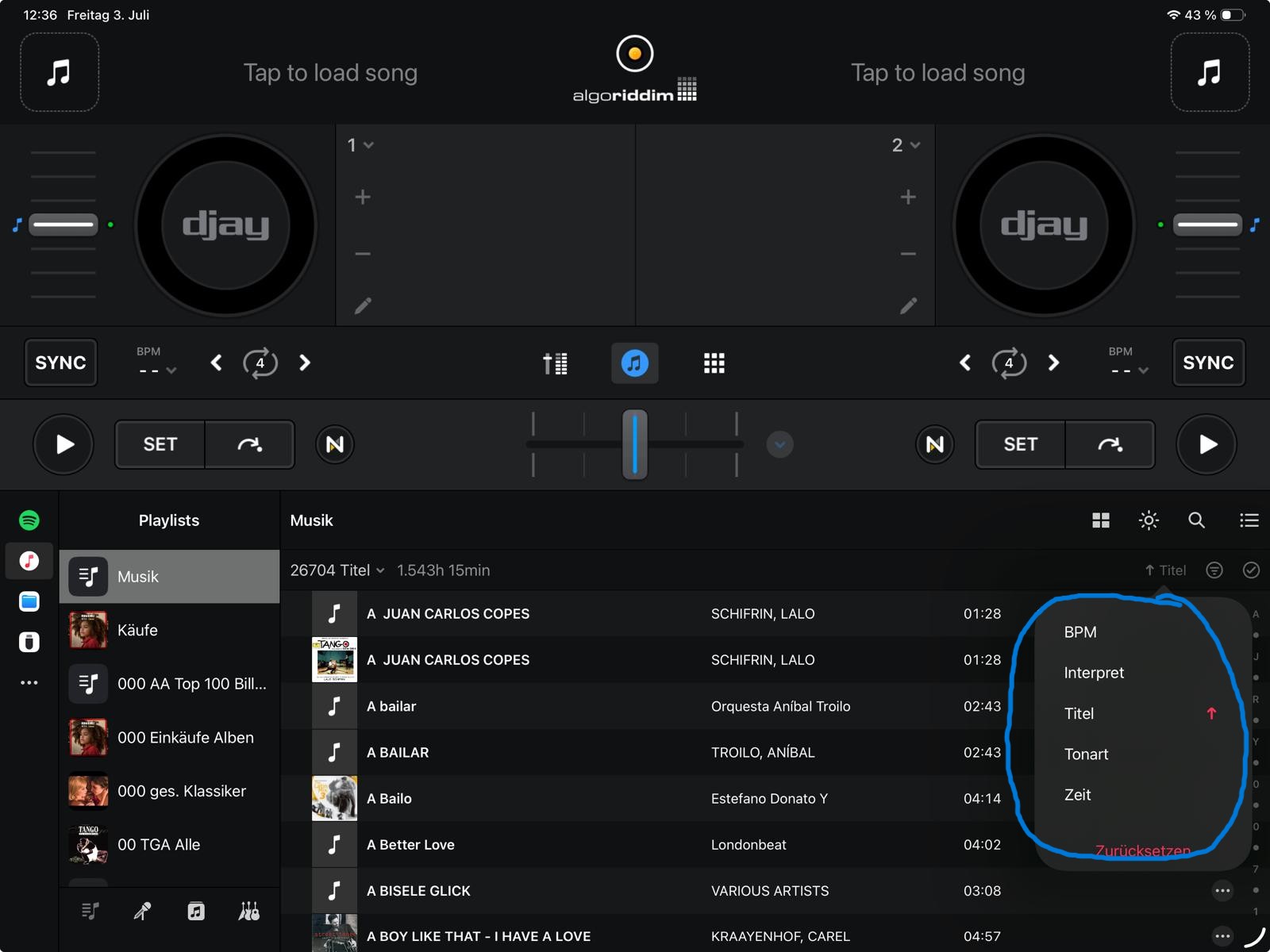
Please add the option in the playlist view, to sort by “Album name” and “Year” and show the data in the playlist. In the current way there is only BPM, Artist, Title, Tone, Time. I know there is the additional way to add a new sorting option by pressing “+”, but this is in my opinion for a specifically search and not a general sorting.
Please add the option to make these sorting options selectable in the settings. In my case I don’t need the sorting option “tone” but the option “Album name” and “Year”.
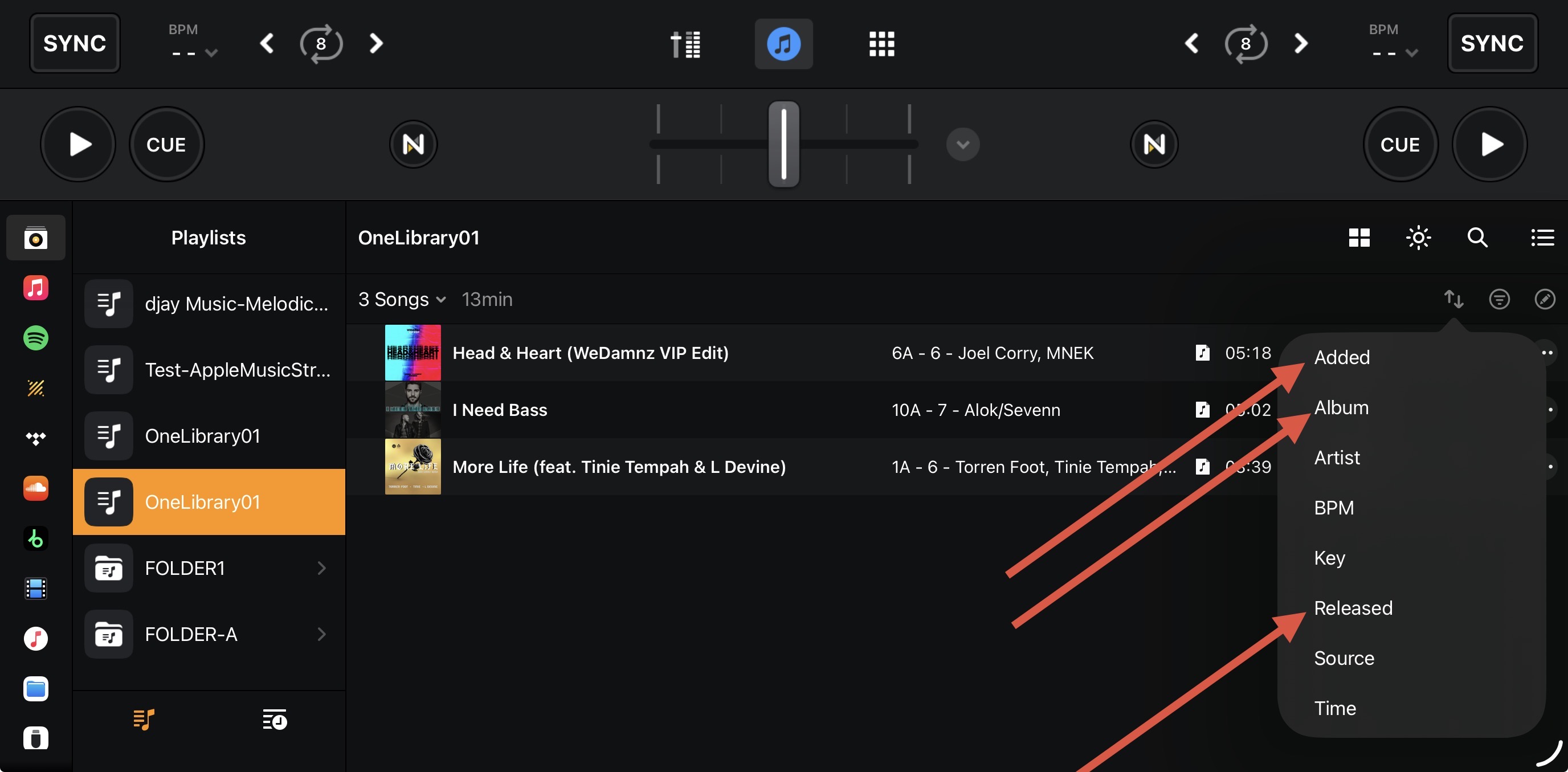
thanks for your answer. Yes, this looks good at first sight, but sorting by “Album” doesn*t show the name of the Album in the list. Same by sorting by “released”. It just sorts, but does not display the needed information. And “released” seams to be a different tag information as year.
an example: Every information is tagged in my music files, so for the “year”. I have to sort the playlist “Billboard charts from 1960 to 2000” by year to find for example place 30 in 1985. How do I find it? How will it displayed in the list?
I have roundabout 45 playlists sorted by dances and specials. Every playlist has from 10 to 1400 files. In total 26704 files. So I have to have a quick option by sorting my music in my lessons.
Do you have an advice or hint for my little challenge
thanks again for your answer and sorry for my late reply. A lot of work was waiting .
I am familiar with the filter options and sometimes I use them, if I know the exact album name or the year. But it is a long and complicated way to search.
For the way I work, and I’m more the visual person, I need the names in a list and scrolling through them.




 .
.


