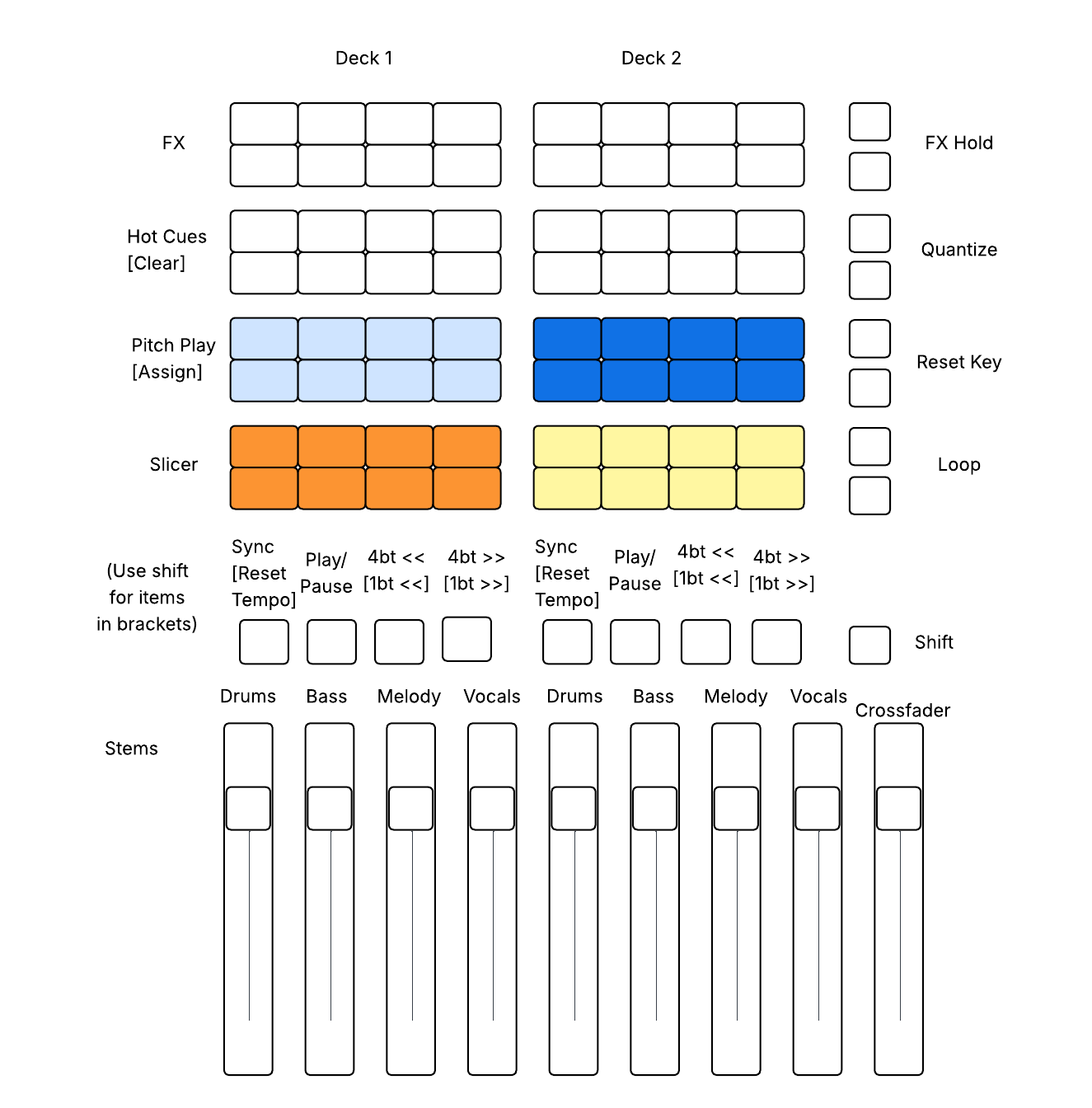
Hi! I was inspired by this thread and Evan Roth’s Traktor F1 mappings (see his video https://www.youtube.com/watch?v=ALGD37gAviw) to do something similar for the APC Mini Mk2. My midi map is designed to treat the Mini Mk2 as a standalone modular controller.
One thing I’ve noticed is that when I plug it in, it shows up as two devices (control and notes), and DJay sometimes gets confused as to which is which. I have a blank midi mapping I load for “notes”, and this one for “control” – it would be nice if DJay could figure out which one belongs to which mode.
Anybody know why some of the lights don’t appear to be active, after a shutdown/restart/unplug? - using a iPad Pro (M4)
The colors and midi out setting are the same but some light don’t return. I’ve had to change the min value and then back, but they don’t seem to be permanent. I just keep getting blank pads.
I think so – it’s being read as two different devices, and there’s some kind of conflict between the “control” and “notes” modes. If you manually load a blank midi map for “notes”, the “control” settings should stick. (Unfortunately, you have to load that blank midi map every time.)
when using controllers… when ever a Djay pro based modifier is used, it will not return a midi-out response to a LED button
however if using a buttons in their default state(no modifiers) the LED buttons should respond to midi-out
if the hardware has its own internal modifiers, where midi CC/Note/PC numbers all change then your LEDs will respond to the new mapping, provided its not using a Djay Pro Modifier
hopefully you can make sense of what i mean!!
good fortune!
You are both a gentalmen and a Scolor, ive been playing with what you did and man holy @@@ u put hours into this, Thank you for sharing your hard work and saving me A #@$# ton of time, Ur a real one G.
I have an Akai APC Mini Mk2 (with iPad Pro M4) setup to control the looper, samples, and stems (fader control stems) when ever I start DJay pro the colors don’t correspond to what I have set up, the work around I found is I have to different MIDI profiles for the Akai lets say one midi profile is Called “APC mini MK2 control” This profile is created the first time you connect your Akai to Djay Pro you shouldn’t use this, instead make a copy of this and name it something else in my case I have a second Midi Profile for the Akai called “APC mini Mk2 Control MKII” in this profile is where I set the functionality I want with the pads having the colors I want. When ever I start up Djay Pro I go in to settings → Midi Devices → APC Mini MK2 Control → Midi Configuration (APC mini mk2 control → then I switch the profile to the first one and then switch it back to the one I use and now my lights are working properly.
How are your lights so bright? I can BARELY see mine, but I am on a macbook. I have it programmed the same way, but my lights are almost invisible IF they even work at all
I’m not an expert on this but sure that can be changed/updated when Midi mapping the device. I use my Aki via a Mac and have no issues with the light brightness
Hi @WomackServicesAZ, try changing the numerical Min Value (LED OFF State) and Max Value (LED ON State) sliders. Note that different numbers not only translate to different colors, but also different brightnesses. You’ll likely need to experiment with different values for each button to achieve the desired color and brightness.
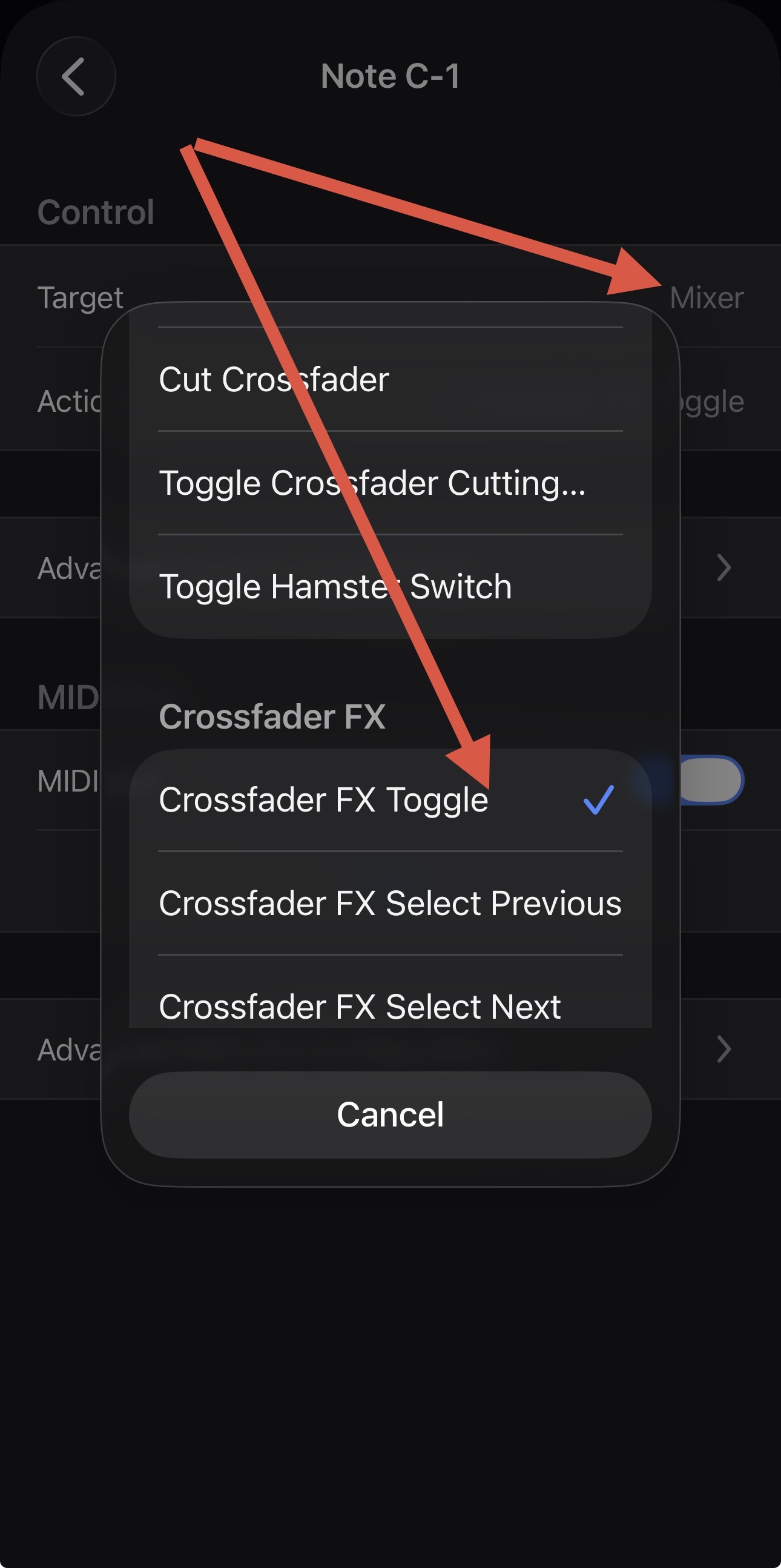
Hi All, quick question is it possible to map the button which activates Crossfader FX?
I’m now on a Rane Four so my DJay Pro software shows “External Mixer” in it’s display as the R4 has an inbuilt mixer
The only way I can activate Crossfader FX is too manually use my mouse and click on the drop down arrow itself in Djay Pro next to where it says “External Mixer”
I was wondering if this could be mapped to activate by a button press on my Akai? I’ve been away from the decks for a couple of months and did think, previously, I had done this but I can’t get it to activate now so I may be mistaken. If somebody could clarify maybe @Slak_Jaw may know that would be a big help