AlphaTheta XDJ-AZ Official Support

Seeing that the volume faders are not responding correctly on the xdj az. Anybody else getting this? Should I be in internal or external mixer mode?

– EDIT –

I sorted it out. Plug the XDJ-AZ directly into the computer instead of a USB hub. Volume faders working great now.

@marcus3, this is an External Mixer Mode only device. At the bottom of the Audio Devices settings please press the Reset to Defaults. Thanks.

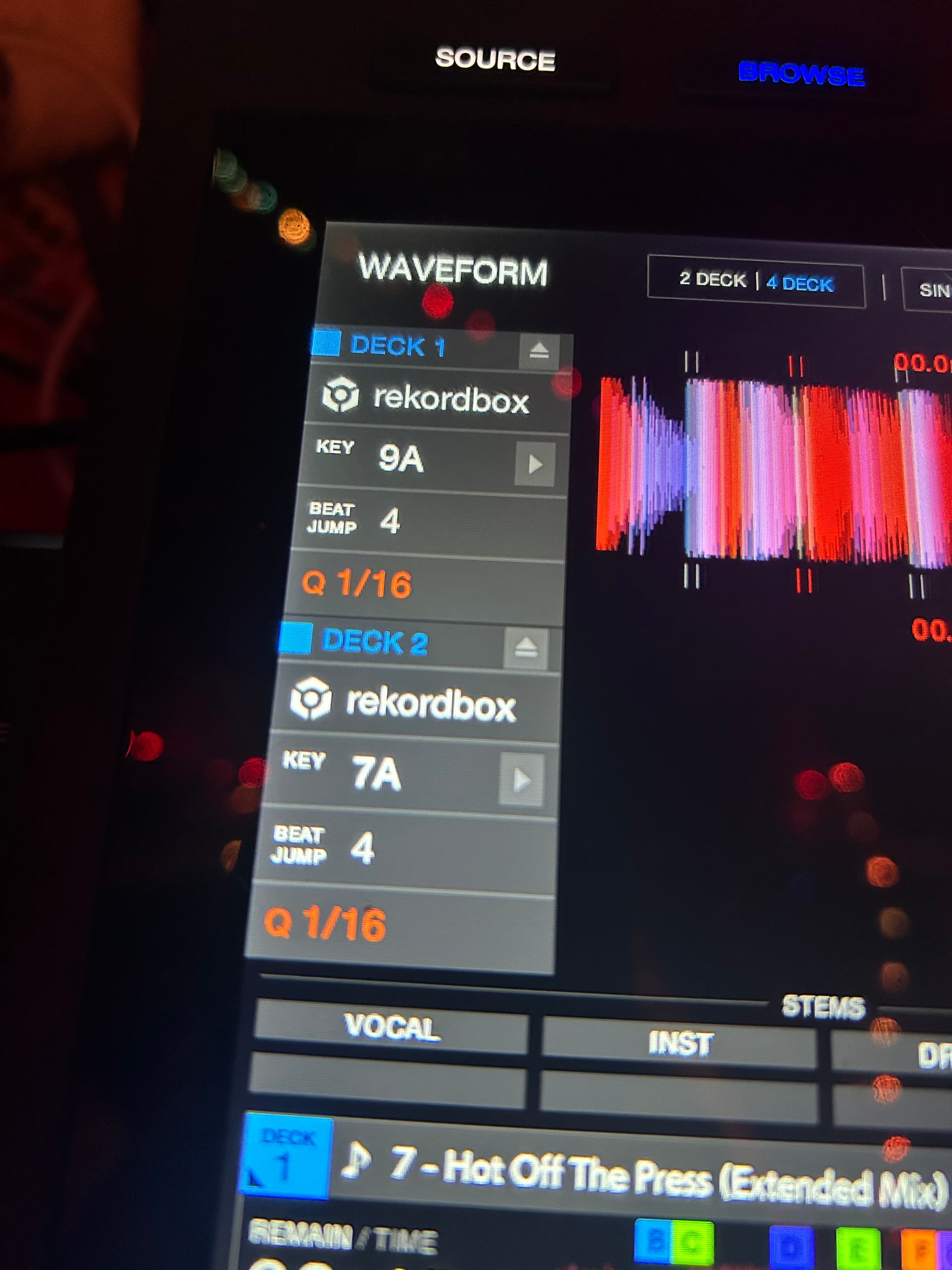
Thanks! Really smooth to be able to see all 4 waveforms onscreen while mixing - feels like a feature the XDJ-AZ should have natively!

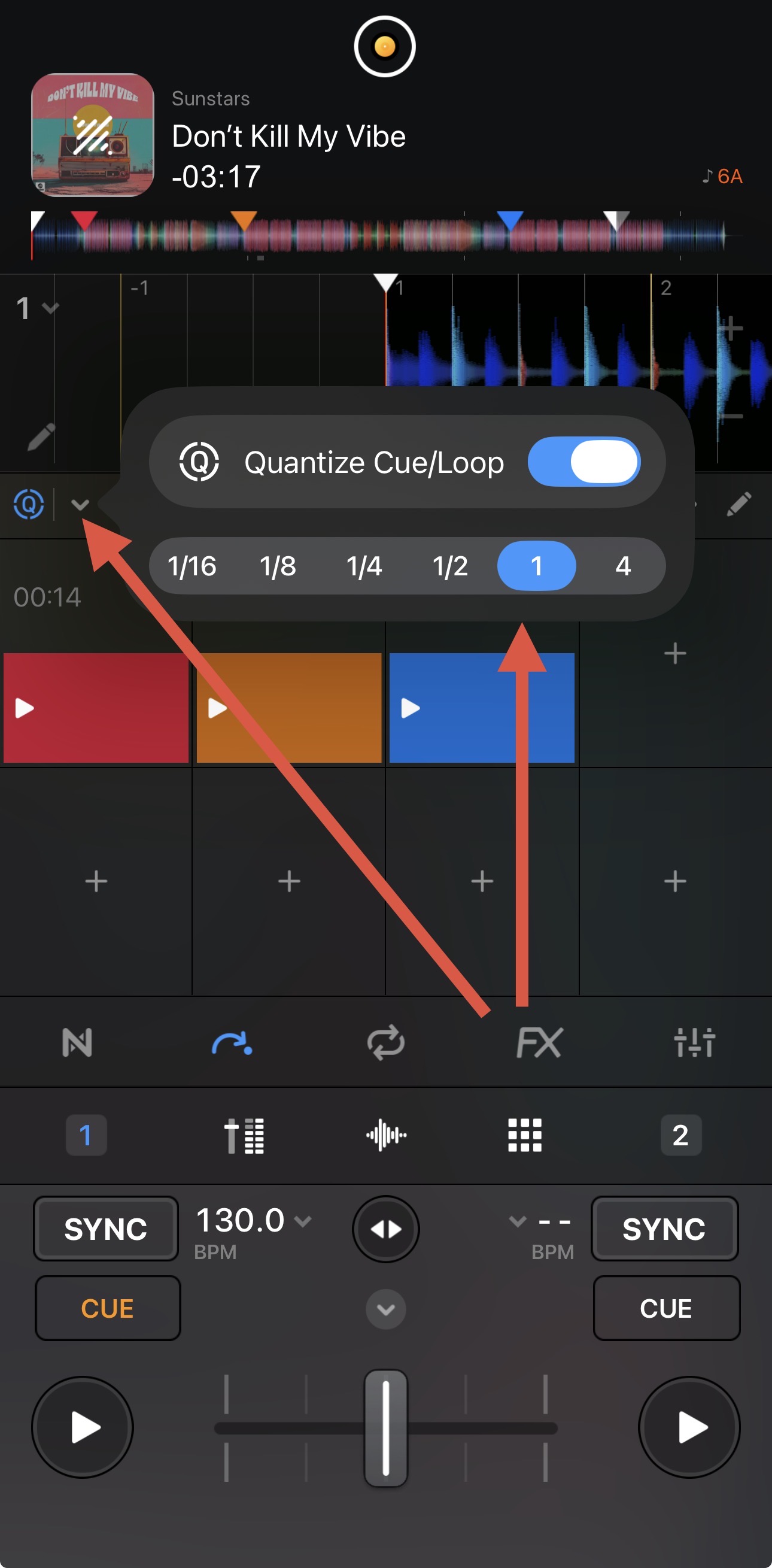
Question on quantize - I’m attempting to change quantize values but not seeing a way how to. They are 1/16, so when I hit a hot cue it needs to be near-perfect for me to jump to it and maintain timing.

I’ve went through the menus on both the XDJ-AZ and the software as well as tinkered with the hardware buttons. How can I adjust this to be 1/2 or another value? Thanks again! This is so nice to have!

You’re welcome @marcus3. Switch to the Hot Cue mode in djay and select the drop down menu next to the Q.

1 Like

Lets gooooo! So excited about this update - signed up for a Pro plan yesterday!

1 Like

Hi @no_name_dj, welcome to the Community!

2 Likes

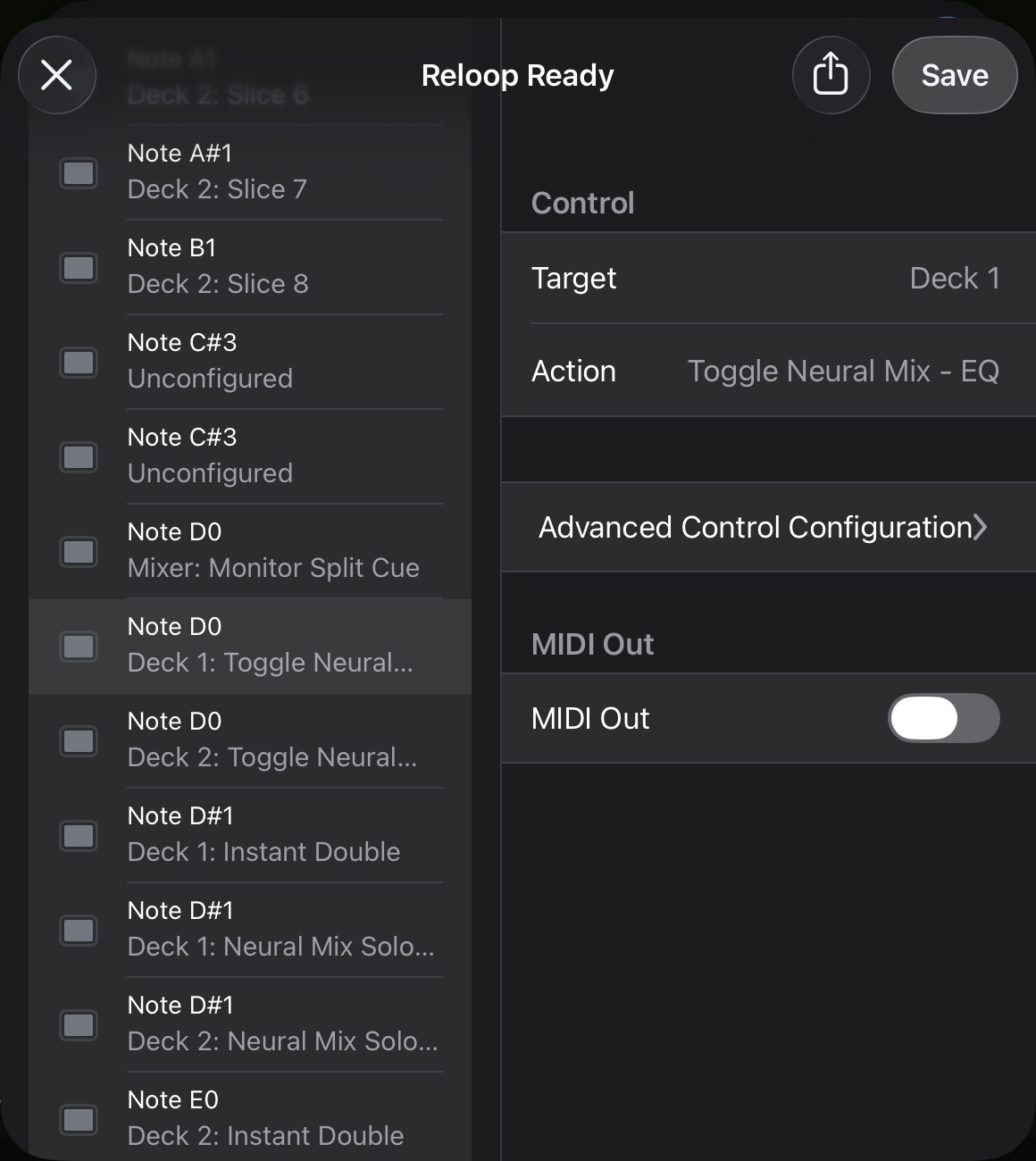
As part of the AZ native support, I wanted to ask about functionality. On the FLX10 if you press shift + Headphone cue button, that channel shifts from EQ mode on the EQ knobs, to Neural mix mode on the EQ knobs and back again if you press Shift+Headphone cue button again. Is this feature natively mapped on there AZ as well? If not, how easy is it to map this within the software?

Hi @Leigh_Brown, I don’t have access to an AZ to check for myself, but this is super easy to map yourself.

  1. Open the djay MIDI Learn tool
  2. Press Shift+Headphone Cue 1 on the hardware.
  3. Set the set the Target>Deck 1
  4. Set the Action>Toggle Neural Mix - EQ
  5. Repeat the same process for Headphone Cue 2 and instead set the Target>Deck 2

More on using the MIDI Learn Tool:

2 Likes

been trying to figure out for the longest how to map the EQ knobs as neural mix knobs, and most of the knowledge on these community boards say the xdj az EQ knobs can’t be mapped…but if this is all it took to get neural eq support on EQ knobs then wow.

Hi @mrsourmilk, welcome to the Community!

Won’t work on deck 1 & 2 on the AZ since its an external controller. However. You can map deck 3 eq to control Stems of deck 1 and deck 4 to control stems on deck 2, if you’re not using 4 Decks that is :slight_smile:

Thanks for sharing @Jay_Dizzle

Thank you Algoriddim for supporting the XDJ-AZ including screens! Now I can use my favorite DJ software on my favorite standalone/controller! Kuddos!

1 Like

You’re welcome @Jason_Corbin. Thanks for the positive feedback.

5 posts were split to a new topic: XDJ-AZ Audio Issues (macOS)

A post was merged into an existing topic: XDJ-AZ Audio Issues (macOS)