- Device model : iPad 9th Gen
- Version of operating system: 18.5
- Version of djay 5.3.2?
- Hardware/controllers used : Non
I went from playing a playlist OK to selecting a new playlist (Which had one single mp3 song in) for a first dance at a wedding.
NO SOUND WOULD PLAY.
The record was spinning but NO sound was coming from the track playing.
The volume was up on my iPad, the trim/gain setting was correct on my mixing desk.
The lead had NOT come disconnected.
The speakers were turned on…As I say it was all working a moment prior.
This was VERY embarrassing.
I went through everything I could think of and eventually managed to find ANOTHER/SAME version of the same from a different album on my iPad and added the track in manually.
This then worked
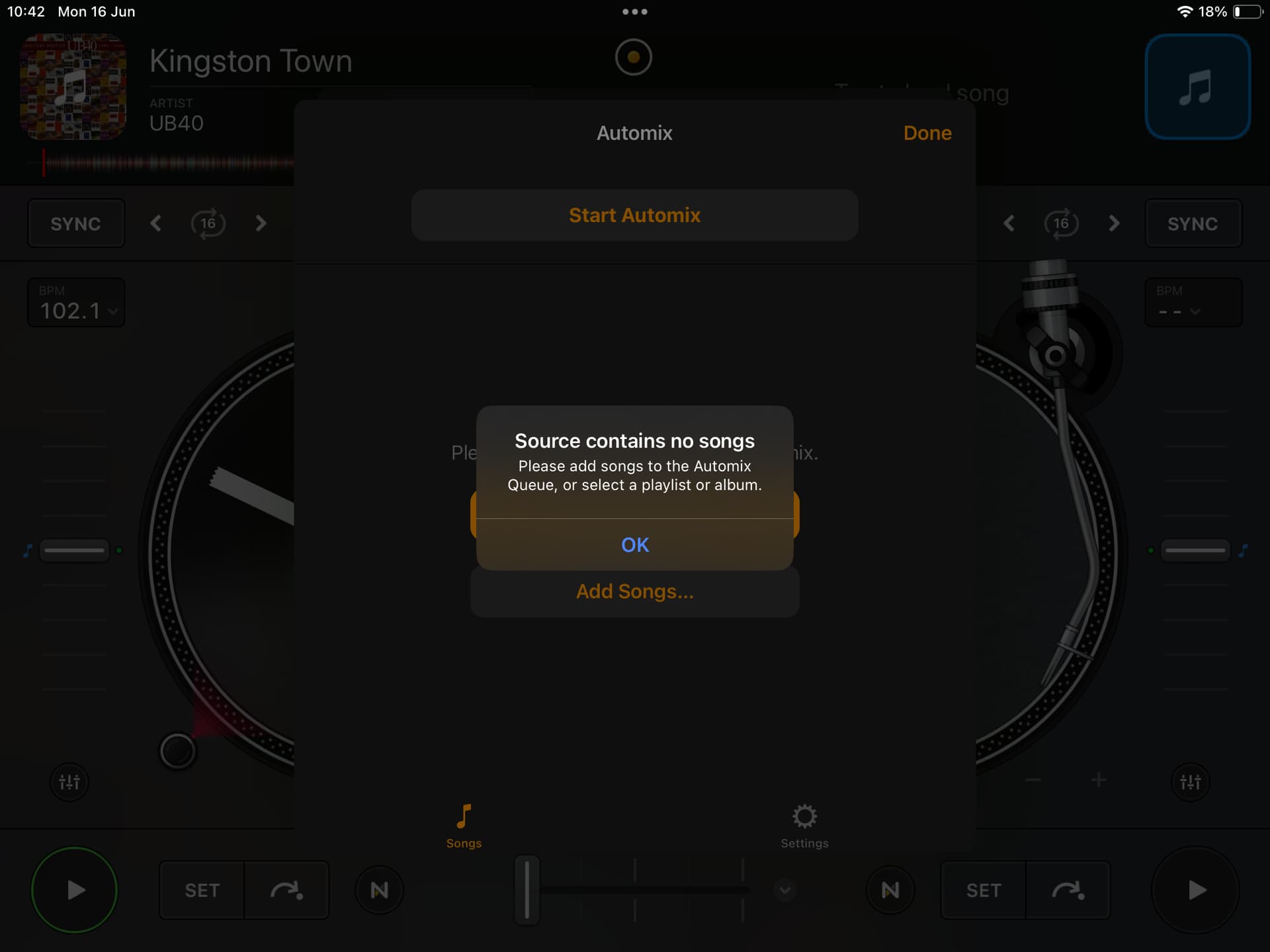
Today when I have gone to look at it further and test out the playlist that didn’t work I get the following
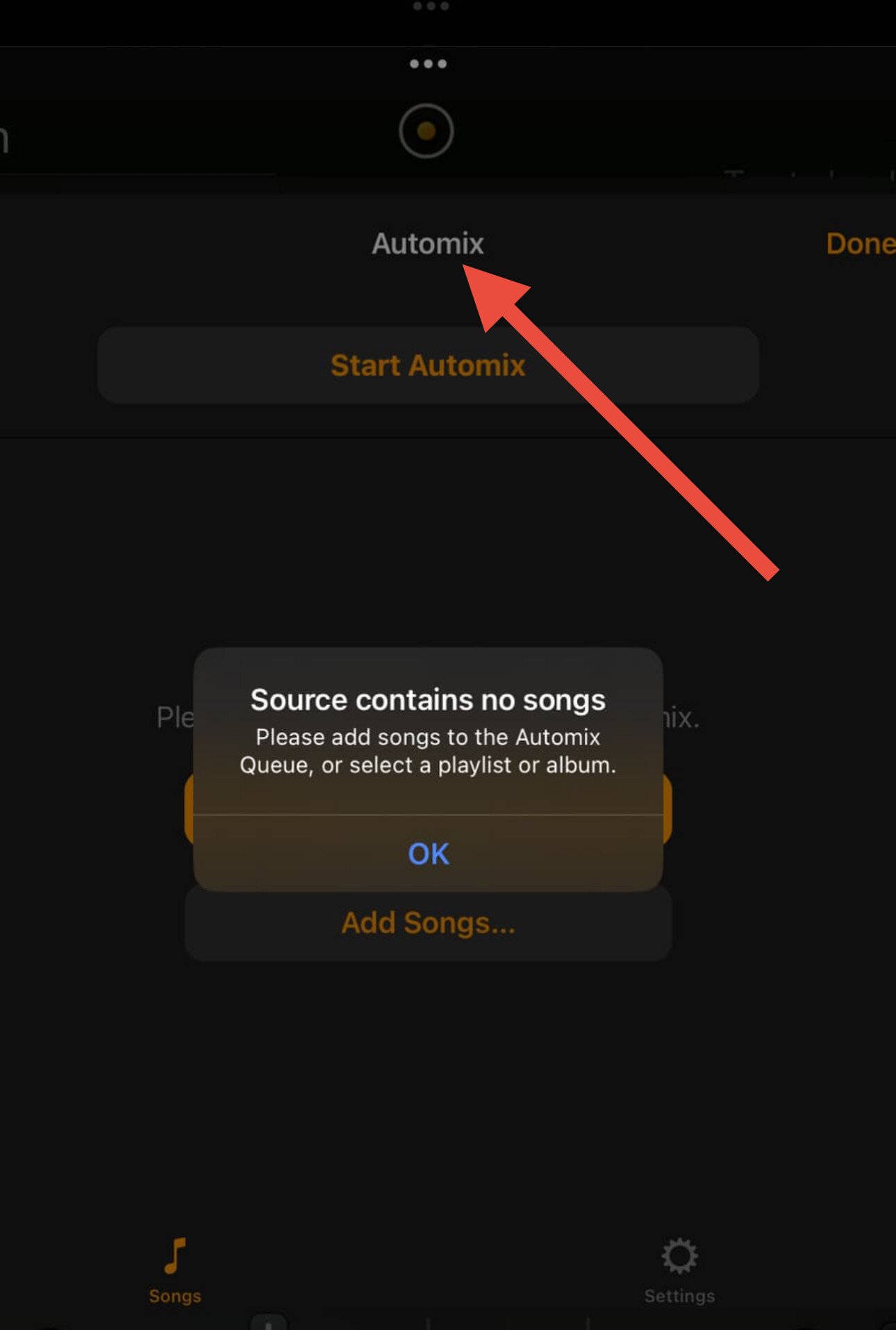
“Source contains no songs - Please add songs to the Automix Queue, or select a playlist or album”
BUT the playlist / song WILL play now correctly.
Any thoughts here please?
Also when I booted the app up in the evening I had to go through telling it where to find my music saved on my iPad AGAIN! - I assume it was due to an iOS update or an app update. Why can’t it just remember this?
Hi @coffee_king, sorry to hear you experienced this issue.
- Can you please explain in detail how you are adding this local music to your iPad and then to djay (ex. are you using the Music/iTunes App on a laptop, iCloud, the Files App, and external drive, etc.)?
- What file format was the song in?
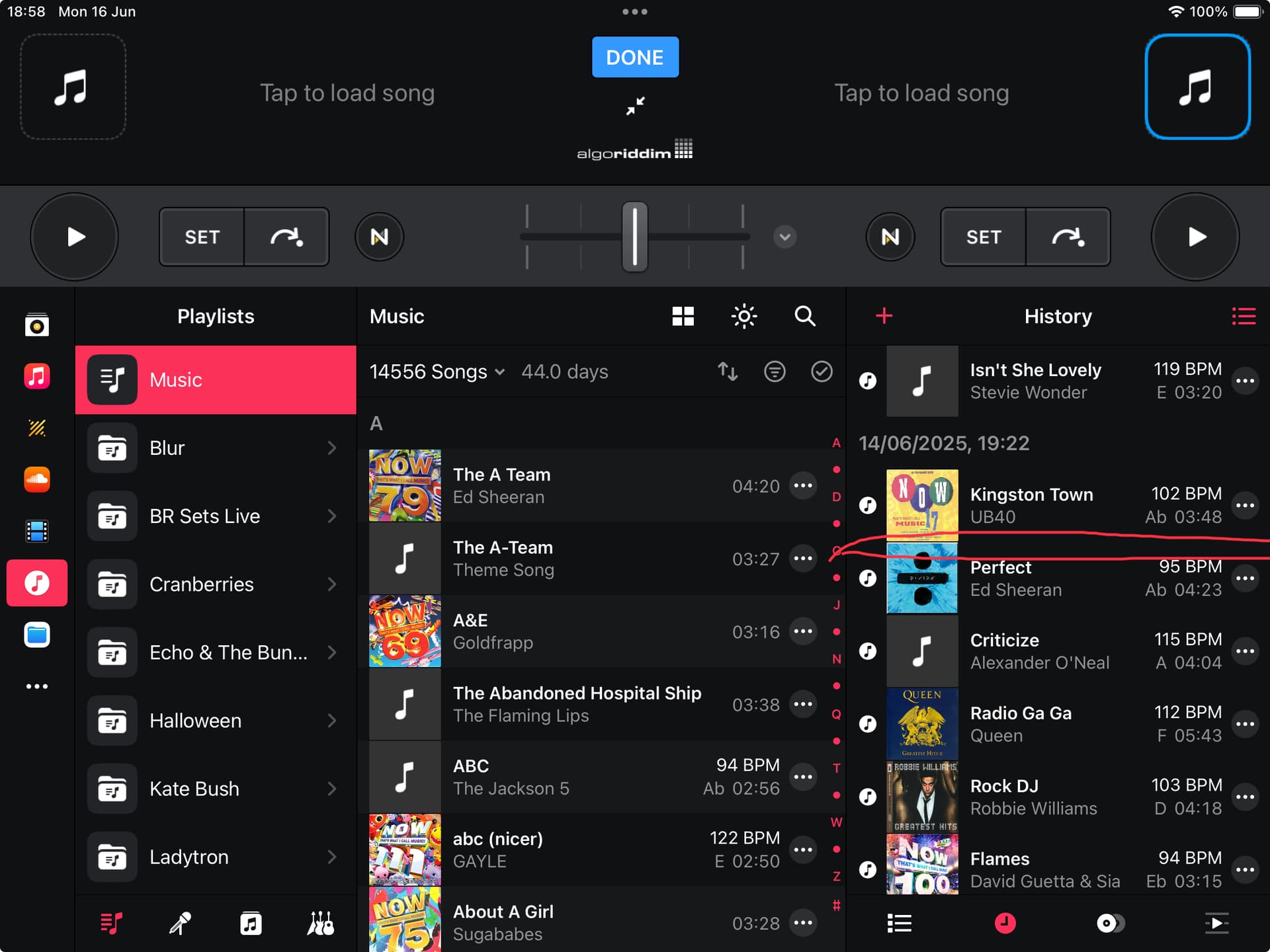
- Can you please share a screenshot of the Queue playlist that is supposed to contain the missing song?
- If this issue is repeatable, can you please capture an share a short screen recording of it? Thanks!
Hi.
Thanks for the reply.
- Music added via playlists with Apple Music app from an iMac
- MP3 (As advised earlier)
- RED shows where it SHOULD have been. The track above it was the same song from a different album I happened to have that featured it that I managed to get it to play from.
- I can’t get it to repeat but I would suspect the prompt I screenshot above is worrying isn’t it?
Also note that after I dismiss this prompt I can’t click on the top three icons (Dot - Play sign - Tape Recorder)
Hi @coffee_king, thanks for the additional info.
- The screenshot you shared is from your History Playlist not the Queue Playlist.
- The error message you shared above indicates that you were in the Queue playlist and there were no songs in there - so if the Queue was empty then this would be expected behavior.
- I think what may have happened is that you accidentally switched the Automix playlist to the Queue and you had no songs in the queue.
- Maybe I’m wrong here. It would be really helpful if you could reproduce the issue and share a video of it. Then I can help you troubleshoot it further.
I don’t understand what you mean by queue list?
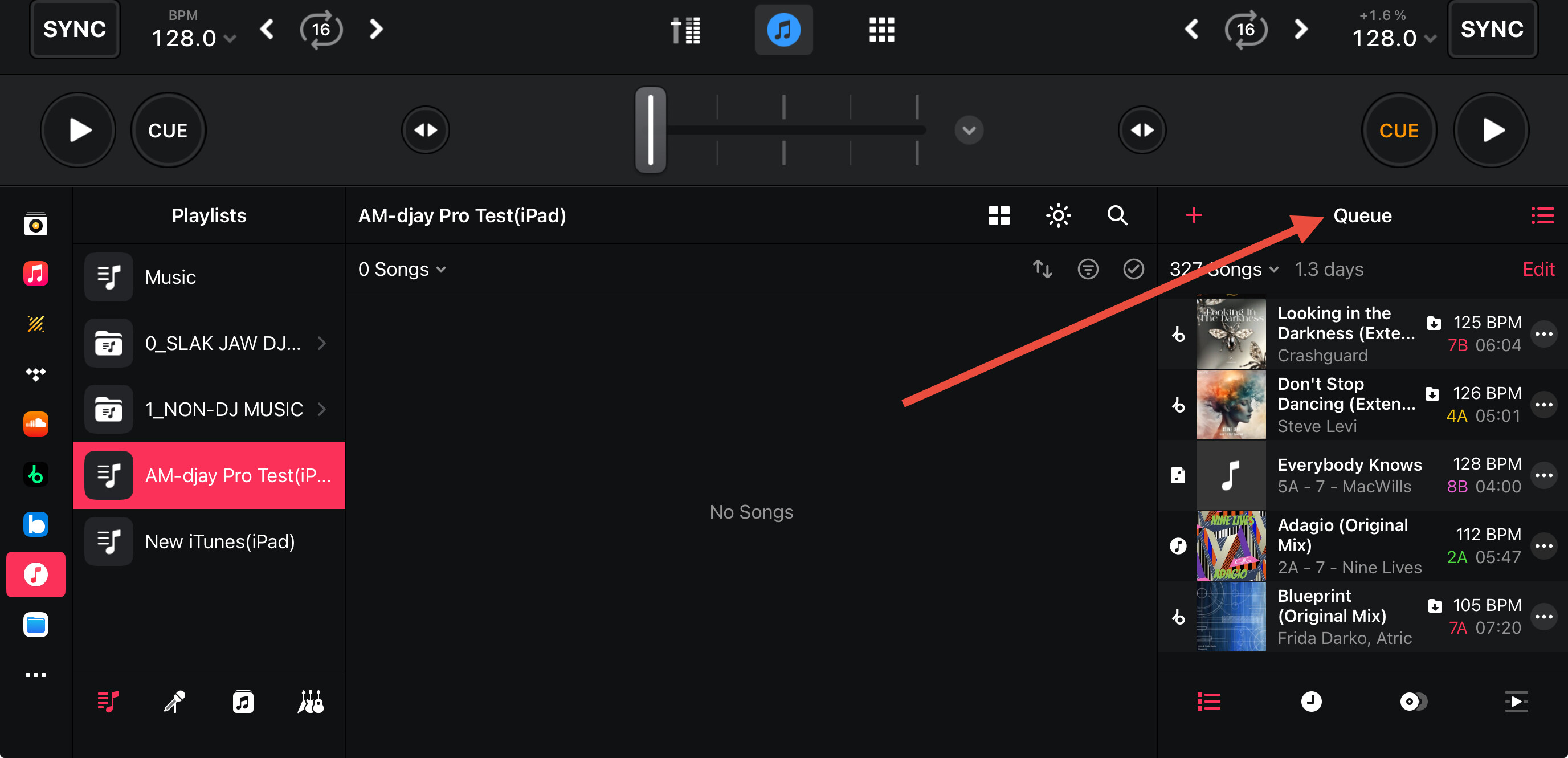
There is nothing in the queue list as nothing is queued up. It just states "Please add songs to the queue ADD SONGS
Attached is a video from scratch from the very beginning showing the app not being open so you can see the error message (Although this isn’t what I’m talking about)
After the error message you can’t even click DONE or the sun button to the left of it.
You have to click someone to the right or left of than pane.
How would I have accidentally switched the Automix playlist to the Queue and then had no songs in the queue? So I don’t do this again if this is the issue?
Thanks for your continued responses.
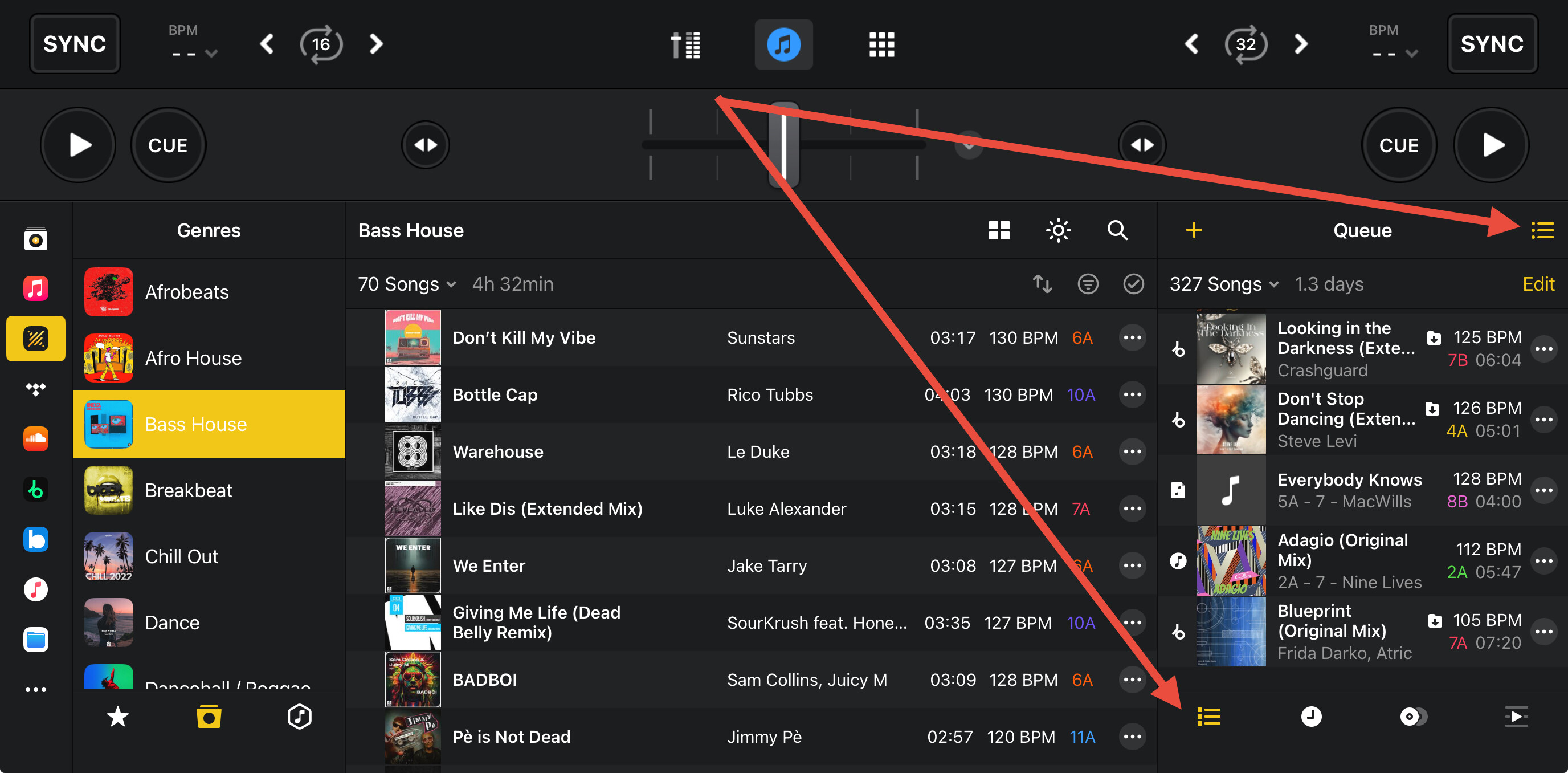
You’re welcome @coffee_king. The Queue is a special playlist in djay. Since you are unfamiliar with this, it is very likely that it is completely empty. See below for more details.
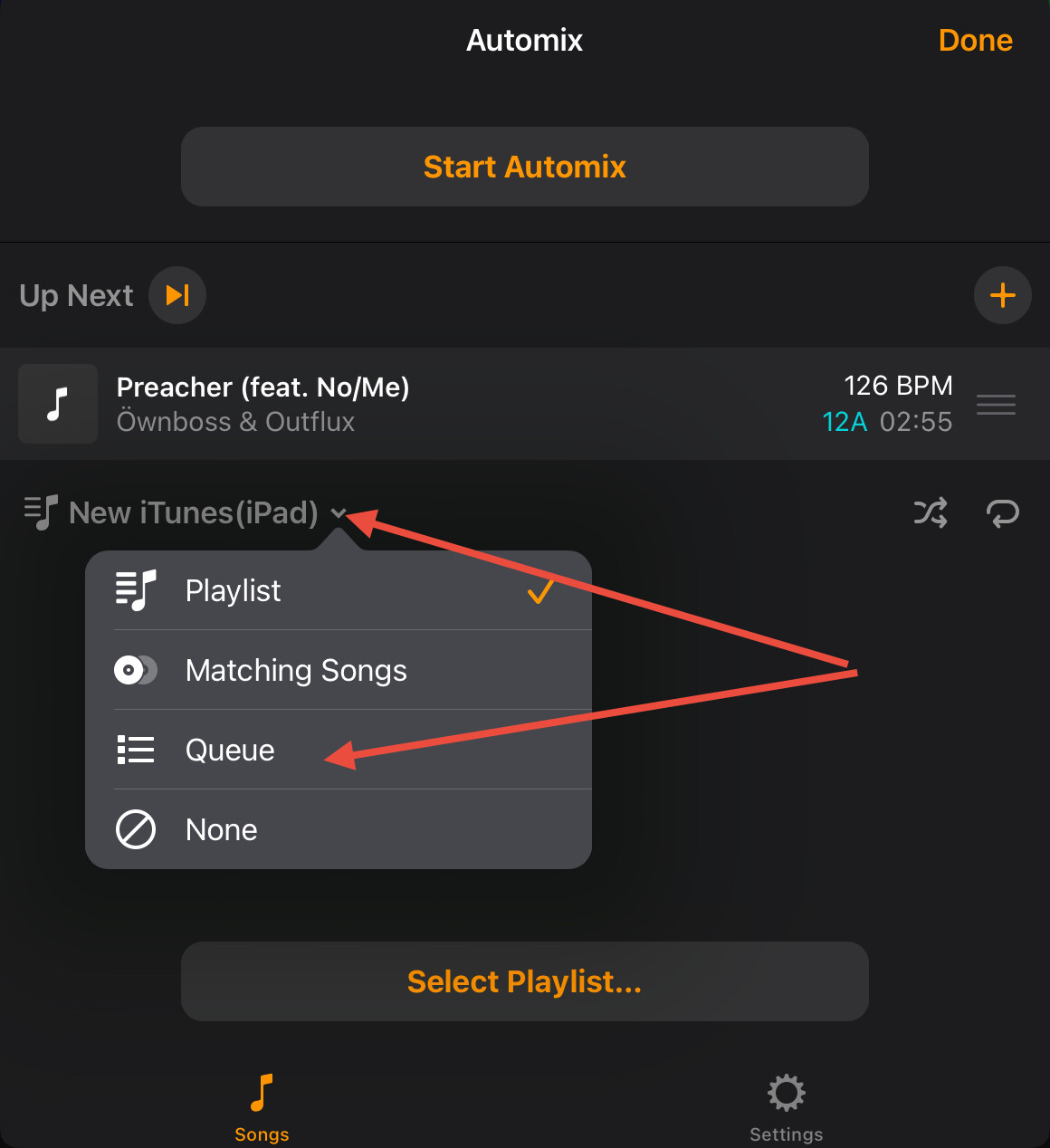
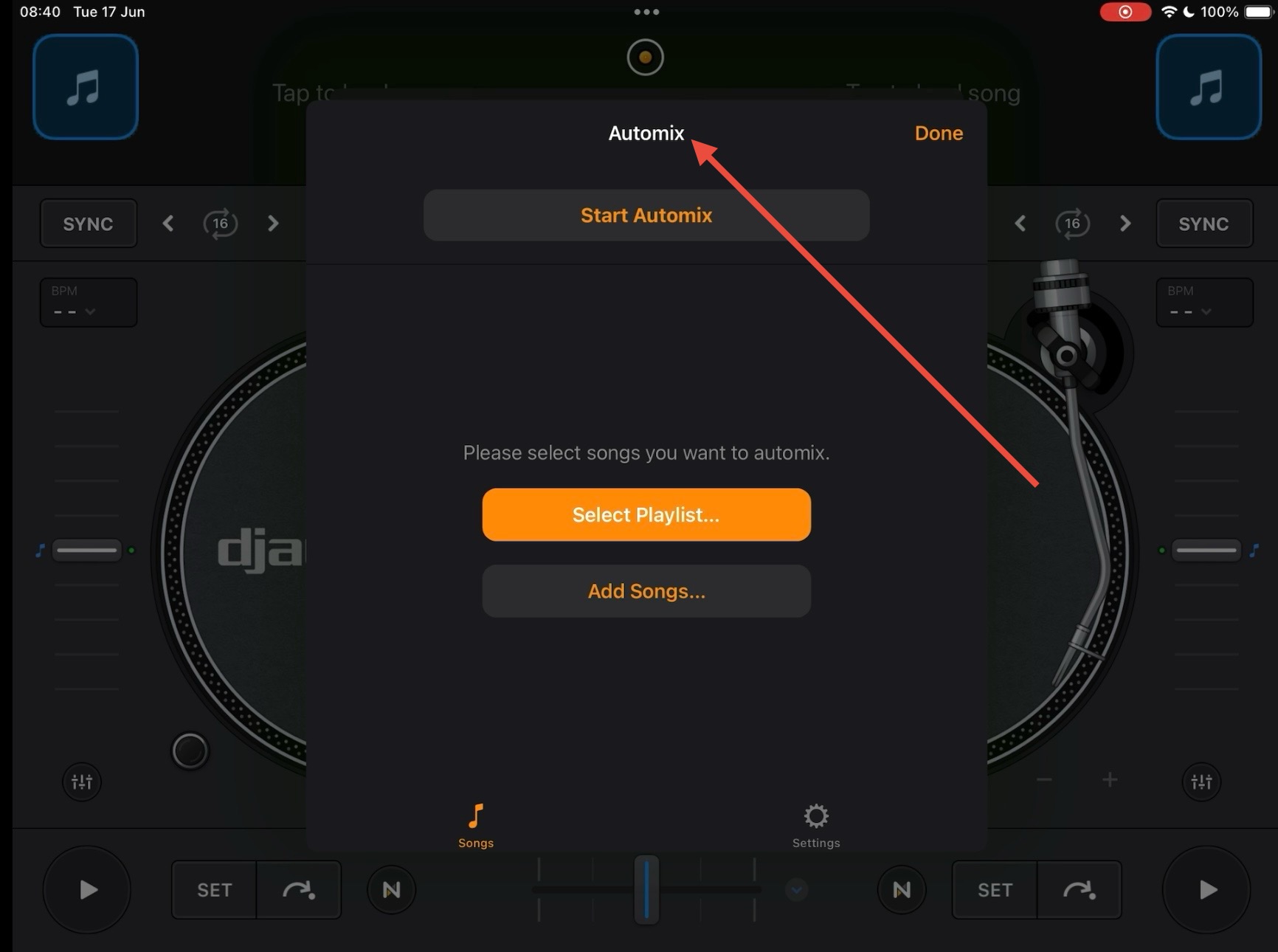
You can select the Queue playlist in Automix through the dropdown menu below:
However, after watching your video, this doesn’t seem to be the case. Can you please record another video, but select a playlist that has more than one song in it? I want to confirm if you experience the same issue as I was unable to replicate this on my end. Thanks!
EDIT: Okay, I think I have discovered the issue - you’re video was very helpful.
- This message occurs when you add a playlist that only contains 1 song.
- If you add a playlist that contains multiple songs, the message does not appear.
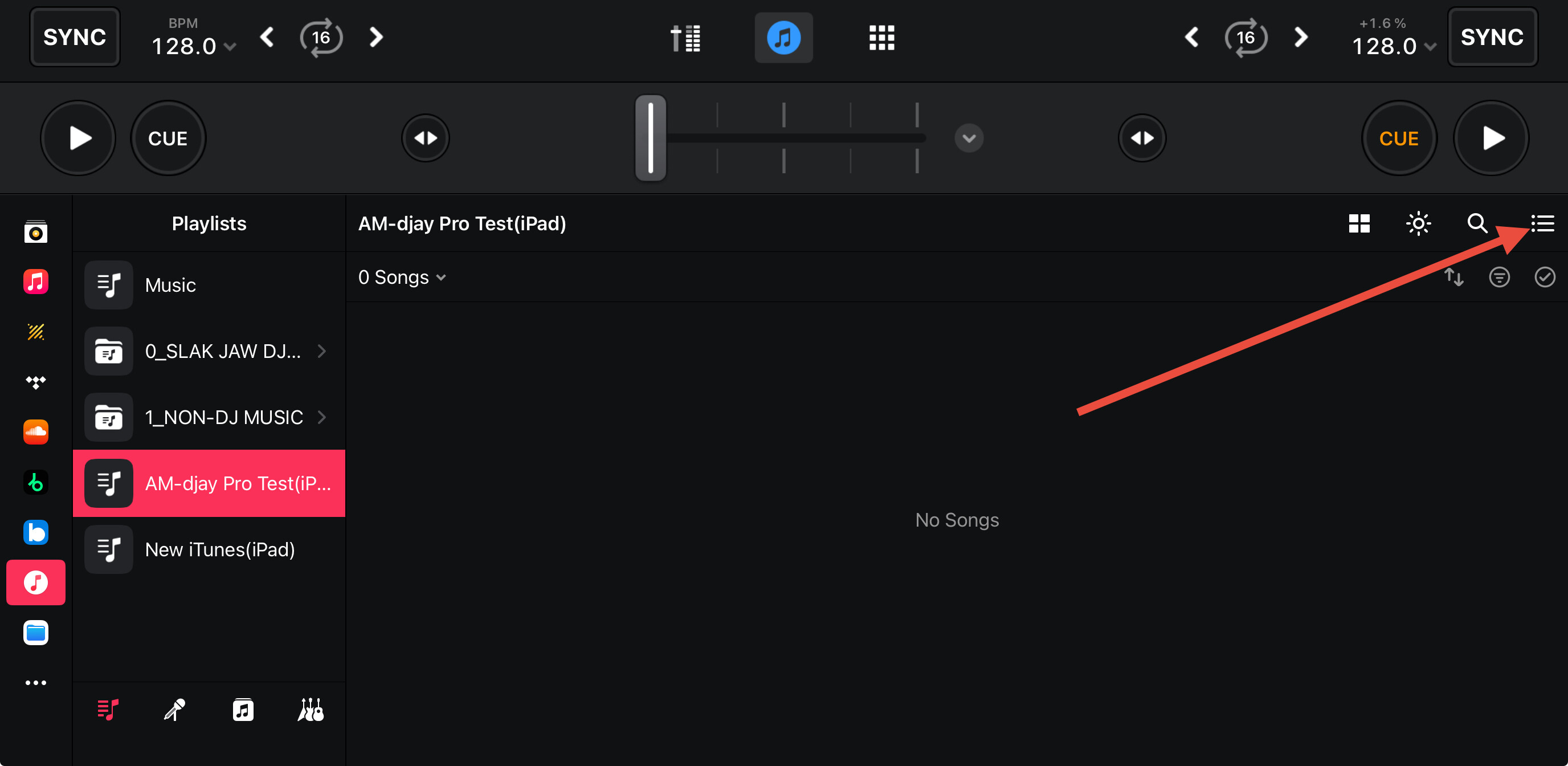
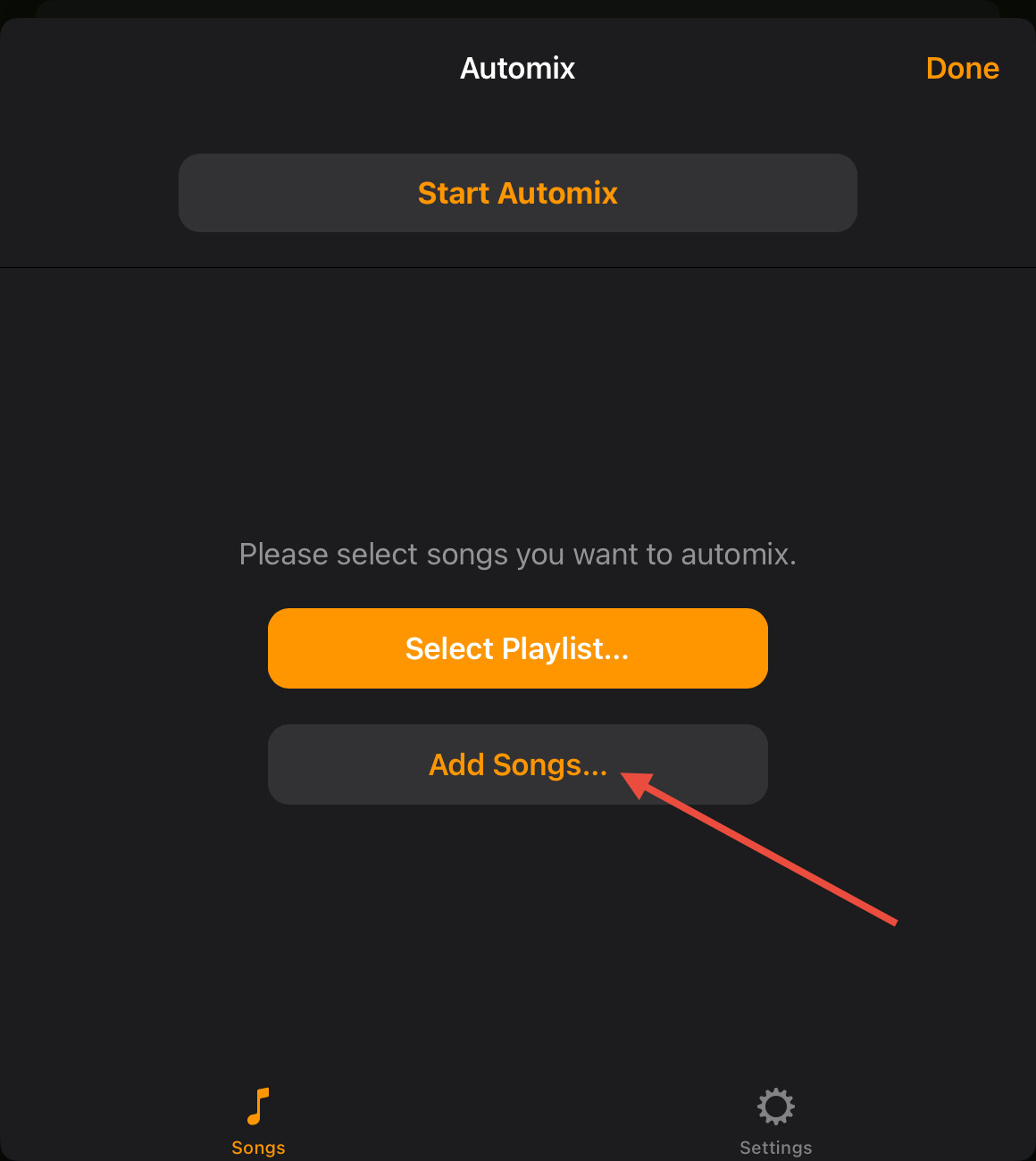
- If you want to add a single song to a playlist, please use the Add Songs… if you don’t already have a playlist running or the “+” button if you want to add a single song to the existing Automix playlist.
Hi
This really isn’t what my initial problem was about but I will continue to discuss this as there is something not right there as well.
The developers have clearly just tinkered with this in the latest update and messed it up by having this prompt appear for a playlist with only 1 song in it.
I have literally been using your app for (Maybe) 10 years now and I have ALWAYS had 1 single song in a playlist for my First Dances.
If you want to know why I do this it is because:
- I prep everything before I leave the house to goto the wedding with playlists so I am not having to remember, look up or stress locate the first dance song on the night.
- Because straight after playing the clients first dance I have to start my live performance so I don’t want anymore songs sitting in the playlist in case I accidently forget to turn the fader down.
As I say this has worked fine for approx 10 years yet now there is this prompt issue.
This prompt issue is there and so is the issue with not being able to select buttons afterwards.
Regarding my original issue with no sound playing from the song even though it’s there on the deck and spinning I am:
- Unable to replicate this
- Unable to reach the screens from image 3 and 4 of your last post
No need to YELL @coffee_king. I’m here to help you…
Yell? I put one word in capitals to stress the word. I didn’t type out the entire thing in capitals.
My mistake regarding the yelling - you also used very large bold text for one sentence. Apologies for the misunderstanding. Let’s continue…
Thanks for the additional information and explanations. This helps clarify the history and situation.
- So you recently updated to 5.3.2 and the “Source contains no songs. Please add songs to the Automix Queue, or select a playlist or album” pop-up message issue and “buttons not working” started?
- Can you confirm this was not present in 5.3.1?
- If you press anywhere outside the djay menu/window after you notice the blue Done button not working, does everything return to normal?
a. I was able to replicate this on my setup and can confirm if you touch the screen outside the center window, things seem to return to normal. Hopefully, this is a helpful work around in the meantime as we try to get to the bottom of things.
- As for your original issue where the song wouldn’t play, this is extremely difficult to troubleshoot further until you can replicate it and share the steps to do so. So, hopefully this was a one off anomaly.
a. In addition to local mp3’s are you also using Apple Music streaming? If so, is it possible that you accidentally loaded that song from AM streaming instead of the local playlist?
b. To test, try putting your iPad in Airplane mode or disabling WiFi then playing that song again.
c. The only other thing I can think of is that your Crossfader was accidentally on the opposite deck and you didn’t notice.
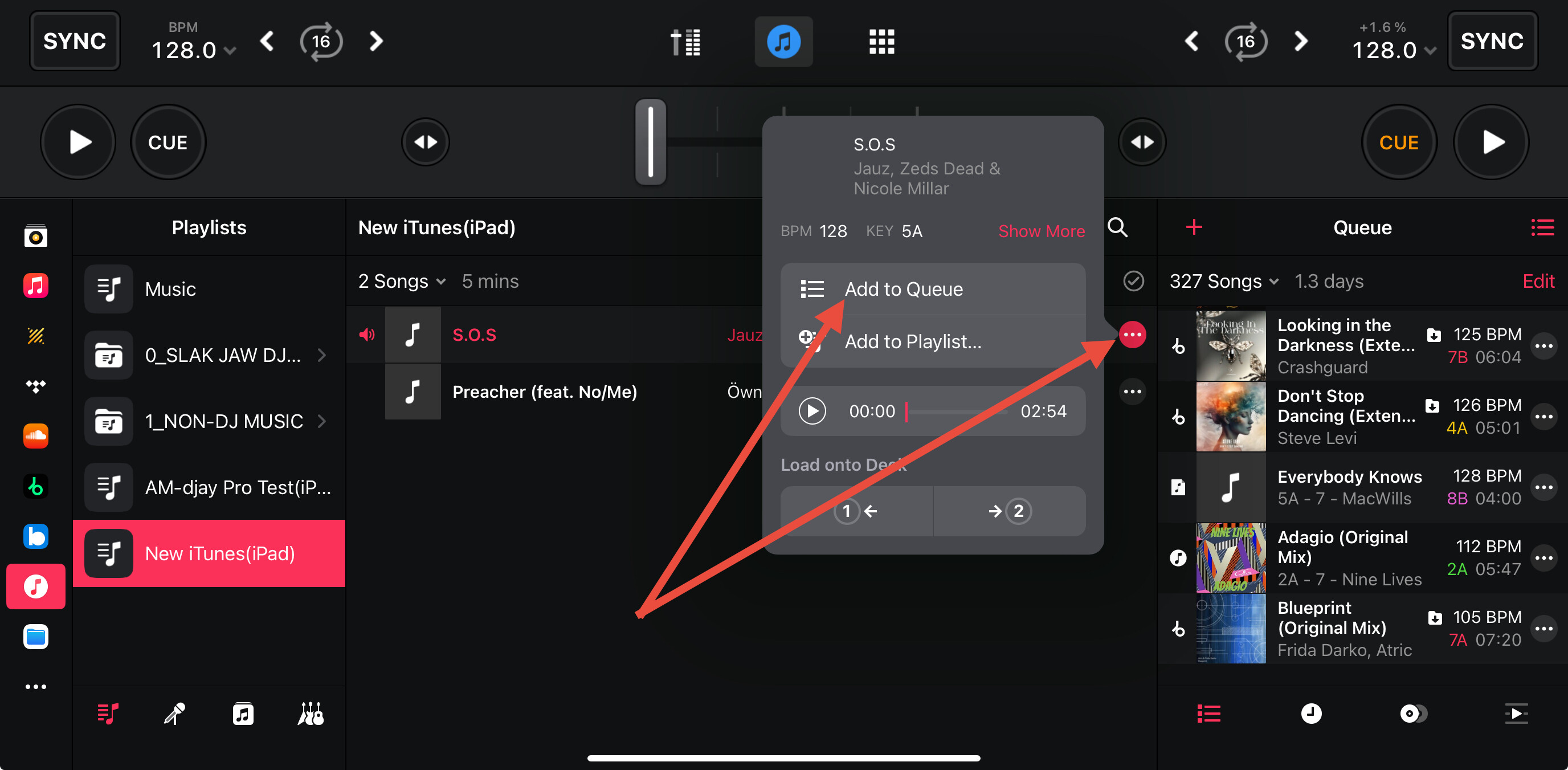
- Image 3 is reached by pressing on the 2 dots “…” to the right of the song.
- Image 4 is reached within the Automix window after you already have a playlist selected and playing.
I will summarize all of the information you’ve provided and share it with our engineering team to see what they have to say. I’ll report back as soon as I have news. Thanks!
Hi
Sorry but I have no idea why that text is bold and large. I typed this out in TextEdit on my Mac (which strips all html) and copy/pasted.
Anyway…
- I have only just noticed this but I guess it might have occurred in any previous up to about:
5.3.2
5.3
5.2.10
5.2.19
Because I hadn’t needed/used a Playlist with a single song in it for a while prior
-
No
-
Yes
3a) I’m glad you can see this issue too
- I can’t replicate this again. The odd thing is that I remember that this prompt never appeared on the screen when it happened live on the night.
4a) I don’t use any streaming services at all
b) I don’t use any streaming what so ever. I have even tried this with my local file and it still pops up the same prompt.
c) The crossfader wasn’t on the other deck as I moved it back and forth to try to get it going. The disc was spinning.
-
There is nothing in Queue list. I can see how I can add songs now via what you have said though.
-
I don’t use Automix. I don’t even know what Automix is.
To note/reconfirm: I ONLY use
Classic running MP3 files locally that have been pushed over via Playlists on Apple iTunes/Music.
I don’t use any streaming.
I have the mixer crossfade songs for me
I don’t use beat matching, I don’t use sound effects, filters etc
I do not use any other aspect of this app apart from occasionally adding in a few requests here and there.
If I’m being honest this app is completely over the top for what I use it for and gets more complicated to use its basic features with every new update. The buttons I use seem to get smaller and harder to access. One touch crossfade was removed a while ago which was annoying. Every update seems to cause me issues. One of the last updates FORCED BPM sync crossfades (Or whatever you call them) but I was able to disable this with help from this forum.
Please note that this PROMPT issue doesn’t occur on my iPhone running 5.3.2
Thanks for the additional info @coffee_king. You say you don’t use Automix, however, in your first screenshot you are using it. Also in your video you are using Automix. Can you please clarify?
Perhaps you can share a short video of your normal “DJing workflow”. How you load tracks/playlists and how you mix them. It seems we are missing something here. Thanks!
Hi
See attached video.
The term “Automix” is just there at the top even though as you will see from my video I am in “Classic” mode and haven’t selected “Automix” from the list. (I don’t even know what Automix is?)
I won’t bother recording how I push files to the iPad it is simply through Finder on an iMac and you can clearly see they are in the playlists in DJAY.
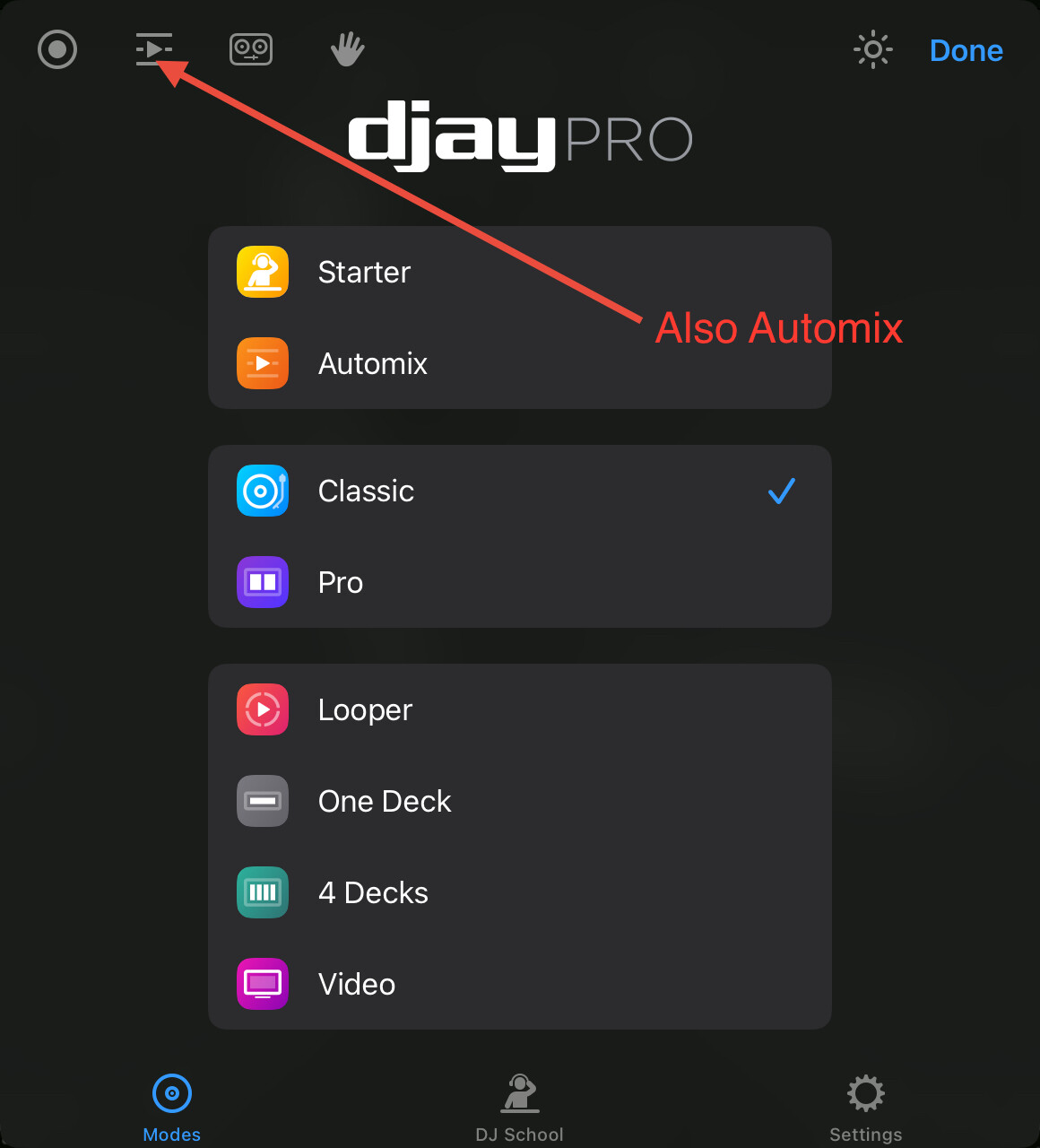
Hi @coffee_king, it looks like you have been using Automix without realizing it then. In both of the videos you shared, you are definitely using Automix. Please note that you do not need to be in the Automix View Mode in order to use Automix. You can use Automix while in the Classic View Mode by selecting the “playlist” icon shown below. You do not need to be in the Automix View Mode to use this feature of djay. Automix is a djay specific tool/feature that automatically performs the transitions from one song to another for you based on your Automix settings.
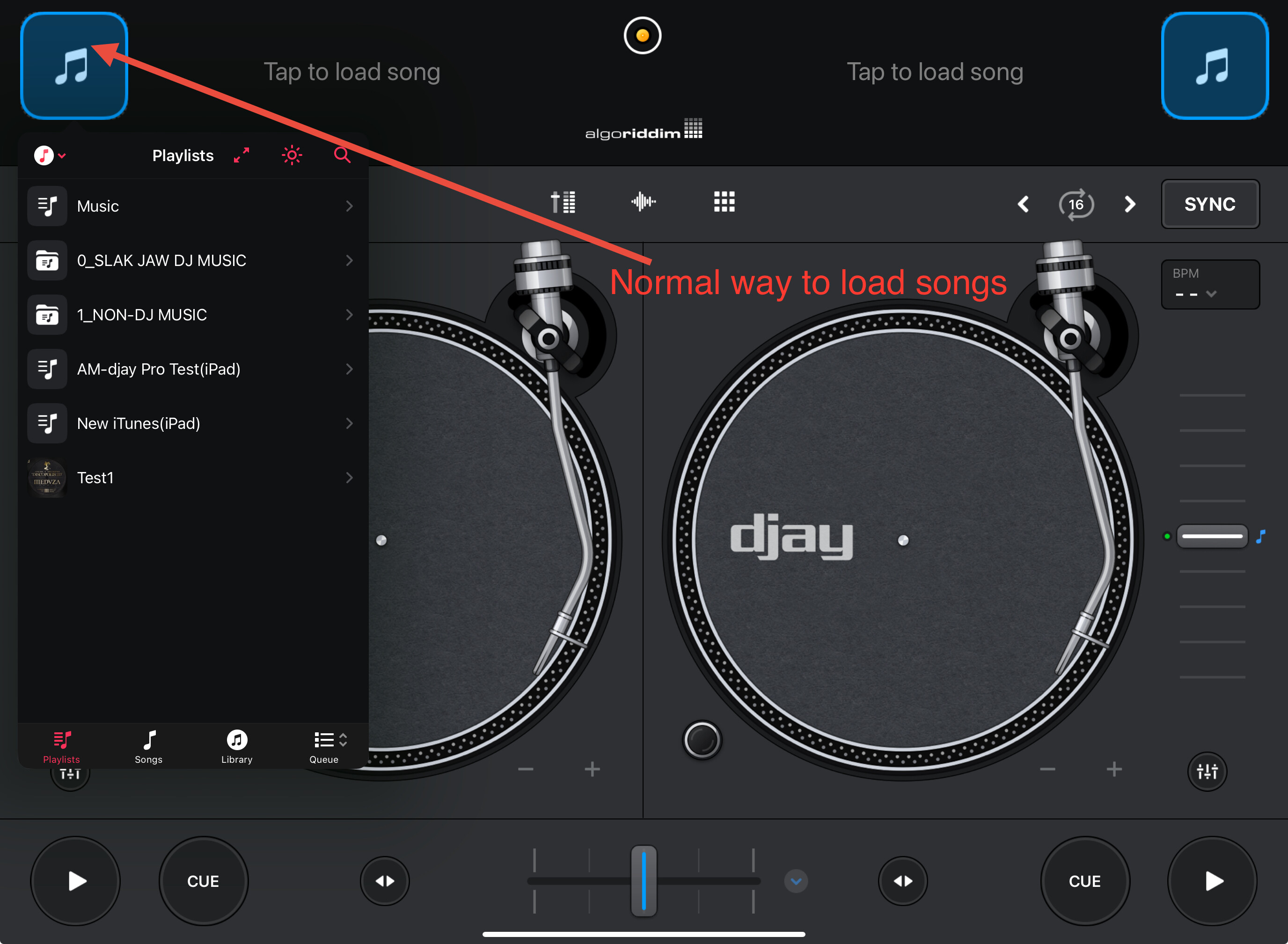
If you want to load songs onto the decks without using Automix, you should press on the musical notes for each deck (see below) then select the playlist and songs you want to load. This will allow you to DJ manually without the Automix features and tools. This requires manually loading songs, pressing play, manually beatmatching or syncing them, adjusting the EQs and manually transitioning from one deck to the other using either the crossfader of channel faders. Automix does all of these normal DJing tasks for you. Hopefully that helps to clarify things a bit.
Hi
Thanks for your continued responses but we’re off topic here now for whatever reason.
I know how to load songs manually thanks.
The term Automix seems to be confusing, used for two different features and is called Automix even if Automix isn’t ticked…Ho-hum
I’m not really bothered about what any of this is called as long as I can get the app to work properly.
- The issue with the song not producing any sound is currently unreproducible but I will keep my eye on it.
- The prompt issue and untouchable buttons remain, so I await a version update to cure this.
I don’t think this is worth pursuing this post any further now but thanks for your help it’s much appreciated.
You’re welcome @coffee_king. Happy to help. When I have news on #2 I will share it here.
Sounds like your audio output was set wrong or disconnected. Check if the right output headphones, speakers, etc. is selected in djay’s settings next time
Hi @Willam_Abroy, welcome to the Community! Thanks for the suggestion.