


 Feature Suggestion: Auto-Transition Trigger on Hot Cues
Add an optional “Auto Transition” Hot Cue action that automatically triggers a transition to the next track when playback reaches that cue.
This would make djay Pro’s automation smarter, more musical, and perfect for hybrid and semi-automated sets.
Visual Mockup
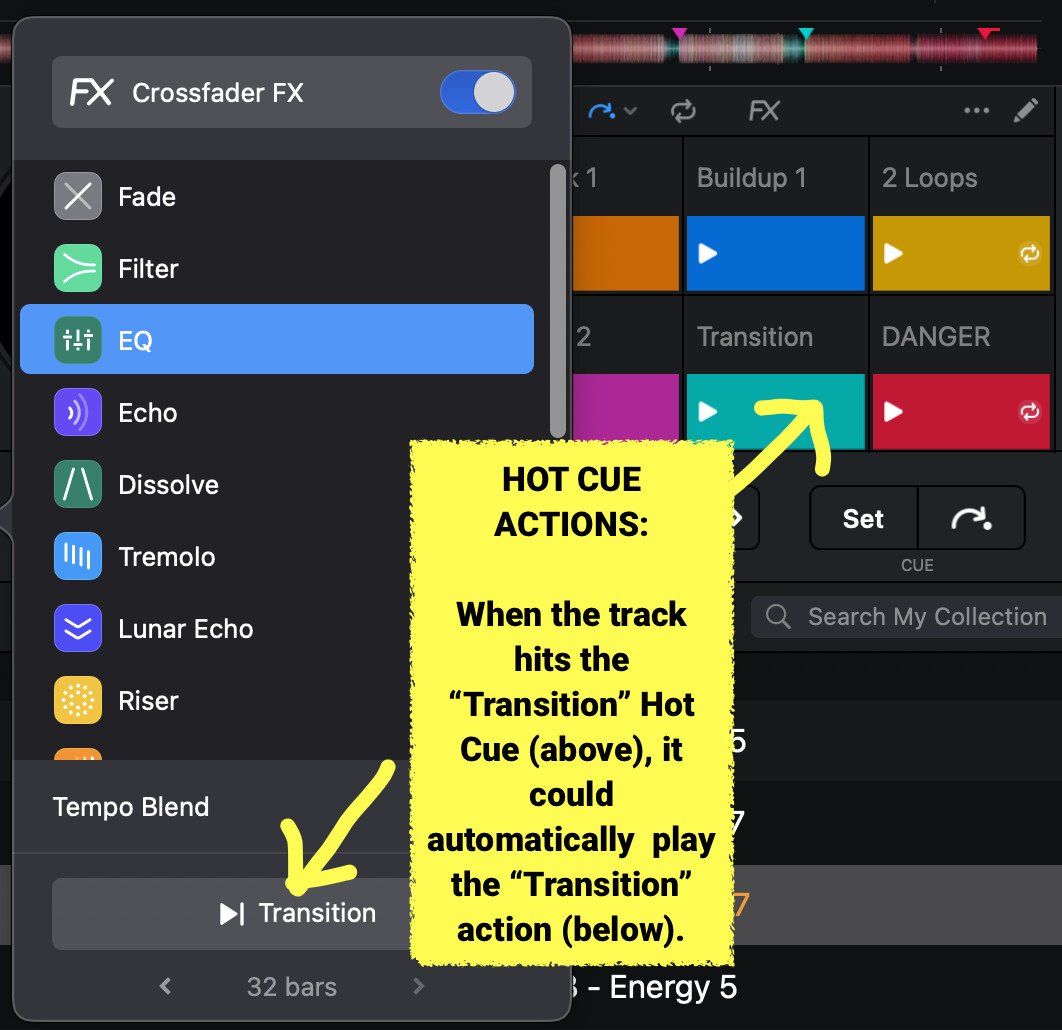
The idea is illustrated below: when the track hits the “Transition” Hot Cue (top right), it automatically plays the “Transition” action (bottom left).
Idea Summary
I would like to see a new Hot Cue Action feature that allows a track to automatically trigger a Transition when it reaches a specific Hot Cue point.
 When the playback reaches a Hot Cue labeled “Transition,” djay Pro would automatically start the crossfade or Neural Mix transition to the next deck — using the current transition settings (duration, FX, EQ mode, etc.).
Why It Makes Sense
This feature would make perfect use of djay Pro’s existing capabilities by combining them in a more intelligent and musical way.
Benefits:
 Hands-free precision: DJs could plan transitions exactly where they should happen in the track (for example, during a breakdown or outro).
 Smarter automation: Ideal for hybrid sets, background playlists, or radio-style mixes that still sound human and dynamic.
 No new interface required: It could be added as a simple “Transition” option when editing a Hot Cue.
 Full control: DJs could toggle the automation on/off per Hot Cue or deck, making it optional and flexible.
Example Use Case
- A DJ sets eight Hot Cues in a track.
- Hot Cue #8 is labeled “Transition.”
- When the track playback hits that point, djay Pro automatically triggers the transition to the next deck.
- The transition follows the user’s current FX, blend type, and duration settings.
Why It Matters
This would elevate djay Pro’s automation and AI-assisted mixing to a whole new level. It would allow DJs to pre-program transitions with precision while maintaining full creative control.
It’s especially useful for:
- Pre-recorded sets or long playlists (bars, lounges, radio shows)
- Hybrid DJ performances with partial automation
- DJs who want consistent and seamless transitions across sets
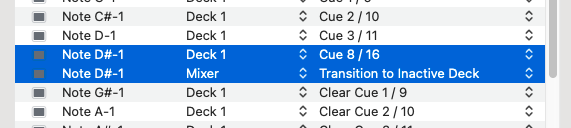
 , so, I usually place a Transition cue around -62 seconds of my melodic tracks.
 Good thinking!


