


Once the hardware is connected, it will load the next song and play automatically. This only started happening after the 5.6.6 update.
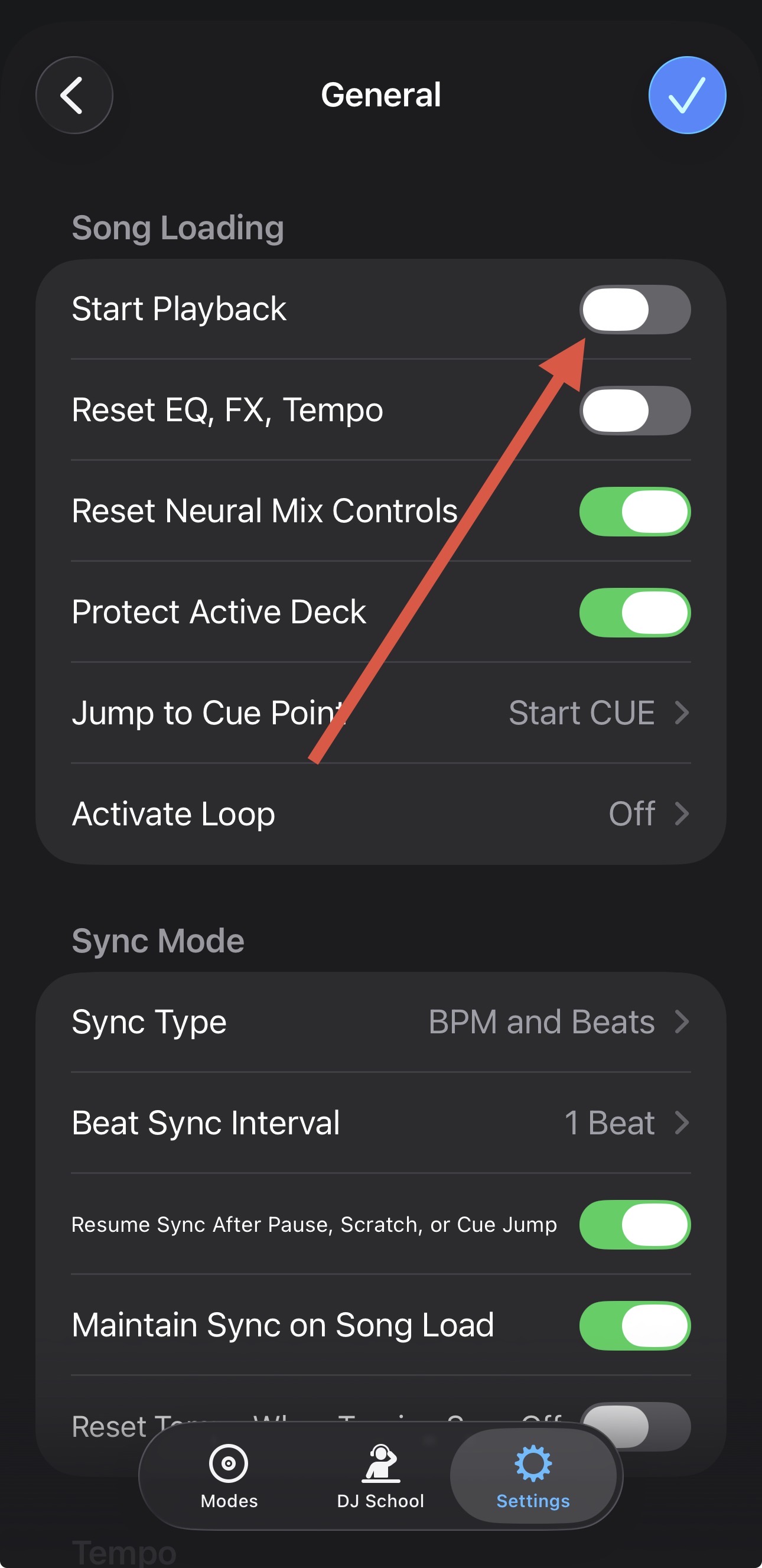
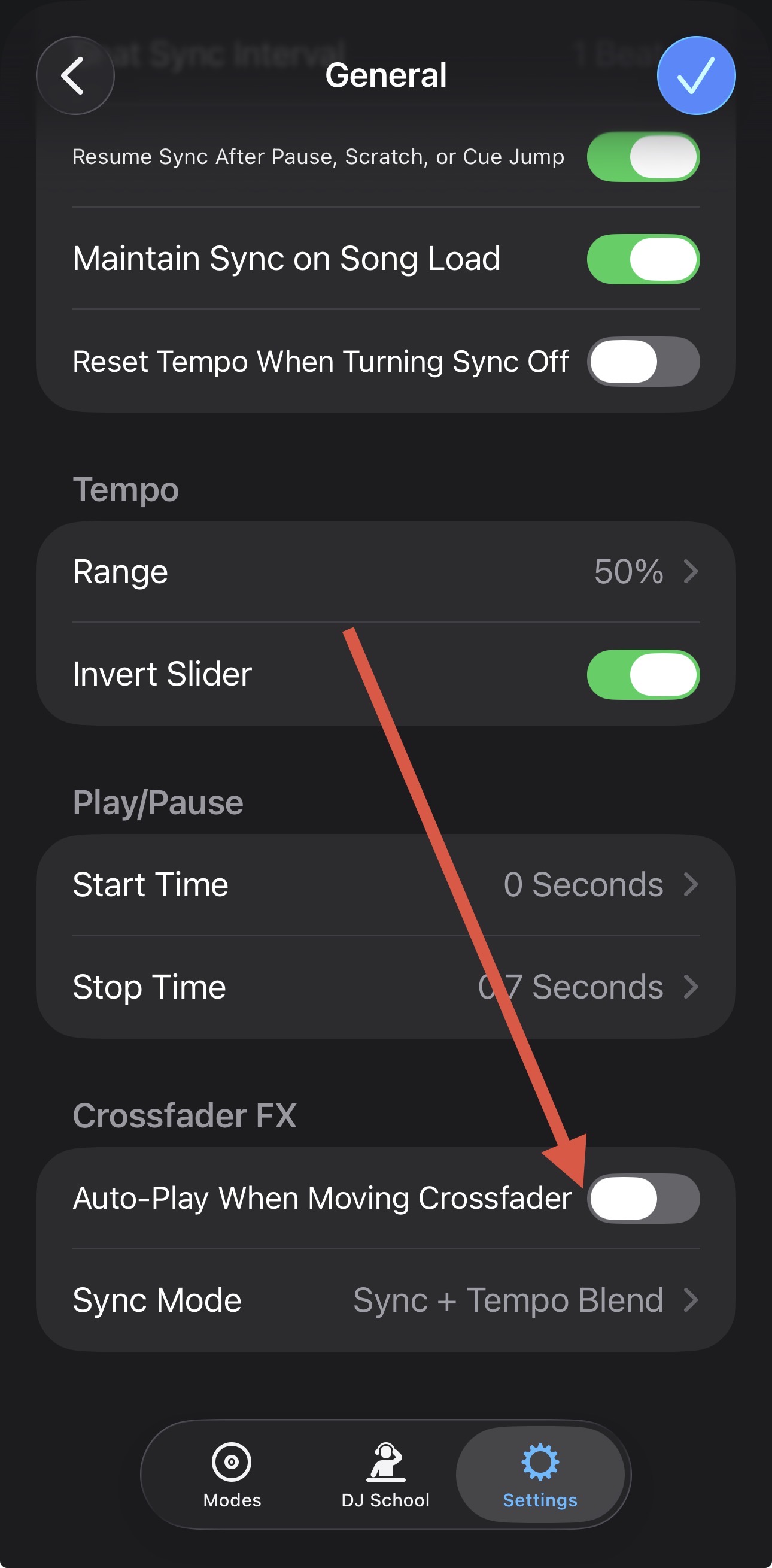
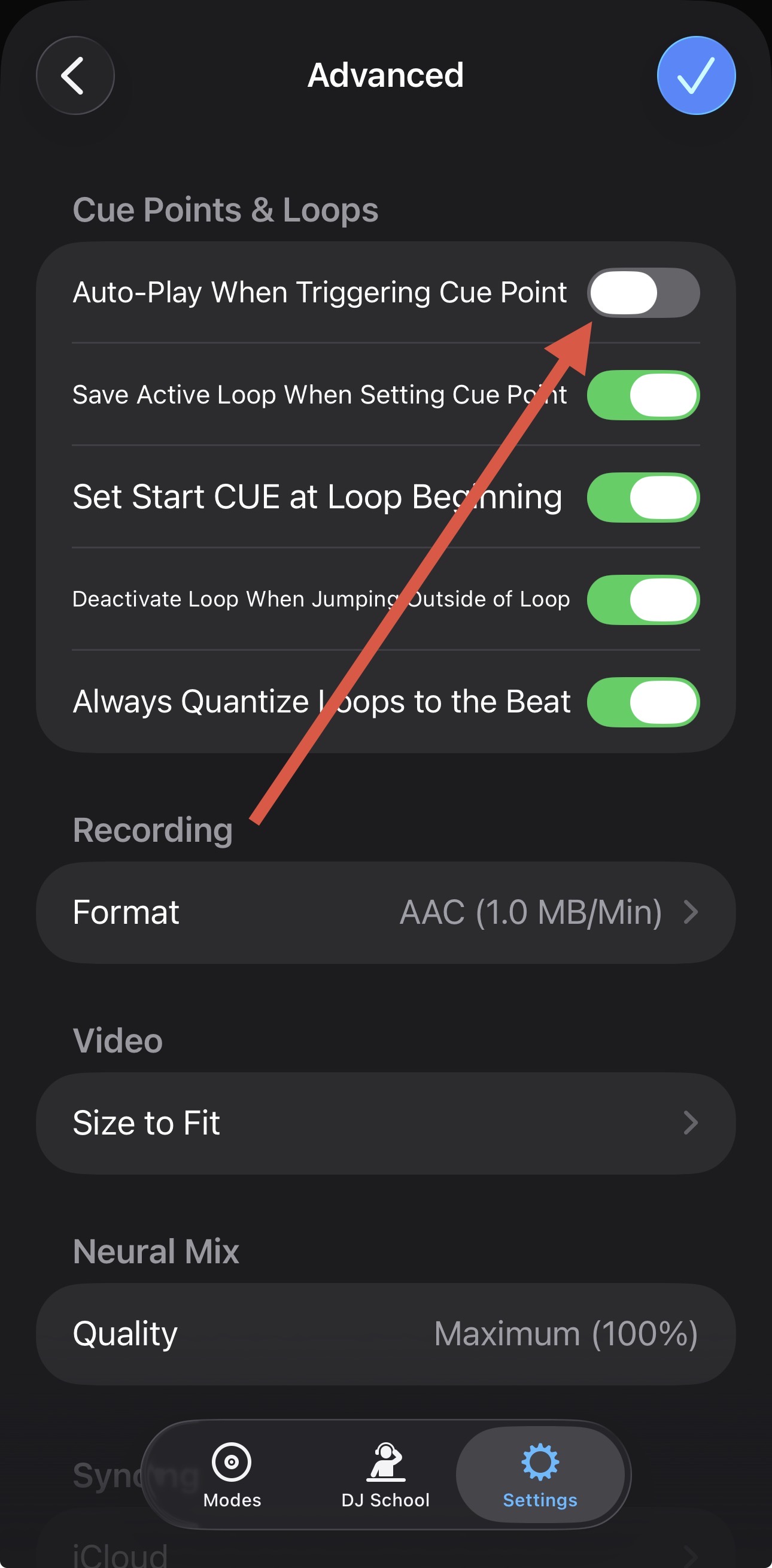
Thanks for clarifying @jmoak311. Now I see what you’re talking about. With your controller connected, please try disabling the following 2 settings in the djay Settings>General:
1 Like
Those are my default settings always. This has only happened since the newest update. It did not behave this way at my event Saturday. Can one revert back to a previous version?
I’m not sure it’s relevant, but yesterday I Dj’d a middle school event and while people were arriving I was trying to auto mix a clean Spotify playlist and that’s when the issue started. Could be irrelevant, not sure.
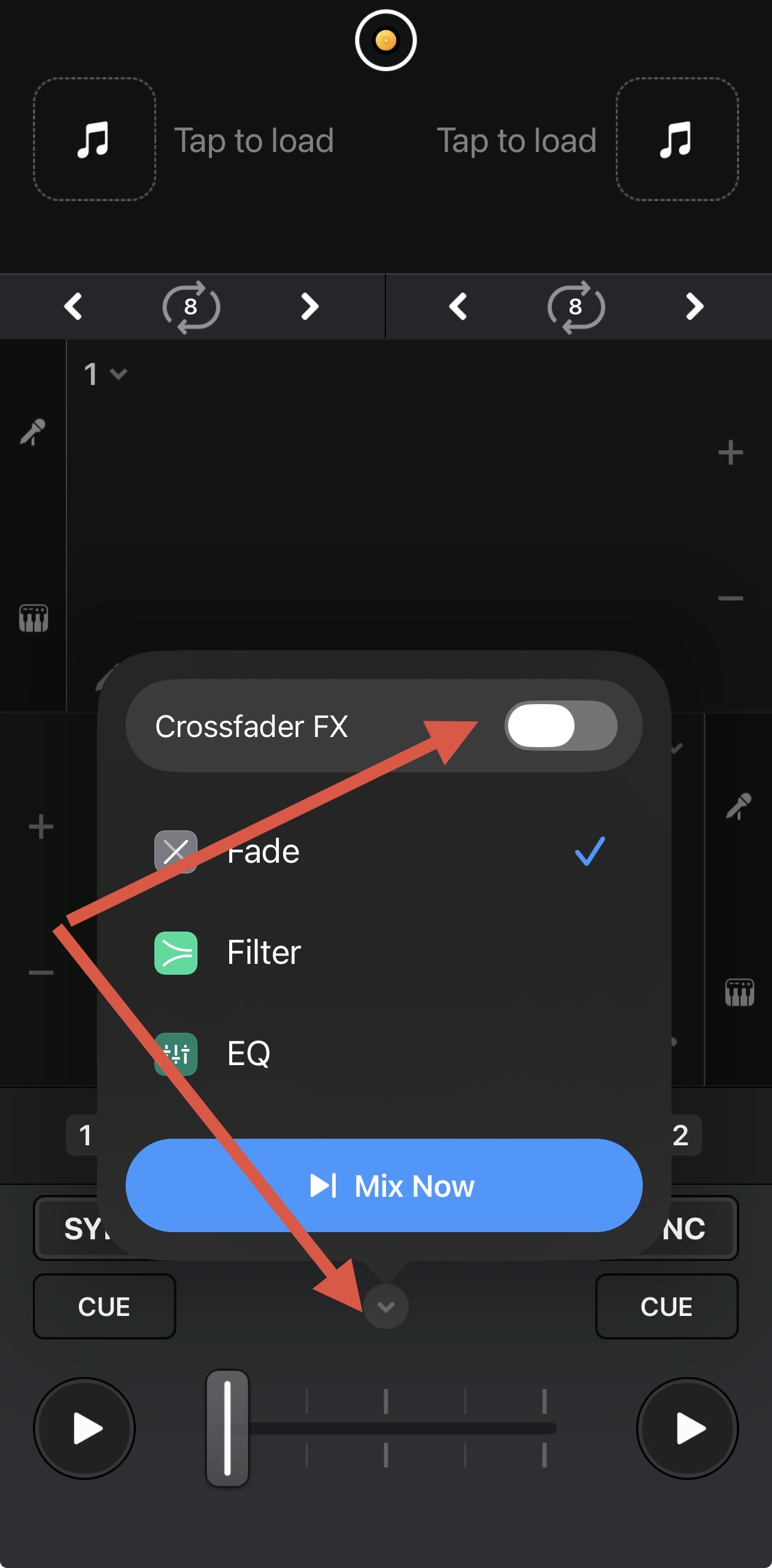
I’m not sure what else to suggest @jmoak311. Maybe try disabling Crossfader FX?
The only way to revert to a previous djay version is if you have a full system backup via something like TimeMachine.
I’ve tried everything. I’ve been at this for hours and I have an event tomorrow.
I’ve tried toggling it off and on, nothing. I can run my iPad into my external mixer with it not connected to the controller to get by for tomorrow. If it’s up related to the new update I’m sure I won’t be the only person having this issue over the weekend.
do you have an external mixer to try and duplicate? I don’t own an internal unit.
Sorry @jmoak311, I don’t have access to a RANE One to test for myself plus our hardware engineering team doesn’t work on the weekends. Also Automix is working as expected with these settings and my Mixtour Pro.
You could try a fresh djay installation to see if that clears up the issue. I suggest that you backup your djay Media Library database and any custom MIDI mappings, then uninstall djay, reboot your device, and reinstall the latest version of djay.
You can find the files above in the following locations:
iOS: using the Files App, navigate to Locations->On My iPhone/iPad->djay->User Data
macOS: How to find your djay data and move it to a new device | Algoriddim Support
Windows: How to find your djay data and move it to a new device | Algoriddim Support
Copy the files to a new location or external drive before uninstalling djay. After reinstallation, you can simply copy these files back to their original locations to maintain your Hot Cues, Saved Loops, My Collection Playlists, History and Queue.
Thanks. I’m just not comfortable the day before a wedding to delete djay pro and reinstall etc.
I don’t blame you. I’d say use your iPad without the RANE One for the Automix then.
I hope no one else runs into this issue at their gigs this weekend, but it would help me feel less insane since the issue just started.
I posted to YouTube and Reddit to see if I’m not the one.
Okay, sounds good. Please let me know if anyone else is experiencing the same issue.
Is there anyway to get more people to see this post? I can’t be the only one experiencing this before a huge weekend?
Not that I can think of @jmoak311. Maybe share a link to this topic somewhere else like Reddit?


