So,
- This happens on all my Windows computers.
- Version of operating system: Windows 24H2 & 25H2
- Version of djay: 5.6.5 & 5.6.6
- Hardware/controllers used: none
- Hardware firmware version: none
- Please consider sharing a short video or screenshots to help clarify your issue
A) SUMMARY OF ISSUE:
-
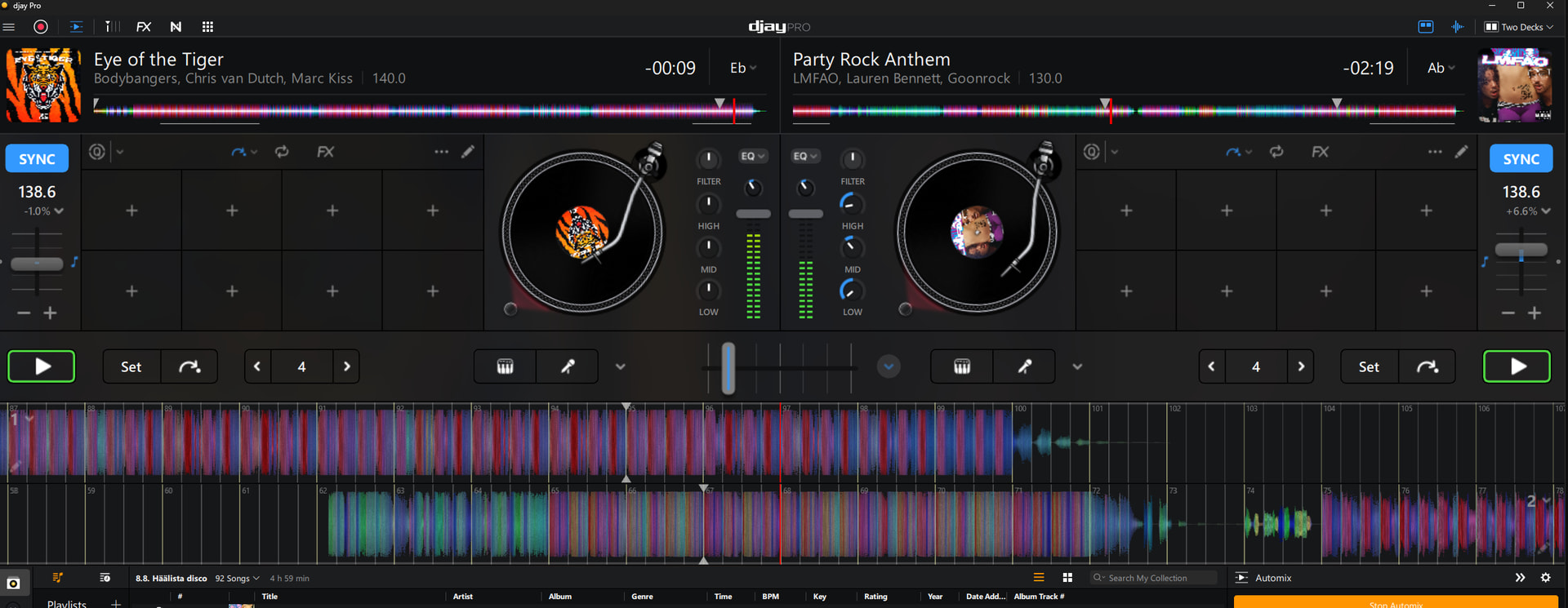
This issue occurs randomly on all my Windows computers running djay Pro. Occasionally, Automix does not respect the configured start and end cue points and instead starts playback about 1–2 bars after the defined start cue.
Restarting the application and replaying the same track usually resolves the issue, and the track then plays correctly from the exact start cue point.
In short, Automix sometimes skips 1–2 bars past the start cue.
Settings in use:
-
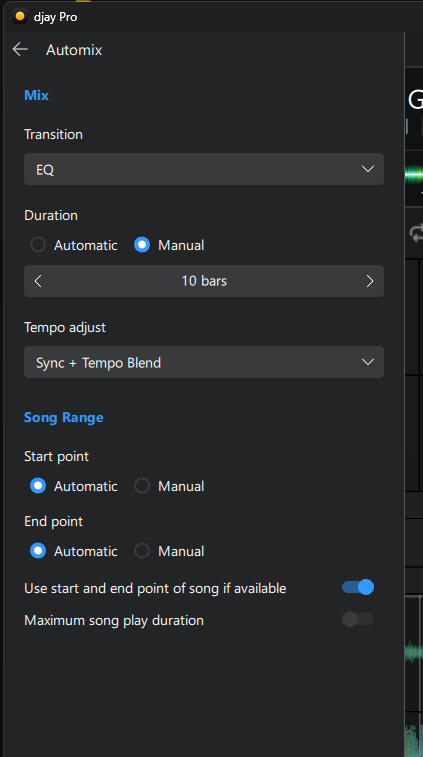
Use Start/End Cue Points: Enabled
-
Maximum Song Play Duration: Disabled
-
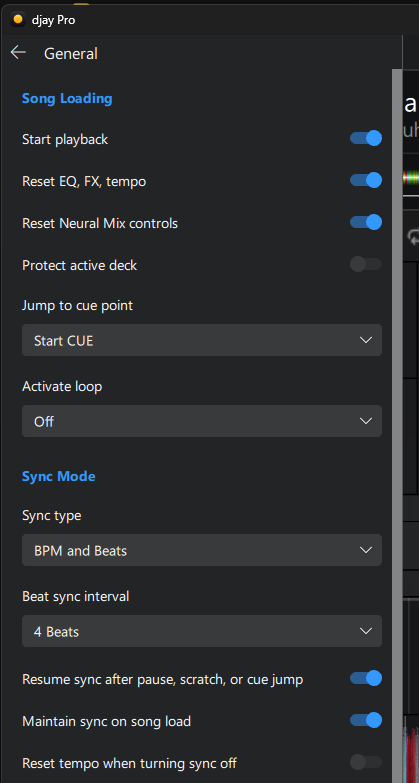
Jump to Cue Point: Start Cue
-
Tempo Adjust: Sync + Tempo Blend
B) DETAILED STEPS TO REPRODUCE:
- none, because this happens randml
C) EXPECTED RESULTS:
D) ACTUAL RESULTS:
Hi @BigSpell2451, welcome to the Community! Thanks for the details about your setup and the issue - this is very helpful! Can you please answer my questions below to help me troubleshoot this issue with you further?
- Are the affected tracks Local Files or from a streaming service? If local, does it also happen with streaming files, and vice versa?
- If local files, what file format(s), and are they stored on your device internal drive or an external drive?
- When it happens, is the offset always ~1–2 bars, or does it vary?
- Is it always the same track(s), or any track?
- Does it tend to occur on the first track of a session, or randomly throughout?
- Is Quantize enabled, and at what value?
- Have you changed any Audio Devices settings from defaults (sample rate, buffer size, output routing)?
- Roughly how many tracks are in the playlist and library?
- Are other apps running during a session?
- Does the issue correlate with longer sessions or higher system load?
- Do you also have djay running on an iOS or Android device? If so, does this issue ever happen on those platforms?
Thanks!
It happens so randomly. I noticed that I can now reproduce the issue using the same songs. They are both local files. I can send them over if you need to check the logs or investigate further.
The strange thing is that if I replay those two songs using Automix, the issue only occurs randomly. Sometimes it happens, and then there are long periods where the problem doesn’t occur at all.

1 Like
Hi @BigSpell2451, welcome to the Community! Thanks for the details about your setup and the issue - this is very helpful! Can you please answer my questions below to help me troubleshoot this issue with you further?
-
Are the affected tracks Local Files or from a streaming service? If local, does it also happen with streaming files, and vice versa? - No, it happens with both local files and tracks from streaming services such as Spotify.
-
If local files, what file format(s), and are they stored on your device internal drive or an external drive? - internal drive and mp3, wav, m4a and flac
-
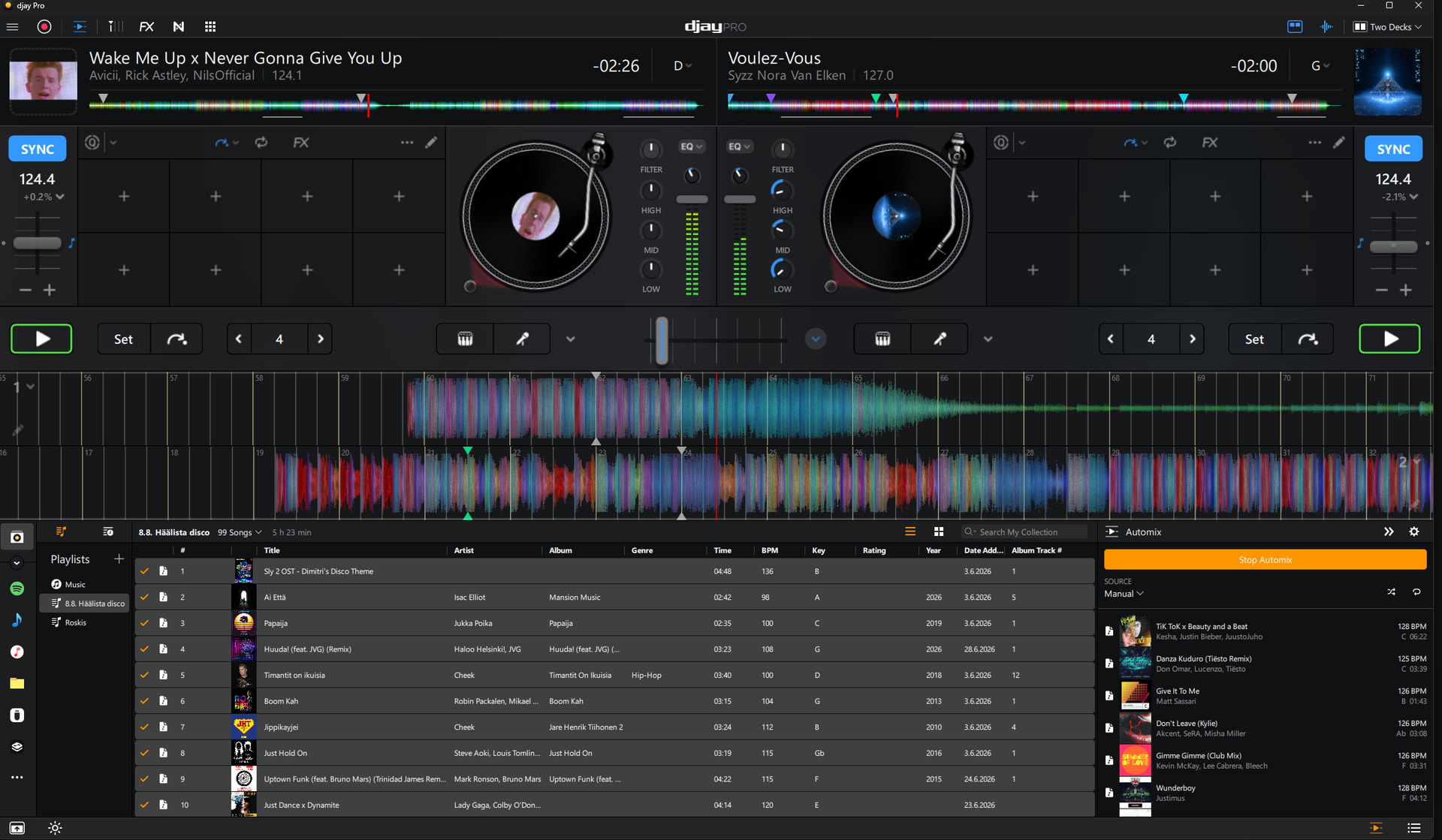
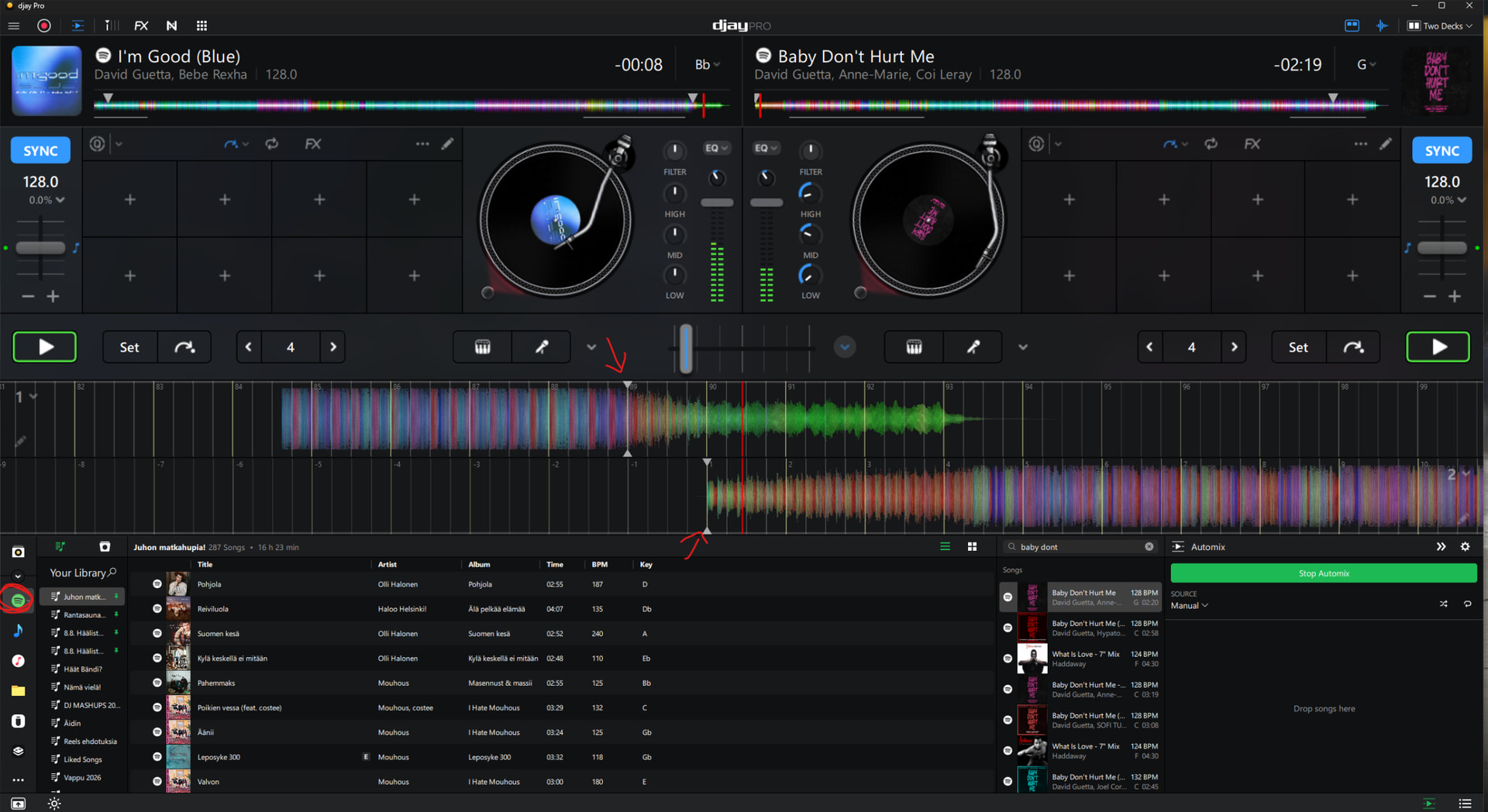
When it happens, is the offset always ~1–2 bars, or does it vary? - I believe it’s only one bar, like in the screenshot.
-
Is it always the same track(s), or any track? - not sure, at first it seemed to have only few but now i noticed this happens so randomly on any track.
-
Does it tend to occur on the first track of a session, or randomly throughout? - randomly throughout the whole playlist.
-
Is Quantize enabled, and at what value? - No, it’s not enabled. I also tried placing the start and end cue points using Quantize, but it didn’t help in this case.
-
Have you changed any Audio Devices settings from defaults (sample rate, buffer size, output routing)? - No, I haven’t, and they are the default settings.
-
Roughly how many tracks are in the playlist and library? - 100 - 200 or more
-
Are other apps running during a session? - No, and I make sure of that by restarting Windows first to ensure it’s in a clean state.
-
Does the issue correlate with longer sessions or higher system load? - no and no
-
Do you also have djay running on an iOS or Android device? If so, does this issue ever happen on those platforms? - no i dont have
Thanks!
1 Like
This is very useful information @BigSpell2451. Yes, please send me the song files via DM so that I can test them myself and try to reproduce the issue.
Thanks for answering my questions above. I will wait for your follow up on #1
Hi again @BigSpell2451, I received the songs you sent via DM. I noticed that they are both FLAC format. I was able to reproduce an issue where the second song started 1 bar late after the Automix Start Point that I set. This didn’t happen every time, but I was able to reproduce it multiple times across several test. Do you have other FLAC files that you could test this with to see if it is isolated to FLAC? Thanks!
Here are some examples of the issue.
I noticed that the behavior is inconsistent. Sometimes the cue points line up almost perfectly, as shown in Example01, where the next track starts immediately after the previous one ends. However, in Example03, there is nearly half a bar of delay before the next track starts.
I don’t believe this is a hardware performance issue, as the problem occurs on both of my PCs. Both systems are high-end, with Intel and AMD CPUs, 32 GB of DDR5 RAM, and an RTX 5070 Ti GPU.
In Example04, the issue occurs again, with the songs starting out of sync because Automix does not transition at the configured cue points.
I’m Good (Blue) - David Guetta, Bebe Rexha.m4a
x
Baby Don’t Hurt Me - David Guetta, Anne-Marie, Coi Leray.m4a
Example01.mp4
Example02.mp4
Example03.mp4
Example04.mp4 (THE PROBLEM)
Hi!
Yes, it also happens with tracks from streaming services (for example Spotify)!
It’s so totally random when this occurs. For example, right now it seems that 10 out of 28 tracks have this bug.
Thanks for the additional videos and info @BigSpell2451. This is very helpful. I will pass these onto our engineering team for further review.
1 Like
Thanks for checking in @BigSpell2451. Our team is still investigating this one. I’ll share more news when I have it. Thanks!
1 Like