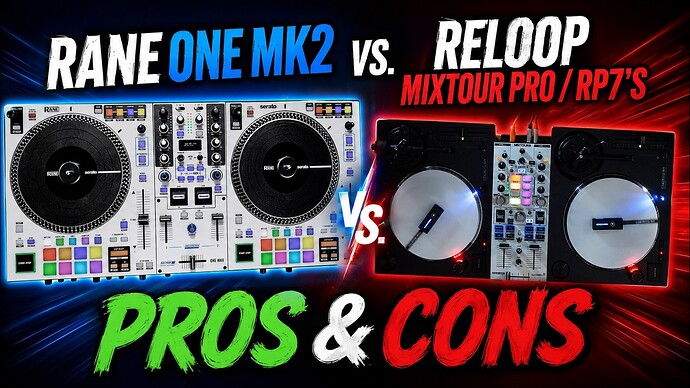
Hi @Armigo, I’ve had them less than a year. So far so good, but I’m not very hard on my gear.
Maybe do less battering? 
1 Like
Great set up. This video explains some glitches with mixtour pro/lc 6000 set up.
Thanks @DJ_Faisal
1 Like
Sorry here is the video: https://youtu.be/7jrdsifRC68?is=H2AdJVbuDpOaHt5f
1 Like
Thanks for sharing. I’ll check it out later…
1 Like
Hi @DJ_Faisal, I watched his video, plus I watched his previous one with the Reloop Stand Hub a few months ago. The issue is most likely with the USB hub and USB cables. I had similar issues with the Reloop Stand Hub Pro. I discovered that I needed to use a genuine Apple USB-C cable to connect the hub to the iPad. With this setup, I’ve never had an issue. I believe there is some kind of USB handshake communication issue happening with the Mixtour Pro when connected through a hub that is solved with the Apple cable.
1 Like
So I ended up taking a trip to Guitar Center and traded my Rane Performer in for a Rane One MKII. The Performer isn’t compatible with iOS and overall just didn’t make sense for me to keep it due to the lack of versatility.
I instantly noticed the jog wheels feel much tighter with Djay Pro right out of the box. I am noticing some sticker drift, roughly about half a beat consistently with the Rane One MKII… but it definitely feels much tighter.
I haven’t had a chance to test it out on my 13” IPad Pro M2 yet. But that will be happening in the next few days.
I’m gonna see if I can do some tweaking in the settings to try and figure out the sticker drift issue.
1 Like
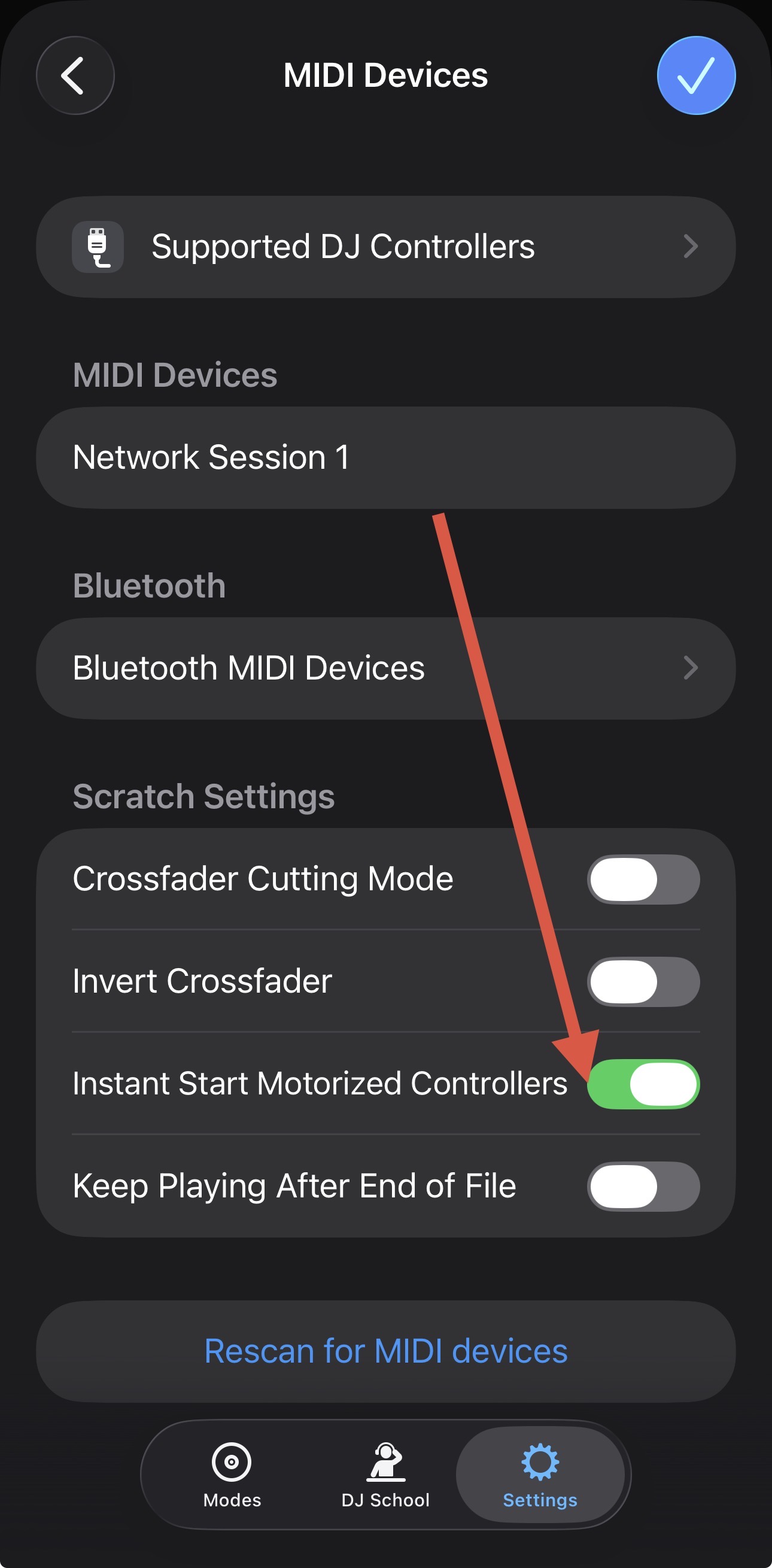
Thanks for sharing @DJRemixDetroit. Try enabling Instant Start Motorized Controllers
1 Like
Ok cool. I’ll give that a try and report back after testing. Thanks @Slak_Jaw 
1 Like
You’re welcome @DJRemixDetroit
Hey @Slak_Jaw I appriciate your in put and research expertise. I have been thinking of getting this set up for sometime but I was not sure of its reliability and connectivity.
Would you mind sharing how you connect the mixtour pro + 2 LC 6000. I have Mac book pro m3. I always use external digital mixer..
Currently I have Mixon 8 pro. In what way this hybrid system is better than Mixon 8 pro, prime 4+ etc.
I am concerned about: deck assignments, LC 6000 mapping, what will I loose moving from Mixon 8 pro to mixtour pro/ LC 6000, audio routing to external mixer, power hub specs and cables, emergency situations if it disconnects what’s the quick fix during performance.
Thank you for your help!
Hi @DJ_Faisal,
- I like this setup better than the Mixon 8 Pro, because it’s modular. If I’m playing a small pool party or something, I can just throw my iPad and the Mixtour Pro in a backpack and leave the LC6000s at home. For a slightly larger event, I can bring just one LC6000 and still control all 4 Decks. For a big event, I can bring everything. I like the configuration flexibility because I travel a lot. Keep in mind that the full setup requires more cables and connection complexity though compared to the Mixon 8.
- Currently, I’m using the Reloop Stand Hub Pro to connect everything to my iPad.
- I’m using DJ TechTools Chroma Cables USB-C to B cables to connect the LC6000s to the hub.
- DJTT Chroma Cables USB-C to C to connect the Mixtour Pro to the hub and to power.
- The most important part, is to use the original Apple USB-C to C cable that came with my iPad to make the final connection between the hub and the iPad. For some reason, the hub has intermittent disconnects if I try any other cable for the final connection point. Even the cable Reloop supplies with the hub has issues with this combination.
- I have also used the UGreen Revodok 1071 with no issues.
- Deck assignment works perfectly. Whenever you power on the LC6000, it prompts you to assign it to Deck 1, 2, 3, or 4. You can also easily change the Deck assignments while performing. So swapping the left player between Deck 1 and 3 is just as easy as on the Mixon 8 Pro.
- The main thing you lose when switching from the Mixon 8, is access to all 4 mixer channels at once (channel faders, EQs, gains, etc.). With the Mixtour Pro, you need to toggle between Deck 1-2 and 3-4 because it only has 2 physical channels.
2 Likes
@Slak_Jaw thanks for the detailed response. I just realized LC 6000s are discontinued, only pre owned are available. Any other options besides lc6000.
You’re welcome @DJ_Faisal. Yeah they were discontinued when I bought mine as well, but I was able to find them in stock from an online retailer. I’d check around different retailers as some may still have stock.
There are really no alternatives to these. As far as I know, none of the manufacturers are building modular jog wheel MIDI controllers anymore. The only thing even close is the SC6000, but these are a bit overkill if you are going to just use them as MIDI controllers and not standalone media players as well.
1 Like