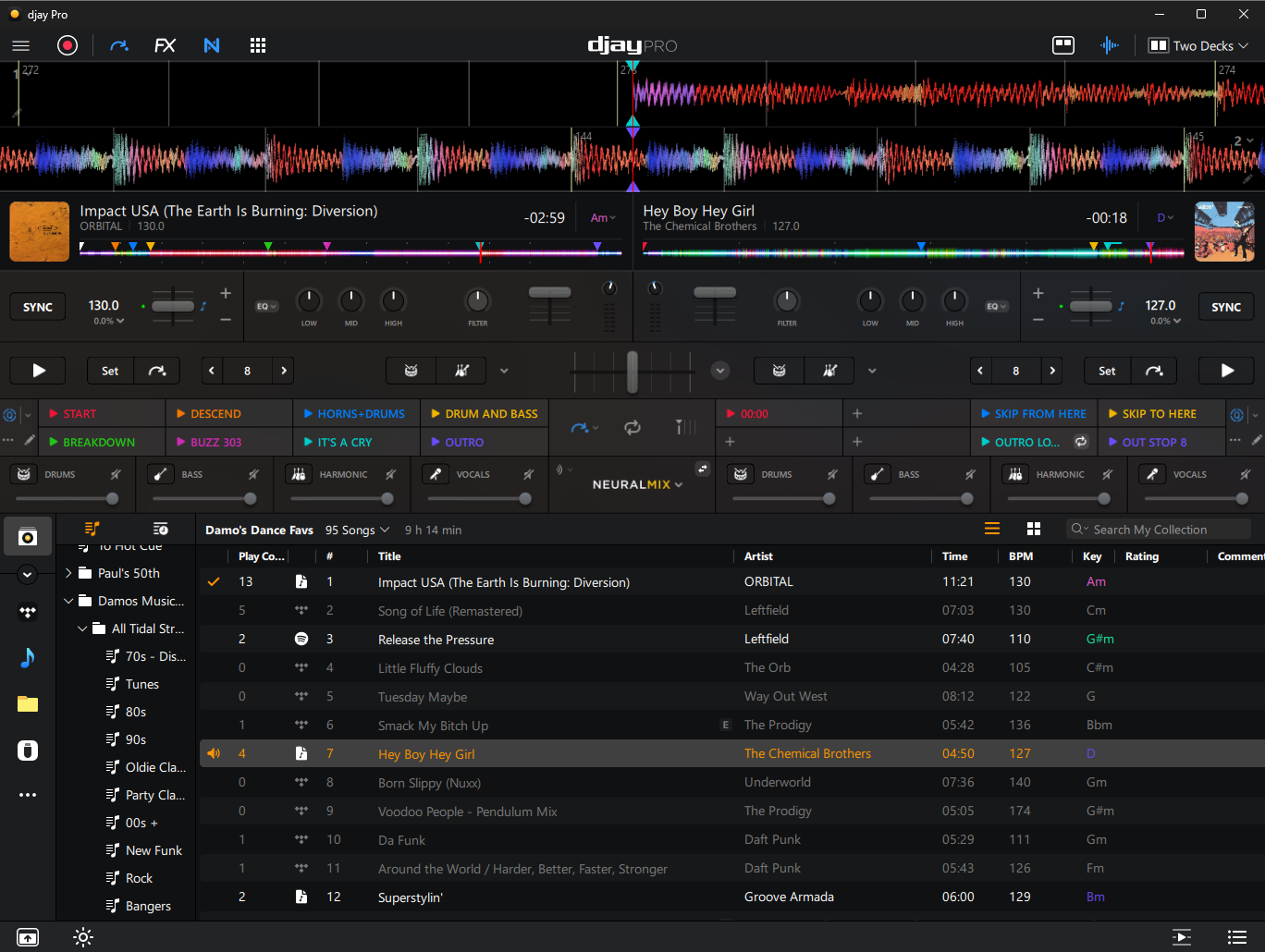
If I go full screen on my UWQHD monitor the jog wheels and waveforms take up the whole top half of the screen and look massive, reducing the library view considerably. The screen shot doesn’t do it justice how bad it looks.
I think once you get wider than 16:9 / 16:10 the jog wheels and waveforms should stop increasing in height and the jog wheels just move to the sides and the waveforms get longer (wider) in the middle
I’d like to add my support for this improvement. Scaling from windowed 4:3 to windowed 16:9 reduces the size of the library window. Screen real estate for the library is already at a premium, but my list goes from 12 tracks down to eight and a half, while at the same time making everything on the top half of the screen unnecessarily bigger. For example the hot cue boxes and text become larger, rather than fitting more letters in the box. (Stretch their width only?)
The two attached screenshots were taken on the same screen 4:3 (roughly) and 16:9. As you can see, the number of tracks in the library reduces by 33%.
As a result, when performing, I’ve ended up changing my laptops screen resolution to 4:3, just to lock the window/GUI to this preferred layout.
I like it even better! Bigger waveform, bigger sound! (joke)
Jokes aside, I support the idea of giving us more real estate for library (without reducing size of deck/waveform of course))
There was a post suggestion I voted for where the author had said: touching the hardware browse knob should automatically switch to library full view, and loading track to deck reverts the view back to normal. Meaning, we need more library tracks seen on our face, especially some of us who have visual issues and have to increase fons @Slak_Jaw push that too to the devs…
Thanks
I’d say we are both on the same page. We are both asking for waveforms, hot cues etc to get wider, but not taller as the screen width and resolution increases, so the extra space is devoted to the library.




 (joke)


