I’ve always used an Android tablet with djay and I have all my music sorted in folders on my PC which I can just copy onto the tablet and they show up in Albums in djay which is great.
I’m looking at moving to iPad instead to get better controller compatibility but want to know if it’s possible to do things the same way as I do on Android and just copy all my music folders onto the iPad and have them work?
Thanks for that. So I just copy the folders from my PC to a USB drive, connect the USB drive to the iPad with a hub and copy the folders over onto the iPad using the Files app. In the guide it says that you can’t search songs within My Files on djay though because of iOS restrictions, so how can I find a particular song quickly if I need to?
I personally find it easier to use Apple Music to organise it. I create playlists in the music app for each folder then drop that folder into the playlist so it populates all the tracks, then connect the ipad with USB and sync the files across using the standard Apple sync process.
Thanks for replying. I did think about doing it this way as its how I used to put music on my old iPod using iTunes. The trouble is I use Apple Music as my streaming service and have playlists on there, so I don’t want to mix my local music in with these. I want to keep it completely separate if possible.
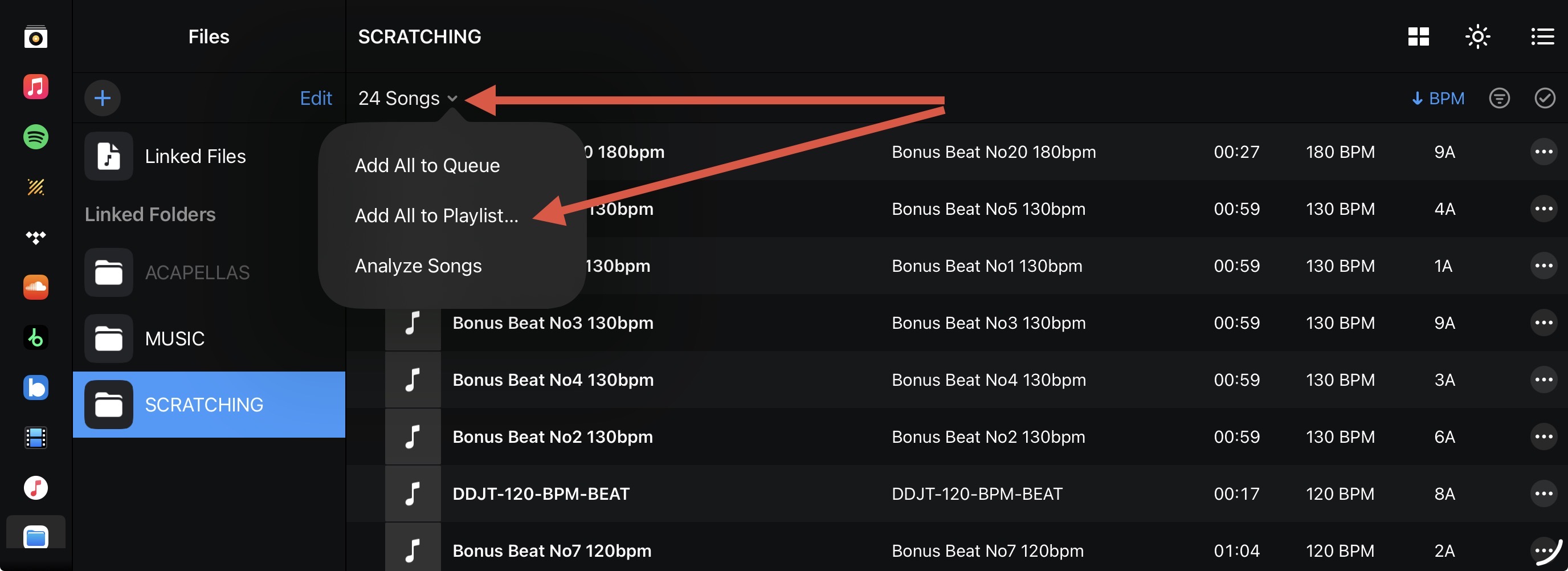
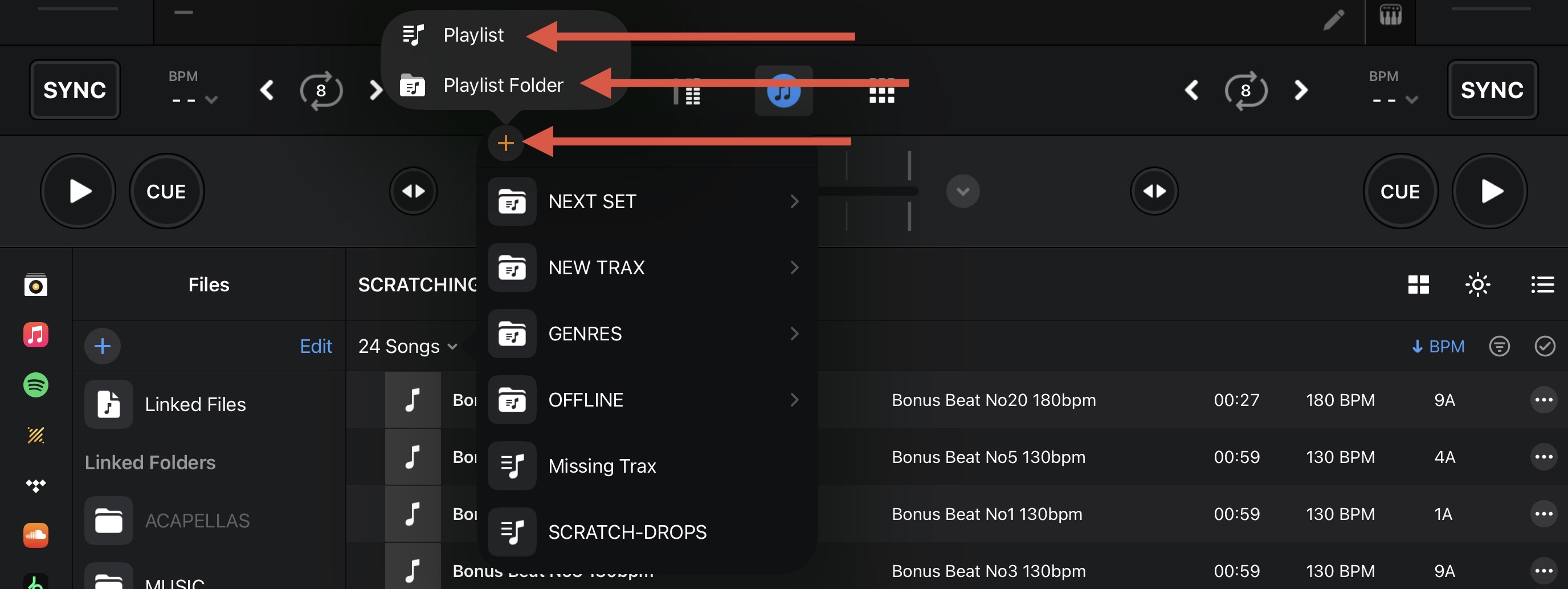
OK so I will have to add the folders from My Files to My Collection to get search working. Will they show as separate folders still in My Collection or will it just be big list of songs?
Yeah that’s an idea if I need to. I’d rather keep it simple and have them in a separate place in djay so I think I’ll have to go down the longwinded route of putting them on with a USB drive and see how that works out…..
“My Collection” allows you to create custom playlists and folders that automatically index tracks from various sources within djay, including streaming services, djay Music, locally stored files, and files from external devices/locations.
A byproduct of this approach is that it lets you work directly with your file sources, bypassing the need to use the Music app altogether. Since djay links to your files rather than importing them, it’s essential to ensure that your file paths remain consistent.
It is also important to note that if you add new tracks to a source folder (like an external drive), those files will appear in the Files source within djay. However, they won’t automatically show up in your custom playlists in “My Collection” as you’ll need to manually add them into the appropriate playlist to keep everything in sync.
Thanks for the detailed explanation of how it works, much appreciated.
It does all seem like its going to be long winded compared to my Android tablet that’s easy to do.
I see in your screenshot there is a iTunes source and a Apple Music source. Would I be able to put the music on using iTunes by creating a playlist for each folder without them also showing in Apple Music? The reason is that I use Apple Music as my streaming service and have playlists on there already and I don’t want the local music mixed in with the streaming music. I want to keep it completely separate if possible.
Hello! It’s been a week since my last reply. I’m going to consider this topic completed for now so I can focus on others. However, please feel free to respond and we can definitely revisit this. Thanks!