


No I don’t have, can I create it while entering windows 11 currently??
Typically a restore point needs to be created before installing software. It’s possible that Windows created an automatic restore point during the update or when installing other software. This is outside my scope of expertise though.
Mine as well not happy
Sorry about this @DjTjay. Our teams are working to fix this as soon as they can. Thanks!
Hello, very annoying, even more for paid subscribers
Hi algoriddim, it’s very important for subscribers that Djay remains reliable in all circumstances
Yes, precisely at this time of year is when I most need DJay to work properly. Please prioritize fixing this issue.
1 Like
Thanks for the additional feedback @JustineB and @Chirro_Peres. I will pass this onto the engineering team.
In the meantime, the workaround is to re-enable the Crossfader FX switch each time you start the transition. Alternatively, if you perform the transition by moving the onscreen crossfader instead of with the Transition button, CFX should remain on. I realized this is not ideal, but should hopefully help in the meantime. Thanks!
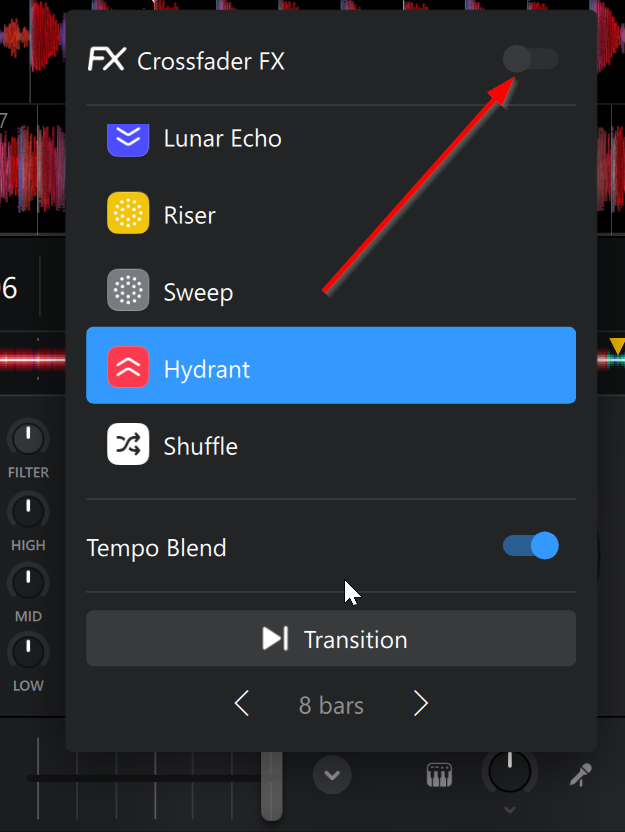
Hello, it does not work this way either sorry. Hoping for a quick fix from algoriddim
1 Like
Hi @JustineB, @Chirro_Peres, @Lukitoz and @DjTjay, this bug is specifically isolated to the opening and closing of the CFX pop-up menu. So, as long as you open it once to select your desired CFX type, slide the Crossfader FX switch to On and close the menu without reopening it, the CFX should work as expected. You can tell that CFX are ON when the vertical line on the Crossfader is Blue instead of Grey. Here are 4 potential workarounds:
- Perform the CFX transition by moving the onscreen Crossfader from one side to the other with your mouse.
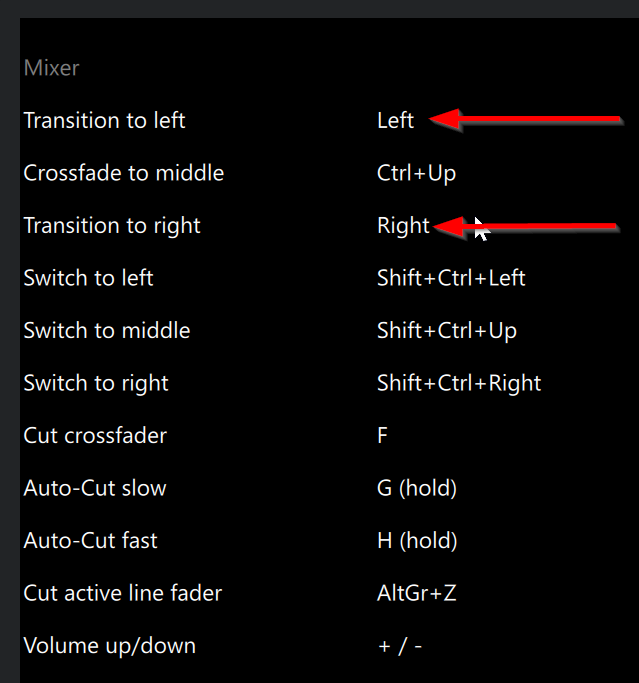
- Perform the CFX transition using the built-in keyboard shortcuts: Left and Right arrow keys.
- Perform the CFX transition using the physical Crossfader on your DJ Controller.
-
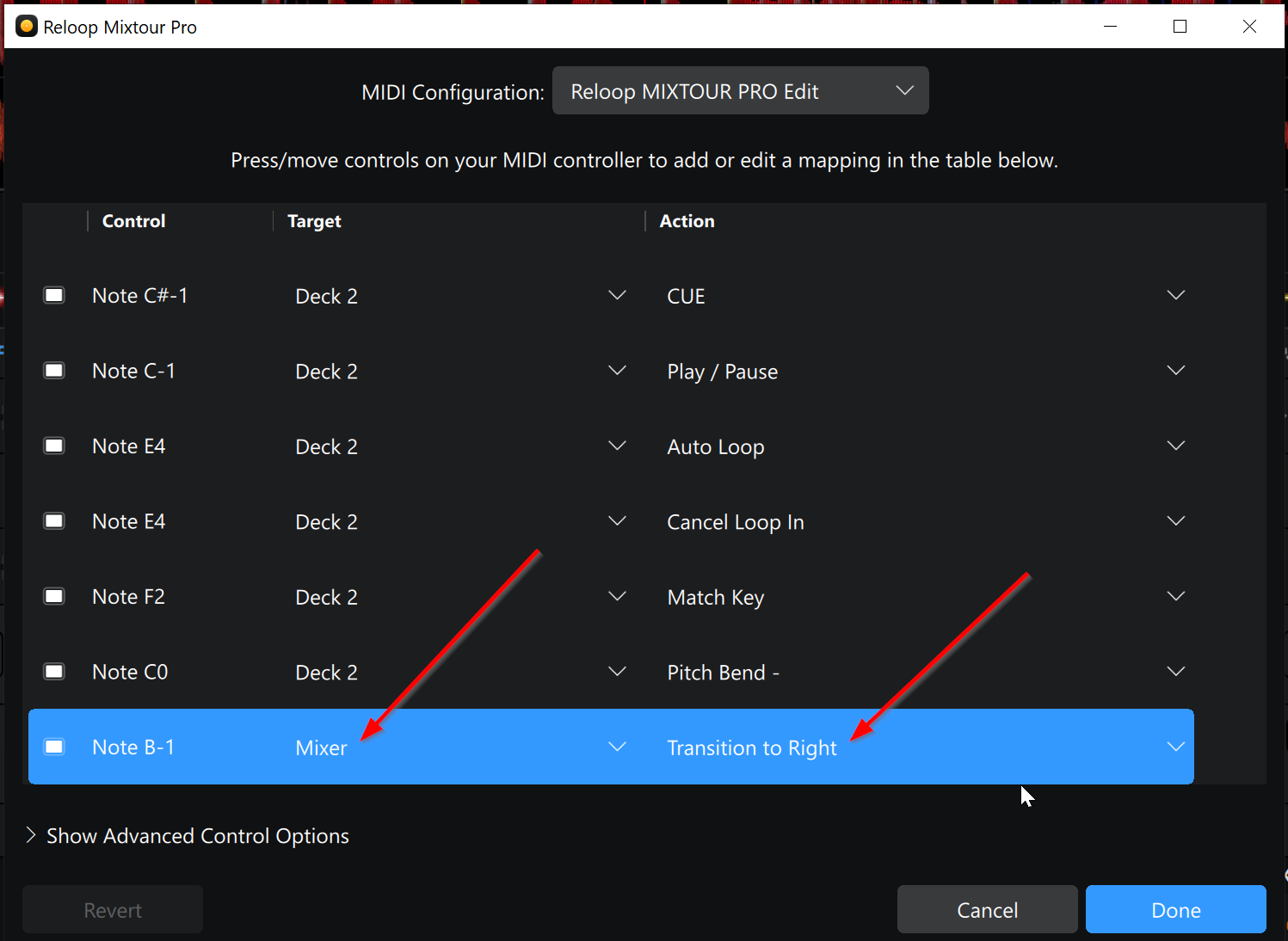
MIDI mapping buttons on your DJ controller to Target>Mixer and Action>Transition to Left/Right.
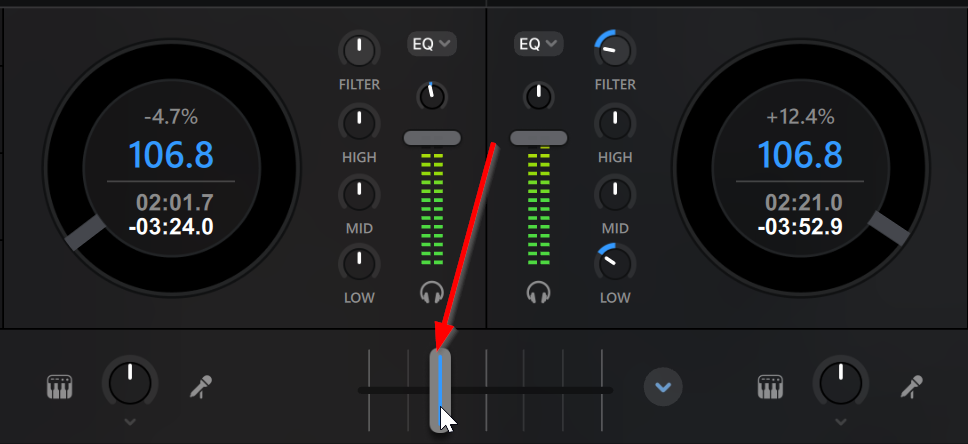
Here’s a demo video of this working by sliding the Crossfader with the mouse. Also, I have temporarily marked this post as the solution so it’s easier to locate in the thread. When the official fix is released I will notify you all here. I hope that helps!
1 Like
Hello algoriddim, after two weeks just a mapping with a mouse to fix it for the festive season.
Sorry about this.
Hello algoriddim, still waiting for the update to fix the Crossfader FX
Best whishes !
Update : it works as before without any settings, but do not open the cross fx window without selecting any fx cause it will disable it
Hi @JustineB, our teams are still working on addressing this issue. I will report back here when I have more news. In the meantime, please see above for some potential workaround solutions:
I hope that helps!


