


Can somebody help me with my Problem?
I would like to use my Denon DJ SC Live 4 with the meta quest DJay app. But I don’t know how. I don’t know what cable I have to use and where it have to plug in.
Please helm me. Thank you 
Hi @Linus_Dbrk, welcome to the Community!
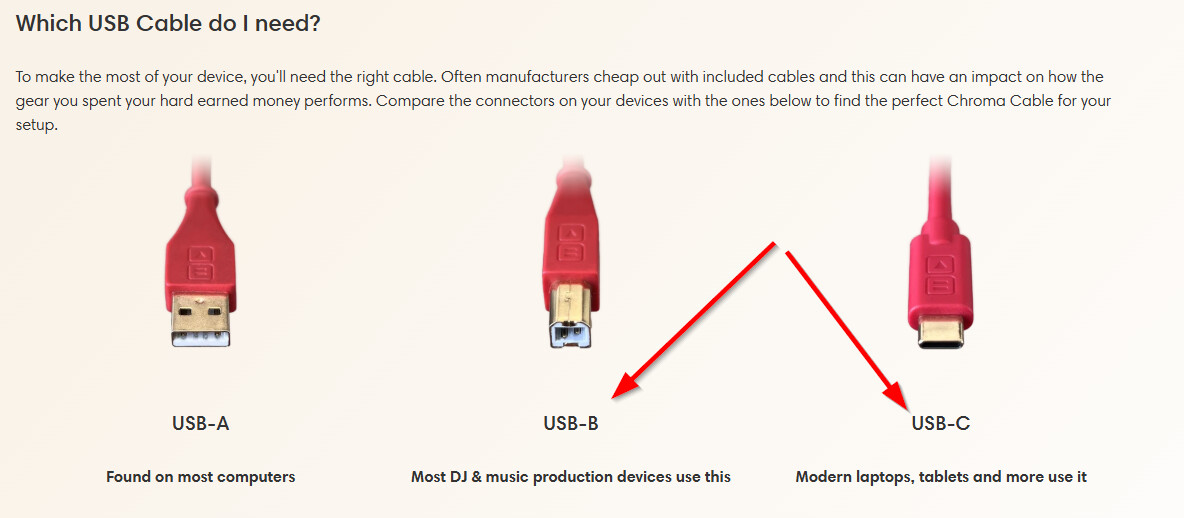
- You will need a USB-C to B cable to connect the SC Live 4 directly to the headset. I personally use the Chroma Cables made by DJ TechTools to connect my DJ controller to the Quest as these are specifically designed for DJ use.
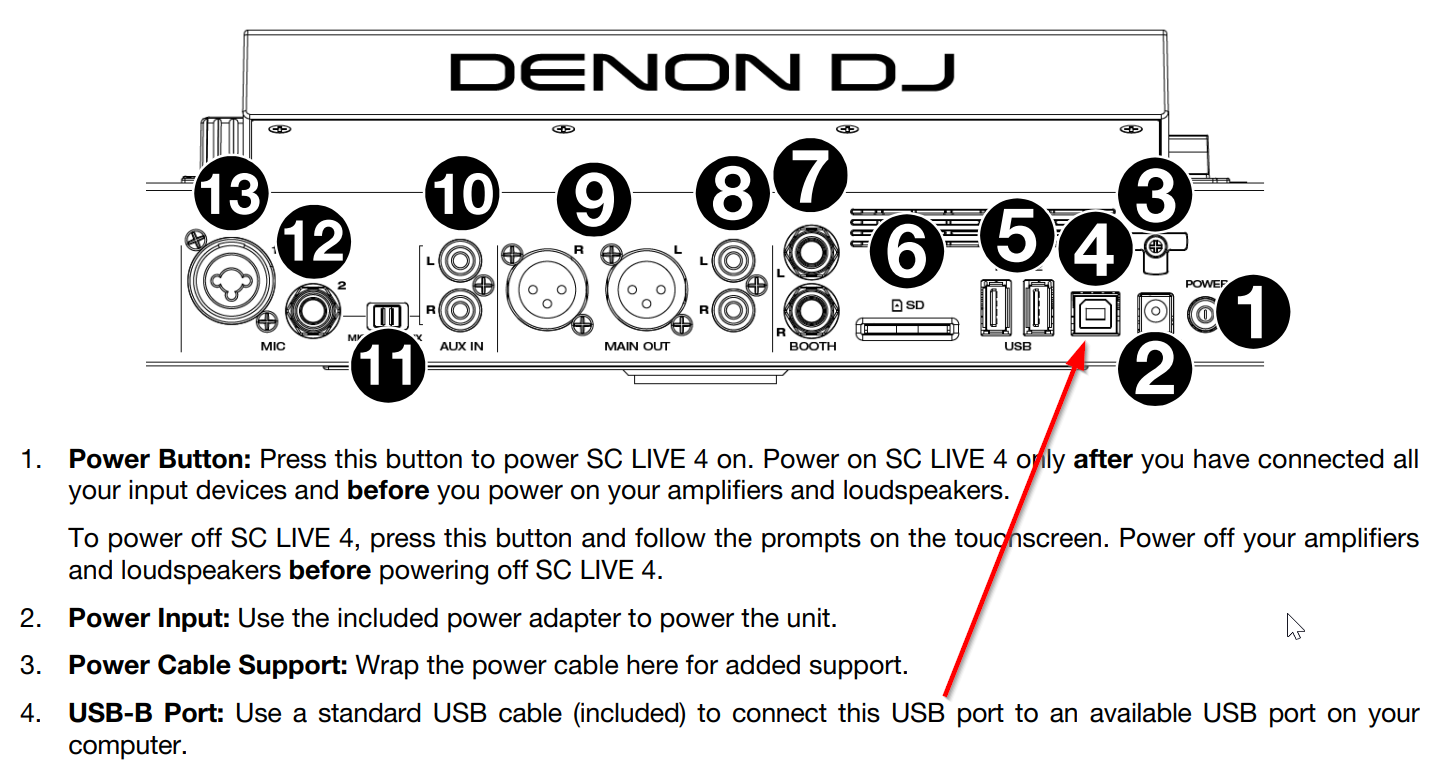
- You will connect to the USB-B port on the back of the SC Live 4.
- The other end of the cable will connect to the USB-C port on the left side of the Quest headset.
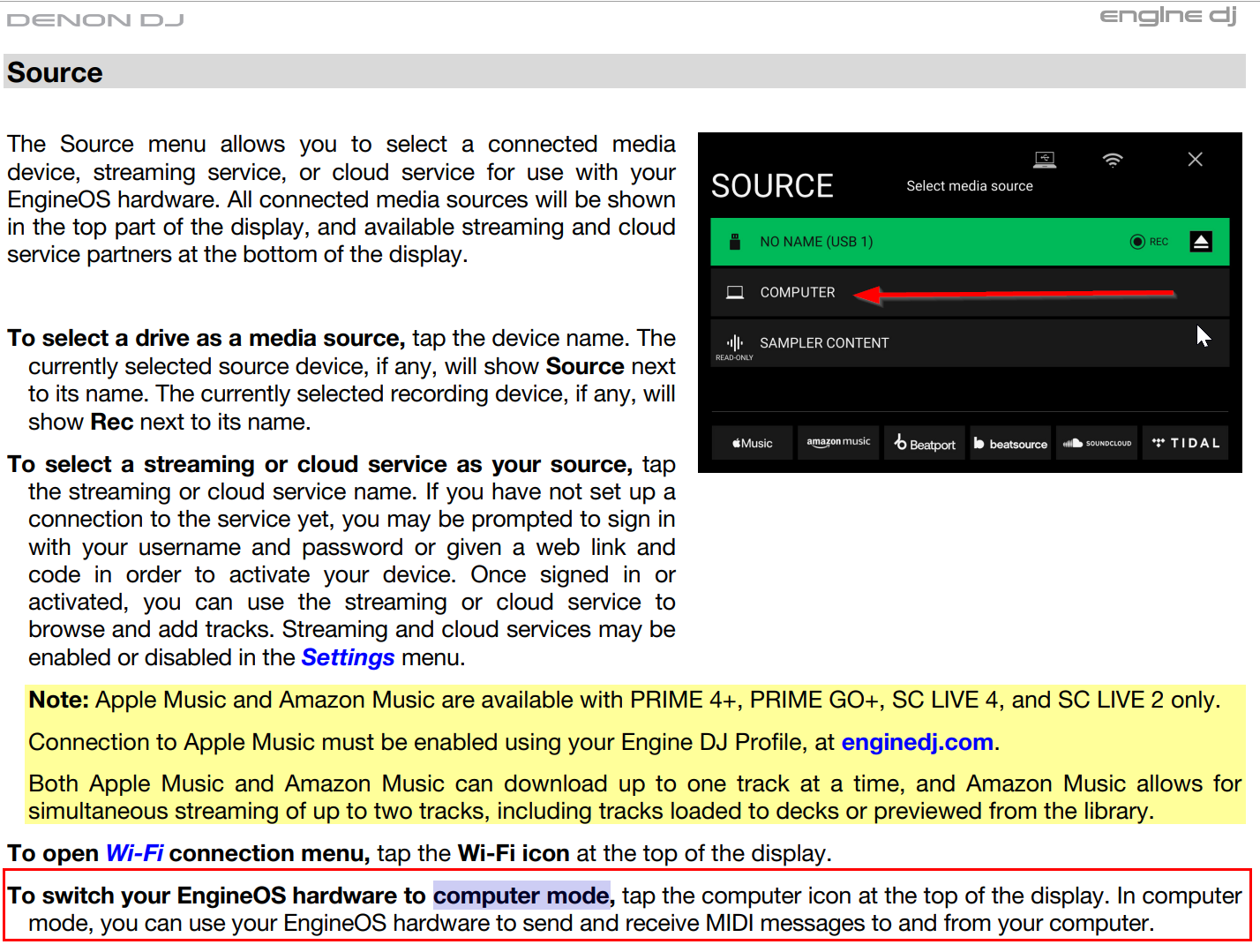
- Also, make sure that you put your SC Live 4 in Computer Mode to use with the Quest.
I hope that helps!
Hello! It’s been a week since my last reply. I’m going to consider this topic completed for now so I can focus on others. However, please feel free to respond and we can definitely revisit this. Thanks!


