Hi, I am doing scratching on my DDJ REV5.
One thing I want better control of is the ramp up time after a back pull of the jog wheel.
Let me explain:
When I hold the jog wheel and release it, it gets to 100% immediately.
When I pull the jog wheel back and let go, it takes a small fraction of a second to ramp up to full speed (like a turntable torque winding up). Is there a way to control this to 100%/zero ramp up?
Or on the other hand, contorl the inertia after spinning the jog wheel?
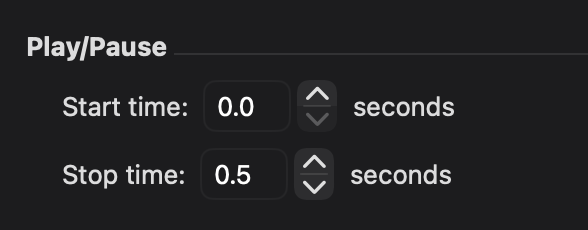
I am attaching my settings for the play/pause start and stop time.
Essentially I need a 0 seconds ramp up from pulling back the jog wheel.
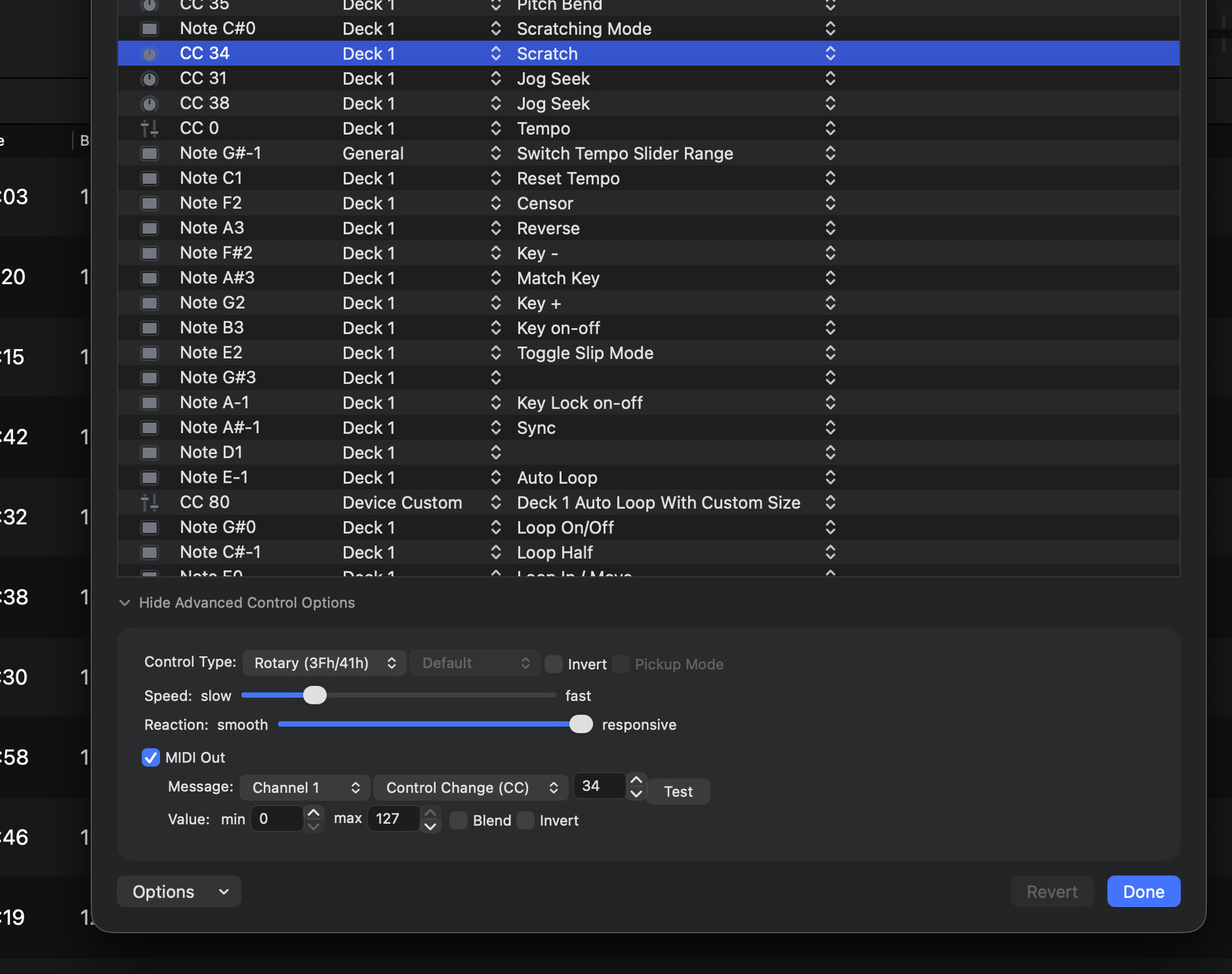
Thanks @Slak_Jaw - I am using the REV5 on a Mac M2. My Speed is set at 1.12% and Reaction is set at 150%.
Video won’t show much. I can upload if needed, but I think those configurations are impacting the jog wheel’s ramp up time. How should I set those?
I don’t think the Play/Pause Start Time and Stop Time are affecting your scratching, but you could try setting them both to zero.
I would restart the machine and turn sync off when scratching. I’ve noticed when trying to scratch with sync on creates a few problems. Also, make sure you have great slip mats, and not too heavy handed on the platter.
1 Like
Thanks for the suggestions @DJ_A_Diffrance
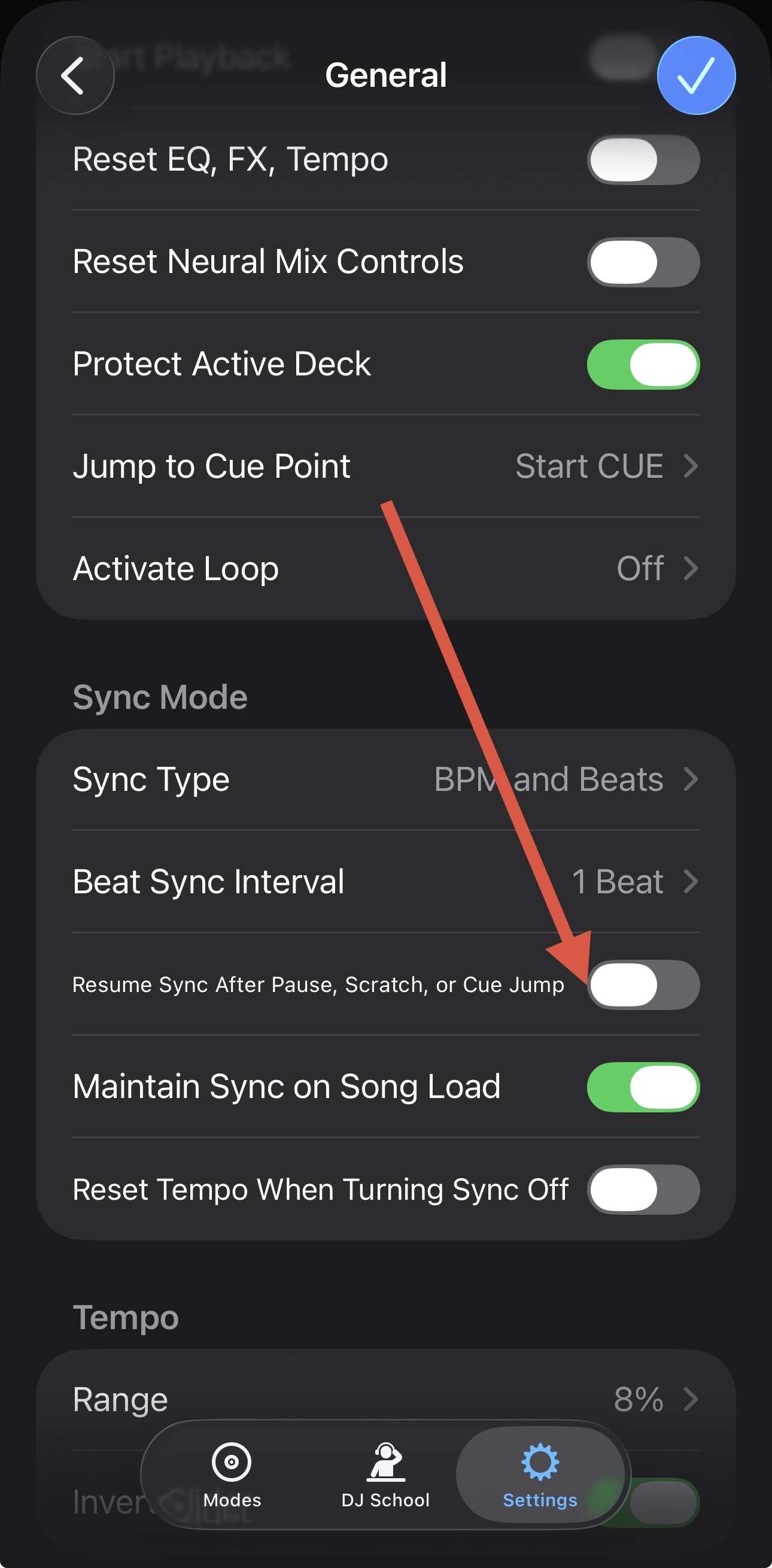
Also try disabling this setting
1 Like
I am using REV5 controller. No slipt mats. I don’t use heavy hand too.
1 Like
It is disabled. And anyway I am not using sync on either deck.
1 Like
This is very frustrating.
Here is a video of “ah-yeah” sample using DJay Pro.
DJay Pro
And here is a video of the same sample, on rekordbox. Same cutting technique, same skills, same “hand weight” on the jog wheels.
Rekordbox
You can hear a difference - day and night. It’s not that I got better over time in cutting this sample. The videos were taken 1 minute one after the other.
I don’t get it. DJ Angelo is using djay pro, shouldn’t work for scratching and fast cuts? What are his settings like?
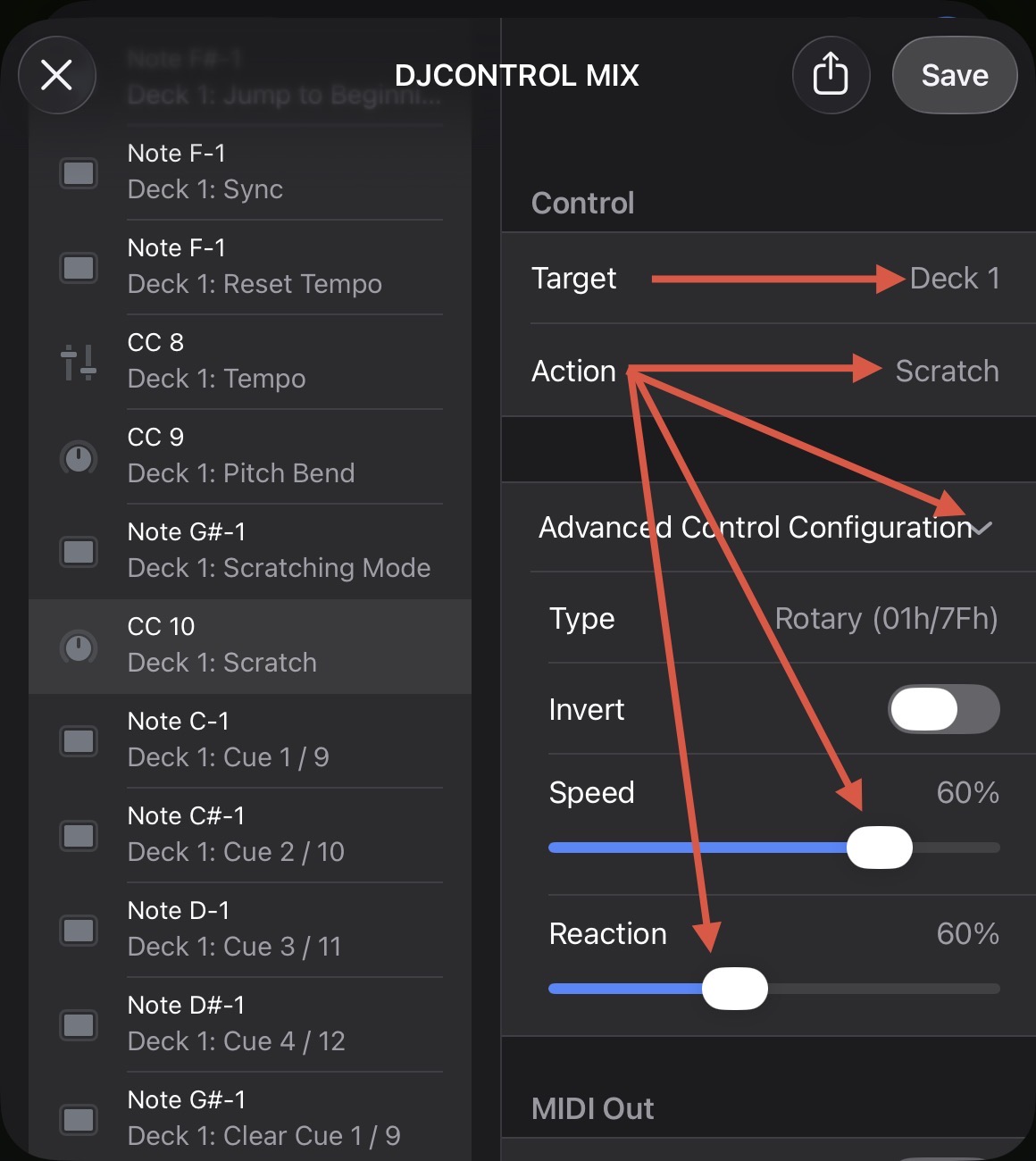
Sorry for the delayed reply. Thanks for taking the time to record both of those, @DJ_jazzcool. Please note that djay doesn’t have a dedicated jog inertia or ramp-up control. The Start time you shared only governs Play/Pause, not the jog wheel. The only two parameters that shape how the platter behaves are Speed and Reaction in the Advanced Control Options for your jog’s Scratch command, so that’s where I want to focus.
Before we go further, could you reset both of those to their defaults and run the same cut again? You can do this by ensuring that you are using the REV5 (built-in) MIDI mapping instead of a custom edit. Reaction in particular is the one that swings the feel between fluid and aggressive.
One thing worth ruling out on the hardware side: the REV5’s JOG FEEL knob changes how long the platter keeps coasting after you let go, and that’s entirely mechanical — djay never sees it. Just confirm it’s in the same position it was for the Rekordbox take.
Also, which djay version are you running? Thanks!
Hey @Slak_Jaw - This is really disappointing to hear we cannot fine tune the jog wheel behavior.
Answering your points raised:
- The settings of Speed and Reaction are reset. In fact I never changed them. The response is the same. What I noticed - speed acts as a multiplier to your hand movement on the jog wheel. High speed translates into lower fidelity - a tiny physical wheel spin translates into big movement on the waveform, while low speed is higher resolution/fidelity meaning your hand movement is resulting in less movement on the waveform. The response on the other hand is how quick the jog wheel movement is translated to an action in the software. I tried playing with that setting but it is either not effecting the ramp up speed or (in the lower setting) too slow to respond to my backspin, making it kind of dampened.
- Yeah, the mechanical jog feel setting is the same of course for both software. I don’t change that. In fact on later tries I even added more resistance to eliminate the jog wheel backspin momentum. But as you mentioned that’s a mechanical set up that won’t influence the software response.
- Mac OS, v. 5.6.3
Really a shame. I’d really like to know DJ Angelo’s settings for scratching.
1 Like
Hi again @DJ_jazzcool, thanks for testing it properly instead of just telling me it didn’t work. Defaults ruled out, mechanical coast ruled out — that’s exactly what I needed. Also, thanks for your description of the Speed and Reaction adjustments
Two things left before I write this up:
- Try turning Key Lock off on that deck — the musical note icon next to the tempo slider — and run the same cut. It’s on by default and it carries a latency cost on scrub-type moves, so it’s worth eliminating.
- Please update to djay 5.6.8. You’re on 5.6.3 from March.
I hope that helps, and I appreciate you sticking with this.
Can you please also confirm your macOS version number and REV5 firmware number? Thanks!
I have updated the software to the latest version.
Key lock does not make a difference.
Mac OS Version 26.5.2 (25F84)
REV5 firmware 1.02
Thanks for the additional info and testing @DJ_jazzcool. I’ll put together a report for our engineering team. In the meantime, can you please try the following settings to see if they help?
-
In the MIDI mapping Advance Control Configuration for the Scratch command, set Reaction to 120% (from 150%).
-
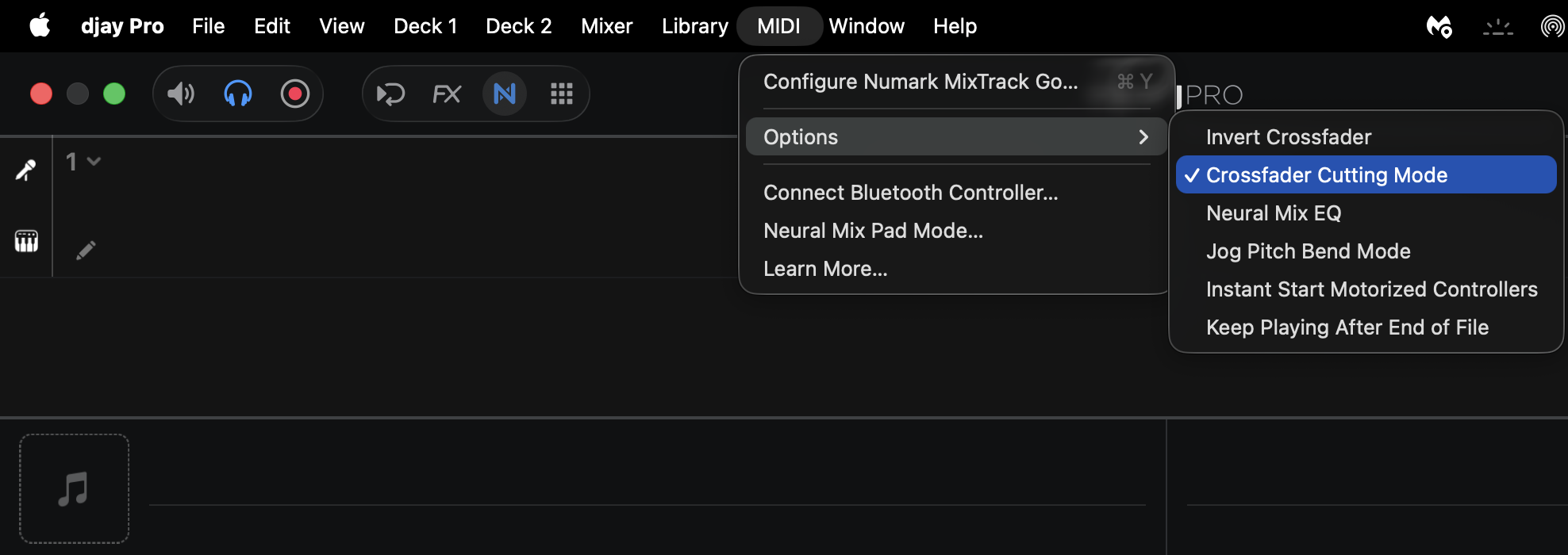
Enable Crossfader Cutting Mode. With you REV5 connected to you Mac, navigate to MIDI → Options → Crossfader Cutting Mode
I appreciate your support and help on this.
Reaction at 120% does not seem to make a difference. There is a small delay in kicking back the sound. Cutting was always enabled beforehand. Also REV5 has hardware crossfader curve which I always set to sharp.
This is something that can only be addressed with software fix.
You’re welcome @DJ_jazzcool. Thanks for the follow up. Sorry to hear those settings didn’t help.