I just downloaded and installed djay 5.6.1 on macOS.
I noticed that after every new install or update, the crossfader setting is reset to the default value “Dipped”
(Settings > Sound > Crossfader Curve).
My preferred setting is “Cut”, and I have to manually change this again after each install. It seems this preference is not being preserved between versions.
It would be great if user-defined crossfader settings could be retained in future updates.
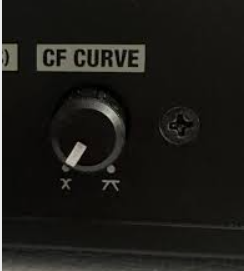
Yes. Stil using Mixon 8 and it’s set exactly like in the picture you shared, but in practice I don’t use that hardware control.
I actually have the crossfader disabled in djay, since I don’t use it at all. I just want the crossfader curve to stay on “Cut” as a safeguard, in case the crossfader gets accidentally activated again.
Every time I make new iupdate, I go thru all my preferences in djay settings to make sure they’re how I like.
By experience, Every update changes a few of them, randomly
I think you are right @Armigo, because I now remember also that I had to change the Key/Color setting to this setting as well (for me the default setting)..
In my case, no matter where the crossfader curve is set at in djay, as soon as i connect my Hercules T7, the curve changes automatically to the desired setting in the Hercules. Flipping the Hercules x-fader button to any of the 3 positions changes x-fader behavior (and the setting) accordingly. Normal expected behavior, no suprises