Hello all, I am using a Hercules T7 with Djay Pro running on Win11. I noticed that when I set my crossfader curve to Cut, it cannot move fully to the right and the left side track cannot be muted.
I noticed that the metal panel covering the faders was ever so slightly misaligned with the faders themselves that they prevented the crossfader from going all the way to the right. Maybe like 99% of the way, but still enough to make the software think that the fader is in the middle. On the screen it is clear that the software crossfader is just a few pixels away from going all the way right.
I know this is a manufacturer flaw and I’m going to attempt the file the panel gap to widen it a bit. But is there some kind of cutoff setting in Djay pro? Some battle mixers like the DJM909 allow you to adjust how many mm of travel is allowed before the crossfader makes a cut; I was wondering if such a feature exists in Djay Pro. If not, I think it would be a great feature to add. Thanks all
No such setting…but…i can assure you that T7 crossfader is dying. Get it out and send for repair (I have had to do mine within 7days of unboxing. And it was the T7 Premium fader by the way - those things are pretty weak despite having double rails (techie had to open fader up and re-adjust the rail - i think he even had to re-solder the rails backwards too).
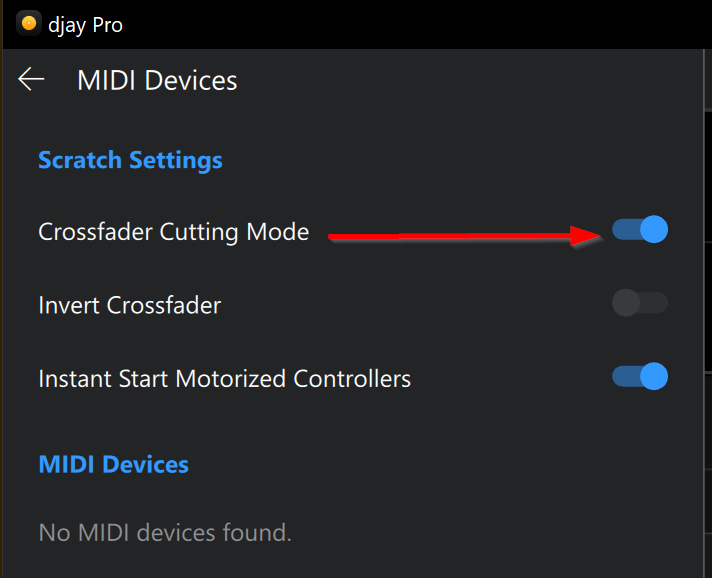
Hi @zai, welcome to the Community! There is no such setting in djay, however, you could try using Crossfader Cutting Mode in the djay Settings>MIDI Devices. This basically turns the crossfader into and On/Off switch.