NOTE: Please use the search function above before posting to avoid creating duplicate topics.
iPad Pro M4
iOS 18.5
Djay vers 5.3.3.
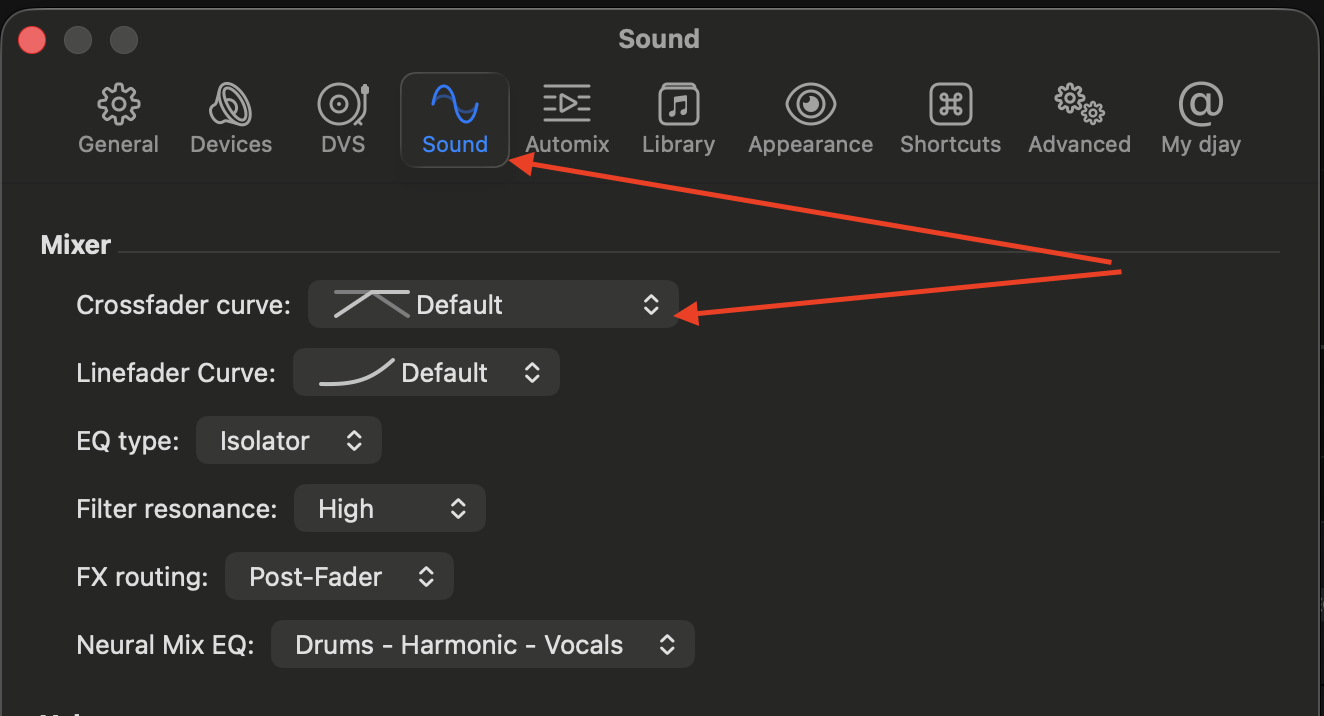
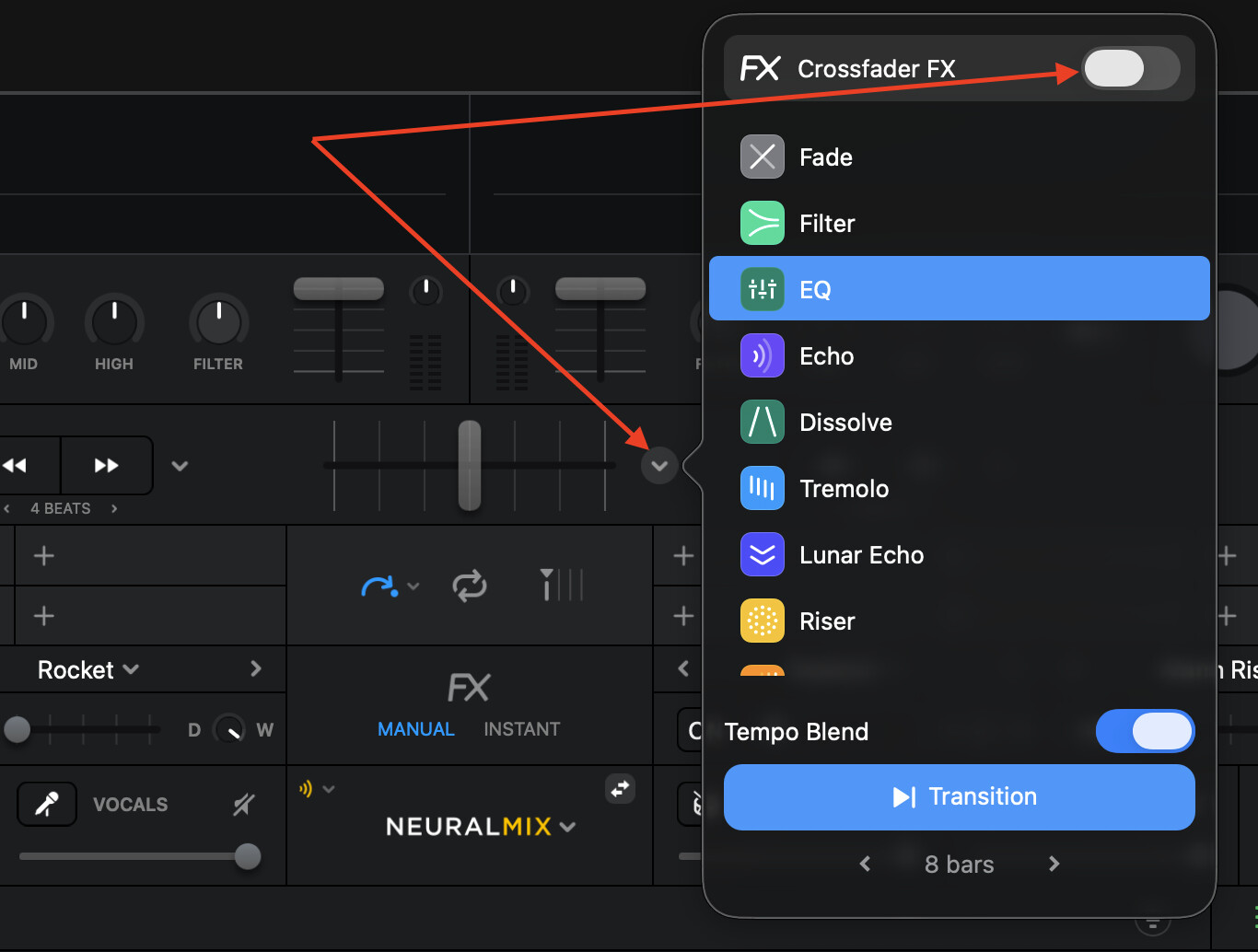
I use an adapter from USB C to mini jack for split output use. I connect the split output cable to this adapter so that I can pre-listen to the next song. I set all the crossfader settings correctly. If I now want to crossfade two songs slowly into each other and move the crossfader slowly from deck one to deck two, for example, the second song is not faded in. Only at the very end of the crossfader section does the output jump abruptly to song two, and song one is switched off completely. How can I solve this problem?
I am sorry, but the mistake was on my side. I mixed up the two jacks of the split output cable (never thought that this could cause trouble). After switching them, now everything works like it should. Thanks for your patience.
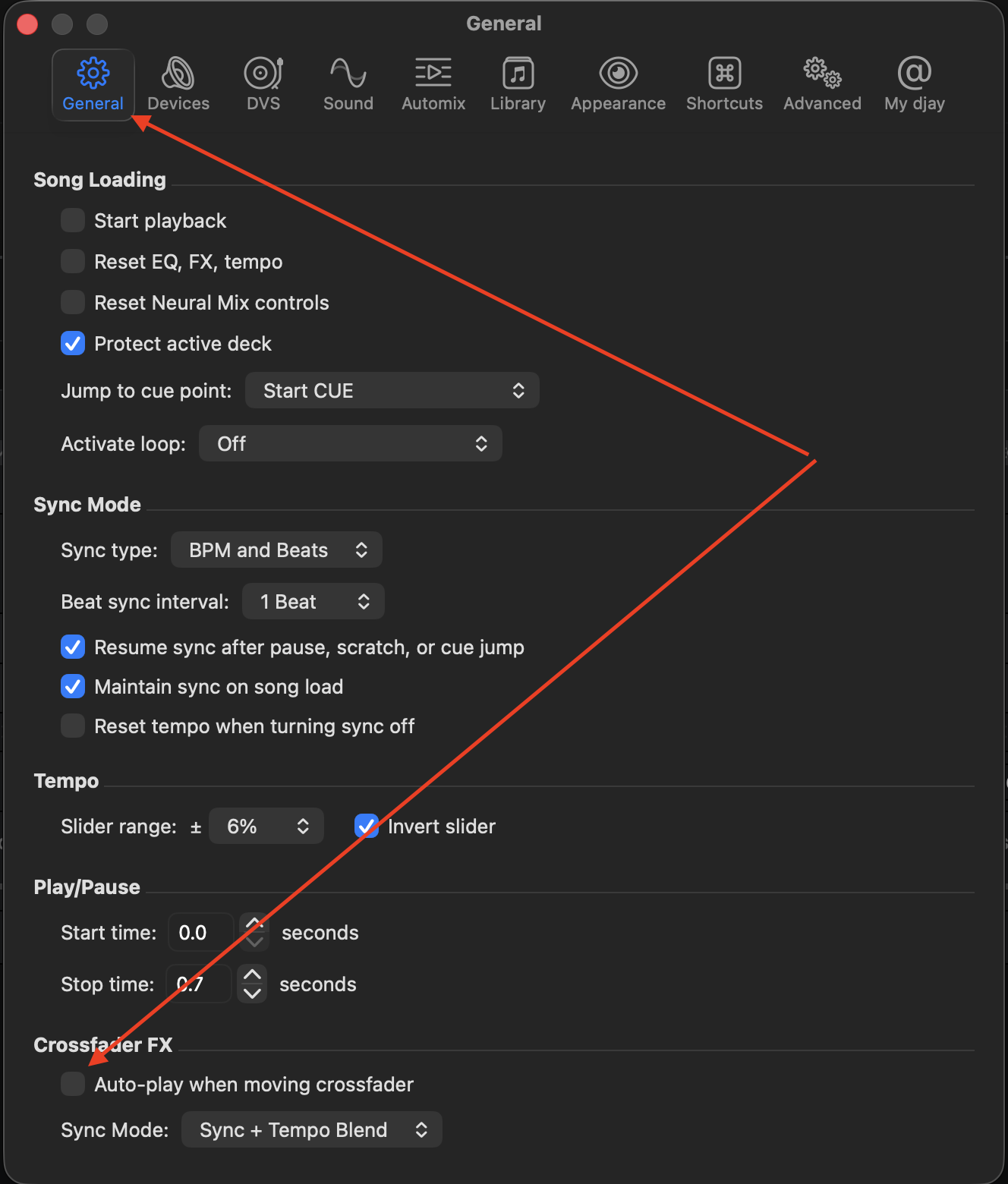
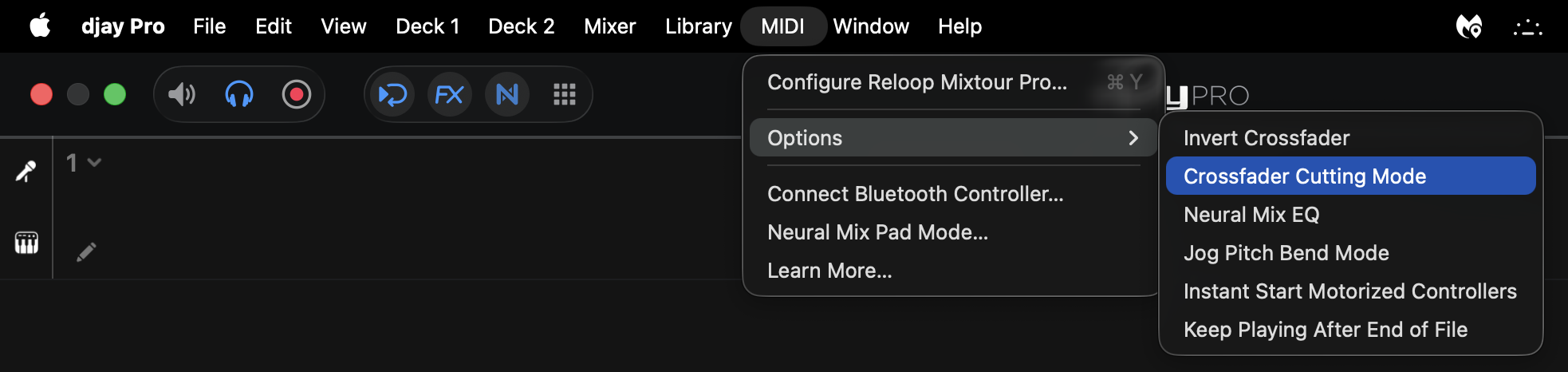
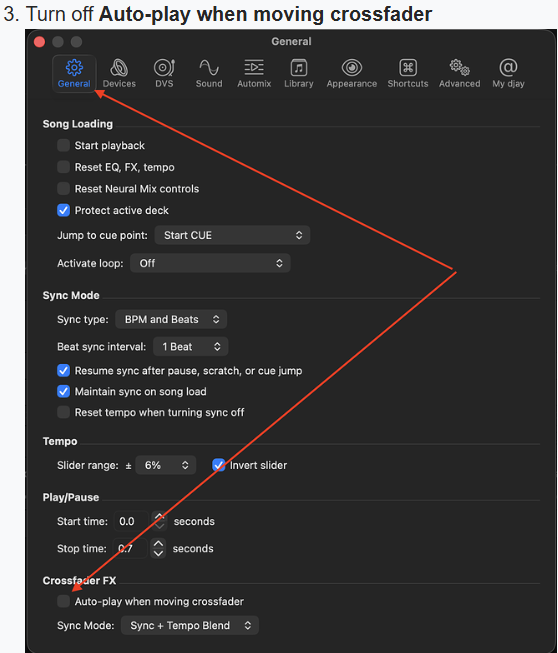
im having the exact same issue. I am using MacOS (latest version) with Denon SC LIVE 4. I tried all the settings and every time I move the cross fader it goes to the next track and cuts the current track imediatelly. The only thing I can’t find on the software setting is SCRATCH SETTINGS… I have clicked on the task bar, I have clicked on settings, and I dont see it. Any advice?
Hi @Slak_Jaw , thank you for the detailed pictures. Very helpful however I did check and all the parameters are the same. This happens with both my FLX10 and SC live 4. Here’s a video.
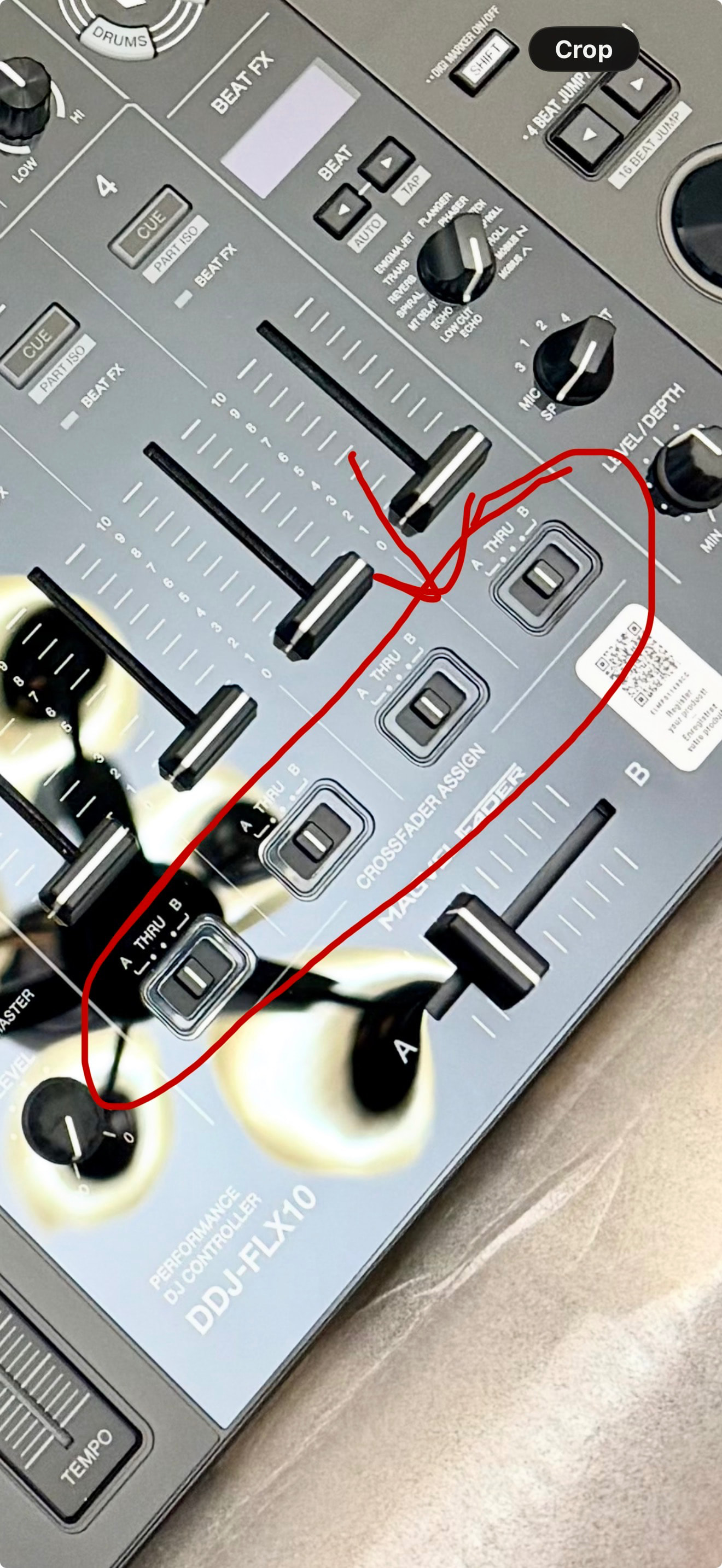
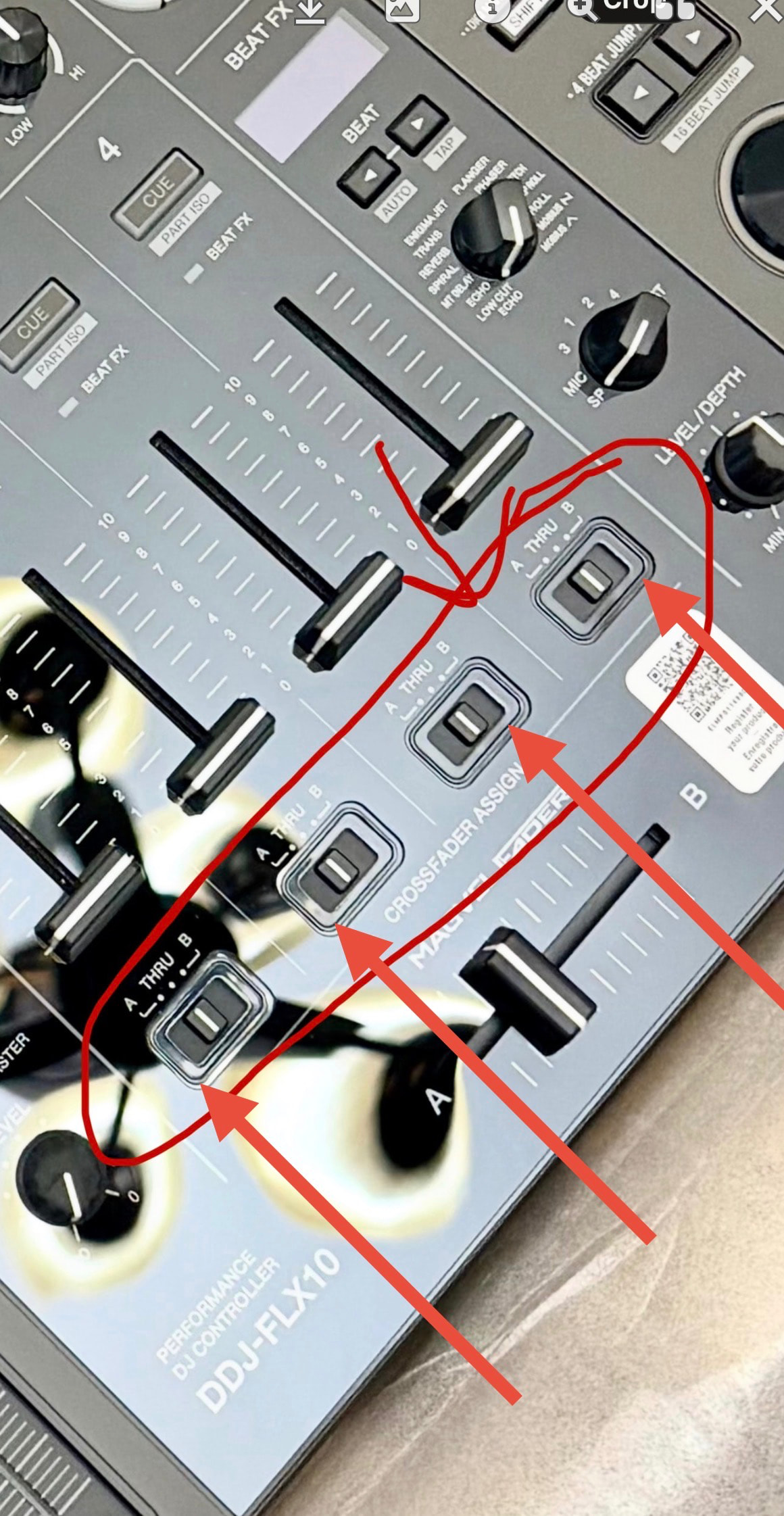
@Slak_Jaw@megamema im sorry I’m new to DJing, do you guys mean what is my settings on the physical hardware like the A-B etc.??? If so everything is in the middle neither a or b (on both devices)…
Exactly! Set Channel 2 and 4 to B. Set Channel 1 and 3 to A. In other words, set the switches to the left side for the 2 channels on the left. Set the switches to the right side for the two channels on the right.
So I switched the assignment to a a and b b for the channels and the cross fader still changes the mixes on automix. I’ll just have to get use to it and make sure not accidentally move it during live mixing