Hardware/controllers used: DDJ-200 via USB
Internal mixer selected:
Pre-cueing- Split output
Headphone splitter cable:
TRS stereo to dual TS mono
One output to headphones.
Other output to twin active M-Audio speakers via 3.5 mm red/white mono cables
Ok, so basically I just switched to a mac OS, and pre-cuing does not work. I have selected pre-cuing and although it says on screen that it is selected, all it has done has mess up the decks and the crossfader. I am using a split output between speakers and headphones. How can this be solved?
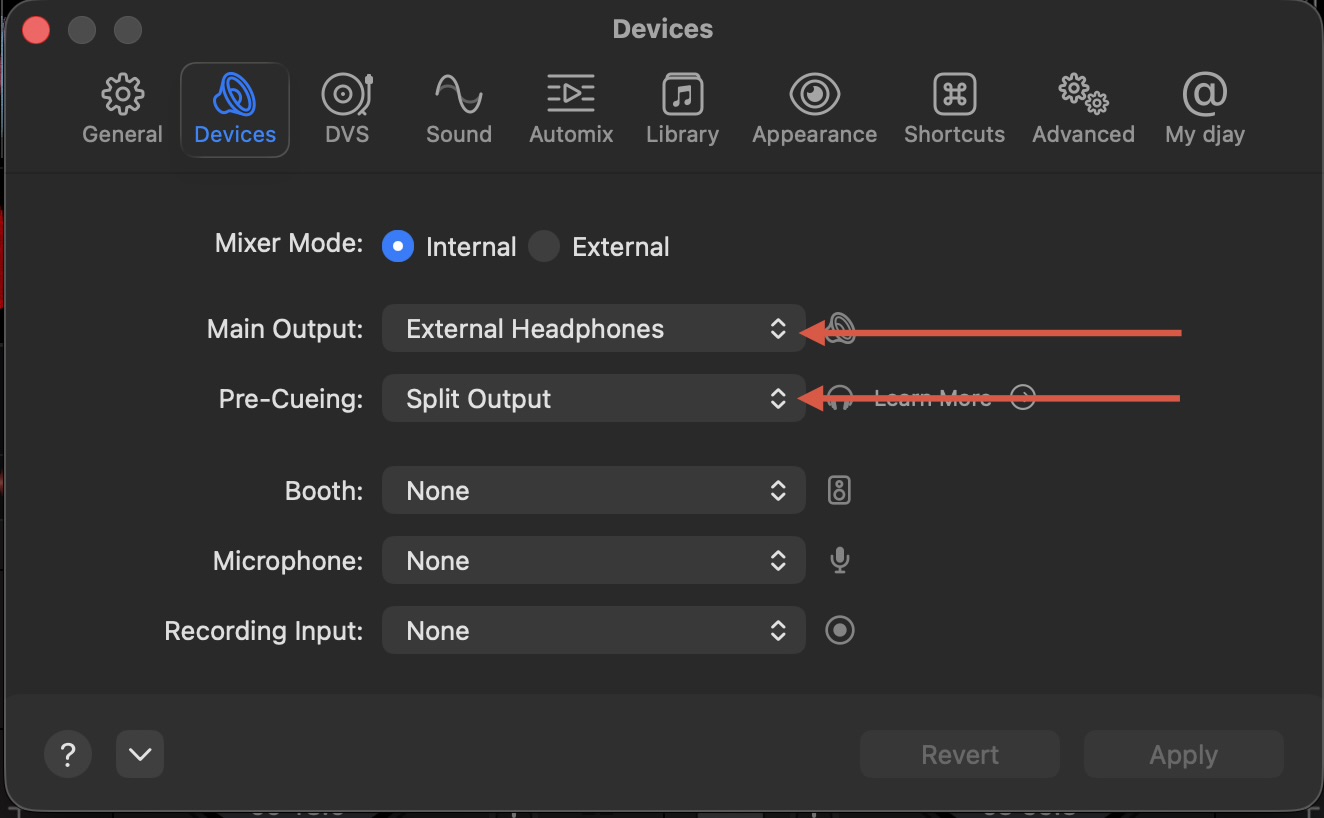
Hi again @alexrider, if you are using a mono splitter cable connected to the headphone socket on your Mac and your headphones connected to one side of the splitter and your speaker connected to the other side of the splitter, please make sure your djay Settings>Audio Devices look like this:
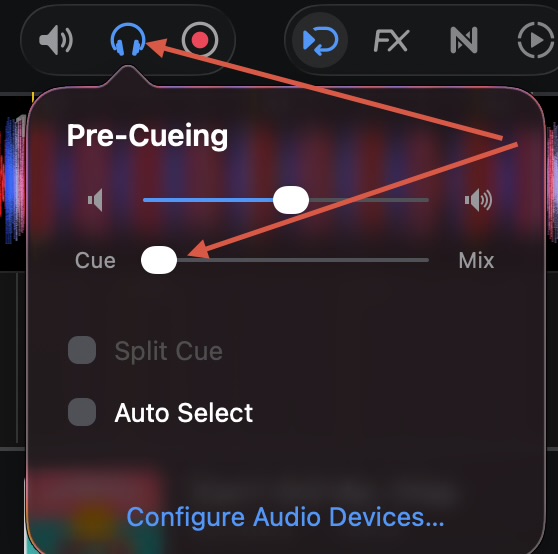
Also, at the top left of the main djay screen, select the Headphone icon, and make sure the Pre-Cueing volume is turned Up and the Cue/Mix Slider is set all the way to Cue.
Thanks for the video @alexrider. Seems like it could be an issue with the splitter cable. Have you tried swapping the headphone and speaker connections around? Does the splitter cable work properly with djay on an iOS device?
Yes- it works fine with my chromebook and also my iPad. Swapping the connections around does not work either. Don’y worry if you can’t find a soloution- it’s not a big issue at all.
Strange. It’s working as expected on my setup. I can’t think of anything else to suggest. I’m going to pass this onto the rest of our team to see if they can reproduce it.
EDIT: it’s a long shot, but are your headphones or speakers also Bluetooth compatible? If so, please make sure they aren’t connecting wirelessly to your Mac as well.
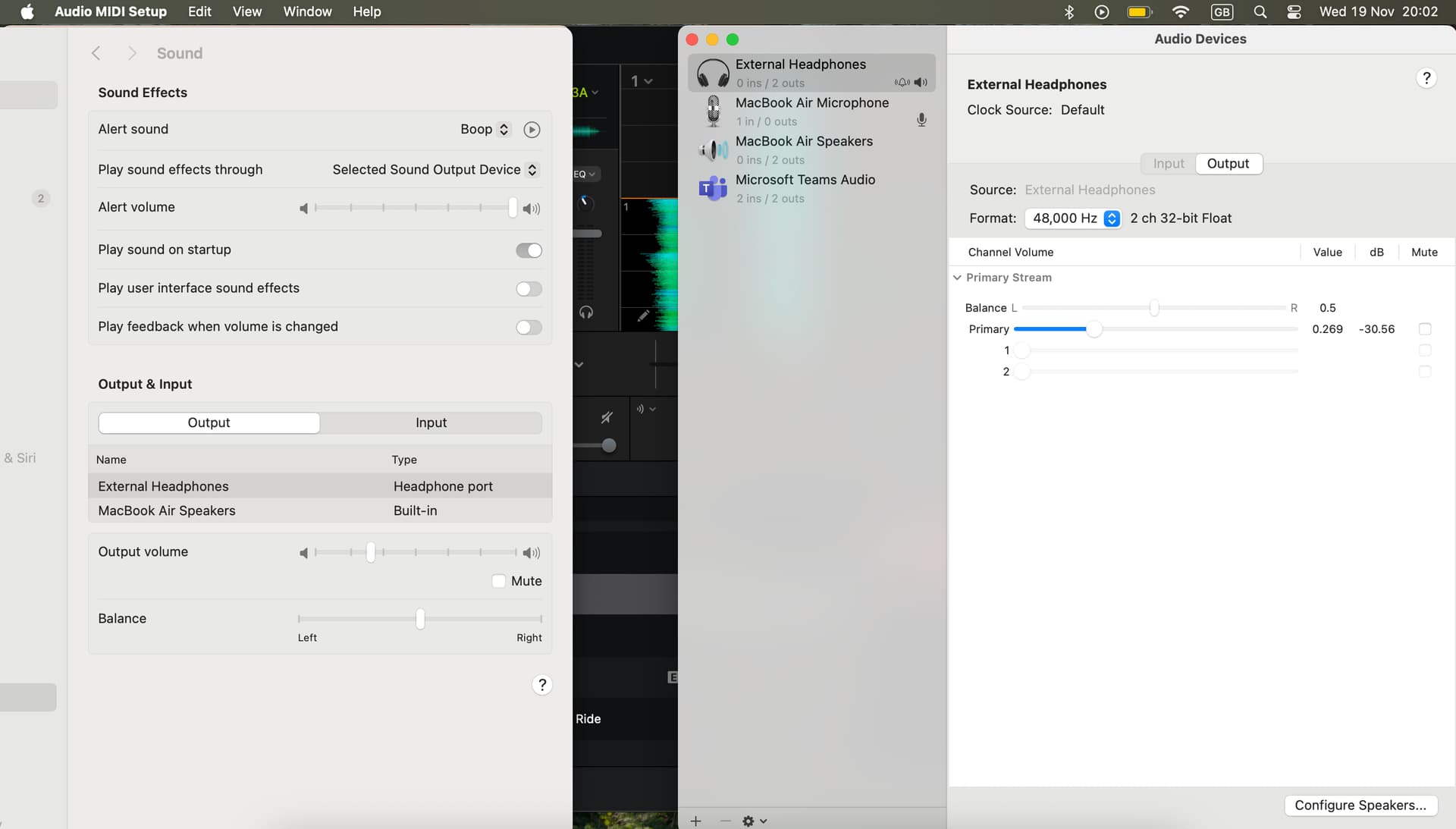
Hi again @alexrider, no one on our team has been able to reproduce this yet. With everything connected to your Mac and with djay running, can you please also check audio settings in macOS and share a screenshot?
Thanks for the screenshots @alexrider. Those setting look correct. Can you please try disconnecting the DDJ-200 from your Mac and retesting only with the Splitter Cable? You can use the on screen Headphone Cue buttons.
Very strange. Not sure what else to suggest other than getting a new splitter cable. It could be an issue with the headphone socket on your Mac as well though. You could also consider taking it to an Apple Store and have them check it.