


Can do! Excited to try out the new update when it releases. I really appreciate all the work you all do with this software 
1 Like
You’re welcome @shmimel
Trying out the new update, and there are definitely some weird things going on…
After syncing from Lexicon, Djay appears to be reverting back to the older cue points. In the first song selected in the video, you can see the cue point jump to its original, beatshifted position after a couple of seconds. In the second song selected, you can see the cue points completely revert to an older scheme!
I think this is related to iCloud sync, since I turned it off on my iPad and this problem stopped happening.
1 Like
While cue points now show up perfectly on my Mac after importing, there are still some hiccups when going from Mac to iOS. After copying the djay media library file, there are still beat shift and color issues. You can see below that there is variance between the song in my Mac library vs the iOS library.
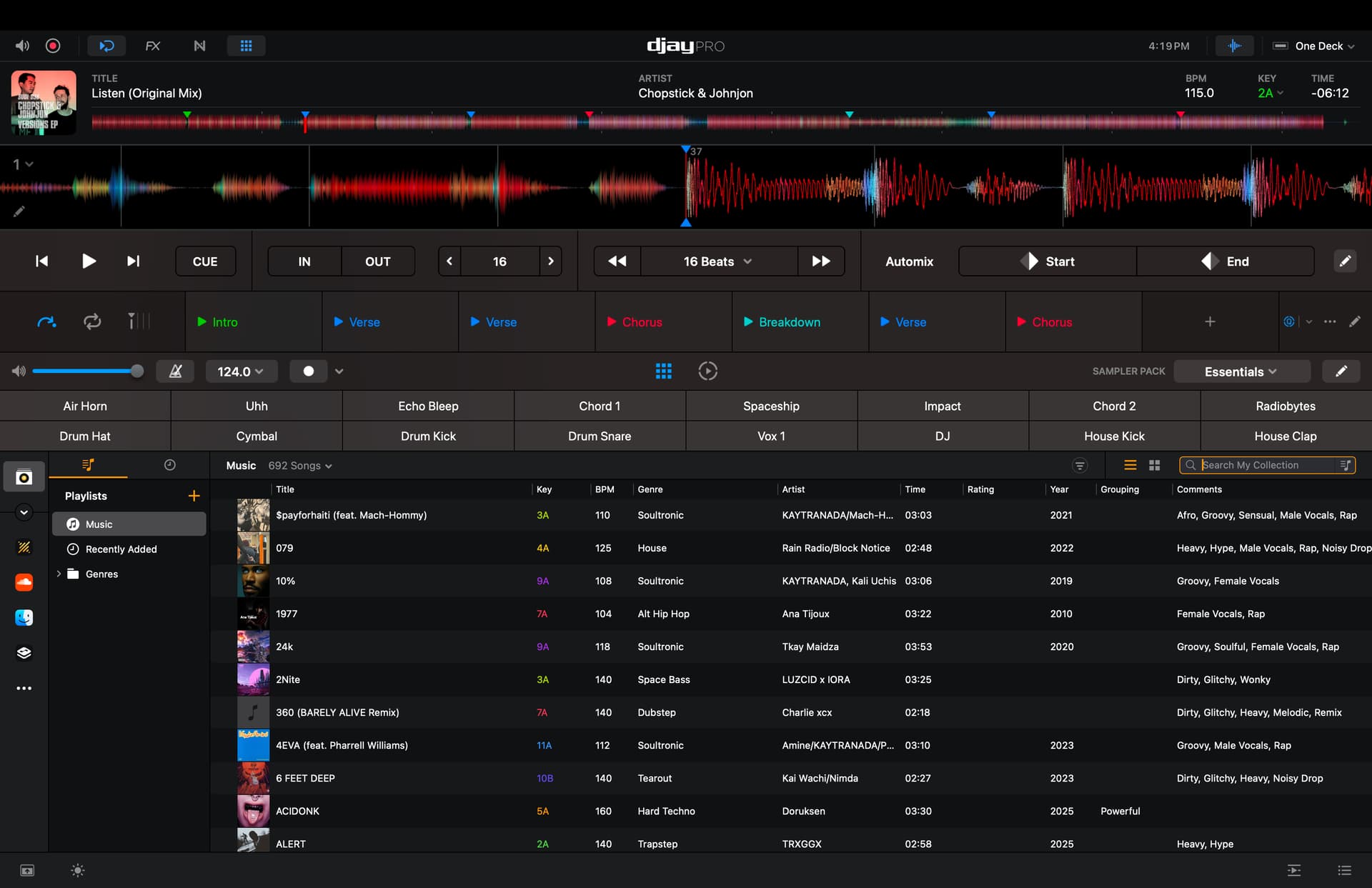
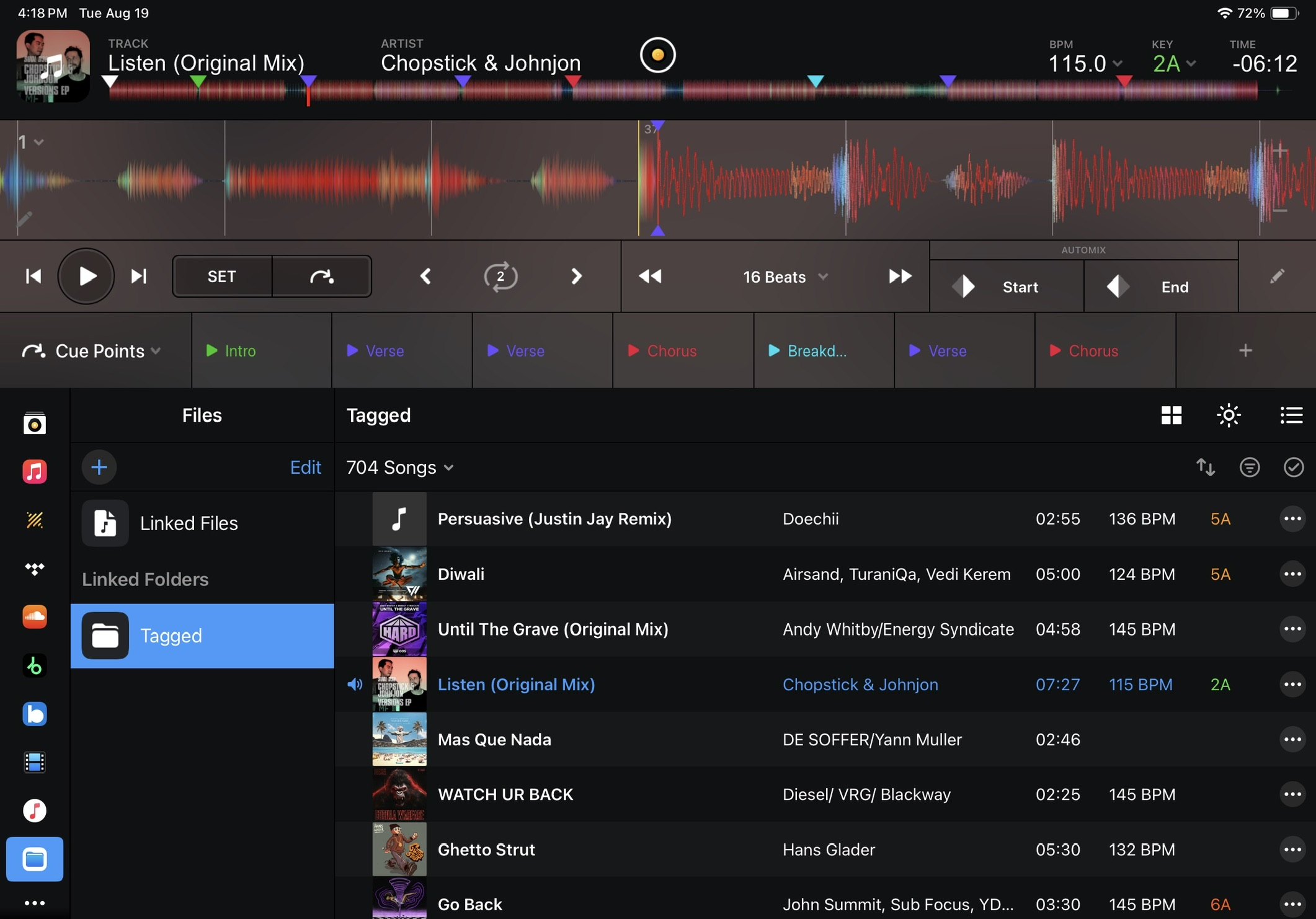
There is a clear beat shift after transferring to iOS, as well as a color shift from blue to purple! The latter is less important, just an interesting finding.
Thanks for the additional info, video and screenshots @shmimel. These are very helpful! I have shared these with the team.
Hi again @shmimel, can you please confirm if it’s the exact same audio files and which file format on the iPad and Mac you are using? Also, are you maybe using different encodings or bit rates?
Both files are the same, unless somehow the encoding gets switched around when the files get transferred via iCloud (upload mp3 file from Mac to iCloud, iCloud download to iPad, import in downloaded file in Djay).
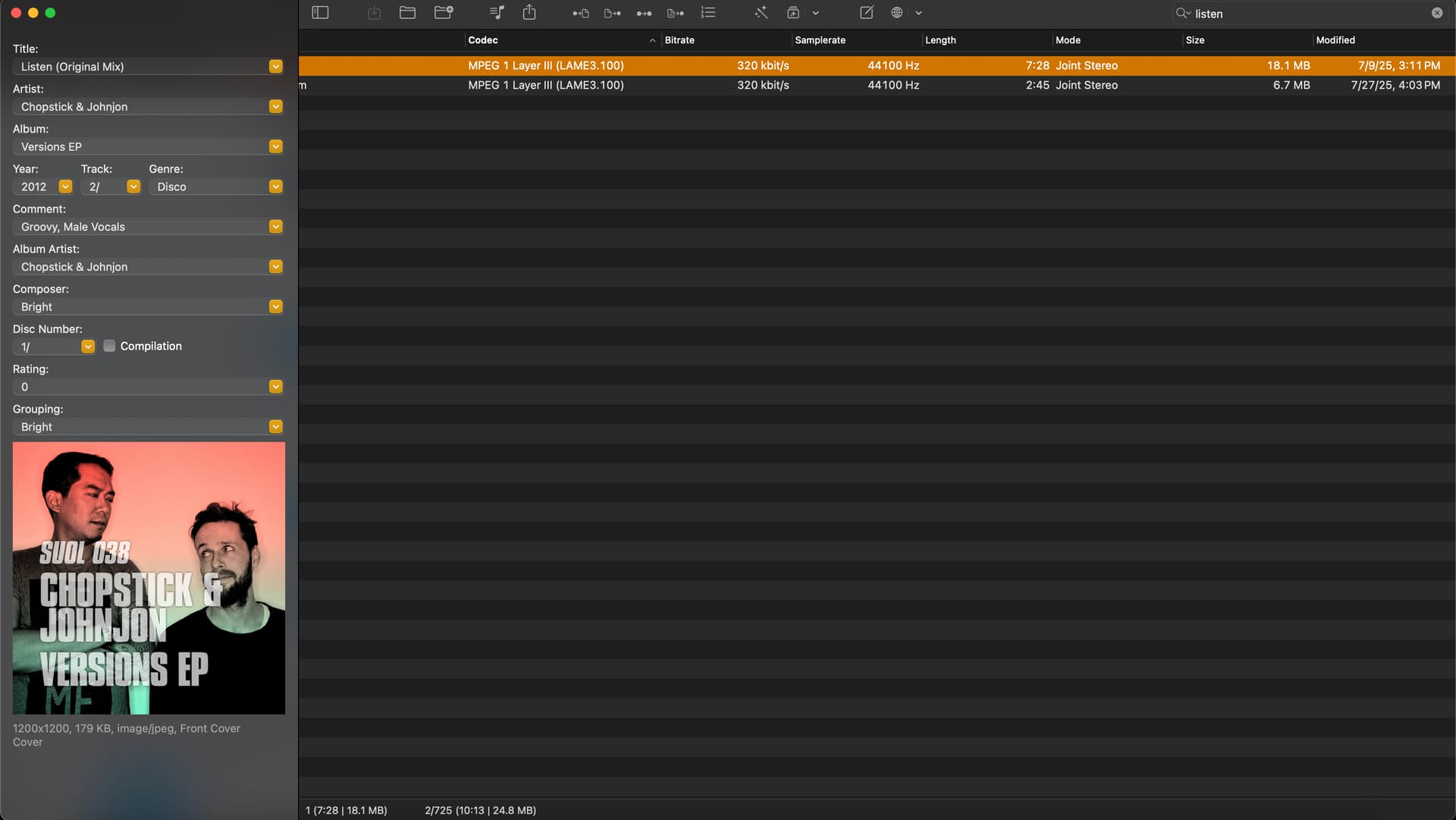
The mp3 files are encoded with the LAME3.100 codec, and are 320 kbps.
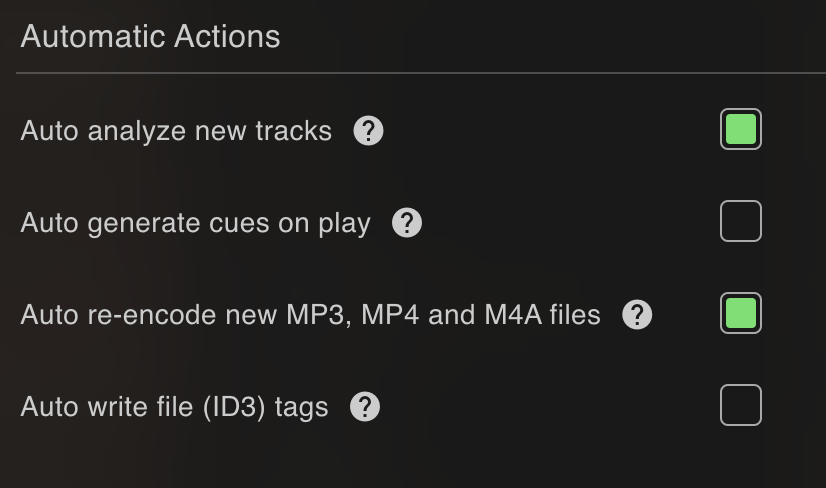
In the settings for Lexicon, there is an option to turn on “re-encoding of files”, which I have selected. When I perform a sync from Lexicon to Djay (Mac), the cue points transfer flawlessly, with no beat shift. When I import via Rekordbox XML, the beat shift is present.
This is very unusual since both import methods point to the same file.
Maybe give Christiaan from Lexicon a call? I know he is active on this forum and would probably have some insight into mp3 encoding (I know little to nothing about why beat shift occurs).
1 Like
Thanks for the additional info @shmimel
1 Like
Any updates or progress on this?
Hi @shmimel, I don’t have any updates to share at the moment, but I will check in with the engineering team on Monday.
Hi again @shmimel, can you please send one of these MP3s? There is some encoder offset applied sometimes when loading cues from Rekordbox and using MP3 files. Thanks!
Of course! Attached to this message is both “Listen” and “10%”. Let me know if you need anything else, like my djay Media Library file.
1 Like
Thanks for the MP3s @shmimel
Hi again @shmimel, sorry for the delayed reply. Here’s the response from engineering.
We tried:
- In rekordbox set cues on those two mp3.
- Export rekordbox to XML
- Access the XML in djay RB external apps source.
- The cues had no beat shift and were in the expected location in djay.
Using djay, if the user runs the “Reload Cues and Loops” context menu option from the RB app source, does the offset change?
The offset is now no longer occuring when I move the songs from the “RB Collection” folder to the “My Collection” folder. However, there are still a few songs that are “stuck” on older cue point schemes. (see the post on Aug 12th). I haven’t tested out the transfer from Mac to iPad in a while, but I would assume that the same thing would happen, since the bug still persists on my Mac.
I can test it out tonight and report back!
1 Like
Thanks for the additional info @shmimel. Looking forward to your follow up test results.
Let me first start off with some massive praise for OneLibrary! It solves so many issues and makes me so happy to see that library organization is getting as standardized.
I tried out the USB transfer, and while the issue with older cue points not updating is gone, I was greeted with a new issue of song cue points getting mixed up.
For example, here are the songs “10%” and “Pressure” in my library:
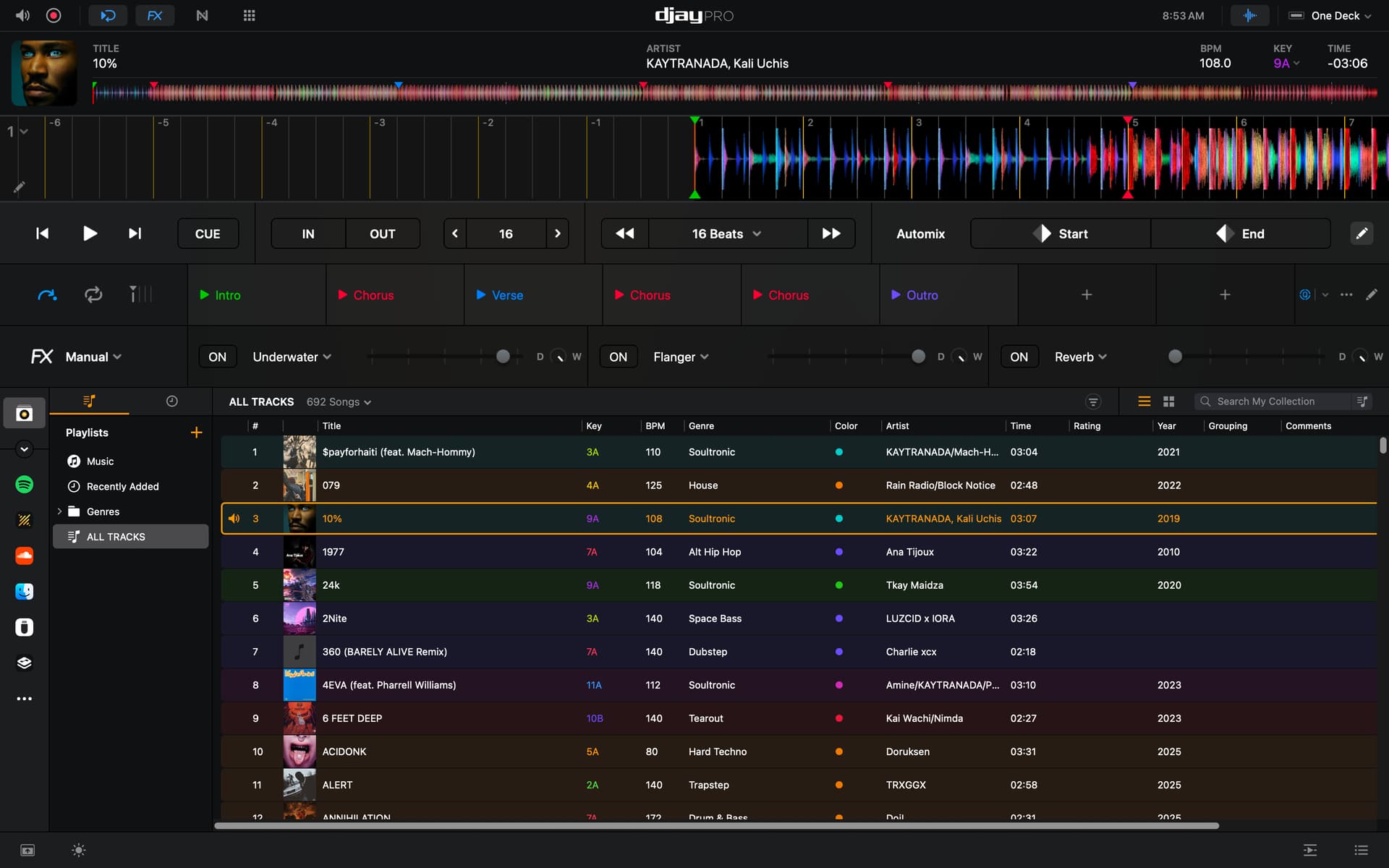
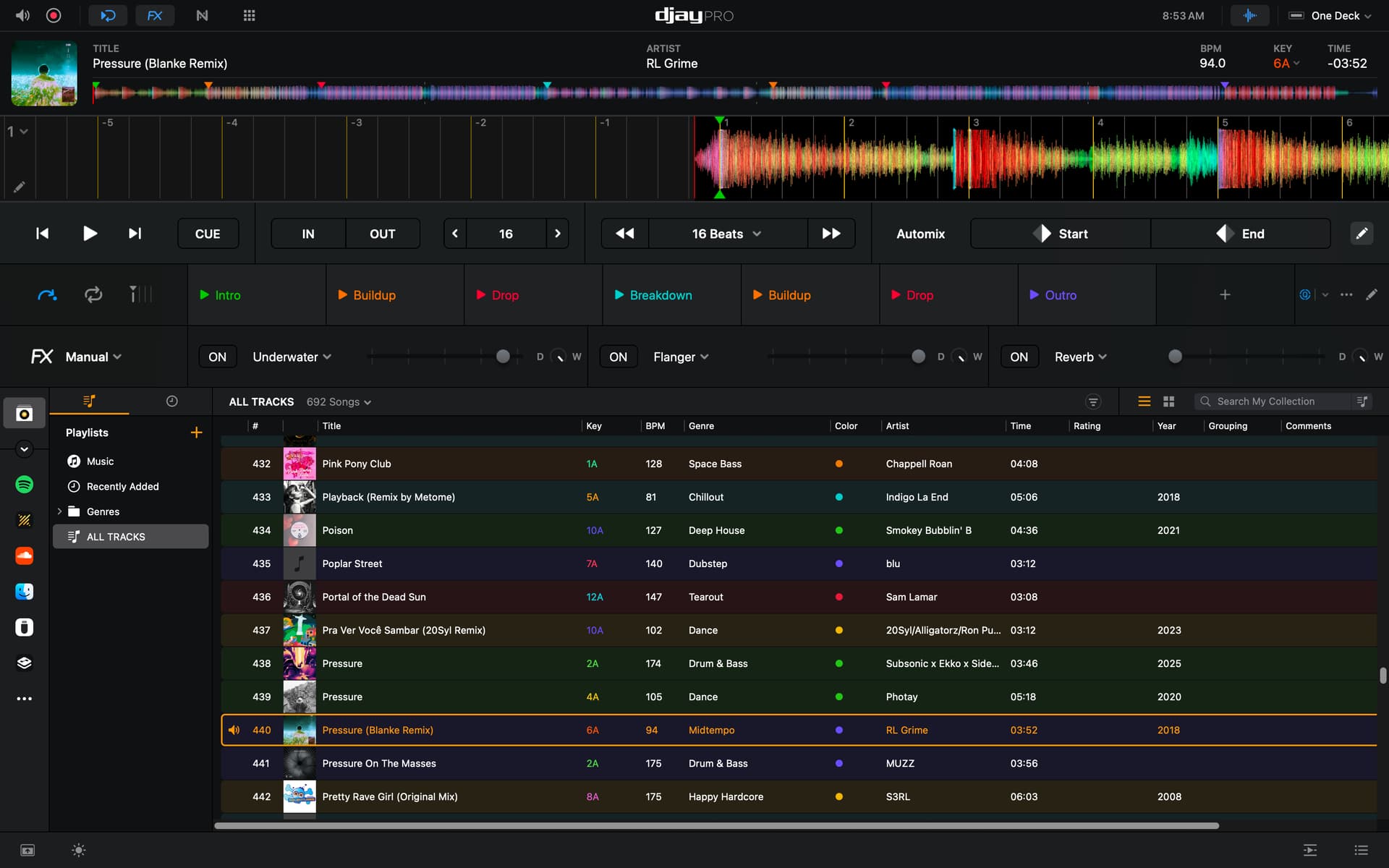
And here is what happens after transferring to the USB:
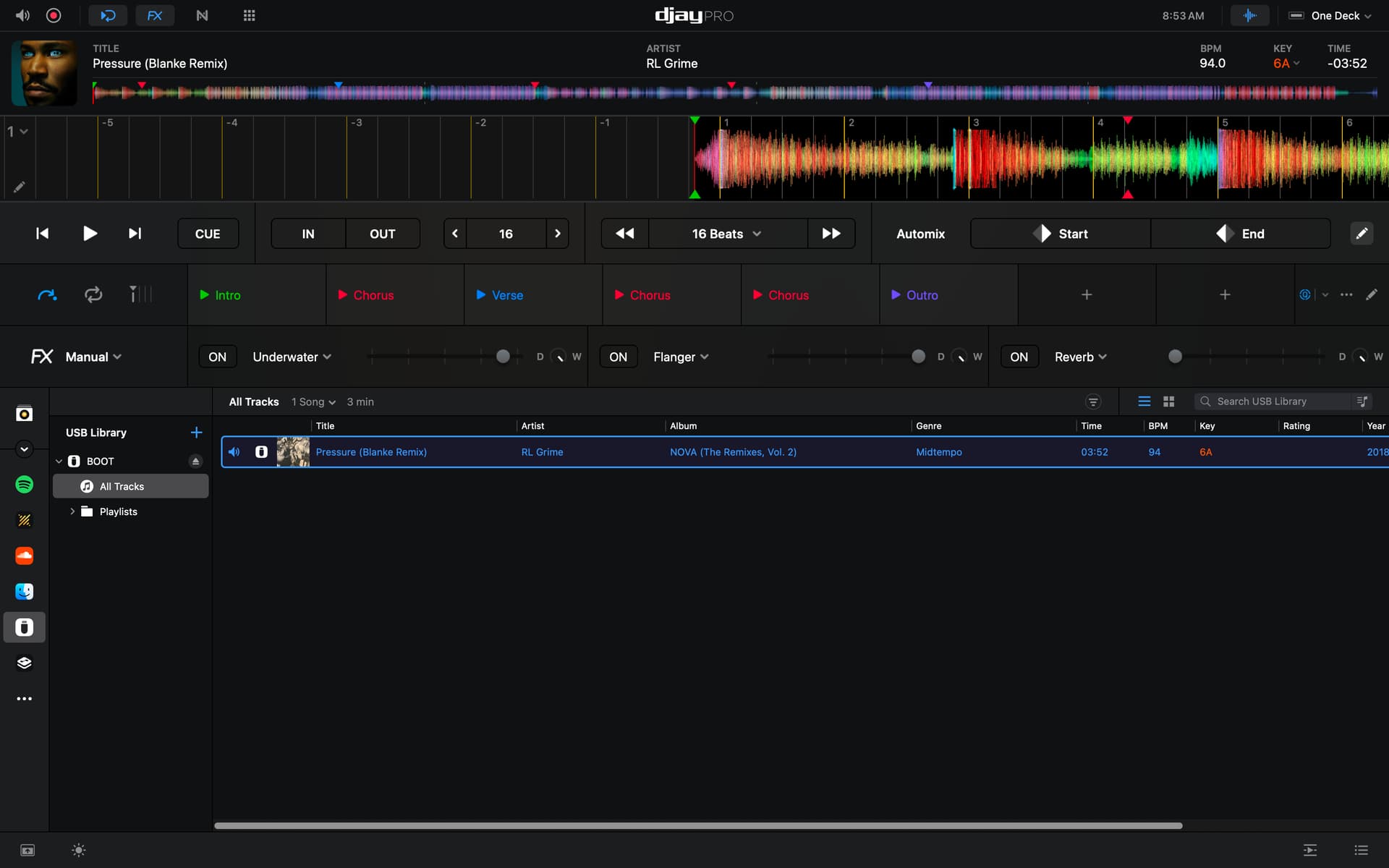
Since the main cue point issue has been sorted out, should I open up a new thread with this mismatch bug?
Yes, please create a new topic for this @shmimel
1 Like
I just tried a full restart and it fixed that one track, I’ll keep testing and see if I can reproduce the bug and start a new thread. I’ll mark this thread as solved, and can you please relay my thanks to the engineering team?
1 Like
Sounds good @shmimel. You’re welcome!


