-
mabook pro 16” 2.6. 8 core
-
djay 5.6.1
-
flx4
-
Sonoma 14.8.1
Hi,
I use one dedicated music folder on my internal drive for all tracks in djay Pro.
When I add a new batch of songs, I drag them into this folder and now the new batch is inside Djay’s Finder (kinda)
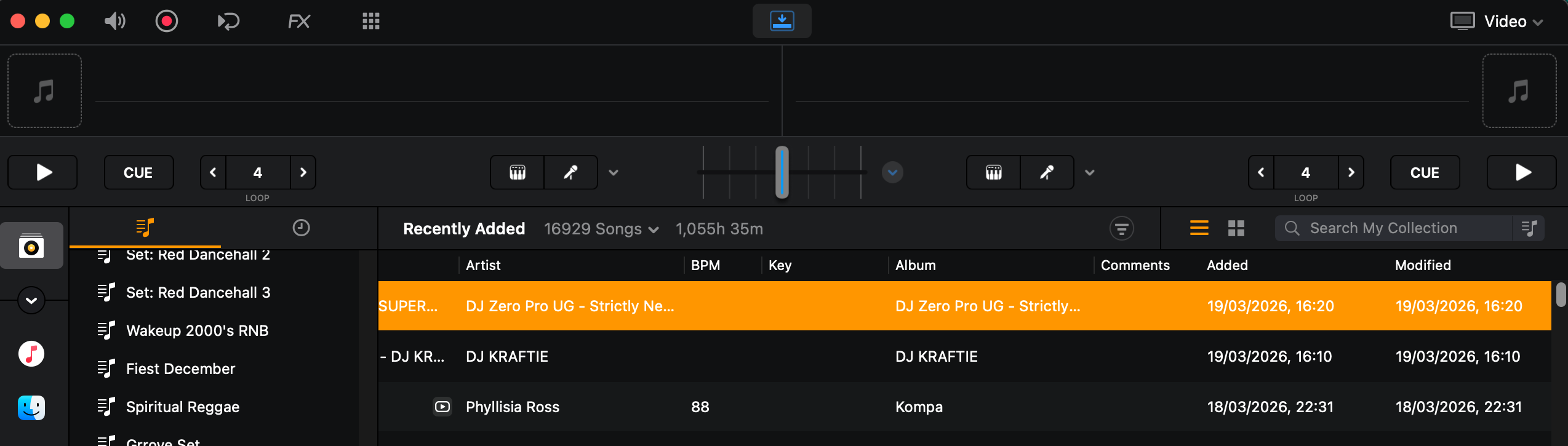
However, when I sort by Date Added, only some of the newly added tracks appear at the top.
It seems Djay is not using the actual import date. Instead, it’s using the file’s original creation date. This issue occurs in both Djay’s Finder view and Djay playlists.
Only tracks with a more recent creation date show up at the top—so the sorting is dependent on when the file was created, not when it was added to the folder or library.
For example, if I add files on March 10, but some were created/downloaded on March 5, those tracks show March 5 as the “Date Added” and don’t appear with the rest of the new files.
Issue: “Date Added” does not reflect when files are added to the folder/library (in both Djay’s Finder and playlists), making it unreliable for finding newly imported tracks.
Is there a way to fix this or force Djay to use the true import date?
The only fix I found so far is to go to the Macbook’s Finder and sort by Date Added there to see all my songs from the new batch and drag them to a new Playlist in Djay for my recent imported tracks. It’s unreliable to use Djay’s Finder or My Collection to make my new Playlist of recent imported bc not all songs show up at the top of the list.
Has anyone noticed this issue?
Thanks!