


Specs:
- Device: iPad Pro M2 (11 in)
- OS: iPadOS 18.3
- Version of djay (e.g. 5.1.2): 5.6.5
- Hardware/controllers used (e.g. Reloop Mixon 8 Pro): DDJ-SB3, General Powered Type-C Hub with Aux out
- Hardware firmware version (e.g. 1.0.1): N/A
A) SUMMARY OF ISSUE: Upon updating to djay 5.6.5, the pre-cuing for my controller no longer displays. all other functions, including mapping cues, adjusting jogs and EQs, however there seems to be something wrong with the audio interfacing. iPad is on an older version of iOS due to concerns about battery life and performance with Liquid Glass.
B) DETAILED STEPS TO REPRODUCE:
-
Attempted reconnecting the controller before starting the app
-
Attempted reconnecting the controller with the app open
-
Attempted to connect power to dock, then controller, doing the both above
-
Attempted to do all the above, but without the Type-C powering
-
Replugged the dock itself, then did all the above
-
Restarted the iPad, then did all of the above
C) EXPECTED RESULTS:
- A “CUE” volume slider should be present, and the SB3 outputs should be selectable in the Pre-Cue dropdown of the “Sound” settings
D) ACTUAL RESULTS:
-
No cuing available. Does not output audio into the PHONES aux port.
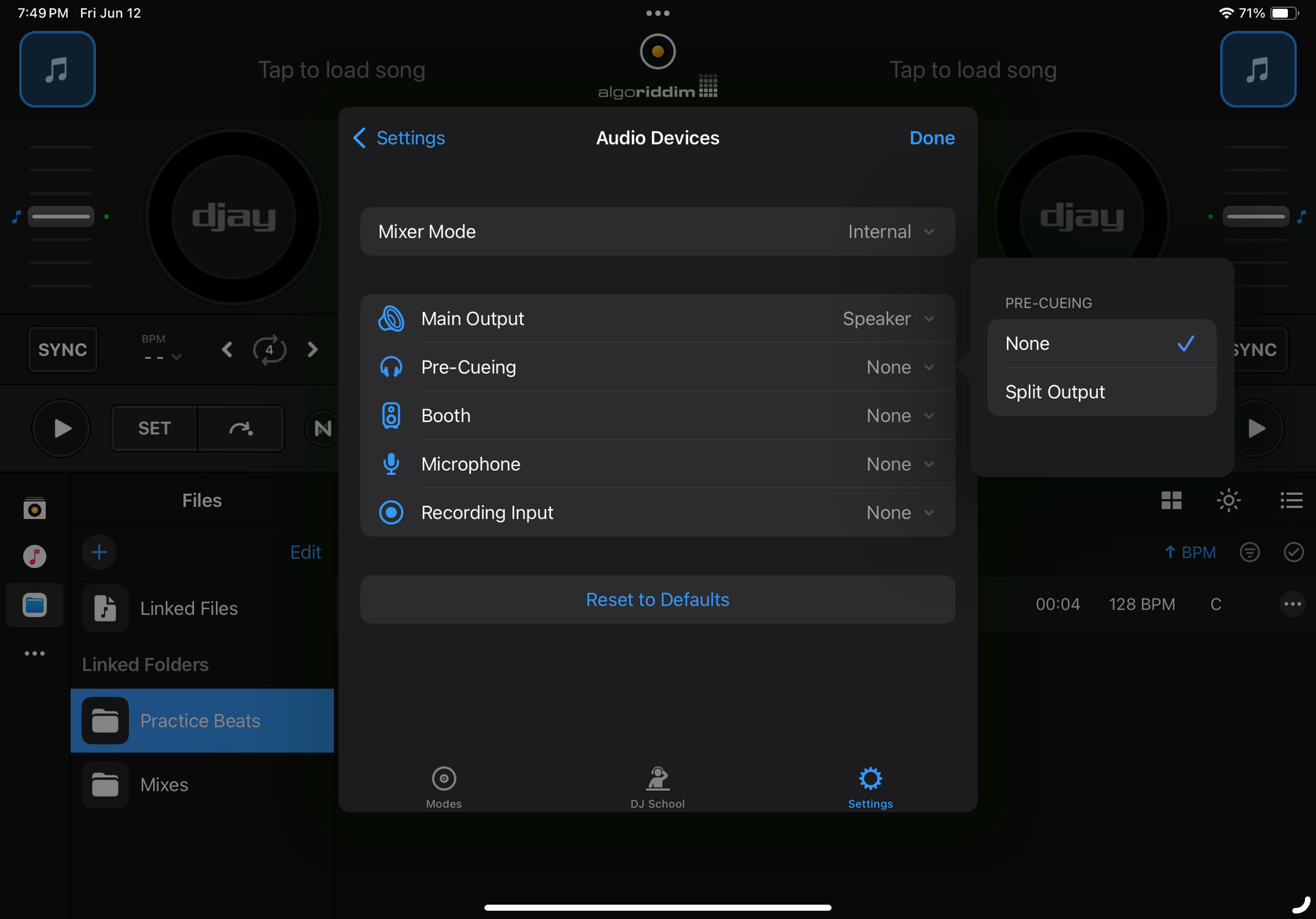
Edit: The pre-cueing shows up when the dock is plugged into an HDMI display (as it has an HDMI out). Could it just be my dock?


