NOTE: Please use the search function above before posting to avoid creating duplicate topics.
- Device model (e.g. 2020 iPad Air 4th Gen):
- Version of operating system (e.g. macOS 14.4.1):
- Version of djay (e.g. 5.1.2):
- Hardware/controllers used (e.g. Reloop Mixon 8 Pro):
- Hardware firmware version (e.g. 1.0.1):
- Please consider sharing a short video or screenshots to help clarify your question
YOUR QUESTION:
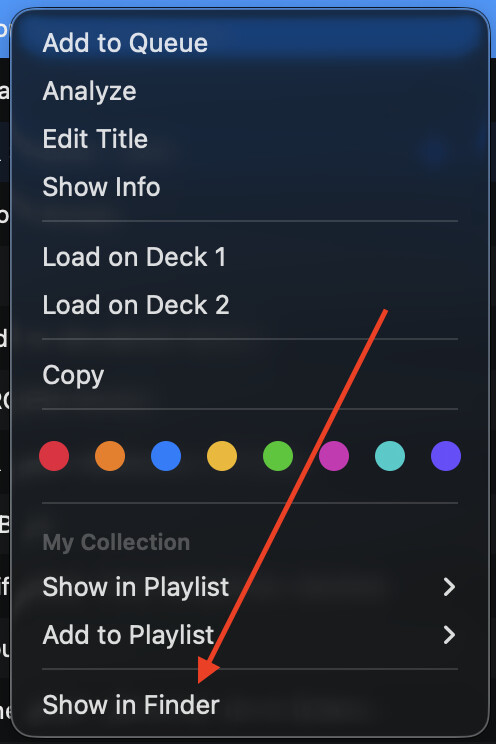
- is there anyway to delete tracks from my external SSD via Djay Pro? I just switched over to Djay Pro from Serato after 18 years. I used Serato to keep my library tidy and delete tracks from the external SSD via the program. If this option doesn’t exist in Djay pro, could anyone please share tips to be able to efficiently delete unwanted tracks from my SSD and have the changes reflect in Djay Pro? Thank you!