Different BPM in track

Sonoma 14.4.1

Hi everybody,

In some of my electronic tracks djay find a different BPM in some part. it’s on part with no beat …only melody before a drop for example .

The problem is when the song is sinc with another one. The other song will go for example from 130 to 168

How to remove this bpm change ?

Nb: sorry for my english
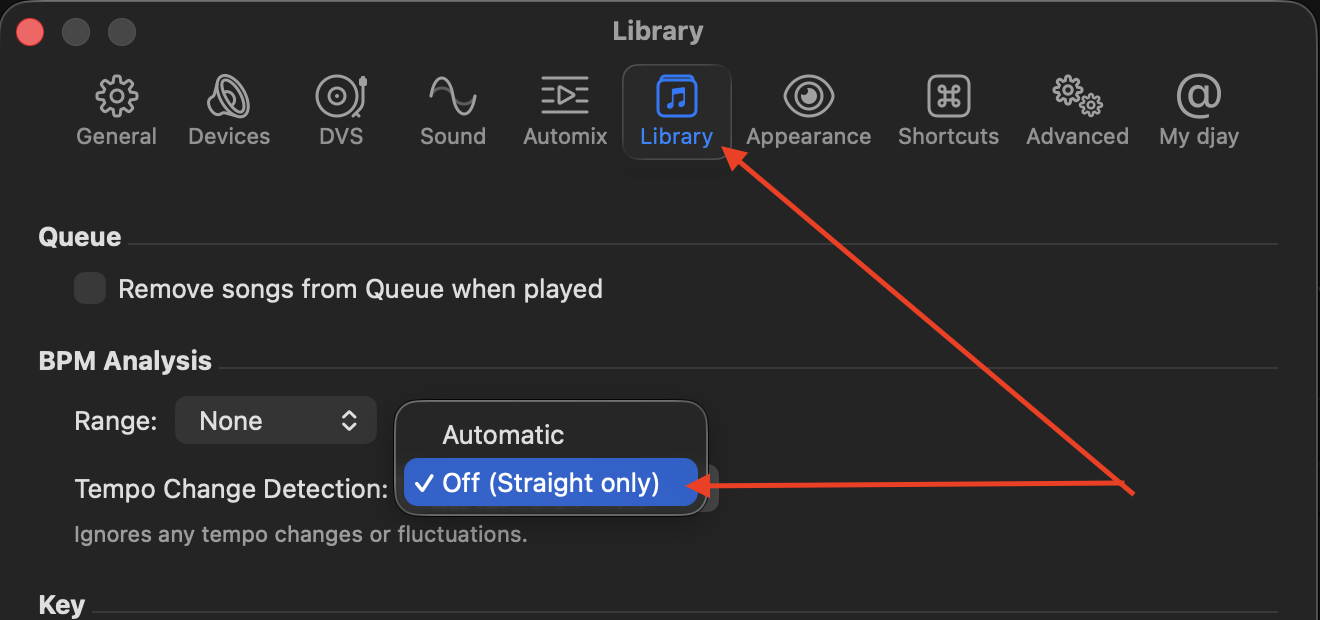
It sounds like djay has analysed the song using Dynamic BPM, if you change the setting to Straight BPM analysis then it will stay the same throughout the song.

1 Like

Hi @Yan,

  1. In the djay Settings>Library>BPM Analysis>Tempo Change Detection you can set it to Off (Straight Only).
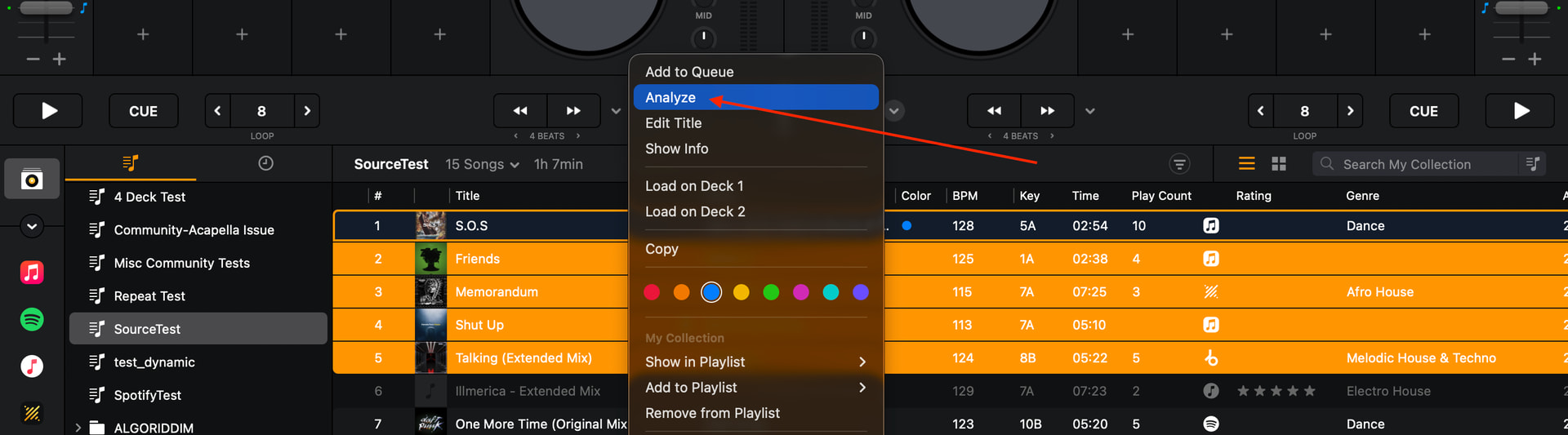
  2. Then you can re-analyze the specific song(s) by selecting one or multiple tracks and then “Analyze” (using Right/Control-Click on macOS).
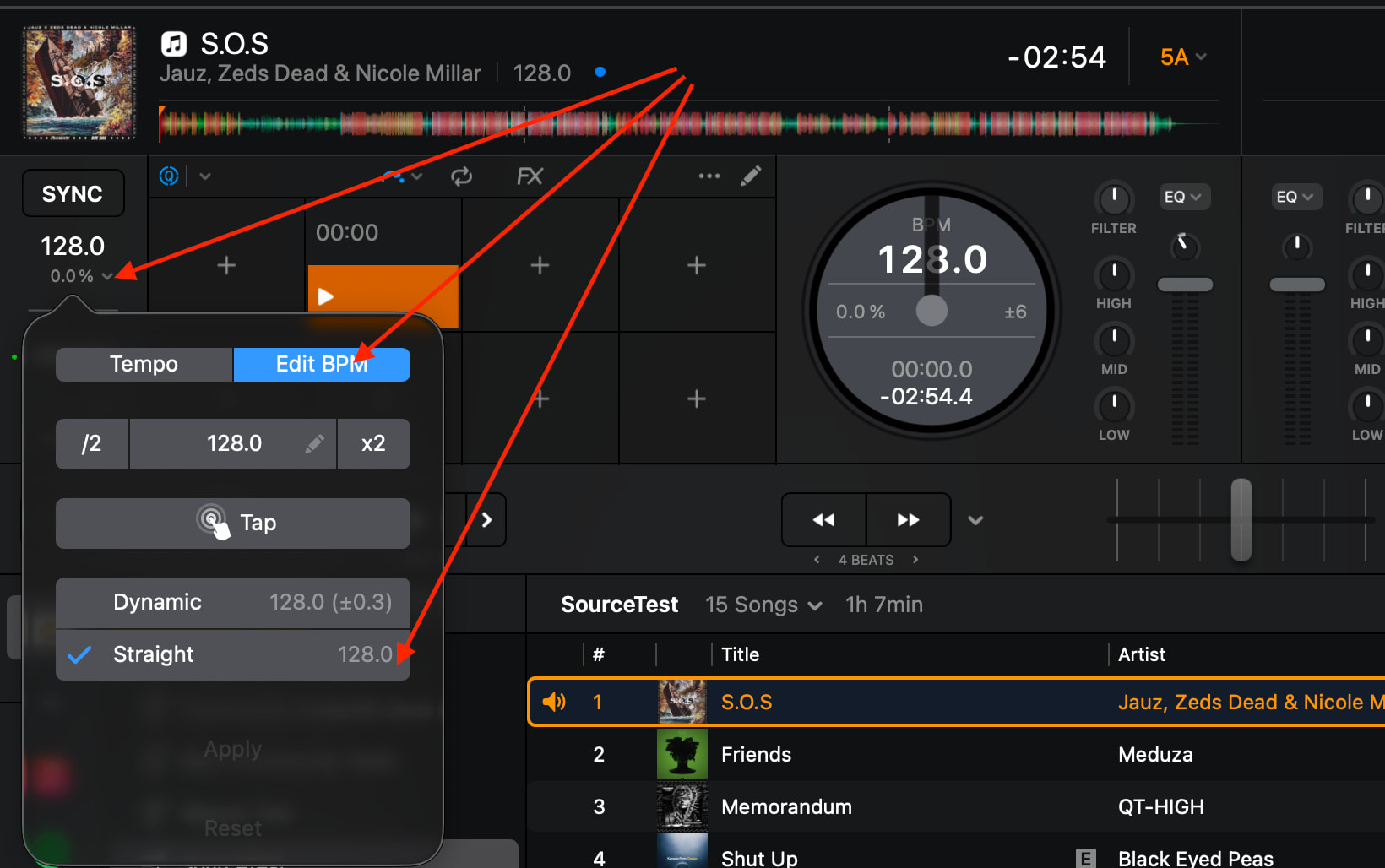
  3. You can then confirm that the song is now Straight BPM instead of Dynamic via the Edit BPM menu when the track is loaded to a Deck.

Thanks you very much

1 Like

You’re welcome @Yan. Happy to help!