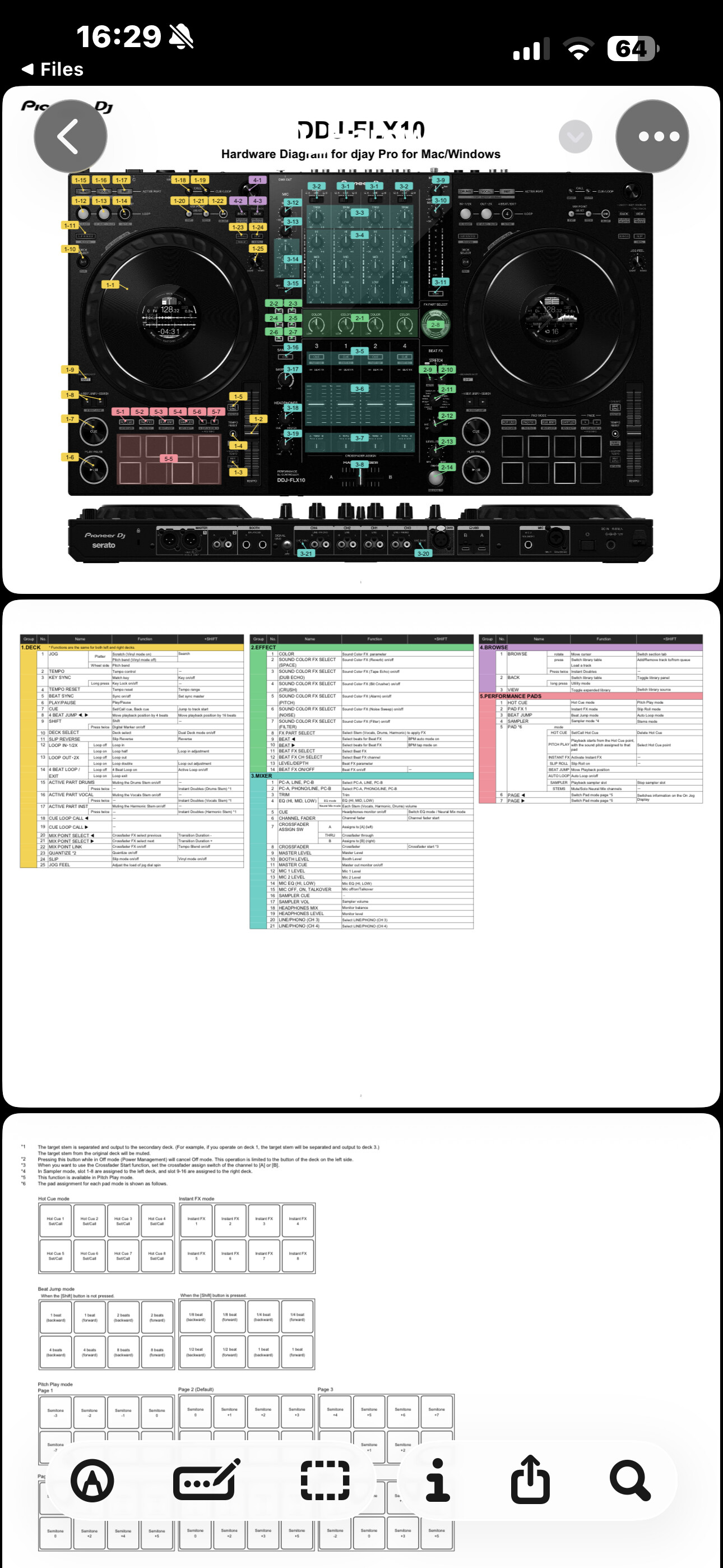
I am considering my purchase for a DDJ FLX 10 to use with my Mac computer. I am slightly concerned that although this controller is considered “natively mapped” it will be restricted somewhat in its functions.
Primarily none of the sound color effect and I believe a large section of the FX knob effects also will not be available.
I guess I’m looking for any advice regarding how many effects can be mapped to these features. Can different effects be mapped to each of the 14 effects on the FX knob and on the sound color knob?
I hope Djay pro will consider stepping their game up to get more FX that Rekordbox and Serato have. My experience with Djay pro is mostly positive besides the lack of many FX. I’m concerned it will be slightly tough to try to memorize 14 custom mapped FX on one knob.
Hi there, I have flx 10 and it’s brilliantly mapped. Colour effects and fx knob all work as well
As part effects. Plus you can have pad effects as well. Screens work great and it’s just a brilliant controller for djay pro.
Well the flx 10 is an official implementation between Alpha Theta and Algoriddim. The effects are software based so you’re correct some tweaking has been done. Checkout out the hardware diagram also on Pioneer DJ website.
Thank you this is helpful. For 2-11 the knob FX, does DJAY pro map different FX to those FX selections as well? Or is that something you just have to manually map?
No they have been mapped very well even Mobius. Like I say they are software effects so won’t be identical to hardware effects but I think they have done a very good job with them.
I don’t think you’ll regret it at all. I went for flx 10 over Rane Performer due to algoriddims partnership now with Altha Theta. Looks like it will only get better. Plus Flx 10 works with IOS. Screens on IOS don’t work but I can live with that as they amazing on Mac. The integration is top notch.
Hello. I consider to buy one too next week. But I can read over the net that there is a problem with the display on the jog wheel (No audio driver) on Mac. I have a MacBook Pro M2 Max running Tahoe.
Is this still an issue or there is a workaround ?
Sorry I use the same thread as it concerns the same stuff.
wowww I’ve just received the new controller and the message NO AUDIO DRIVER was displayed. I don’t know what I done to resolve this. Maybe a simple power off/on. Now it is working as expected.