Downloading loops and samples has broken my database

  • Device model: Desktop PC
  • Version of operating system: Windows 11
  • Version of djay: 4.6
  • Hardware/controllers used: None connected
  • Hardware firmware version: Not applicable

A) SUMMARY OF ISSUE: Error message displayed. Software will no longer run.

B) DETAILED STEPS TO REPRODUCE: Run djay Pro & download loop and sample packs

C) EXPECTED RESULTS: All packs download

D) ACTUAL RESULTS: Program froze and now will not run

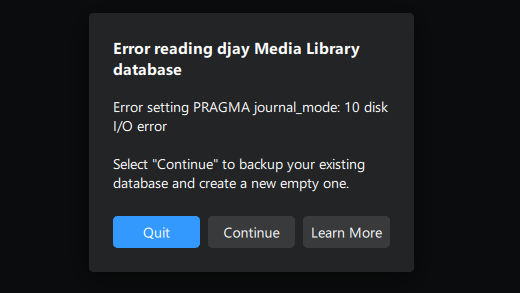
I ran djay Pro and was in the middle of downloading the loop and sample packs that were available, when the program froze. Now each time I try to run djay Pro it displays an error message (see image).

Clicking “Continue” does nothing (other than a “djay Pro” logo flashing up very briefly).

Clicking “Learn More” takes me here https://www.algoriddim.com/djay-pro-windows/help/database-error and shows me a 404 message

This page is no help (only refers to MacOS and iOS) → What to do if djay reports an error with the djay Media Library database | Algoriddim Support

Hi @PKtheDJ, sorry to hear you’re experiencing this issue.

  1. Start by closing djay.
  2. On Windows you can find the djay Media Library database in the following location: %HOMEPATH%>Music>djay
  3. Navigate to the djay Media Library folder and rename it by adding something like -old or today’s date to the end of the name.
  4. Open the Backups folder inside the same directory.
  5. Open the folder for the date you want to restore (usually the most recent one before this issue occurred).
  6. Copy the djay Media Library folder from here and paste it into the main djay folder.
  7. Launch djay again — your restored library will load.

I hope that helps!

Hi again @PKtheDJ , was this a typo? Are you on djay 4.6 or did you mean 5.6? Thanks!

I was looking at the page on apps.microsoft.com and it says 4.6 to the right of the icon, underneath the vendor name. I realise now that’s probably a user rating. Software version doesn’t appear to be shown, but that’s the version I installed.

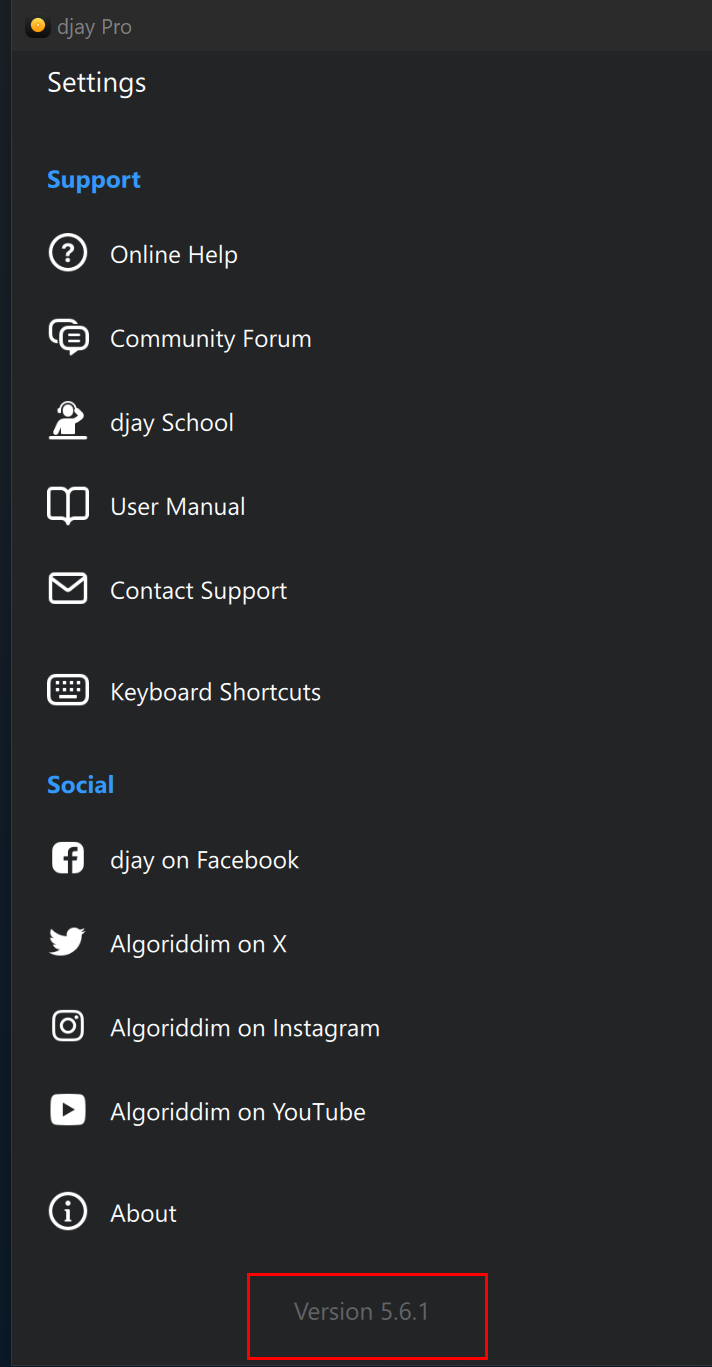
Hi @PKtheDJ, your djay app version number can be found at the bottom of the djay Settings window:

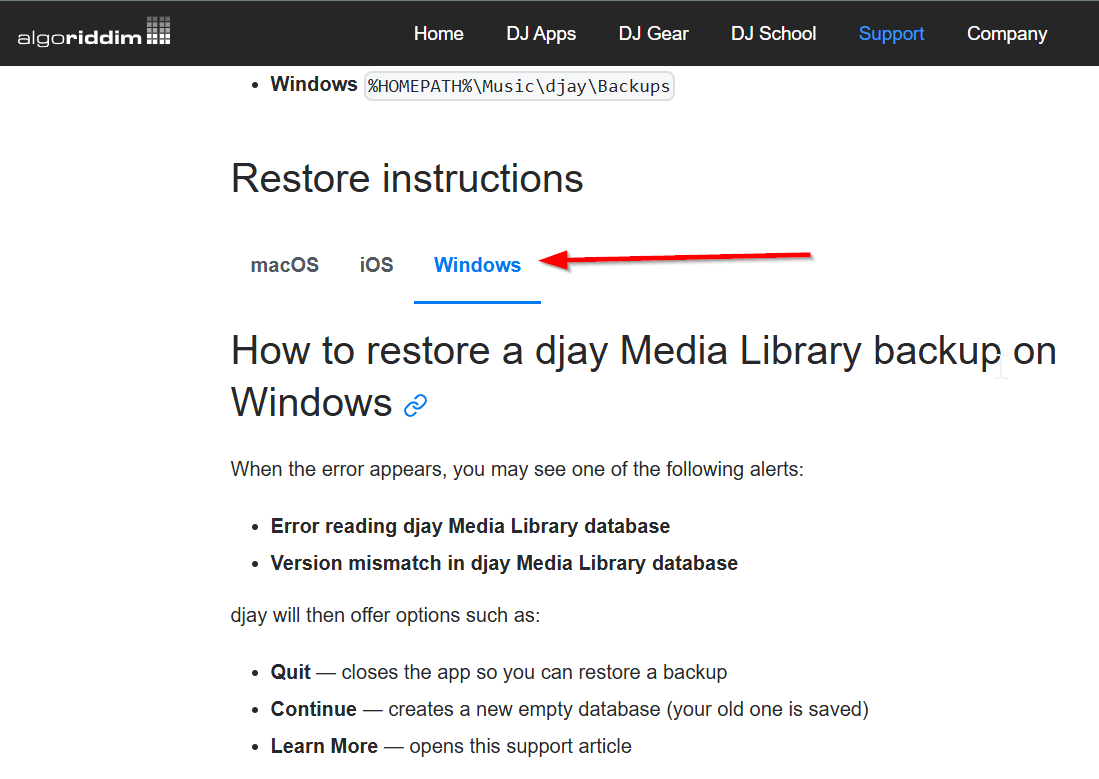
FYI, we have also updated the Help Center article to include steps for Windows now:

It’s no use being at the bottom of the settings window if the program won’t run!

That’s why I was looking elsewhere. Anyway, I’ve swapped out the database for the next oldest, and now the popup message says:

Error setting PRAGMA journal_mode: 11 malformed database schema (contentPacks) - orphan index

This time, clicking “Continue” has opened the software :grinning_face:

Okay, let’s assume you are on 5.6.1 then since that’s the latest version on the Microsoft Store. Please check your email and spam folders. One of our official support team members is going to contact you directly to get you app user ID and to see if there are any crash reports to review. Thanks!

EDIT: in the meantime, please repeat the process above, but select an older Backup djay Media Library instead. Thanks!

Richard has been in touch and I just sent a message

1 Like

Great! I’ll let him take it from here then.

1 Like