Error Starting Audio Engine - Windows

Set-up:

Dell Precision 5510 running Windows 11 - fully updated.

Alphatheta DDJ-GRV6 - updated.

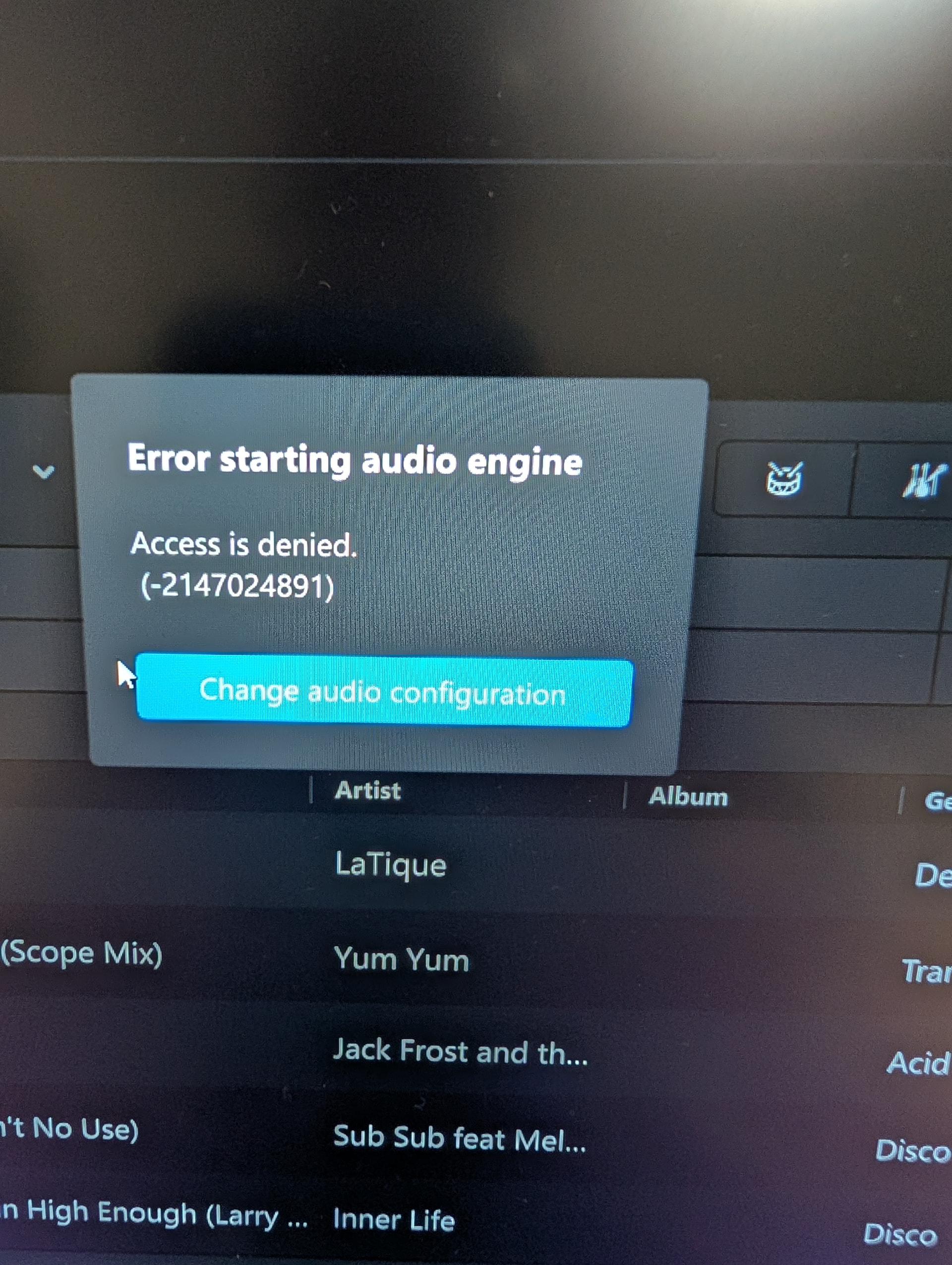
I loaded DJay Pro this evening and have received the following error:

I have checked audio drivers, rebooted, updated, still no joy. Buffer size returns an unspecified error also. Please help, it was working fine yesterday. Many thanks.

Hi @Debagio, welcome to the Community! Sorry to hear you’re experiencing this issue.

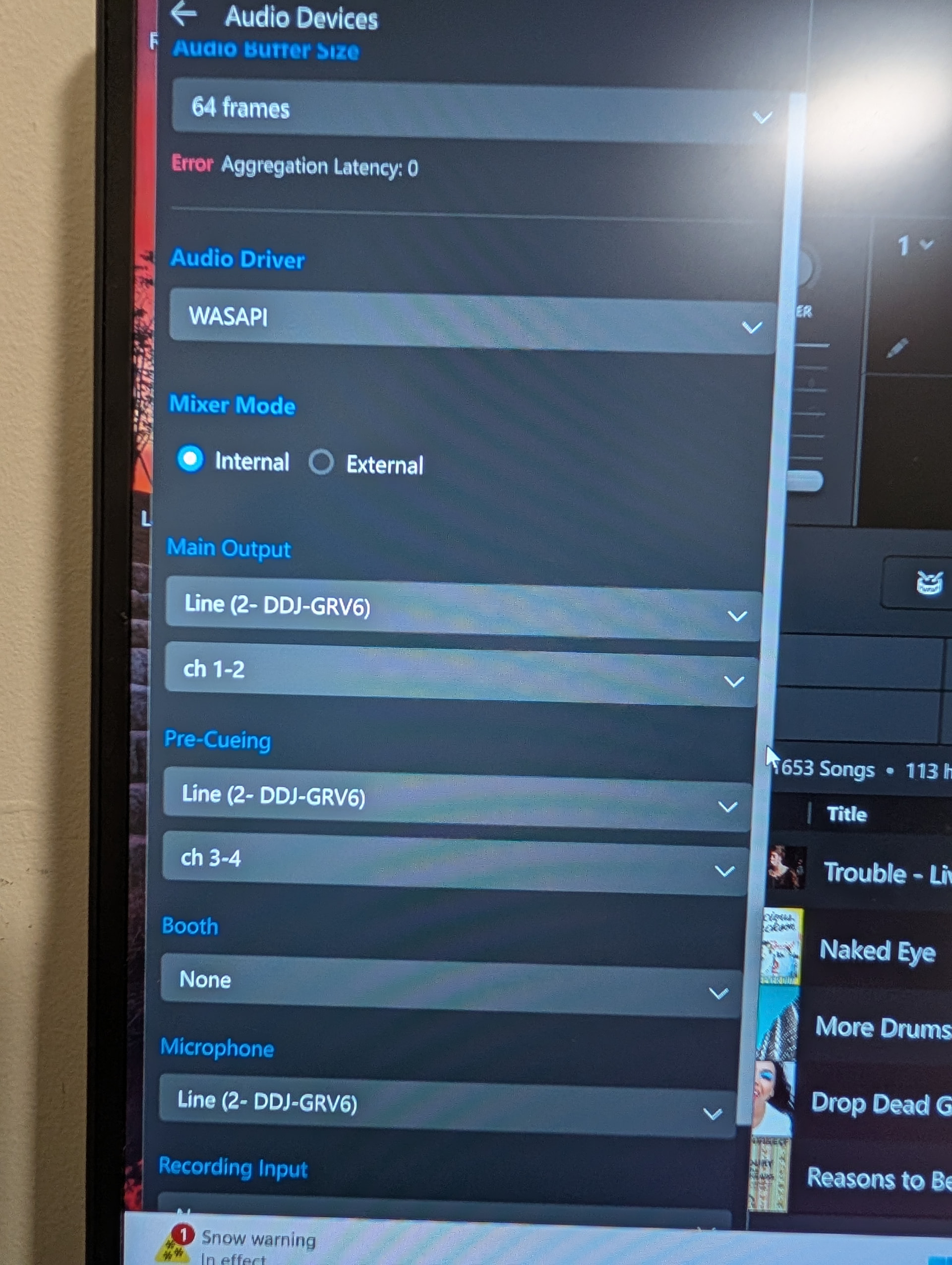
  1. Can you please share screenshots of your djay>Settings>Audio Devices page and
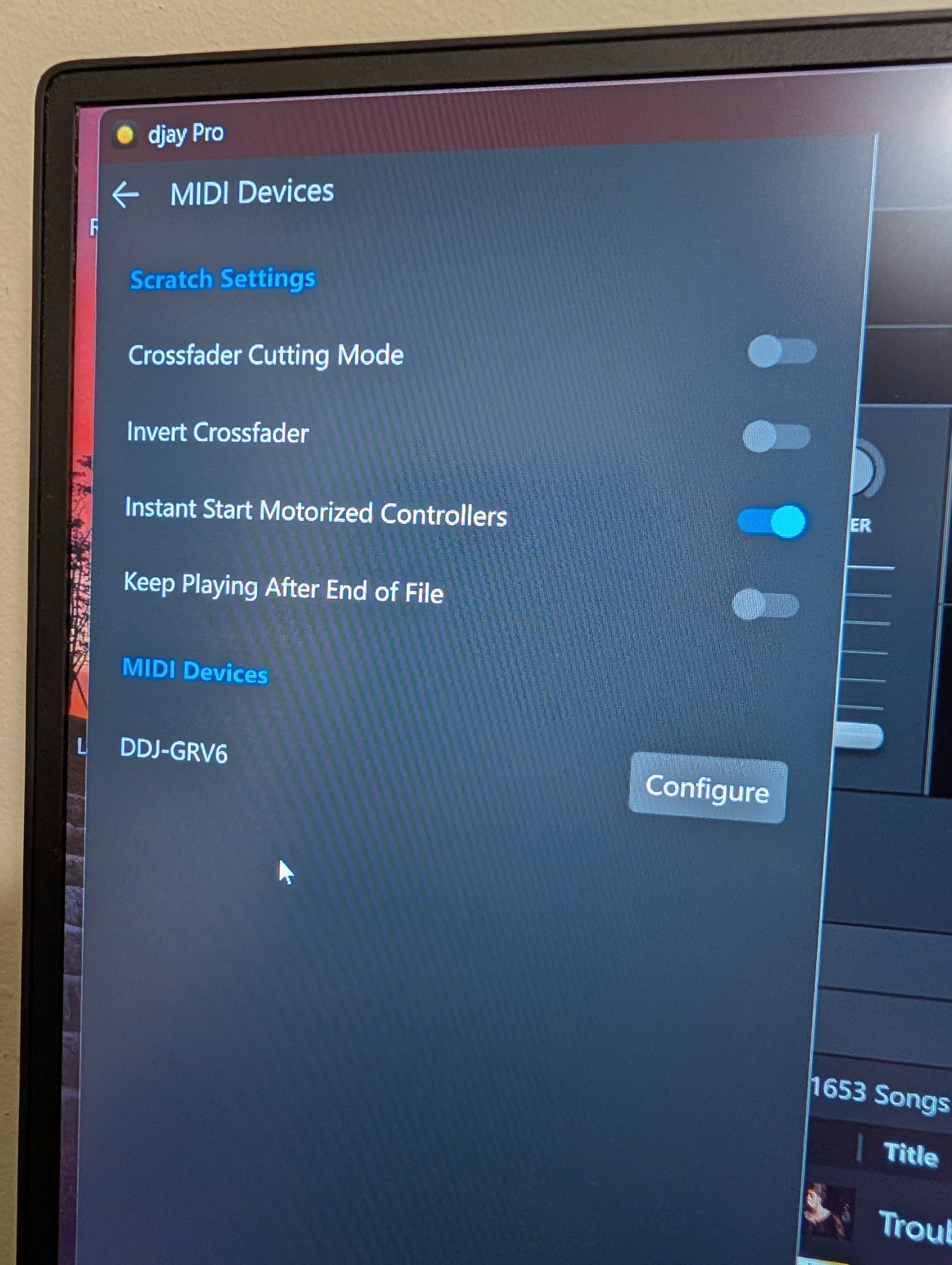
  2. screenshots of you djay>Settings>MIDI Devices page
  3. How exactly are you connecting your GRV6 to your laptop?
  4. Is the GRV6 running off of USB bus power to your laptop or is it also connected to power?

Thank you - It’s currently connected to the laptop via USB-c to USB-c and is also plugged into the mains. Do you think I should try a different USB port? Screenshots:

You’re welcome @Debagio. Thanks for the screenshots?

  1. Are there any other driver options available in the Audio Driver dropdown menu?
  2. Did you install the latest ver. 1.02 firmware from the Pioneer DJ website? https://support.pioneerdj.com/hc/en-us/articles/37071197404057-DDJ-GRV6-Firmware-Update-For-Windows
  3. Are you able to select different Audio Buffer Sizes from the dropdown menu?
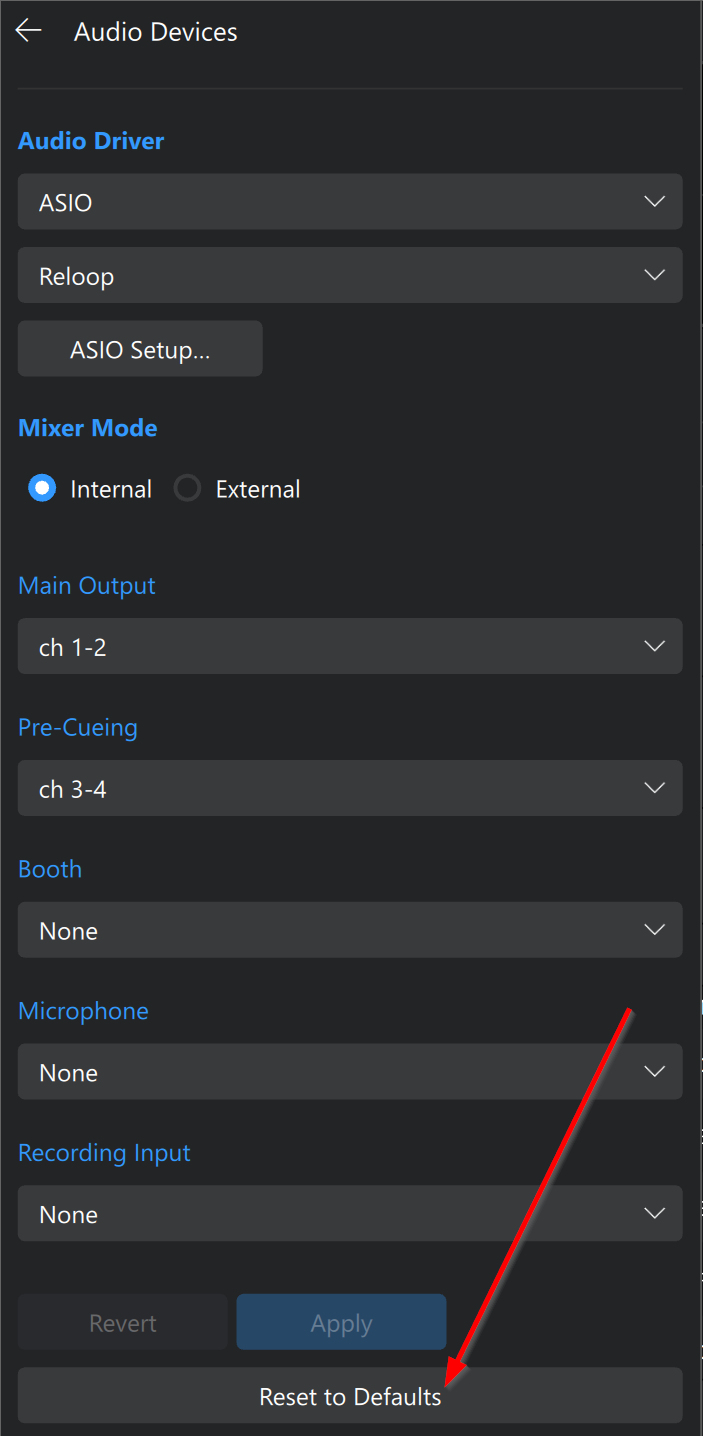
  4. Can you please press the Reset to Defaults button at the bottom of the menu?

Thank you.

There are other buffet options int the drop-down menu but each continues to give unspecific error.

There is ASIO option for audio driver (Realtek ASIO). Selecting this option still gives same error.

Selecting ‘Reset to Defaults’ still gives Error Starting Audio error.

Update 2.01 has been installed.

*Update 1.02

Thanks for the additional info.

  1. Can you confirm that you have an active djay Pro subscription and you’re logged into your My djay Account?
  2. Please try a different USB cable and different USB port on your laptop.

Yes, I have DJay Pro subscription. Tried a Standard USB with USB-C cable, did not register the ddj-grv6 being plugged into either port, strangely.

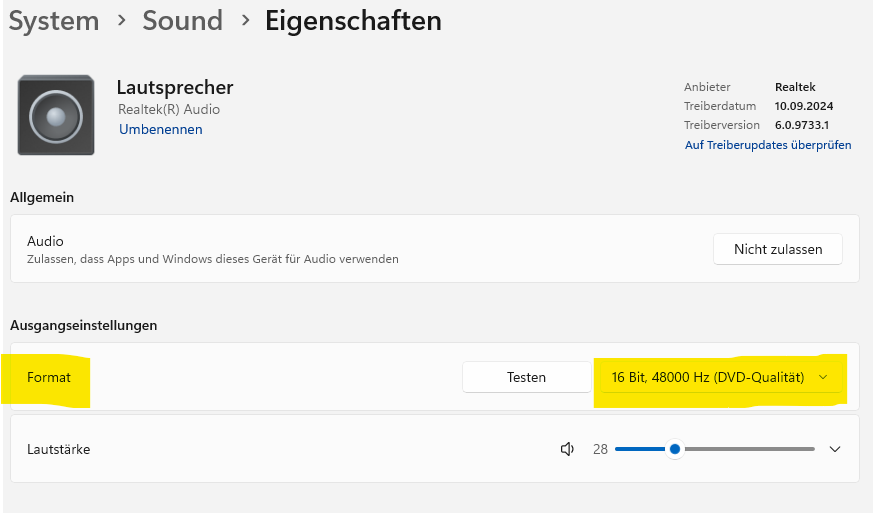
What about the sample rate settings?

Please could you explain the sample rating, how do I get to it and what should the settings be? Thank you.

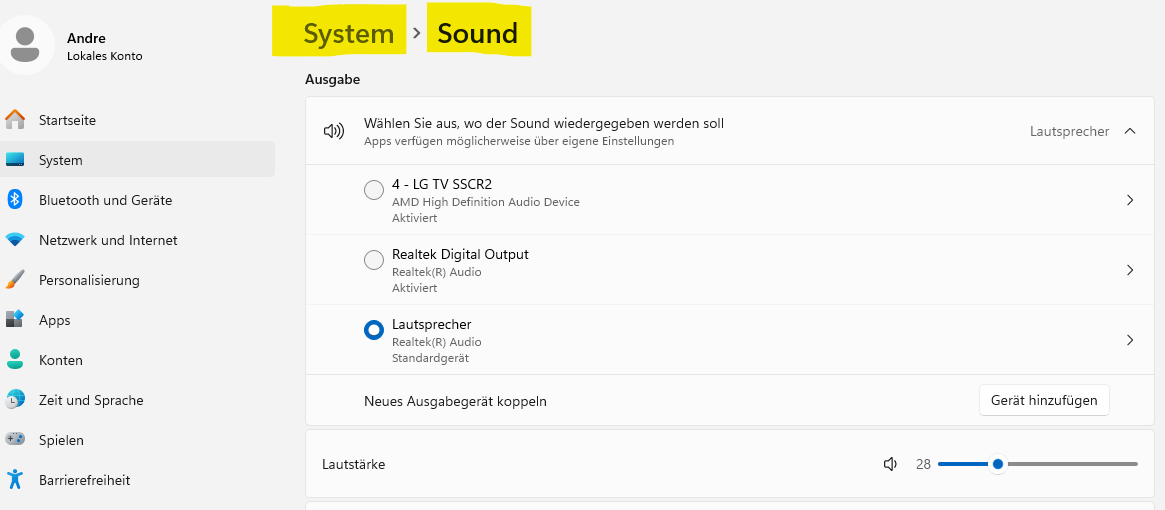
My system is set to German. But you’ll still find it. Your controller should be listed here as a “Sound Card”. Click on it, and on the next page you’ll see the necessary settings.

Checked the sample rate and adjusted it. Looks like mic access had turned off so I turned it back on. Restarted PC and it now works. Thank you all for helping out!

Great! Glad we were able to sort it out. Thanks for the follow up @Debagio

1 Like