External headphones for cueing on Macbook?

NOTE: Please use the search function above before posting to avoid creating duplicate topics.

  • Device model (e.g. 2020 iPad Air 4th Gen): Macbook Air M3
  • Version of operating system (e.g. macOS 14.4.1): 15.1
  • Version of djay (e.g. 5.1.2): 5.3.3
  • Hardware/controllers used (e.g. Reloop Mixon 8 Pro): Hercules Dj controller mix ultra

Your question/suggestion/feedback:
I’m using my Macbook connected through Bluetooth with my controller (Hercules Dj controller mix ultra). I connect my headphones through my Macbook’s jack. I want to be able to hear the pre-cue in my headphones, so in the DJ pro app, I set the pre-cueing device to “External Headphones” and the main output to my macbook speaker.

But when I click the pre-cue button on my controller, the sound comes out of both? How do I set this up correctly?

Thanks :slight_smile:

Hi @JimmyGoose, welcome to the Community!

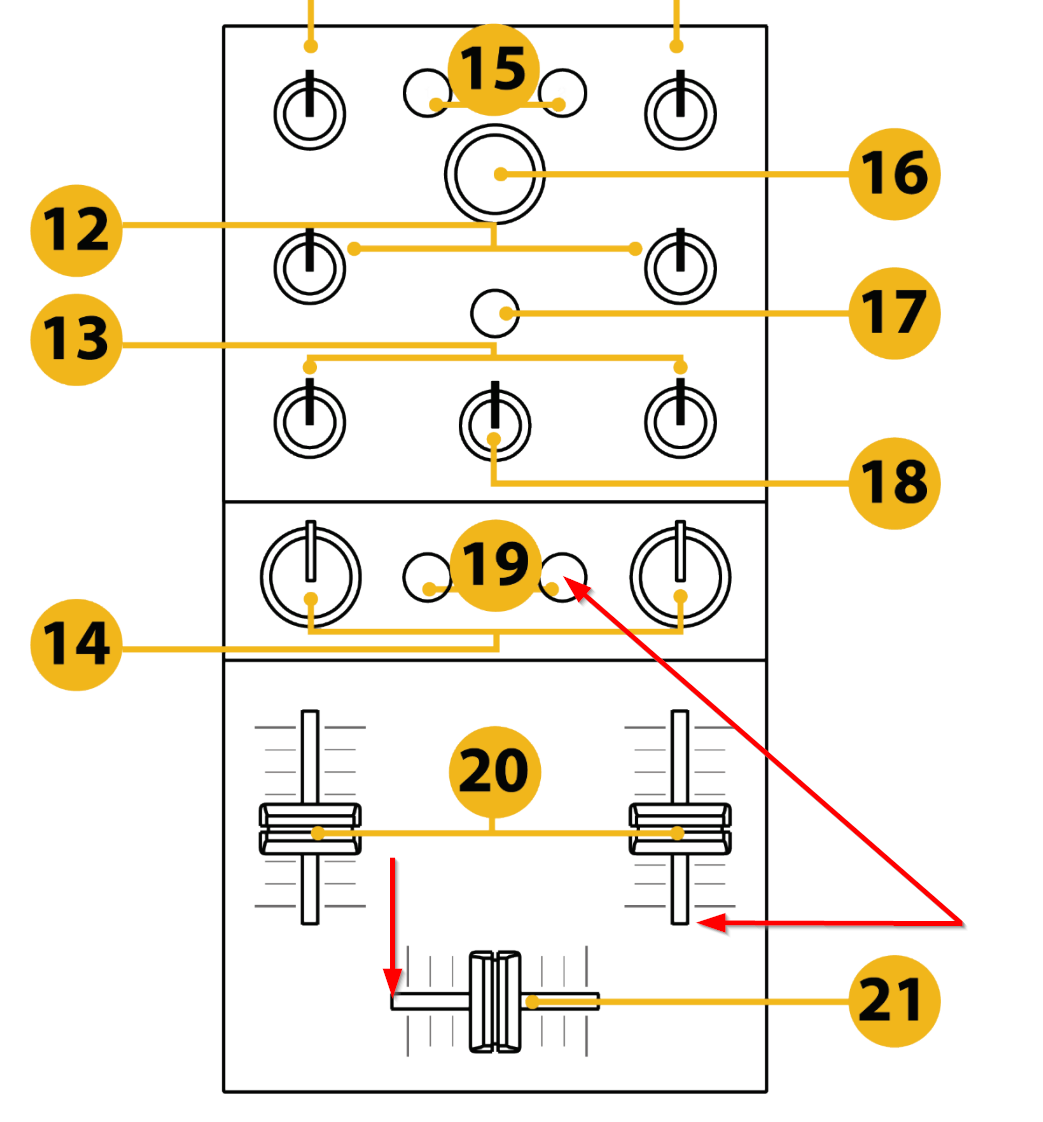
  1. On your DJ Control Mix Ultra, make sure the Channel Fader on the deck you are playing in the headphones is all the way down. If you have both Channel Faders up and the Crossfader in the middle, both songs will play through the Mac speakers.
  2. If you mix using only the crossfader, then make sure the crossfader is all the way to one side so only one deck is playing through the Mac speakers.
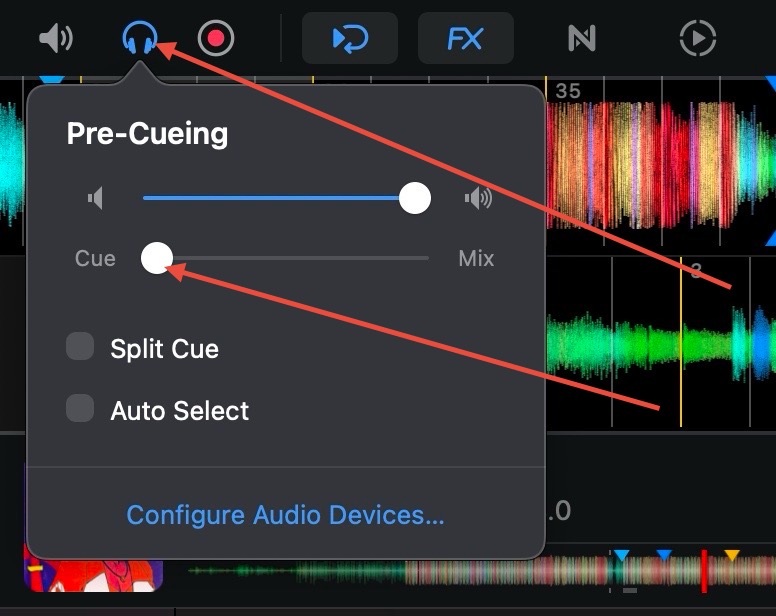
  3. In the Headphone Settings in djay, please make sure the Cue/Mix slider is set all the way to Cue
  4. Please also make sure Split Cue and Auto Select are disabled.

Hello! It’s been more than a week since my last reply. I’m going to consider this topic completed for now so I can focus on others. However, please feel free to respond and we can definitely revisit this. Thanks!