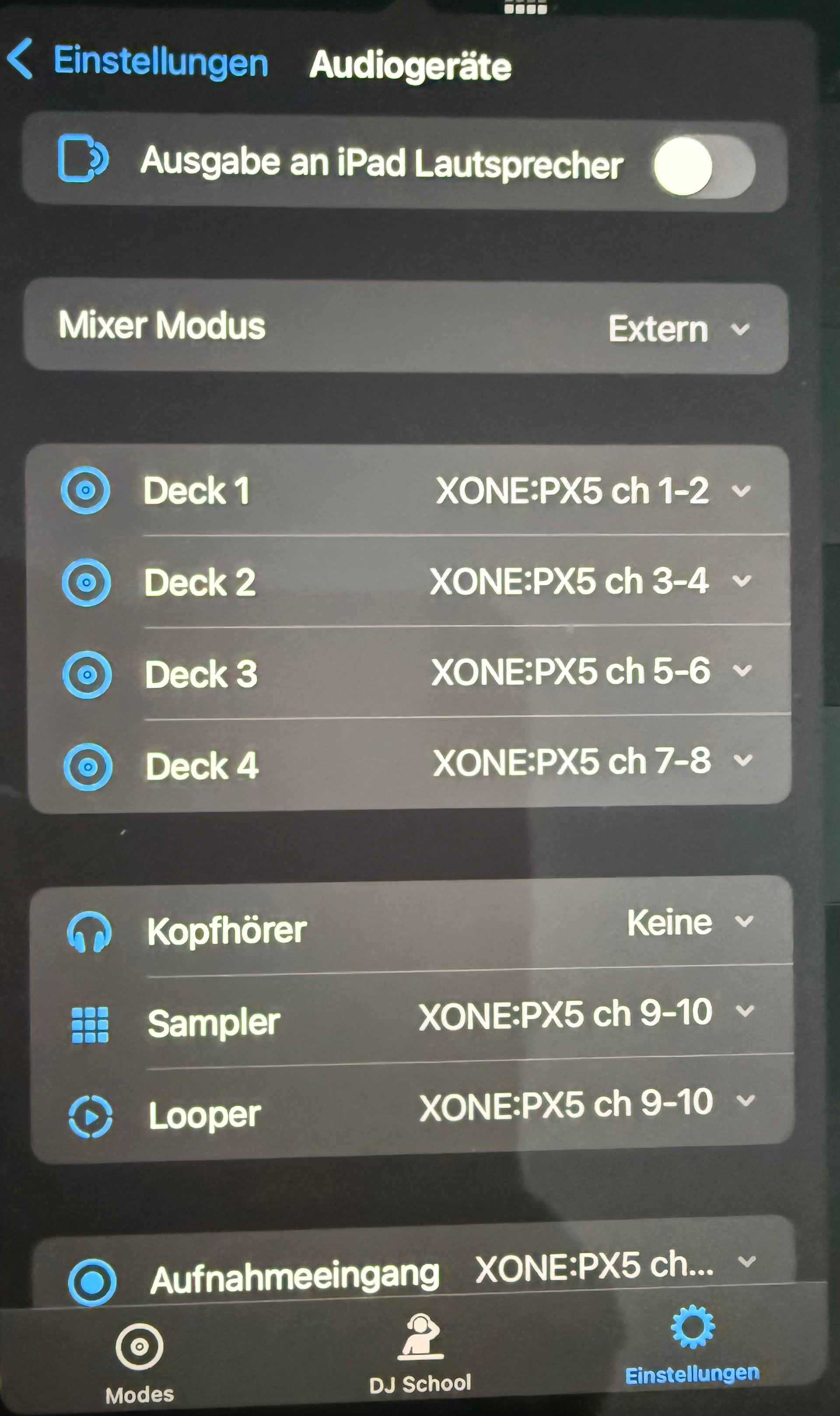
I use Djay Pro on my iPad alongside an Allen & Heath Xone:PX5 mixer. I still want to route the audio directly to the mixer, but want to add the convenience of a DJ controllers (Pioneer DDJ-400) controls (jog wheels, pads, etc.).
So I plug in a USB-C hub into my iPad, open Djay Pro, plug in the DDJ-400 into the USB-C hub, then I plug in the PX5 into the USB-C hub. Djay Pro switches from Internal Mixer to External Mixer mode as expected.
Deck 1 output is set to: Xone:PX5 Channels 1-2
Deck 2 output is set to: Xone:PX5 Channels 3-4
The audio is indeed routed to the respective PX5 channels, but I wonder why the volume faders, EQs, gain controls (Trim) on the DDJ-400 are still influencing the sound despite Djay Pro being in External Mixer mode. Or is this to be expected as they are just Midi controlling the App functionality?
Is this generally the right way to set things up for what I want to achieve?
Hi @mdaun, it sounds like everything is setup and working as expected in this use case. Can you please confirm if moving the mixer controls on the DDJ-400 is actually affecting the audio output through your speakers or just moving the onscreen UI controls?
Thanks @mdaun, everything looks good there. I’m pretty sure this is expected behaviour given your setup, but I want to double check with our engineers first. I’ll report back when I have confirmation. Thanks!
Hi again @mdaun, I confirmed with our engineers. This is expected - you basically have two sets of volume/EQ/etc. with this type of setup. We do this to offer maximum flexibility. We suggest that you simply choose which device you want to use the mixer controls on and not touch the other one. I hope that helps!