


Hello
Much often I have this Bug with releaseFx
Hello
Much often I have this Bug with releaseFx
Hi @Nikos_Filopoulos, thanks for the videos. When creating new topics, please do not forget to answer the questions in our template with specific details about your setup not just “iPad” or “Latest Version”. This helps all of our community moderators to provide the most effective support to users with the utmost efficiency.
Device Model (ex. 2020 iPad Air 4th Gen):
Version of operating system (ex. iOS 17.3.1):
Version of djay (ex. 5.1.3):
Hardware/controllers used (ex. Reloop Ready):
Hardware Firmware Version (ex. 2.7):
Please also describe the issue in as much detail as possible. Thanks!
A) SUMMARY OF ISSUE:
B) DETAILED STEPS TO REPRODUCE:
C) EXPECTED RESULTS:
D) ACTUAL RESULTS:
ok
macbook pro m1 pro 16ram (2021 model) tahoe 26.5.2
djpro 5.6.8 (latest)
latest firmware flx10
Thanks @Nikos_Filopoulos , please also provide the following:
i dont understand what else you want,
everything is on the video
I would like you to please explain in words a “Summary of the Issue”, the “Detailed Steps to Reproduce the Issue”, the “Expected Results” and the “Actual Results”. Thank you.
i tell you the problem in release fx button (blue button) i post it 2 videos of this bug
the fx works in 0%,but second time i try it its works
why unlisted?
hmmm ok..
Please also note, that I’m very busy after my return from vacation. So, if you could provide the written information that I requested above, I will be able to help you in a more timely fashion and potentially escalate this to our engineering team for further analysis. Thanks for understanding.
i show the problem in release fx
The video is detailed and clearly shows the problem in release fx button
if you see when you enable release fx doesnt means that fx is on,you must move the above button level depht how you want the fx works,so the first time when i enable the fx seams the fx its like maximun but as you can see its minimun (if is minimun doesnt work, its correct),so the first time doest work well,but in second time works like we want to work… (im sorry for my english)
Sorry for the delayed response here - I’m still getting caught up after my time away. Thanks for explaining, @Nikos_Filopoulos — that helps. Let me write it into the template so you only need to confirm it:
A) Summary of issue: The first time the Beat FX is switched on, it doesn’t apply at the depth set on the controller’s LEVEL/DEPTH knob. Switching it off and on a second time works correctly.
B) Steps to reproduce:
Select ECHO, beat 3/4, channel CH1 on the controller.
Set LEVEL/DEPTH to your desired position.
Press the ON/OFF button to enable the effect (first press — no effect).
Press again to disable, then enable a second time (works as expected).
C) Expected results: The effect applies at the depth shown on the knob on the first press.
D) Actual results: Little or no effect on the first press; correct behaviour on the second.
Is that accurate? If so, one thing would really help before I escalate this: both videos show only the controller, not djay. Could you screen-record your Mac with the FX section open (Tools icon in the main toolbar > Manual) while you reproduce it, so we can see whether the on-screen Dry/Wet is actually moving when you press the button?
Also, please confirm the exact firmware version number on your DDJ-FLX10 — a very similar FX sync report on the FLX10 turned out to be a firmware issue. The latest version from the AlphaTheta website is ver.1.14 ( DDJ-FLX10 Firmware for Mac - AlphaTheta Help Center ). Thanks!
Please use the screen recording option on your Mac: Shift+Command+5:
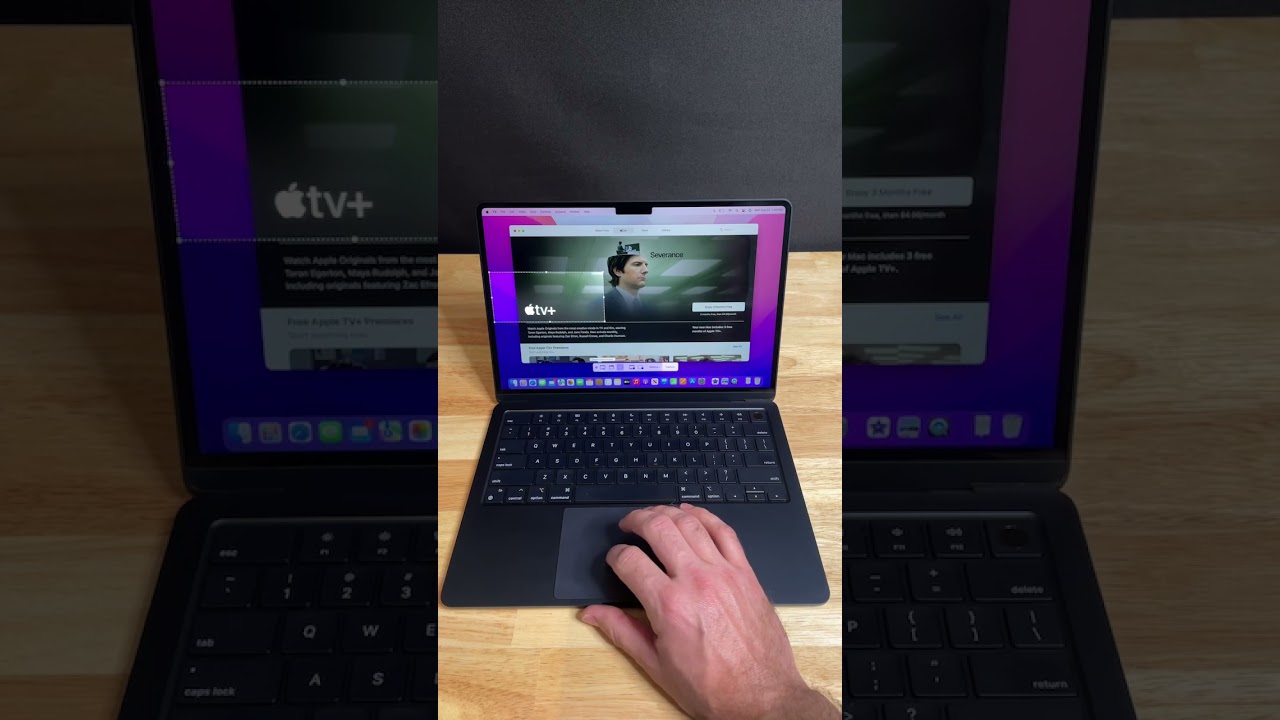
i cant upload here whole file
see it in my dropbox hope do that work Dropbox
in first time do that think and second works well
Thanks for the screen recording, @Nikos_Filopoulos — that shows it clearly, and I can see exactly what you mean now.
At the start of the video, djay’s Echo Dry/Wet is sitting at full W on both decks while your LEVEL/DEPTH knob is physically at minimum — so your first press of ON/OFF applies the echo at 100%, even though the knob says zero. The moment you turn LEVEL/DEPTH at around 0:09, the on-screen knob jumps straight to the real hardware position, and everything behaves correctly from then on.
So djay isn’t picking up the knob’s physical position until you actually move it. As a workaround for now, sweep LEVEL/DEPTH from min to max once after connecting your FLX10 — that syncs the two and avoids the unexpected full-wet echo on the first use.
One thing that will help me file this accurately: does it happen only the first time you use the FX after launching djay, or every time you switch the effect off and on again?
Thanks again for taking the time to record this — it’s exactly what I needed.
sorry for late…if i use it now first time do that…second time in row works fine…if i leave it for while and touch it again the same process.. so..im not use it from the the first…now in season im exercising it
Thanks @Nikos_Filopoulos, that’s a really helpful detail. So, it’s not just the first time after launching djay, it comes back whenever the FX has been sitting unused for a while.
Could please you try one thing for me? Leave the FX section open on screen, don’t touch the controller for a few minutes, and watch the Echo Dry/Wet knob. Does it move back up to full W on its own, or does it stay at minimum until you press ON/OFF?
That will tell us whether djay is resetting the value by itself or only losing track of your knob position, which makes a big difference for the engineering team.
In the meantime, a small nudge of the LEVEL/DEPTH knob just before you use the FX will resync it every time — not a fix, but it should keep you out of trouble while you’re practising.


