Hello, I just purchased the DDJ FLX4 and I can’t get any audio to play from any of my devices ( speaker, controller or laptop itself) once the deck is connected to my laptop. please help. I’ve tried changing the output etc but nothing is working.
Hi @Adekunle_Adegbite, welcome to the Community! Sorry to hear you’re experiencing this issue. I’ve moved your comment to its own dedicated topic. Please provide full details for your setup.
Device Model (ex. 2020 iPad Air 4th Gen):
Version of operating system (ex. iOS 17.3.1):
Version of djay (ex. 5.1.3):
Hardware/controllers used (ex. Reloop Ready):
Hardware Firmware Version (ex. 2.7):
Since this sounds repeatable, can you please capture and share a short video of the issue to help clarify what’s happening? Thanks!
Hi, it says “new users cannot upload attachments” how else can i send the video ?
Hi @Adekunle_Adegbite, I’ve upgraded you to Basic User. Please try uploading your video again.
Please see videos attached (had to break into 2)
Thanks for the videos @Adekunle_Adegbite. Please share your setup details as requested earlier.
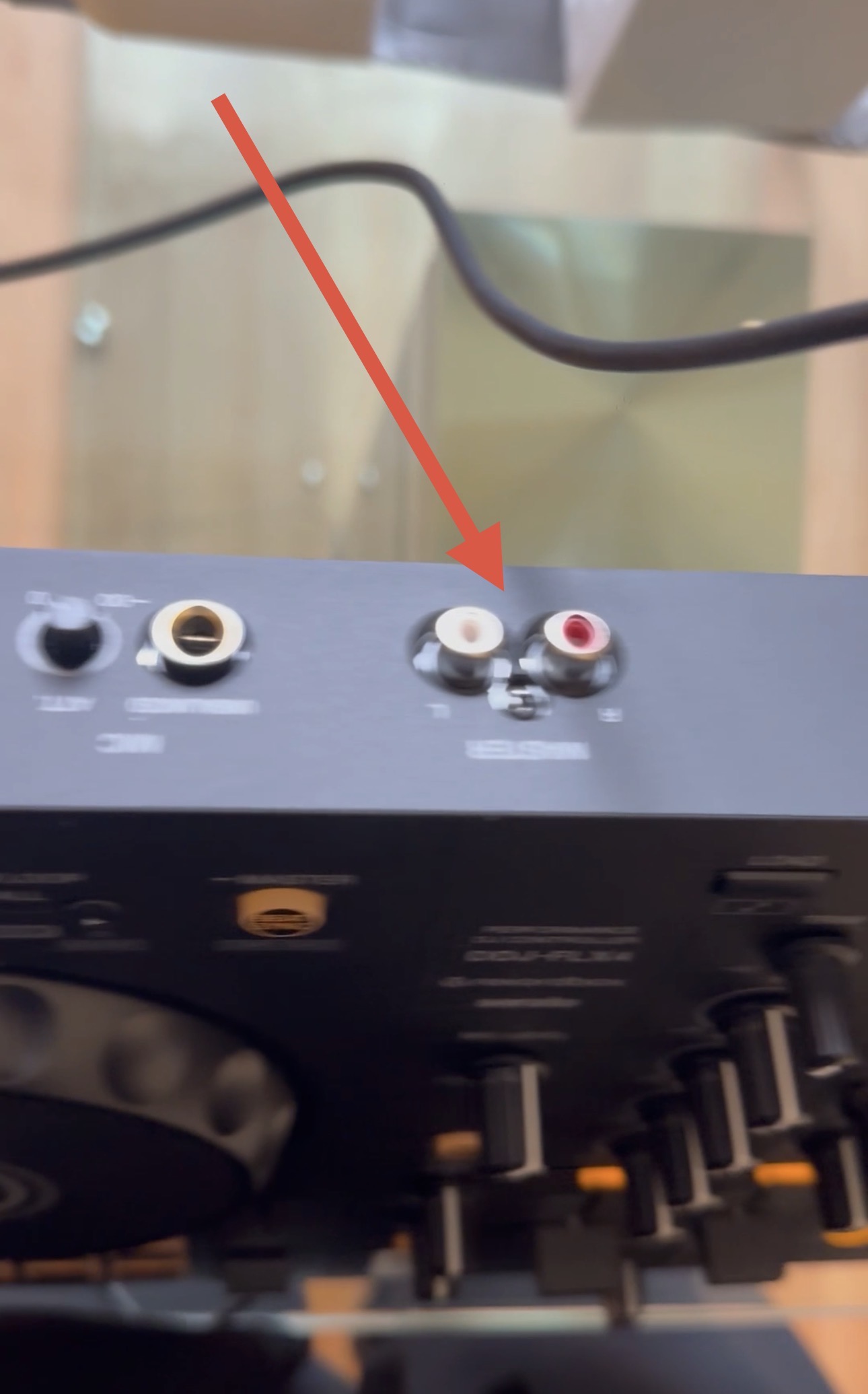
Hi again @Adekunle_Adegbite, you need to connect external speakers to the RCA output of the FLX4 if you want to use it for Master Output and Headphone Pre-cueing.
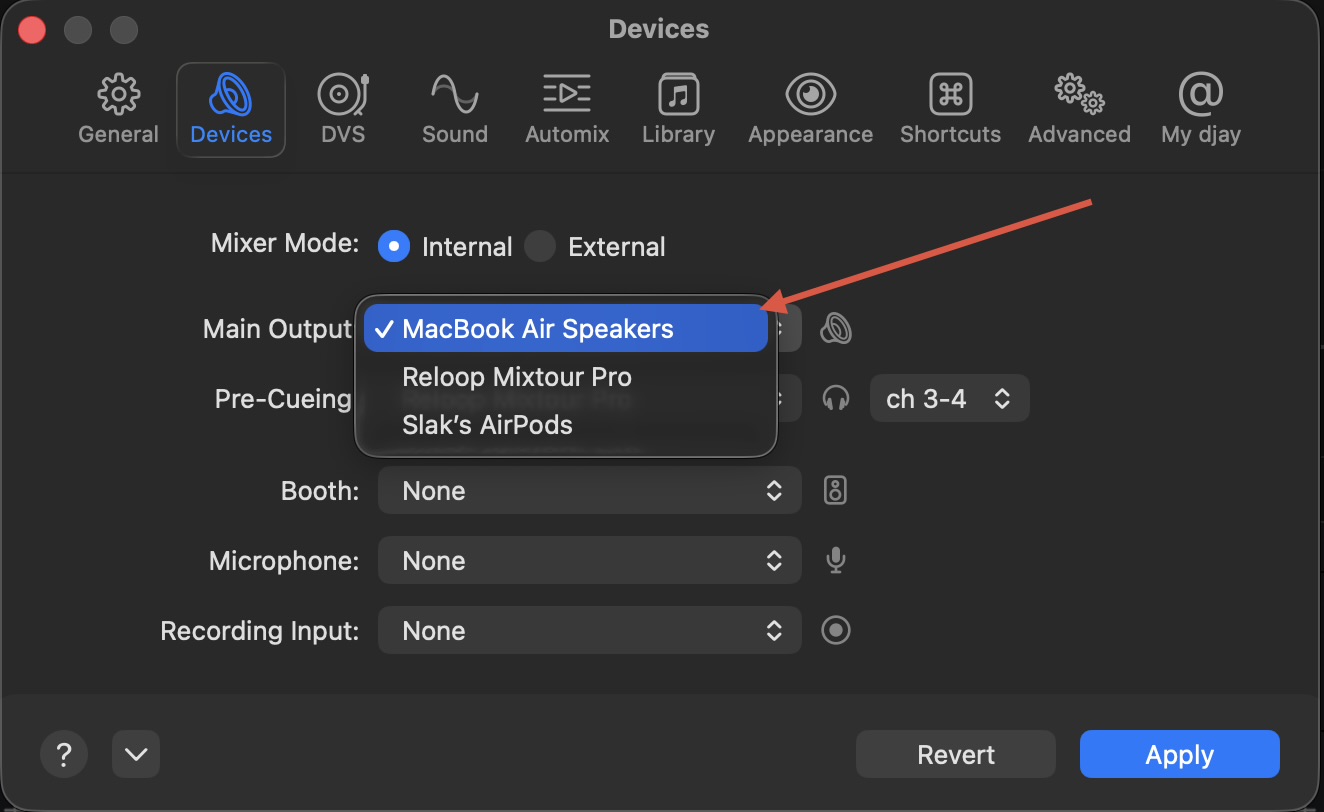
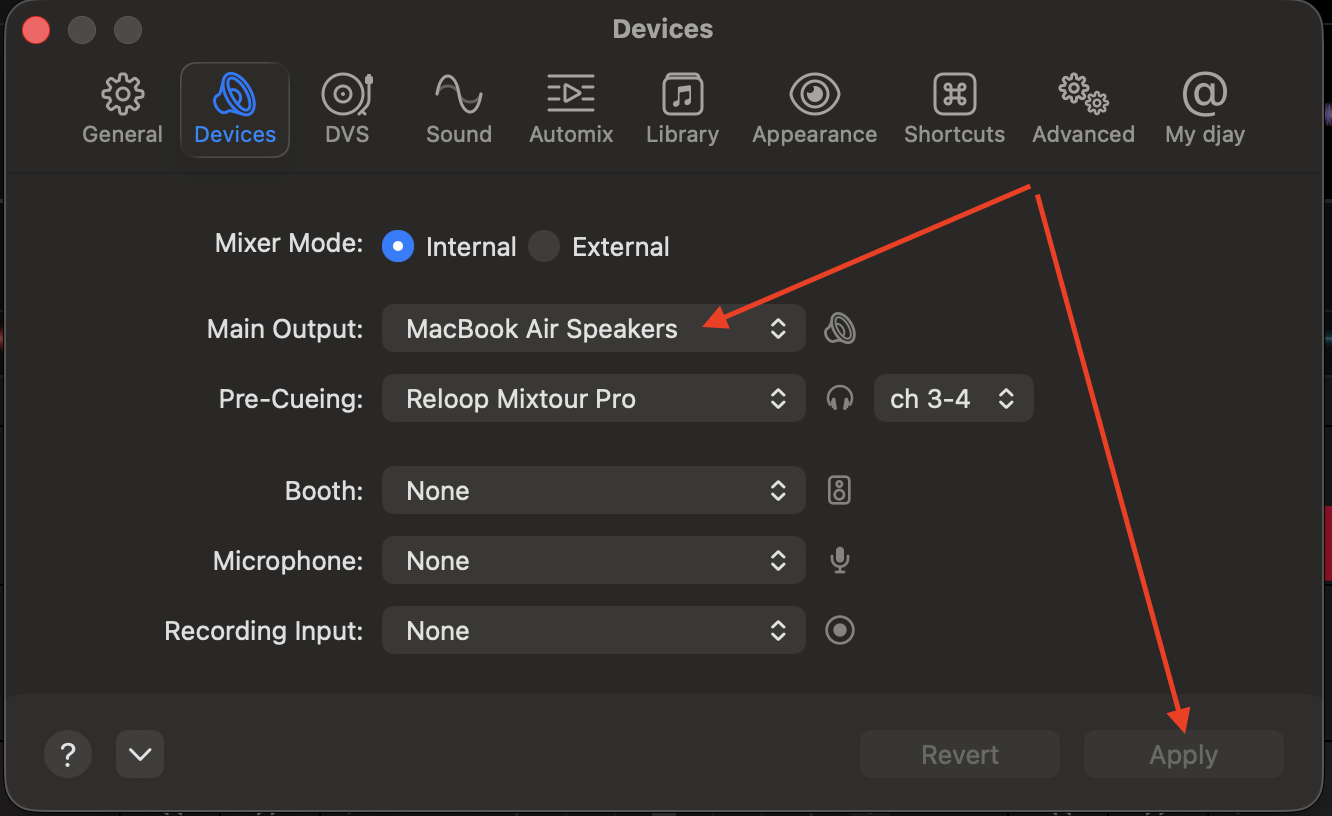
If you want to use your Mac speakers instead, then you need to manually select MacBook Air Speakers for the Main Output after you connect the FLX4.
Hi, i’ve done this and it’s still not playing any audio. i also tried selecting my bluetooth Jbl flip 6 speaker as the output. it did not work, please help
Please share a video of your speaker connected to the FLX4 via RCA cable along with your djay Settings>Devices page. I do not recommend Bluetooth connection. Please connect with a cable to your speaker.
Hi, i don’t have a RCA cable and don’t the speaker did not come with one.
Okay. In this case, please do the following @Adekunle_Adegbite,
- Connect the FLX4 to your Mac via USB-C cable.
- Open the djay Settings>Devices and change the Master Output from FLX4 to MacBook Speakers. Then press the blue Apply button at the bottom right.
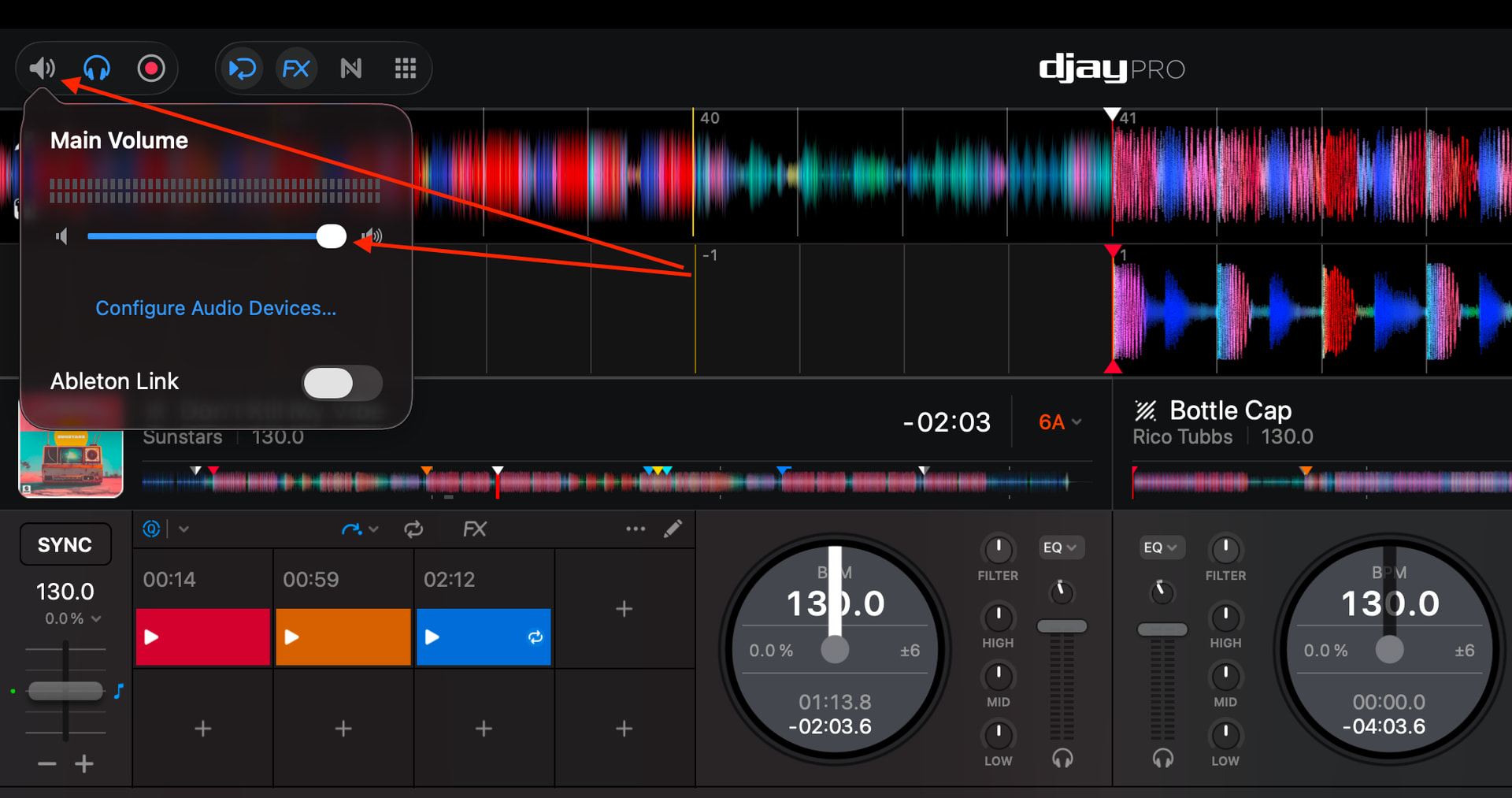
- Now check the volume setting in djay to make sure it is also at maximum.
- Make sure the volume on your internal Mac speakers is turned up (F12 key)
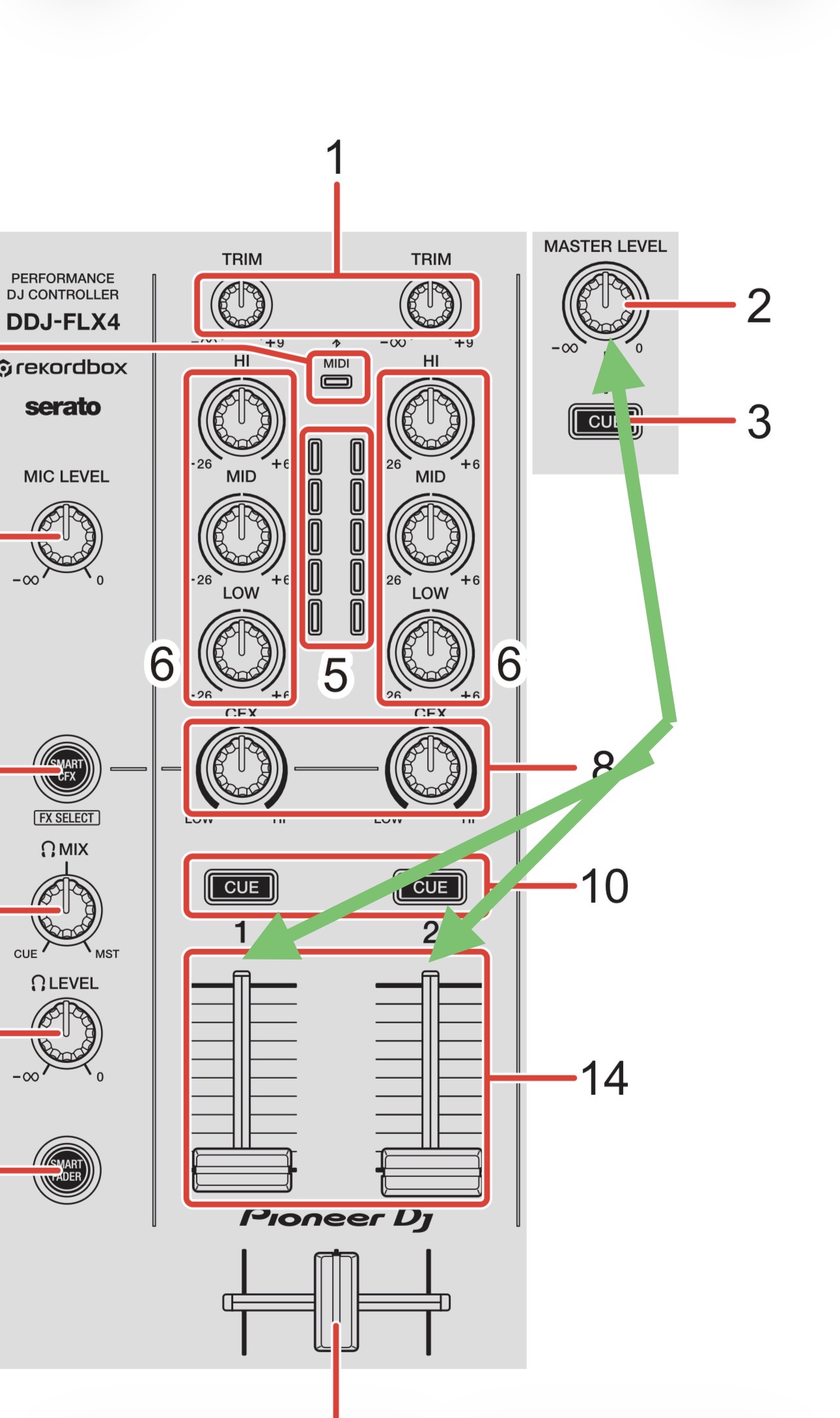
- Finally, please make sure the channel faders on the FLX4 are both at the top of their range.
Also, disable Bluetooth on your Mac to prevent AirPods or other Bluetooth Audio devices from accidentally connecting
Thank you so much for your help.
As per the video below, it’s still not working. I did everything you mentioned.
Can you please do a screen recording on your Mac so I can see everything more clearly?
Also, it looks like you are running Serato in the background. Please reboot your Mac and only run djay.
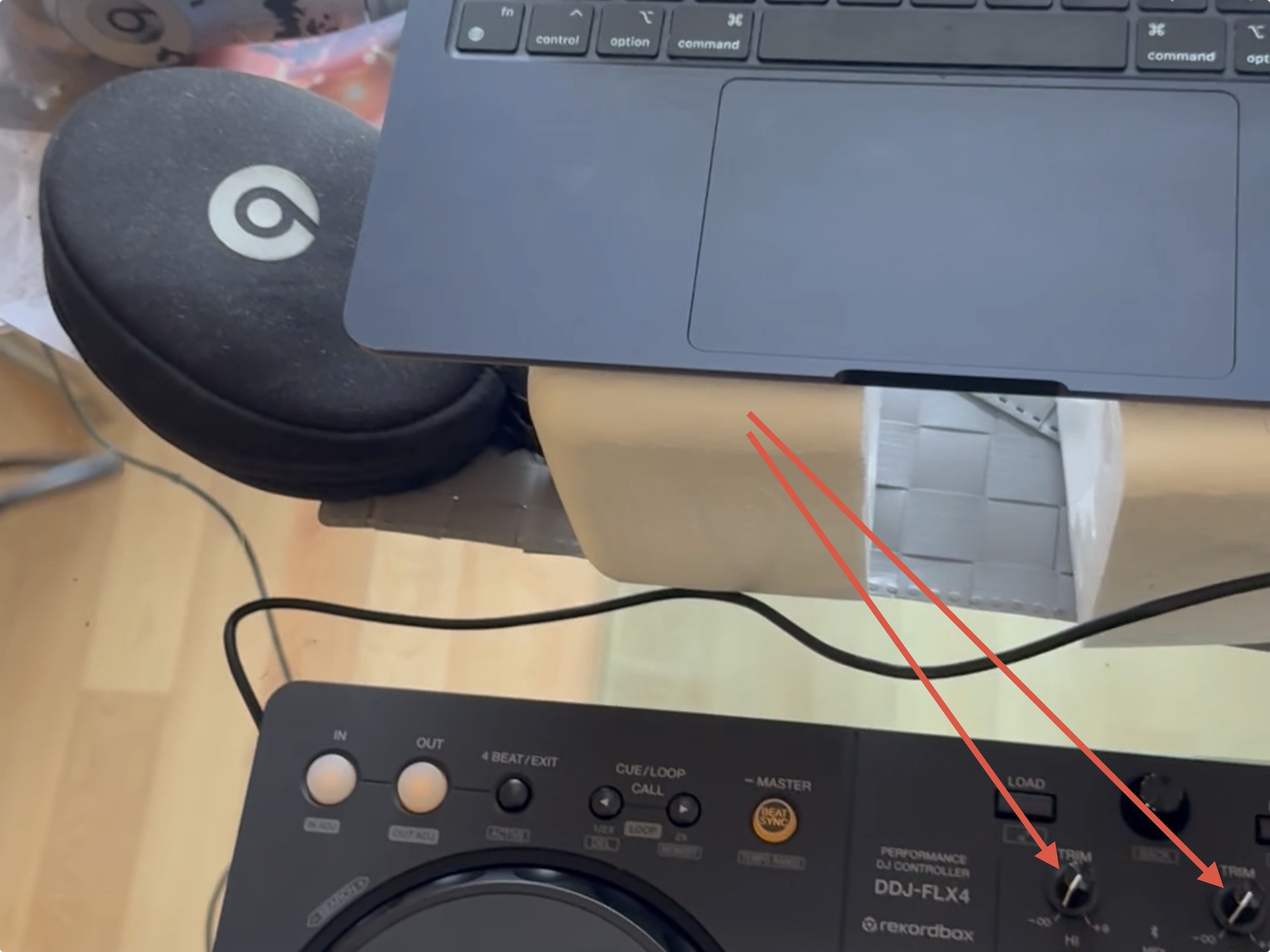
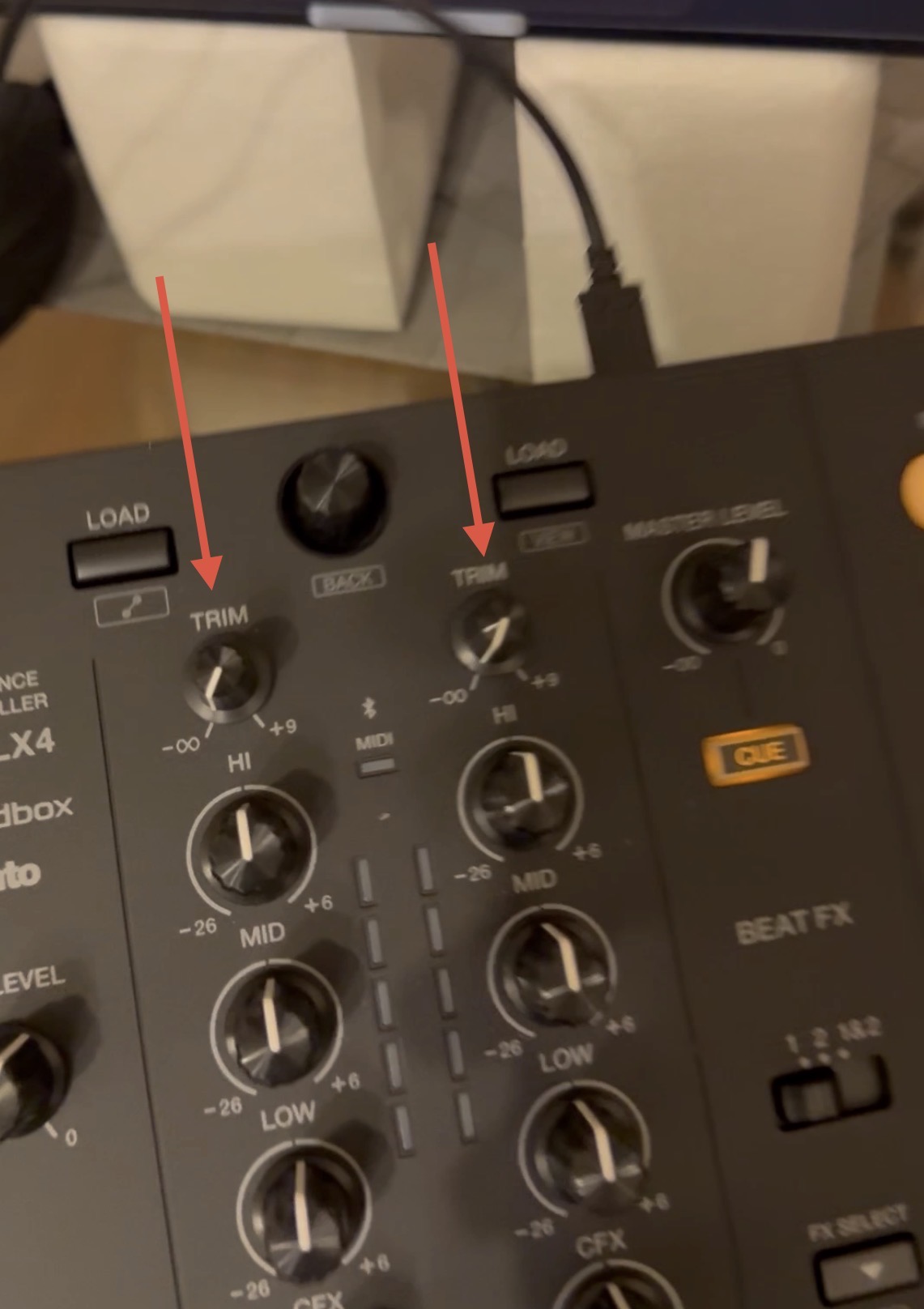
@Adekunle_Adegbite also, your Trim/Gain is set to 0. Please set this to the 12 o’clock or middle position.